


FAQ: Frequently Asked Questions About Lag and Ping in EA FC 26
Why does EA FC 26 lag so much in your region at night?
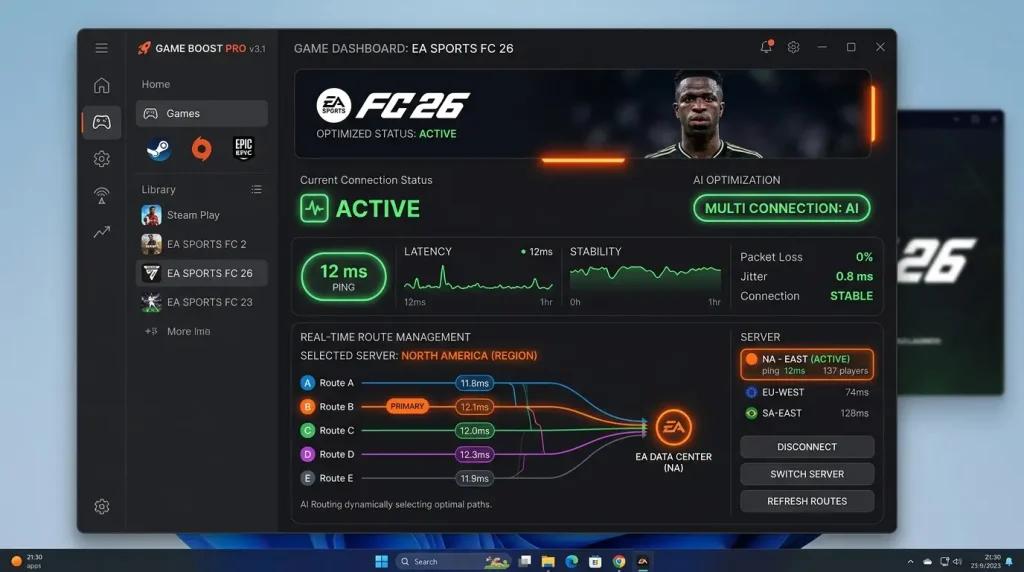
The main issue is usually route congestion between internet providers and game servers during peak hours. Some ISPs may use inefficient paths to EA servers located in different regions around the world. NoPing’s Multi Connection sends data through 5 parallel routes, using the fastest one in real time.
What is the difference between NoPing and ExitLag for playing EA FC 26?
Both optimize gaming routes, but NoPing offers additional features such as Multi Internet (combining up to 6 connections, including fiber and 4G/5G) and Boost FPS, which frees up PC resources. ExitLag, on the other hand, is known for having more than 10 years of market presence. In many cases, the best approach is to test both. NoPing offers a 1-day free trial so you can compare routes, stability, and jitter.
Does EA FC 26 use dedicated servers or P2P?
Modes such as Ultimate Team (Rivals and Champions) and Seasons run on EA’s dedicated servers. Online friendlies may use P2P connections. This explains why lag can vary between matches. An optimized route with NoPing can help in both dedicated server and P2P environments.
How can I check my ping and latency in EA FC 26?
EA FC 26 does not display numerical ping values like some competitive games, but you can often notice input delay in actions such as shooting, passing, and tackling. To measure latency, use the Windows Resource Monitor (resmon.exe) and check network latency for the game process during a match.
Can NoPing cause a ban from EA FC 26’s anti-cheat system?
EA AntiCheat (EAAC) detects software that modifies game memory or injects DLLs. NoPing operates only at the network layer and does not alter game files, making it compatible with the protection system.
Does Multi Connection really make a difference in a football game?
Yes. EA FC 26 requires millisecond-level precision for shots, dribbles, and tackles. If one of your 5 parallel routes experiences a jitter spike, the other 4 can automatically compensate, reducing the chance that your command will be affected by route instability.
Why do my shots get “eaten” in Ultimate Team?
This is likely caused by input delay resulting from high or unstable latency. You press the shoot button, the command travels with a delay, and the EA server processes it when your player is no longer in the correct position, leading to a weak shot or no shot at all. NoPing’s Boost FPS can also help if the issue is related to frame drops on your PC during gameplay.
The main issue is usually congestion in the routes between internet providers and servers during peak hours. NoPing’s Multi Connection sends data through 5 parallel routes, using the fastest one in real time.
Is the EA FC 26 server located in my region?
EA uses a global infrastructure with servers distributed across different regions. Depending on the game mode and matchmaking, your match may be routed to data centers located in another country or even another continent. NoPing focuses on optimizing this international route.
Technical note
Ping, packet loss, jitter, and FPS are different problems. Route optimization can help with network path issues, but it does not fix local CPU/GPU bottlenecks, overloaded Wi-Fi networks, or game server outages.
Why don’t my shots and backheel moves register in Ultimate Team?
The issue is usually input delay caused by high or unstable latency (jitter). In practice, you press the button to shoot or perform a backheel move, but the command travels through a congested network path and reaches the EA server on a tick where your player is no longer in the expected position. NoPing’s Multi Connection mitigates this by sending commands through 5 parallel routes, while Boost FPS helps if frame drops on the PC are contributing to the issue.
What route do my data packets take to reach EA’s servers in Ultimate Team?
Traffic typically leaves your home network, passes through your local ISP’s infrastructure, and follows an international route until it reaches EA’s server. Congestion can occur at any point along this path. NoPing seeks to bypass these bottlenecks by using dedicated gaming routes.
Why is my internet good, but only EA FC 26 lags at night?
Because the bottleneck may not be in your home connection but in the routes used to reach EA’s servers. During peak hours, these paths often become more congested due to increased internet traffic. NoPing uses dedicated routes for gaming traffic, which may reduce this impact.
Can NoPing or ExitLag help me play on international servers?
Yes. Both are designed to optimize international routes. When competitive servers are located in other regions, a route optimizer can help reduce instability. The difference lies in the technology: NoPing uses Multi Connection and Multi Internet, while ExitLag relies on a proprietary multi-TCP connection system.
FAQ: Frequently Asked Questions About Lag, Ping, and ExitLag in EA FC 26
Why am I searching for “EA FC 26 ExitLag” and what does it mean?
It means you are experiencing lag in EA FC 26 and found ExitLag as one of the most well-known route optimization solutions. This search indicates that you want to solve high ping and input delay issues. NoPing offers an alternative with Multi Internet (up to 6 parallel connections) and Boost FPS, along with a 1-day free trial.
Route congestion between providers and servers can increase during peak hours, especially on international connections. Game traffic competes with streaming, downloads, and other online services. NoPing’s Multi Connection sends data through 5 parallel routes, with AI selecting the most stable one in real time.
Where are EA FC 26 servers located?
EA’s dedicated servers for Ultimate Team (Rivals and Champions) and Seasons use a global infrastructure distributed across multiple regions worldwide. Friendly match modes may use P2P connections. A player’s ping varies depending on the game mode and matchmaking conditions.
Is NoPing or ExitLag better for international servers?
Both optimize international routes. NoPing stands out with Multi Internet, which combines fiber and 4G/5G connections to maintain stability, as well as Boost FPS to prevent frame drops during key gameplay moments. ExitLag benefits from being widely recognized in the industry. The ideal approach is to test both and compare results.
Can NoPing trigger a ban from EA AntiCheat (EAAC)?
No. EA AntiCheat (EAAC) is a kernel-mode driver designed to detect software that modifies game memory or injects DLLs. NoPing operates exclusively at the network layer and does not modify game files.
Input delay is caused by high or unstable latency (jitter). You press the button to shoot, the command travels with a delay, and it reaches the EA server when your player is no longer in the correct position. Multi Connection reduces this risk by using 5 parallel routes, while Boost FPS helps prevent frame drops that can also cause commands to be missed.
How can I measure ping in EA FC 26 if the game does not show numbers?
Use the Windows Resource Monitor (resmon.exe) during a match, filter the EA FC 26 process, and monitor network latency under TCP Connections. Alternatively, use NoPing itself, which displays ping, jitter, and packet loss directly in its interface.
Does Multi Connection make a difference in a football game?
Yes. EA FC 26 requires millisecond-level precision for shots, dribbles, tackles, and passes. Every command depends on reaching the server at the correct tick. With 5 parallel routes, if one route experiences a jitter spike, the others can automatically compensate.
The bottleneck is not always your internet connection but the route used to reach the game servers. During peak hours, that path may become congested. NoPing attempts to solve this problem through dedicated gaming routes.
Is it worth paying for a route optimizer for EA FC 26?
If you play competitive Ultimate Team and experience input delay or instability, a route optimizer may help. NoPing’s free trial allows you to evaluate the results before making a decision.
Frequently Asked Questions
1. Does EA FC 26 ExitLag depend only on internet speed?
No. Route quality, jitter, packet loss, ISP peering, and server region also influence performance.
2. How can I test NoPing in general?
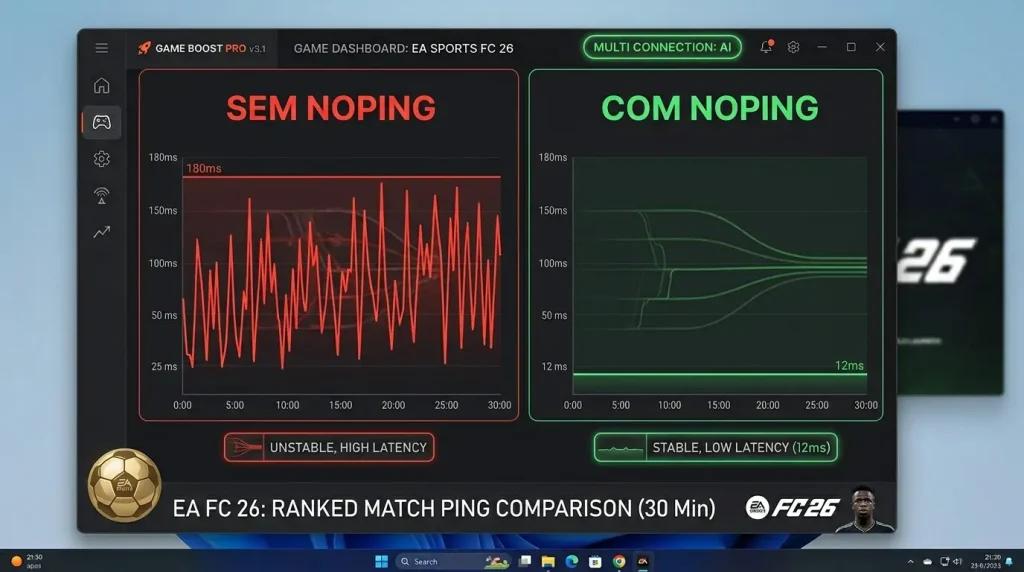
Test the same matchmaking queue before and after changing routes, then compare ping, jitter, and packet loss.
3. What is the most common local issue?
Inefficient routes between your ISP and the server region usually have a greater impact than raw connection speed.
4. Can NoPing help test lower ping?
NoPing helps you test alternative routes. Results depend on your ISP, location, server, and time of day.
5. Is it worth comparing it with ExitLag?
Compare measured stability, route quality, jitter, and packet loss, not just advertised ping numbers.
6. Does anti-cheat block route optimization?
Use compatible tools and avoid any packet manipulation. Route optimization should not alter game files or attempt to bypass anti-cheat systems.
7. Which metric should I monitor besides ping?
Monitor jitter, packet loss, route changes, and latency spikes during competitive matches.
8. When should I switch routes again?
Change routes after ISP instability, server maintenance, game updates, or whenever the selected route becomes unstable.
Why is “EA FC 26 ExitLag” such a popular search term, and how does NoPing compare?
ExitLag is one of the best-known brands in the route optimization market. People searching for this term are generally looking to solve high ping and input delay issues. NoPing offers features such as Multi Internet, Boost FPS, and 5 AI-managed parallel routes. Both aim to optimize international routes; the best comparison method is to test stability, jitter, and packet loss.
Local Route and Server Context
Inefficient routes between your ISP and the server region often have a greater impact than raw connection speed. Test the same matchmaking queue before and after changing routes and compare ping, jitter, and packet loss.
