


Gaming VPN vs route optimizer is not a question with one universal winner. A VPN creates a tunnel and may change egress and privacy exposure. A route optimizer tests paths intended for game traffic. DNS translates names before connections start. None can repair a platform outage, weak Wi-Fi, low FPS, or inadequate hardware, and any extra relay can improve or worsen latency.

Figure 1. Comparison of VPN tunnel route optimizer and DNS lookup roles
Compare gaming VPN vs route optimizer by function
A general VPN sends traffic through a provider endpoint, often with encryption. Its goal may be privacy rather than the shortest game path. The relay can bypass poor peering or add distance. The published gaming VPN list surveys generic VPN options; this page instead compares tool categories against a measured network problem.
A route optimizer focuses on paths to supported game destinations. Check handled traffic, route method, stored telemetry, and support. See the Multi Connection page; do not call simultaneous paths failover, backup, or a guaranteed reduction.
DNS maps a name to an address. It can improve lookup reliability, but normally does not steer each packet after connection. Use the DNS server guide for resolver selection and the game-booster list for product discovery; this page owns category choice. DNS is not a generic cure for in-match jitter.

Figure 2. Decision matrix matching gaming network symptoms to tool categories
Match the tool to measured evidence
Check service status, test Ethernet, pause traffic, and record region, time, ISP, ping, jitter, and loss. Fix Wi-Fi or offline FPS at their source. If one external path is consistently poor, a VPN or route optimizer becomes testable.
Review privacy, logging, account rules, cost, and cancellation before installing an intermediary. Avoid unclear data practices and never disable security controls for a lower number.
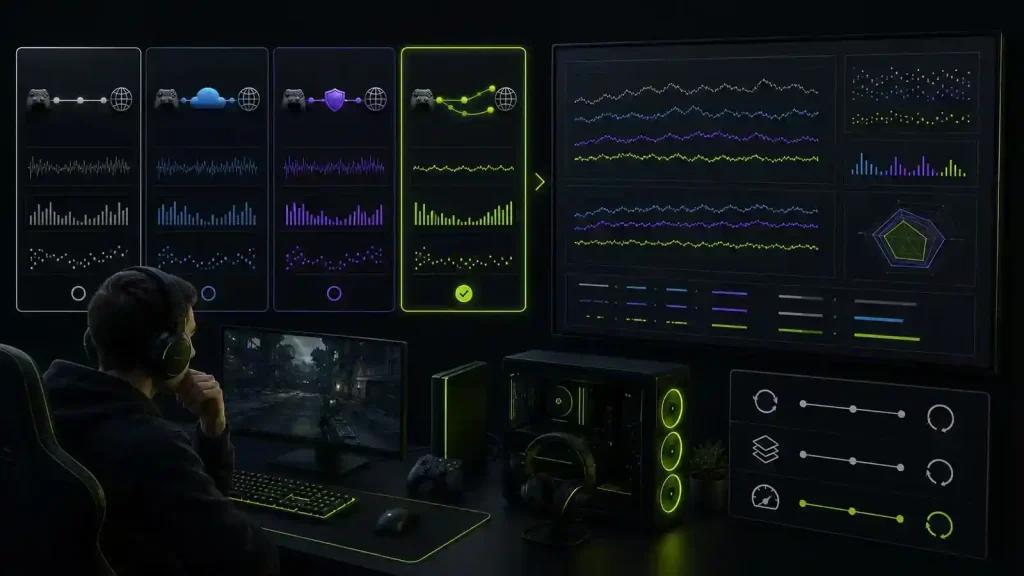
Figure 3. Controlled before and after route test with privacy and stability notes
Evaluation checklist
- Define the symptom and rule out service outage, Wi-Fi, and FPS.
- Verify platform and destination support.
- Read privacy, logging, billing, and acceptable-use terms.
- Run baseline and changed-path tests at the same time and region.
- Compare median behavior, spikes, loss, disconnects, and not just the best ping.
- Recheck DNS optimization claims against the actual problem.
A responsible route test
Use A/B/A/B: normal route, tool, normal route, tool. Keep everything else fixed. A route optimizer fits only when it repeatedly improves an inefficient ISP path without adding instability. Results change over time.
Frequently asked questions
How should NoPing vs ExitLag vs LagoFast vs WTFast be compared?
Use the same device, ISP, destination, time, and A/B/A/B sequence. Compare stability, privacy, and cost; without current matched data, do not declare a winner.
Does DNS lower in-game ping?
Usually it affects lookup before connection, not the established packet path. Test the actual symptom instead of relying on a resolver label.
Can using an extra server increase latency?
Yes. Any relay can add distance and processing. It helps only when the alternative path avoids a larger problem.
Measure first, test NoPing under matched conditions, and keep it only if repeated evidence shows a meaningful improvement with acceptable privacy, stability, and cost. No tool deserves permanent use without periodic retesting.