


Apex Legends matches in the United States can be hosted across different AWS regions, which means your latency may change from one match to another. Your physical distance from the server matters, but ISP routing, peering, jitter, and packet loss can have just as much impact on connection quality.
NoPing is designed to optimize the route between your connection and the server selected for your match. Features such as Multi Connection, Multi Internet, and Boost FPS can be used together to improve network stability and system performance.

Why Apex Legends Server Regions Matter
Apex Legends can route US players to different server locations depending on matchmaking conditions. As a result, two consecutive matches may not follow the same network path.
Your latency is affected by factors including:
- Distance to the server region
- ISP routing and BGP paths
- Peering between your ISP and the server infrastructure
- Network congestion
- Packet loss
- Jitter
- Number and quality of intermediate network hops
This explains why having a fast internet plan does not automatically guarantee low or consistent ping in Apex Legends.
Why Does Apex Legends Ping Change Between Matches?
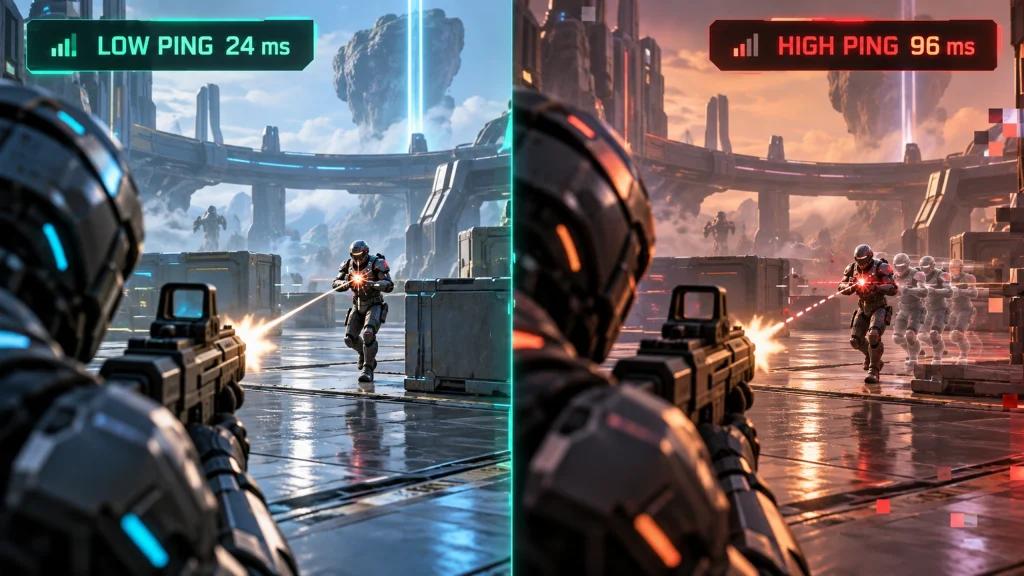
Ping can change because each match may use a different server location or network route.
For example, a connection may have an efficient route to an East Coast server but a less efficient route when traffic must travel across the country. If the second path involves congested or inefficient transit networks, latency and jitter can increase.
The important metrics to monitor are:
- Ping
- Jitter
- Packet loss
- Latency spikes
- Route stability
Consistent latency is especially important during competitive matches, where sudden network fluctuations can affect how responsive the game feels.
How NoPing Optimizes Routes to Apex Legends Servers
NoPing's Multi Connection uses five parallel routes and continuously evaluates available network paths to the game server.
Instead of relying exclusively on the default route selected by your ISP, Multi Connection can test alternative paths and prioritize more stable routes.
Automatic Route Optimization
The process is automatic.
When a match connects to one server location, NoPing optimizes the route toward that destination. If a later match connects somewhere else, the route can be adjusted for the new destination.
Players do not need to manually choose a route before every match.
This can be particularly useful when an ISP's default route suffers from:
- Congestion
- Poor peering
- Excessive network hops
- Packet loss
- High jitter
- Unstable international or cross-country transit
Actual results depend on the player's location, ISP, server destination, and current network conditions.
Multi Internet: Use Multiple Connections Simultaneously
NoPing Multi Internet can use up to six internet connections simultaneously.
Unlike a traditional failover configuration that waits for the primary connection to fail before activating another one, Multi Internet is designed to work with multiple available connections in parallel.
This can be useful for connections affected by intermittent packet loss, congestion, or unstable ISP routing.
Possible combinations can include:
- Fiber + secondary broadband connection
- Cable + mobile connection
- Ethernet + another available internet connection
- Primary ISP + 4G/5G connection
The benefit depends on the quality and independence of the available connections.
Boost FPS for Apex Legends on Windows 11
Network latency is only one part of game responsiveness.
Apex Legends, Windows background processes, and anti-cheat software can all consume system resources. NoPing's Boost FPS is designed to reduce unnecessary background resource usage and prioritize gaming performance.
Players experiencing FPS drops or inconsistent frame times should monitor both network and system metrics rather than assuming every gameplay problem is caused by ping.
Apex Legends Connection Stability on Major US ISPs
Routing behavior can vary not only between providers but also between cities and network conditions.
Comcast Xfinity
Xfinity routing can vary by market. Players should compare latency, jitter, and packet loss across multiple matches rather than relying on a single ping measurement.
Multi Connection can test alternative routes when the default ISP path is inefficient.
Spectrum
Spectrum performance can differ considerably by metropolitan area and local infrastructure.
Route optimization may help when the default path to the selected game server experiences congestion or unnecessary transit hops.
AT&T Fiber
Fiber connections generally provide strong local latency characteristics, but reaching a distant server can still involve inefficient routing.
Multi Connection can be useful when the match server is outside the player's nearest network region.
Verizon Fios
Players close to well-connected server infrastructure may already have efficient routes. Cross-country matches, however, can introduce additional latency and routing variability.
Testing several matches provides a more reliable picture than checking one server connection.
T-Mobile Home Internet
Fixed wireless access can introduce additional latency variation because network conditions depend on cellular infrastructure and local congestion.
Multi Internet can be especially useful when a second independent connection is available.
CenturyLink, Quantum Fiber, Cox and Optimum
Performance varies by market, local infrastructure, congestion, and upstream routing.
Players should compare ping, jitter, packet loss, and route stability before and after enabling route optimization.
Is NoPing Compatible With Apex Legends Anti-Cheat?
NoPing is a network route optimization tool. It is designed to optimize the connection path rather than modify game files or gameplay mechanics.
Players should always use supported software versions and keep both Apex Legends and its anti-cheat components updated.
How to Test NoPing With Apex Legends
The best way to evaluate a route optimizer is to compare similar gameplay conditions.
Use this testing method:
- Play several matches using your normal connection.
- Record average ping, jitter, packet loss, and noticeable latency spikes.
- Enable NoPing and Multi Connection.
- Play the same game mode and similar matchmaking queue.
- Record the same network metrics.
- Compare consistency across multiple matches rather than using only the lowest ping result.
Ideally, run at least 10 matches for each configuration. Testing multiple matches reduces the impact of temporary network conditions on the comparison.
What Should You Measure Besides Ping?
Ping alone does not provide a complete picture of connection quality.
Jitter
Jitter measures variation in latency.
A stable 40 ms connection can feel more consistent than one constantly moving between 25 ms and 80 ms.
Packet Loss
Packet loss occurs when network packets fail to reach their destination.
Even a low-ping connection can perform poorly when packet loss is present.
Latency Spikes
Short bursts of high latency can cause noticeable interruptions during fights even when the average ping looks normal.
Route Changes
ISP routing can change according to congestion, peering conditions, or upstream network decisions. A route that works well today may perform differently at another time.
NoPing vs ExitLag for Apex Legends
When comparing NoPing and ExitLag for Apex Legends, focus on measurable connection performance rather than advertised ping numbers.
Compare:
- Average ping
- Jitter
- Packet loss
- Latency spikes
- Route stability
- Match-to-match consistency
Run both tests under similar conditions, preferably using the same game mode, connection, device, and time period.
No route optimizer can guarantee a specific ping reduction for every connection. Results depend on the ISP, location, game server, existing route quality, and current network congestion.
Try NoPing With Apex Legends
NoPing combines Multi Connection, Multi Internet, and Boost FPS in a single client and supports more than 3,000 games.
For Apex Legends, test NoPing under your normal playing conditions and compare several matches before and after enabling route optimization.
The goal is not simply to find the lowest ping displayed in one match, but to determine whether latency, jitter, packet loss, and overall connection stability improve consistently.
A 1-day free trial is available for testing.
FAQ: Apex Legends Servers, Ping and NoPing
Why does my Apex Legends ping change between matches?
Different matches can use different server locations and network paths. Your ISP's routing and peering toward each destination can therefore produce different latency, jitter, and packet-loss results.
Does Apex Legends server performance depend only on internet speed?
No. Raw download and upload speed are only part of the connection. Routing, distance, ISP peering, jitter, packet loss, congestion, and server location can significantly affect gameplay.
Can NoPing force Apex Legends to use a specific server?
No. NoPing optimizes the network path toward the server used by the game. It does not control matchmaking or guarantee that a particular server will be selected.
How should I test NoPing for Apex Legends?
Play multiple matches before and after enabling NoPing under similar conditions. Compare ping, jitter, packet loss, latency spikes, and overall match-to-match stability.
Can NoPing guarantee lower ping?
No. Results vary according to your ISP, physical location, server destination, existing route, and current network conditions. Testing your own connection is the most reliable way to determine the effect.
What causes high ping in Apex Legends even with fast internet?
Common causes include long physical distance to the server, inefficient ISP routing, poor peering, congestion, packet loss, jitter, and unnecessary network hops.
What metric should I monitor besides ping?
Monitor jitter and packet loss first, then look for latency spikes and route changes. These metrics can reveal connection instability that average ping alone may hide.
Can Multi Connection help when my ISP has bad routing?
It can help test and use alternative network paths when the ISP's default route is inefficient. The improvement depends on whether a better route is available.
When should I test a different route?
Consider testing another route when latency suddenly increases, packet loss appears, jitter becomes unstable, your ISP changes routing, or connection quality changes after game or network infrastructure updates.
Is lower ping always better?
Lower ping is generally desirable, but stability also matters. A slightly higher but consistent connection may provide a more predictable experience than a route with a lower average ping but frequent spikes or packet loss.