


ARC Raiders combines PvPvE combat, exploration, looting and extraction mechanics. Because important encounters can happen quickly, connection instability may become especially noticeable during combat, movement and extraction.
For US players, connection quality depends on more than internet speed. Important factors include:
- Ping to the game server
- Jitter and latency variation
- Packet loss
- ISP routing and peering
- Server region
- Network congestion
- Peak-hour stability

Why Stable Latency Matters More Than Raw Internet Speed
A faster internet plan does not automatically mean lower gaming latency.
Once a connection has enough bandwidth for online gaming, the route between the player and the game server can become more important than raw download speed.
A stable 40 ms connection, for example, may feel more consistent than one averaging 25 ms but frequently jumping to 80 or 100 ms.
For ARC Raiders, players should evaluate connection stability rather than focusing exclusively on the lowest ping number.
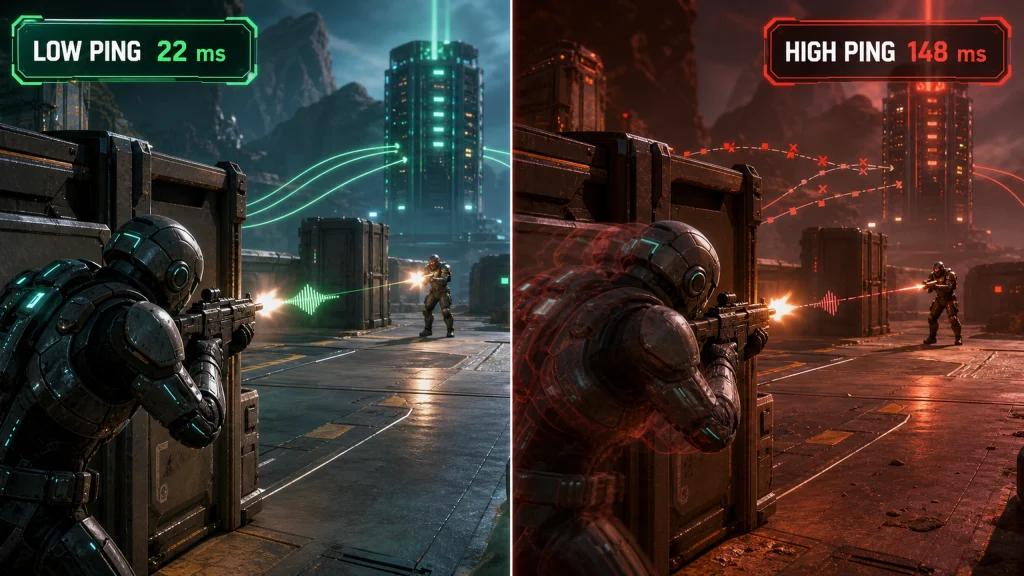
How High Ping Affects ARC Raiders
High latency increases the time required for information to travel between your device and the game server.
In ARC Raiders, players may notice problems such as:
- Delayed actions
- Less responsive movement
- Inconsistent interactions
- Delayed feedback during PvP encounters
- Timing issues during extraction
- A noticeable disconnect between inputs and on-screen responses
What Is a Good Ping for ARC Raiders?
There is no universal ideal ping because performance also depends on jitter, packet loss, server conditions and route stability.
In general, lower and more consistent latency is preferable.
Instead of targeting one specific number, compare:
- Average ping
- Minimum and maximum latency
- Frequency of ping spikes
- Jitter
- Packet loss
A connection with slightly higher but consistent latency can provide a better experience than one with a lower average accompanied by frequent spikes.
What Causes Lag in ARC Raiders?
ARC Raiders lag can have several different causes, and not all of them originate with the game server.
Common causes include:
- Wi-Fi interference
- ISP congestion
- Inefficient routing
- Packet loss
- High jitter
- Background downloads
- Other devices consuming bandwidth
- Peak-hour network congestion
- Server-side instability
- Long physical distance from the server
Identifying the source of the problem is important before attempting to fix it.
Ping vs Jitter vs Packet Loss in ARC Raiders
Ping, jitter and packet loss describe different aspects of your connection.
What Is Ping?
Ping measures how long data takes to travel between your device and the server and back.
Lower latency generally means faster communication with the game server.
What Is Jitter?
Jitter measures how much latency changes over time.
If your connection repeatedly moves between 30 ms, 60 ms and 100 ms, the average ping alone does not show the full problem.
High jitter can make gameplay feel inconsistent even when average ping appears acceptable.
What Is Packet Loss?
Packet loss occurs when some network data fails to reach its destination.
Symptoms can include:
- Rubberbanding
- Delayed actions
- Movement inconsistencies
- Sudden connection instability
- Unresponsive interactions
For ARC Raiders, players should therefore monitor all three metrics instead of checking ping alone.
Why ISP Routing Matters for ARC Raiders Players in the US
Your connection to an ARC Raiders server does not travel directly from your home to the destination.
Traffic passes through multiple network nodes controlled by your ISP and other infrastructure providers.
The route can change because of:
- Network congestion
- ISP peering
- Maintenance
- Regional outages
- Traffic management
- Infrastructure changes
This means two players in the same city can experience different latency even when connecting to the same game region.
ARC Raiders Connection Performance on Major US ISPs
Major US internet providers include:
- Xfinity
- Spectrum
- AT&T Fiber
- Verizon Fios
- T-Mobile Home Internet
- Quantum Fiber
- Cox
- Optimum
Performance cannot be determined by ISP name alone. Results vary according to location, infrastructure, server region, congestion and the route available at the time.
Xfinity
Xfinity players should monitor route stability, packet loss and evening congestion. Performance can vary considerably between regions.
Spectrum
Spectrum connections can also behave differently depending on local infrastructure and routing. Testing during your normal gaming hours provides a more useful baseline.
AT&T Fiber
Fiber can provide strong local connectivity and low access latency, but the route between the ISP and the game infrastructure still affects final performance.
Verizon Fios
A stable fiber connection does not eliminate external routing variables. Server distance, peering and congestion remain relevant.
T-Mobile Home Internet
Because T-Mobile Home Internet uses fixed wireless access, latency and jitter can fluctuate according to wireless conditions, network load and location.
Cox, Optimum and Quantum Fiber
The same principle applies to these providers: measure the actual route and connection quality instead of assuming performance based solely on advertised internet speed.
Why ARC Raiders Ping Can Get Worse at Night
Gaming latency can change throughout the day.
Peak usage periods may increase congestion somewhere between your home network, ISP and game server.
Players may notice:
- Higher average ping
- More frequent latency spikes
- Increased jitter
- Packet loss
- Less consistent gameplay
If ARC Raiders performs well during the afternoon but becomes unstable at night, test the connection at multiple times before changing hardware or internet plans.
How NoPing Can Help Optimize ARC Raiders Routes
NoPing is designed to optimize the network route between the player and supported game servers.
If an ISP's default route is congested or inefficient, testing an alternative path may improve connection stability.
Actual results depend on factors including:
- ISP
- Player location
- Server location
- Current network conditions
- Congestion
- Available routes
No route optimizer can guarantee the same improvement for every connection.
How Multi Connection Works With ARC Raiders
NoPing's Multi Connection uses multiple routes to help maintain a stable connection to the game.
This can be useful when the default ISP path experiences:
- Ping spikes
- Jitter
- Packet loss
- Congestion
- Route instability
The best route can also change over time, which makes real-world testing important.
How Multi Internet Can Improve Connection Resilience
Multi Internet is designed for players who have access to more than one internet connection.
Using multiple available links can provide additional resilience when one connection becomes unstable.
Potential scenarios include combining available connections such as:
- Fiber
- Cable
- Fixed wireless
- Mobile internet
- Secondary broadband connections
Results depend on the quality and characteristics of each available connection.
Can Boost FPS Help With ARC Raiders?
Network latency and FPS are different performance issues.
Ping measures network communication, while FPS relates primarily to how quickly the computer renders frames.
Boost FPS focuses on system-side optimization and may help reduce unnecessary competition for system resources.
Its impact depends on:
- CPU
- GPU
- RAM
- Windows configuration
- Background applications
- Graphics settings
- Current system bottlenecks
Players should compare performance before and after optimization instead of assuming a fixed FPS increase.
How to Reduce Ping and Lag in ARC Raiders
Start by eliminating common local connection problems before focusing on internet routing.
Recommended steps include:
- Use Ethernet instead of Wi-Fi when possible.
- Stop unnecessary downloads and uploads.
- Close bandwidth-heavy background applications.
- Check whether other devices are saturating the connection.
- Restart network equipment if you suspect a temporary issue.
- Measure ping, jitter and packet loss.
- Test during the hours when you normally play.
- Compare alternative routes when the default ISP path appears unstable.
Should You Use Ethernet or Wi-Fi for ARC Raiders?
Ethernet is generally preferable for competitive online gaming because it removes many variables associated with wireless interference.
If Ethernet is unavailable, use a strong Wi-Fi connection and avoid excessive distance or obstacles between the device and router.
How to Test NoPing With ARC Raiders
The most useful method is a controlled before-and-after test.
ARC Raiders A/B Test
Play under normal conditions without route optimization and record:
- Average ping
- Ping spikes
- Jitter
- Packet loss
- Connection stability
Then enable NoPing and repeat the test using the same server region and approximately the same time of day.
Compare the results instead of relying only on the lowest ping displayed during either session.
When Should You Change Your ARC Raiders Route?
A route that works well today may not always remain optimal.
Consider testing another route after:
- Sudden increases in ping
- Persistent jitter
- Packet loss
- New latency spikes
- ISP instability
- Network maintenance
- Game updates
- Server infrastructure changes
- Significant changes in peak-hour performance
Route optimization should be treated as a dynamic process rather than a one-time configuration.
NoPing vs ExitLag for ARC Raiders
NoPing and ExitLag should be compared using measured performance on your own connection.
Do not choose solely based on an advertised ping reduction.
What Should You Compare?
Test both services under similar conditions and evaluate:
- Average ping
- Jitter
- Packet loss
- Ping spikes
- Route stability
- Peak-hour consistency
- Performance to your preferred server region
Because ISP routing varies geographically, a service that performs better for one player may produce different results for another.
ARC Raiders Anti-Cheat and Route Optimization
Route optimization should not require modifying game files or bypassing anti-cheat protections.
Players should use supported network optimization methods and keep the game and its security components updated.
Avoid software or configurations designed to interfere with game processes or circumvent security systems.
How to Get a More Stable ARC Raiders Connection in the US
The best troubleshooting process is to determine whether instability originates from your home network, ISP route or the server side.
Start with:
- Ethernet when possible
- Stable router configuration
- No unnecessary background traffic
- Ping monitoring
- Jitter monitoring
- Packet-loss monitoring
- Tests at different times of day
- Alternative route testing
If the default ISP path is inefficient or unstable, NoPing can be used to test alternative routes.
Results will vary depending on ISP, location, server and current internet conditions.
FAQ: ARC Raiders Ping, Lag and NoPing
Why is my ARC Raiders ping high?
High ping can result from server distance, ISP routing, congestion, Wi-Fi conditions, background traffic or temporary network problems. Test your local network and route before assuming the issue comes from the game server.
Why does ARC Raiders lag even when I have fast internet?
Download speed and gaming latency are different metrics. A fast internet connection can still experience inefficient routing, jitter, packet loss or congestion.
How can I reduce ping in ARC Raiders?
Use Ethernet when possible, eliminate unnecessary network traffic, select an appropriate server region and test alternative network routes when the default ISP path is inefficient.
Does NoPing guarantee lower ping in ARC Raiders?
No. Results depend on your ISP, location, game server and network conditions. A before-and-after test is the best way to determine whether an alternative route improves your connection.
How should I test NoPing for ARC Raiders?
Test the same server region under similar conditions before and after enabling NoPing. Compare ping, jitter, packet loss and latency spikes.
What should I monitor besides ping?
Monitor jitter, packet loss, latency spikes and overall route stability. Average ping alone does not provide a complete picture of connection quality.
Why does my ARC Raiders ping increase at night?
Peak-hour congestion can occur on your ISP or on intermediate networks between you and the game server, potentially increasing latency, jitter or packet loss.
Can fiber internet still have high ping in ARC Raiders?
Yes. Fiber provides strong local connectivity, but external routing, server distance, peering and congestion can still affect gaming latency.
Is Ethernet better than Wi-Fi for ARC Raiders?
Generally, yes. Ethernet eliminates many wireless variables and usually provides a more predictable local connection.
Can NoPing fix packet loss?
Route optimization may help when packet loss occurs somewhere along an inefficient or congested internet route. It cannot guarantee a fix when the problem originates from your local network, physical connection or game server.
Should I compare NoPing and ExitLag for ARC Raiders?
Yes. Test both under equivalent conditions and compare ping, jitter, packet loss and stability rather than focusing only on advertised latency numbers.
When should I test a different route?
Test another route when your previously stable connection develops higher ping, jitter, packet loss or repeated spikes, especially after ISP routing changes, maintenance or game infrastructure updates.
Does route optimization bypass anti-cheat?
Route optimization should not modify game files or bypass anti-cheat systems. Use supported tools and avoid software designed to manipulate game processes or circumvent security mechanisms.
Can NoPing improve ARC Raiders FPS?
FPS and network latency are separate performance metrics. Boost FPS may help with system-side resource optimization, but results depend on your hardware, background processes and configuration.