


The Apex Legends meta in 2026 favors mobility, coordinated rotations, and loadouts capable of delivering high damage in short engagement windows. For players in the United States, however, legend choice and weapon performance can also be affected by latency, jitter, packet loss, and the quality of the route between the ISP and the game server.
Because competitive fights can happen within very short windows, connection consistency matters alongside aim, positioning, movement, and team coordination. Players should therefore evaluate both the current gameplay meta and their actual network conditions.

Why Connection Stability Matters in the Apex Legends Meta
Apex Legends uses a server architecture where network conditions can become noticeable during fast engagements. Sudden latency variation, packet loss, or jitter can affect how responsive close-range fights feel.
Mobility-focused legends create particularly fast engagements. Characters such as Octane, Pathfinder, Horizon, and Valkyrie can rapidly change distance, elevation, and positioning.
Defensive legends such as Caustic, Wattson, and Catalyst generally encourage slower engagements centered around controlling buildings, chokepoints, and zones.
For US players, another important factor is the route between their ISP and the server infrastructure used for the match. Providers such as Comcast Xfinity, Spectrum, AT&T Fiber, Verizon Fios, T-Mobile Home Internet, CenturyLink/Quantum, Cox, and Optimum can produce different routing conditions depending on location, congestion, server region, and time of day.
Best Apex Legends Characters for Ranked in 2026
The strongest legend for a player depends on team composition, playstyle, map, balance changes, and current network conditions.
Highly Competitive Ranked Picks
Conduit
- Strong support capabilities
- Useful mobility
- Works particularly well with coordinated squads
Newcastle
- Strong defensive utility
- Protects teammates during aggressive engagements
- Useful for resets and revives
Bangalore
- Smoke provides flexible offensive and defensive options
- Effective for rotations and disengagements
- Remains useful across different ranked compositions
Catalyst
- Strong zone-control capabilities
- Useful for controlling buildings and chokepoints
- Fits defensive and hybrid compositions
Strong Mobility Picks
Octane
- Excellent movement and engagement speed
- Useful for aggressive pushes and repositioning
- Fast engagements make consistent latency especially important
Wraith
- Strong repositioning and escape potential
- Useful for aggressive entry plays
- Responsive network conditions can help during fast engagements
Horizon
- Combines vertical mobility with combat utility
- Useful for gaining elevation and disrupting enemy positioning
Valkyrie
- Strong rotation capabilities
- Useful for repositioning teams across the map
Other Viable Ranked Legends
Bloodhound, Crypto, Loba, and Lifeline can remain effective depending on squad composition, map, strategy, and balance changes.
Instead of choosing a legend exclusively from a tier list, players should consider how well the character complements their squad and individual playstyle.
Best Apex Legends Loadouts for 2026
Weapon combinations should balance engagement distance, ammunition availability, recoil control, and the player's preferred combat style.
Burst and Precision Loadouts
R-301 + 30-30 Repeater
- Flexible across medium and longer distances
- Good option for controlled shots
- Rewards consistent accuracy
Volt + EVA-8
- Designed for aggressive close-range engagements
- Strong mobility-focused combination
- Particularly dependent on accurate tracking and timing
Sustained-Damage Loadouts
Flatline + Mozambique
- Flexible combination for different engagement distances
- Offers sustained rifle damage with a close-range secondary option
Devotion + Wingman
- High sustained damage potential
- Provides different options depending on engagement distance
Weapon balance changes can alter the meta throughout the year, so players should verify current patch notes before treating any loadout as permanently optimal.
How Network Routing Can Affect Apex Legends
Internet speed alone does not determine online gaming performance.
Important network metrics include:
- Ping
- Jitter
- Packet loss
- Route stability
- ISP peering
- Distance to the game server
- Congestion during peak hours
A high-bandwidth internet connection can still experience unstable gaming performance when the route between the player's ISP and the destination server is inefficient or congested.
This is why players troubleshooting Apex Legends lag should monitor more than download and upload speeds.
How NoPing Works With Apex Legends
NoPing is designed to test and optimize the network path between the player and the destination game server.
Multi Connection
Multi Connection uses up to five parallel routes and dynamically evaluates connection paths.
This can help players test alternative routes when their ISP's default path experiences congestion, instability, or inefficient routing.
The result depends on factors such as:
- ISP
- Player location
- Server region
- Network congestion
- Time of day
Multi Internet
Multi Internet can use up to six available internet connections in parallel.
For players who have access to more than one connection, this provides additional network-path options rather than relying entirely on a single ISP connection.
Boost FPS
Boost FPS focuses on reducing unnecessary background resource usage on Windows.
Its purpose is to improve system resource availability and frame-time consistency, particularly on PCs where background processes compete with the game for CPU and memory resources.
Actual results depend on hardware, operating-system configuration, background applications, and in-game settings.
Apex Legends and Major US ISPs
Connection quality can vary significantly even between customers using the same ISP.
Comcast Xfinity
Routing performance can depend on metropolitan area and destination server. Testing alternative routes may be useful when cross-region routing becomes inefficient.
Spectrum
Performance can vary between regions. Players experiencing congestion should monitor ping, jitter, and packet loss rather than relying exclusively on advertised connection speed.
AT&T Fiber
Fiber connections can provide strong baseline conditions, but the route to the game server still matters.
Verizon Fios
Fiber infrastructure can provide stable local connectivity, while cross-region server assignments may still introduce additional routing distance.
T-Mobile Home Internet
Wireless home internet can experience greater variability depending on signal quality, tower congestion, and local conditions.
CenturyLink/Quantum, Cox and Optimum
Routing performance depends on location and server destination. Testing different routes can help determine whether the default ISP path is contributing to instability.
How to Test NoPing With Apex Legends
For a meaningful comparison, use the same conditions whenever possible.
- Play several matches without route optimization.
- Record average ping, jitter, packet loss, FPS, and noticeable latency spikes.
- Enable NoPing.
- Play the same game mode during a similar time period.
- Compare the results.
Avoid judging performance from a single match because server selection, matchmaking, congestion, and other variables can change between sessions.
A larger sample provides a more useful comparison.
Can NoPing Change the Apex Legends Meta?
No. NoPing does not modify character balance, weapon statistics, matchmaking rules, or game mechanics.
Its role is network-route optimization.
A more stable connection may make fast engagements feel more consistent when the player's normal route suffers from jitter, packet loss, or latency spikes, but it does not change the underlying game balance.
Should You Choose an Apex Legend Based on Your Internet Connection?
Normally, legend selection should primarily depend on:
- Personal playstyle
- Team composition
- Map
- Current balance
- Ranked strategy
However, severe connection instability can make mechanics requiring precise timing feel less consistent.
Before changing characters because of network problems, measure ping, jitter, packet loss, and route stability to determine whether the connection is actually responsible.
Does NoPing Improve K/D in Apex Legends?
NoPing cannot guarantee a higher K/D ratio.
K/D depends on many factors, including:
- Aim
- Positioning
- Movement
- Decision-making
- Team coordination
- Matchmaking
- Hardware performance
- Network stability
Route optimization addresses only the network component.
Does NoPing Affect Apex Legends Matchmaking or SBMM?
No.
Route optimization does not change player rank, match history, skill rating, or matchmaking parameters.
It focuses on the network path used to reach the game server.
Can NoPing Fix Being Connected to a Distant Server?
NoPing can optimize the route to the server selected for the match, but it does not control Apex Legends matchmaking or server-region assignment.
If a player is connected to a distant server, improving the route may reduce unnecessary network inefficiency, but it cannot remove the physical distance between the player and the server.
Is Boost FPS Useful for Apex Legends?
It can be useful when background Windows processes are consuming resources needed by the game.
Players should compare:
- Average FPS
- 1% low FPS
- Frame-time consistency
- CPU usage
- Background resource consumption
The impact will vary significantly depending on the PC.
Does NoPing Work for Controller Players?
Network routing is independent of whether the player uses a controller or mouse and keyboard.
Controller players can therefore evaluate Multi Connection and Multi Internet using the same network metrics: ping, jitter, packet loss, and connection stability.
How to Run an A/B Test in Apex Legends
A simple test can help determine whether route optimization improves your specific connection.
Play approximately 10 matches without NoPing and another 10 matches with NoPing under similar conditions.
Track:
- Average ping
- Jitter
- Packet loss
- Latency spikes
- FPS and frame-time stability
- Match server or region when available
Try to keep the time of day, game mode, and other conditions similar.
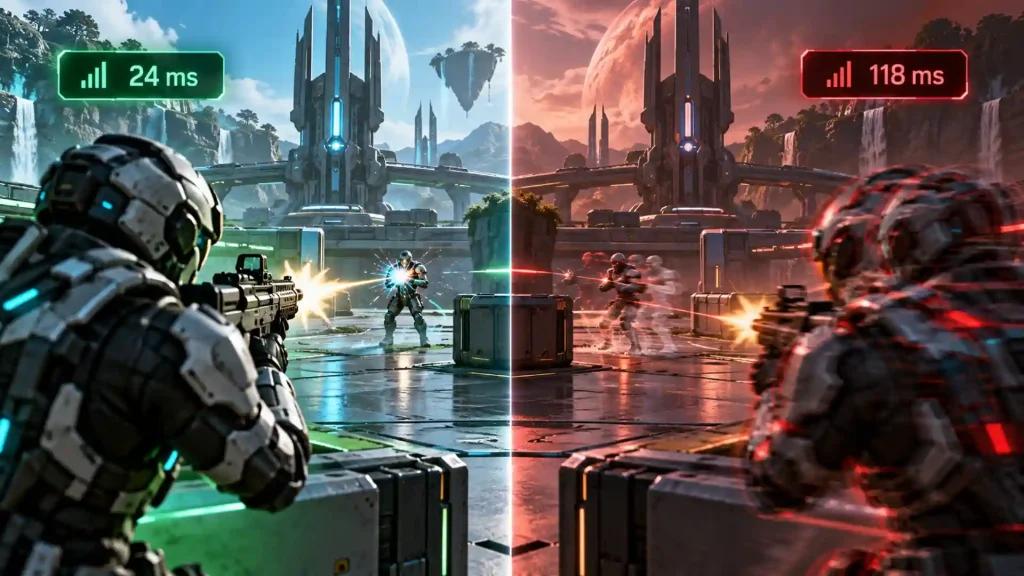
NoPing vs ExitLag for Apex Legends
When comparing gaming route optimizers, avoid choosing solely by the lowest advertised ping.
Test both services under similar conditions and compare:
- Average latency
- Jitter
- Packet loss
- Frequency of latency spikes
- Route stability
- Performance during peak hours
- Path to the actual game server
The better result can vary according to ISP, location, destination server, and time of day.
Frequently Asked Questions
Does Apex Legends performance depend only on internet speed?
No. Routing, latency, jitter, packet loss, congestion, ISP peering, and server distance can all affect online gameplay.
How should I test NoPing for Apex Legends?
Compare matches under similar conditions before and after enabling route optimization. Monitor ping, jitter, packet loss, and connection spikes.
What network problem is common for US players?
One potential problem is inefficient or congested routing between the player's ISP and the game server. The issue varies by provider, region, and time of day.
Can NoPing guarantee lower ping?
No. Results depend on the original ISP route, player location, destination server, congestion, and other network conditions.
What should I monitor besides ping?
Monitor jitter, packet loss, latency spikes, and route stability. Average ping alone does not provide a complete picture of connection quality.
When should I test another route?
Consider testing another route when you notice new packet loss, increased jitter, unusual latency spikes, ISP congestion, or a significant change after a game or network update.
Does route optimization interfere with anti-cheat?
Route optimization should operate without modifying game files or attempting to bypass anti-cheat systems. Players should always use supported software and keep both the game and security components updated.
Try NoPing With Apex Legends
Players experiencing unstable routing can test NoPing and compare their connection before and after optimization.
NoPing supports more than 3,000 games and combines Multi Connection, Multi Internet, and Boost FPS in a single application.
Performance varies according to ISP, location, server region, hardware, and time of day. For the most useful evaluation, measure ping, jitter, packet loss, and frame stability under comparable conditions before and after enabling optimization.