


Lag in Call of Duty is not determined by internet speed alone. Ping, jitter, packet loss, ISP routing, peering, Wi-Fi quality, server location, and network congestion can all affect how responsive a match feels.
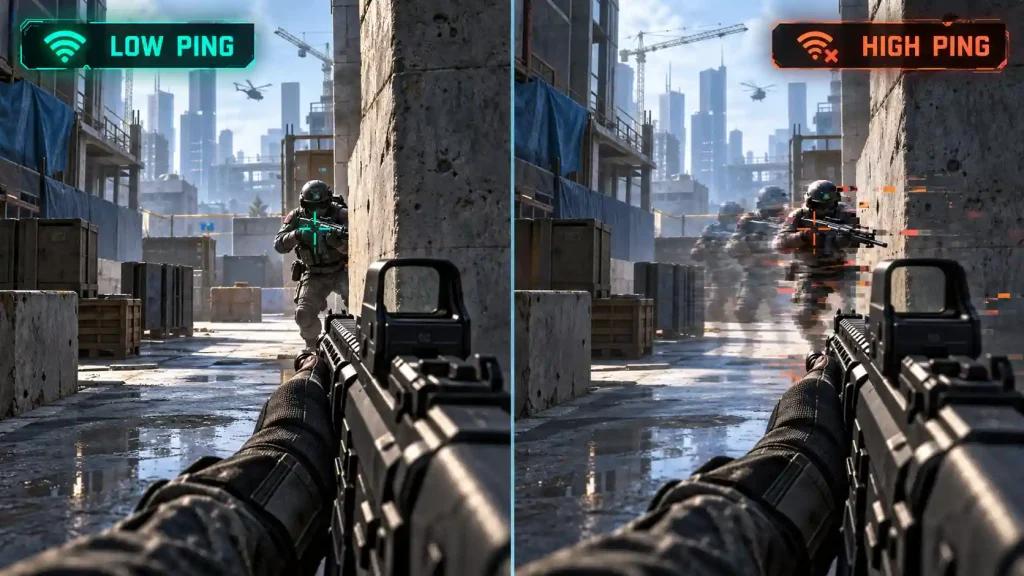
In fast gunfights, even short latency spikes or packet loss can cause noticeable problems, including:
- Rubber-banding during movement
- Sudden ping spikes
- Delayed hit registration
- Frozen frames during gunfights
- Inconsistent movement or positioning
- Connection instability during busy matches
This is why a fast internet plan does not automatically guarantee a stable Call of Duty connection.
Why Call of Duty Ping Can Change Between Matches
Call of Duty players in the United States may connect to different servers depending on matchmaking and availability.
At the same time, the route between a residential ISP and the game server can change throughout the day. Congestion, peering conditions, and regional infrastructure can therefore affect latency even when the player's home connection remains unchanged.
Major US providers such as Xfinity, Spectrum, AT&T Fiber, Verizon Fios, T-Mobile Home Internet, Quantum Fiber, and Cox can produce different results depending on the player's location and destination server.
ExitLag vs NoPing for Call of Duty: What's the Main Difference?
Both ExitLag and NoPing are designed to optimize the network route between the player and the Call of Duty server.
The main difference is how their routing technologies operate.
ExitLag Routing
ExitLag analyzes available routes and attempts to direct game traffic through an optimized path.
Results can depend on:
- Your ISP
- Your location
- The Call of Duty server
- Network congestion
- Time of day
- Current routing conditions
A route that performs well at one moment may perform differently later.
NoPing Multi Connection
NoPing's Multi Connection technology uses up to 5 AI-optimized routes to improve the path between the player and the Call of Duty server.
Instead of relying only on the default ISP route, NoPing continuously evaluates available paths to help maintain a more stable connection.
The objective is not simply to reduce average ping. Route optimization can also help address instability associated with:
- Jitter
- Packet loss
- Routing changes
- Latency spikes
- Congested network paths
Actual results vary according to the player's connection, ISP, location, and game server.
What Is NoPing Multi Internet?
Multi Internet allows NoPing to work with up to 6 internet connections simultaneously when compatible connections are available.
For example, a PC could potentially have access to:
- Fiber or cable internet
- A secondary broadband connection
- Ethernet
- Wi-Fi
- 5G or another mobile connection
The objective is to avoid making the gaming session completely dependent on a single physical internet connection.
This can be particularly relevant for Call of Duty players dealing with unstable connections or recurring congestion during peak hours.
Multi Connection vs Multi Internet
These NoPing features address different parts of the connection.
Multi Connection works with multiple optimized routes toward the Call of Duty server.
Multi Internet can use multiple available internet connections.
In simple terms:
Multi Connection = multiple optimized network routes
Multi Internet = multiple physical internet connections
Availability and effectiveness depend on the user's network configuration.
Call of Duty Ping, Jitter and Packet Loss Explained
Looking only at average ping can hide important connection problems.
Ping
Ping measures the time required for data to travel between your device and the Call of Duty server.
Lower latency generally means faster communication, but achieving the lowest possible number is not the only factor that matters.
Jitter
Jitter measures how much latency changes over time.
For example, a connection fluctuating constantly between 25 ms and 90 ms may feel less consistent than one remaining close to 40 ms.
Packet Loss
Packet loss occurs when network packets fail to reach their destination correctly.
In Call of Duty, packet loss can contribute to:
- Rubber-banding
- Movement corrections
- Connection warnings
- Inconsistent combat
- Temporary freezes
For competitive gameplay, connection stability can matter as much as average ping.
NoPing and ExitLag on US Internet Providers
Results can vary significantly between providers, cities, and even neighborhoods.
Xfinity
Cable connections can experience congestion depending on local network conditions and time of day. Testing alternative routes can help determine whether the ISP path toward Call of Duty servers is contributing to instability.
Spectrum
Performance can vary according to regional infrastructure and server destination. Players should compare ping, jitter, and packet loss rather than evaluating only download speed.
AT&T Fiber and Verizon Fios
Fiber connections can provide a strong baseline, which may mean route optimization produces a smaller difference when the original route is already efficient.
However, inefficient routing or temporary peering problems can still occur.
T-Mobile Home Internet
Fixed Wireless Access connections can experience latency variation depending on signal quality, tower congestion, and cellular network conditions.
Players with access to more than one internet connection can test whether Multi Internet improves stability under these conditions.
Quantum Fiber and Cox
Performance depends on local infrastructure and the route toward the Call of Duty server. Testing during the hours when you normally play provides a more representative comparison than a single isolated test.
NoPing Boost FPS for Call of Duty
Network optimization and FPS optimization address different performance issues.
NoPing includes Boost FPS, which focuses on system-side optimization.
It is important to distinguish these metrics:
- Ping = network latency
- Jitter = variation in latency
- Packet loss = data that fails to arrive correctly
- FPS = frames rendered by your computer
A routing optimizer cannot fix every CPU, GPU, Wi-Fi, or game-server problem.
Likewise, FPS optimization cannot correct a poor internet route.
How to Test NoPing vs ExitLag in Call of Duty
The most useful comparison is one performed on your own connection.
Use the same:
- PC
- Internet connection
- Call of Duty mode
- Approximate time of day
- Graphics settings
- Network configuration
First, establish your normal connection as a baseline.
Then test each routing configuration separately.
Monitor:
- Average ping
- Jitter
- Packet loss
- Ping spikes
- Connection warnings
- Match-to-match consistency
Avoid judging the result from a single match. Network conditions can change depending on server selection, matchmaking, and ISP congestion.
How to Configure NoPing for Call of Duty
- Open NoPing.
- Search for Call of Duty.
- Select the game.
- Allow NoPing to optimize the connection.
- Launch Call of Duty.
- Monitor ping, jitter, and packet loss during matches.
- Compare the results with your normal connection.
For a more representative test, evaluate several matches under similar conditions.
NoPing and Call of Duty Anti-Cheat
Call of Duty uses Ricochet Anti-Cheat, so players should use supported network optimization software without modifying game files or attempting to bypass anti-cheat protections.
Route optimization is intended to optimize the network path used to reach the Call of Duty server, not modify game files.
Keep both Call of Duty and your network optimization software updated because compatibility requirements can change after game or anti-cheat updates.
NoPing Features for Call of Duty
NoPing combines several optimization technologies in one client:
- Multi Connection: up to 5 optimized routes
- Multi Internet: support for up to 6 internet connections
- Boost FPS: system-side performance optimization
- Support for 3,000+ games
- Up to 80% ping reduction under eligible network conditions
- 4.9/5 user rating
- 1-day free trial
Performance improvements are not guaranteed. Results depend on the ISP, physical location, destination server, network quality, and time of day.
FAQ: Call of Duty ExitLag vs NoPing
Is NoPing better than ExitLag for Call of Duty?
NoPing and ExitLag use different approaches to network optimization. NoPing offers Multi Connection and Multi Internet, while practical results depend on the player's ISP, server location, and current routing conditions.
Testing both under similar conditions is the most reliable way to compare results.
Does NoPing guarantee lower ping in Call of Duty?
No.
If the original ISP route is already efficient, the improvement may be small. When the default route is inefficient or unstable, testing alternative routes may produce a more noticeable difference.
Does internet speed determine Call of Duty lag?
Not by itself.
Routing, latency, jitter, packet loss, Wi-Fi interference, ISP congestion, and server location can matter as much as maximum download speed during online gameplay.
What should I monitor besides ping?
Monitor jitter, packet loss, and latency spikes.
A stable 35 ms connection can sometimes provide a more consistent experience than a connection averaging 25 ms but repeatedly experiencing large spikes.
Can Multi Internet help with an unstable ISP?
Multi Internet is designed to work with multiple available internet connections rather than depending entirely on a single connection.
Its usefulness depends on having compatible secondary connections available.
Does NoPing improve FPS?
NoPing includes Boost FPS for system optimization, but FPS and network latency are separate issues.
Hardware limitations cannot be solved simply by changing the network route toward the Call of Duty server.
How should I compare NoPing and ExitLag?
Test both services using the same computer, connection, Call of Duty mode, and approximate time of day.
Compare several matches and record average ping, jitter, packet loss, and latency spikes rather than relying on a single ping measurement.

When should I test another route?
Consider testing another route when you notice:
- New ping spikes
- Increased packet loss
- Higher jitter
- ISP congestion
- Routing changes
- Connection problems after an update
- Different performance after connecting to another server
NoPing for Call of Duty in the US
For Call of Duty players in the United States, the effectiveness of a gaming network optimizer depends heavily on the route between the ISP and the Call of Duty server.
NoPing addresses this with Multi Connection, which can optimize multiple network routes, and Multi Internet, which can work with multiple internet connections when available.
Players experiencing inconsistent routing, peak-hour congestion, packet loss, or unstable latency should compare results using measurable network data rather than download speed alone.
Try NoPing free for 1 day and compare it with your normal Call of Duty connection under similar network conditions. Monitor ping, jitter, packet loss, and latency spikes to determine whether route optimization improves your connection.