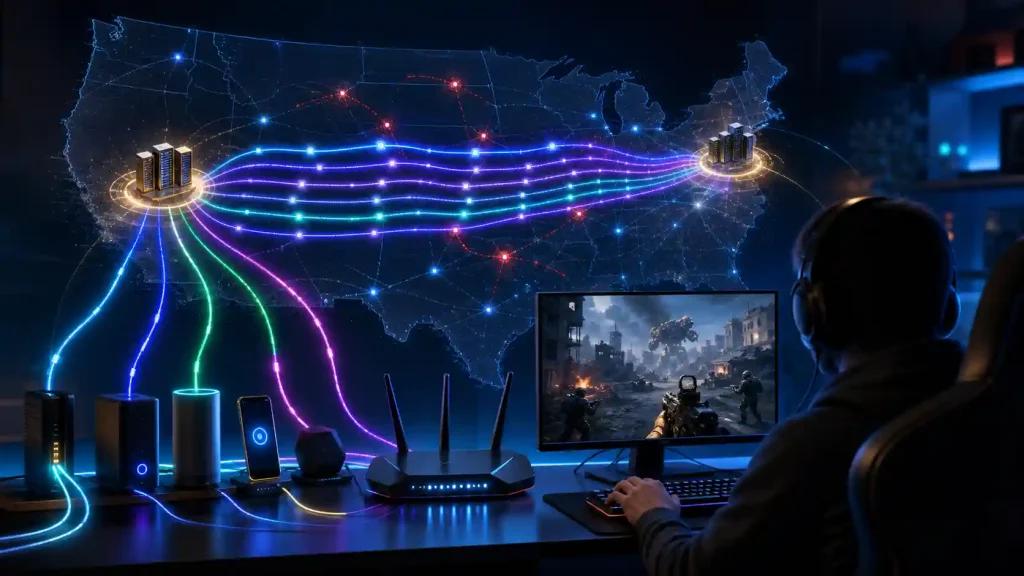
Call of Duty players in the United States can experience high ping, jitter, packet loss, rubber-banding, and inconsistent hit registration even with powerful gaming hardware and a fast internet plan. The problem is that raw download speed is only one part of online gaming performance: ISP routing, peering, congestion, server location, and connection stability can all affect how the game feels.
This can become particularly noticeable during peak hours on major US providers such as Xfinity, Spectrum, AT&T, Verizon Fios, Cox, Optimum, and T-Mobile Home Internet. A connection may show acceptable average ping while still suffering from latency spikes or unstable packet delivery.
NoPing addresses the routing side of the connection. Multi Connection uses five parallel AI-optimized routes, while Multi Internet can combine up to six physical internet connections simultaneously. Boost FPS focuses on local PC performance.
Rather than promising the same result for every connection, the important measurement is the before-and-after result on your own network. Many US players report significantly lower ping, with measured reductions of 30–60% in controlled tests, although results vary according to ISP, location, server, congestion, and time of day.
Why Does Call of Duty Lag So Much in the US?
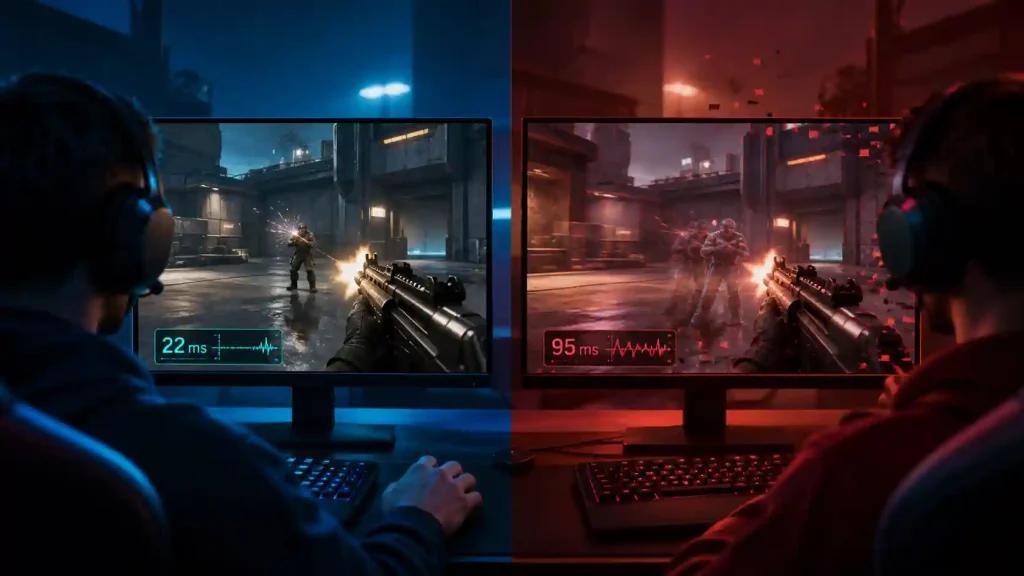
Call of Duty lag is not necessarily caused by slow internet. Routing quality, jitter, packet loss, ISP peering, network congestion, and distance from the game server can matter as much as connection speed.
A low server update rate can also make unstable connections more noticeable. When latency fluctuates between packets, players may experience symptoms such as:
- rubber-banding;
- delayed hit registration;
- sudden ping spikes;
- packet loss;
- inconsistent movement;
- delayed weapon swaps or ADS response.
For US players, the route between the home ISP and the game server is particularly important. Xfinity or Spectrum users, for example, may encounter different routing behavior depending on region and peak-hour congestion, while fiber connections such as Verizon Fios or AT&T Fiber can follow entirely different network paths.
The important point is that two players with the same advertised internet speed can have very different Call of Duty experiences because their packets take different routes to the server.
How Multi Connection Helps with Call of Duty Routing
NoPing's Multi Connection uses five parallel AI routes to optimize the path between the player and the game infrastructure.
Instead of relying entirely on the ISP's default route, NoPing can test alternative paths and select a more stable option for game traffic. The objective is to reduce:
- unnecessary routing hops;
- jitter;
- packet loss;
- latency spikes;
- instability caused by poor ISP peering.
This does not change Call of Duty's server tickrate or modify the game client. It optimizes the network path available to the player.
Multi Internet: Use Up to 6 Internet Connections in Parallel
NoPing Multi Internet can combine up to six physical internet connections simultaneously rather than treating the additional connections only as backups.
For example, a US gaming setup could have access to:
- Xfinity cable;
- Verizon Fios;
- AT&T Fiber;
- Spectrum;
- T-Mobile Home Internet;
- a smartphone hotspot.
When multiple connections are available, Multi Internet distributes traffic across them according to the application's routing strategy.
Is Multi Internet Just a Failover Connection?
No. The main difference is that the connections can remain active in parallel.
Traditional failover waits until the primary internet connection fails before switching to another connection. Multi Internet is designed to make multiple available connections part of the active network setup.
That can be useful when one ISP experiences temporary congestion, unstable peering, or packet loss during a Call of Duty session.
A player with cable internet and a mobile hotspot, for example, can test whether combining both provides better stability than relying exclusively on the cable route.
Boost FPS for Call of Duty and Warzone
Call of Duty and Warzone can place substantial load on both the CPU and GPU, particularly during visually complex fights.
NoPing Boost FPS is designed to optimize Windows resources and reduce unnecessary background activity that can compete with the game for system resources.
Depending on the PC configuration, this can help improve:
- 1% low FPS;
- frame-time consistency;
- responsiveness during gunfights;
- weapon-switch smoothness;
- ADS responsiveness;
- overall input consistency.
Boost FPS complements NoPing's network features rather than replacing them. Multi Connection and Multi Internet target connectivity, while Boost FPS targets local PC performance.
Actual FPS improvements depend on the player's CPU, GPU, RAM, Windows configuration, background applications, graphics settings, and existing system bottlenecks.
How to Set Up NoPing for Call of Duty in the US
The best NoPing configuration for Call of Duty is the one that produces the lowest stable latency—not simply the lowest ping number displayed at one moment.
Step 1: Install NoPing
Download and install NoPing, sign in, and use the available trial to establish a before-and-after comparison.
Step 2: Select Call of Duty
Search for Call of Duty in NoPing's supported game list and select the appropriate game or service.
Step 3: Choose the Appropriate US Route
Test the server region closest to your location first.
As a general starting point:
- East Coast: test US East routes;
- West Coast: test US West routes;
- Central US: compare both when appropriate.
Geographic distance alone does not always determine the best route. ISP peering can make a seemingly longer route perform better.
Step 4: Enable Multi Connection
Activate Multi Connection to use NoPing's five parallel AI-optimized routes.
Step 5: Add a Second Connection with Multi Internet
If you have another physical internet connection—such as fiber, cable, 5G home internet, or a phone hotspot—enable Multi Internet and compare stability.
NoPing supports combining up to six physical connections in parallel.
Step 6: Enable Boost FPS
PC players can activate Boost FPS to optimize local system resources alongside the network configuration.
Step 7: Test Under the Same Conditions
For a meaningful comparison, play the same game mode and preferably use the same server region before and after optimization.
Track:
- average ping;
- jitter;
- packet loss;
- latency spikes;
- rubber-banding;
- frame-time consistency.
Give more weight to sustained stability than to a single unusually low ping measurement.
NoPing vs. ExitLag for Call of Duty in the US
NoPing and ExitLag both focus on improving gaming routes, but their feature sets differ.
For Call of Duty players, one of NoPing's main differentiators is Multi Internet, which can use up to six physical internet connections in parallel. This can be particularly relevant for players who have access to more than one ISP—for example, Xfinity plus a 5G hotspot or fiber plus cable.
NoPing also combines its routing tools with Boost FPS, giving PC players network and system-performance optimization within the same service.
When comparing NoPing, ExitLag, GearUP Booster, WTFast, or another gaming route optimizer, test them on the same connection, server region, and time period.
The most useful comparison metrics are:
- average latency;
- jitter;
- packet loss;
- frequency of ping spikes;
- route stability during peak hours;
- consistency across multiple matches;
- available server coverage;
- included optimization features;
- subscription cost.
A lower advertised ping number alone does not establish which service will perform better on a particular ISP.
Best Call of Duty Connection Setup for US Players
For players testing NoPing, a complete setup can combine:
Multi Connection + Multi Internet + Boost FPS + the best-performing US server route.
Multi Connection focuses on alternative routing, Multi Internet adds multiple physical connections when available, and Boost FPS targets PC-side performance.
The ideal server should be selected through testing rather than ISP name alone. A player on Xfinity, Spectrum, Verizon Fios, AT&T Fiber, Cox, Optimum, CenturyLink/Quantum Fiber, or T-Mobile Home Internet may see different results depending on location and current peering conditions.
Comcast Xfinity Packet Loss and Spectrum Ping Spikes in Call of Duty
Searches such as "Xfinity packet loss Call of Duty," "Comcast high ping Warzone," "Spectrum ping spikes," and "Warzone rubber-banding" usually point to the same underlying question: why does a fast connection still feel unstable while gaming?
Possible causes include:
- peak-hour congestion;
- bufferbloat;
- packet loss;
- jitter;
- inefficient ISP routing;
- overloaded network segments;
- poor peering toward the selected game region.
NoPing can test alternative routing through Multi Connection, while Multi Internet gives players with multiple connections another way to reduce dependence on a single network path.
However, route optimization cannot fix every source of packet loss. Problems inside the home network, Wi-Fi interference, damaged cabling, modem issues, or congestion on the local ISP infrastructure may require separate troubleshooting.
FAQ: Call of Duty Ping and NoPing in the US
Does NoPing work with Ricochet?
NoPing operates as a network-routing optimization service rather than an anti-cheat bypass. Players should always use supported software configurations and avoid tools that modify game files, manipulate gameplay, or attempt to circumvent Ricochet.
Does NoPing reduce Warzone ping?
It can reduce latency when a better route exists between the player's ISP and the game infrastructure. Many US players report significantly lower ping, with measured reductions of 30–60% in controlled tests. Results depend on ISP, location, server, congestion, and time of day.
Is Multi Internet only a backup connection?
No. Multi Internet is designed to use up to six physical internet connections in parallel rather than simply waiting for the primary connection to fail.
Does NoPing increase Call of Duty's tickrate?
No. Server tickrate is controlled by the game infrastructure. NoPing focuses on improving the route and stability of the connection to the server.
What is the best US Call of Duty server?
Start with US East if you are on the East Coast and US West if you are on the West Coast, then compare actual ping, jitter, and packet loss. ISP routing can make another route perform better even when it is geographically farther away.
Does Boost FPS help in Warzone?
It can help when Windows background activity or resource allocation contributes to poor frame-time consistency. Results depend on the PC's hardware and existing performance bottlenecks.
Can NoPing prevent Ricochet Damage Shield?
NoPing is not designed to disable or bypass Ricochet features. Its role is network-route optimization, not anti-cheat manipulation.
How long is the NoPing free trial?
NoPing offers a one-day free trial, allowing players to test the available features before subscribing.
What is the best Call of Duty setup for improving ping in the US?
A useful NoPing test configuration combines Multi Connection, the best-performing US route, and—when multiple internet connections are available—Multi Internet. PC players can also test Boost FPS. Compare ping, jitter, packet loss, and stability before and after enabling each feature.
How does NoPing compare with ExitLag or GearUP Booster?
Compare the services under identical network conditions rather than relying only on advertised latency. NoPing's feature set includes Multi Connection, Multi Internet, and Boost FPS. Pricing, routing availability, and competing services' features should be checked at the time of comparison because they can change.
Can NoPing replace ExitLag or WTFast for Call of Duty?
It can be tested as an alternative. Players with multiple internet connections may find Multi Internet particularly relevant because it is designed around parallel physical connections. Performance should be validated on the player's actual ISP and location.
Does Call of Duty depend only on internet speed?
No. Ping, jitter, packet loss, routing, ISP peering, congestion, and server location can matter as much as raw download speed.
How should I test NoPing for Call of Duty?
Play the same mode and server region before and after enabling NoPing. Compare average ping, jitter, packet loss, latency spikes, and overall stability across multiple matches.
What network issue commonly affects US Call of Duty players?
Poor routing or peering between an ISP and the game server region can create latency and instability even when the player's internet speed is high.
Can NoPing guarantee lower ping?
No. Route optimization can provide a better path when one is available, but results depend on the ISP, physical location, game server, network congestion, and time of day.
What should I compare when testing NoPing against ExitLag, GearUP Booster, or WTFast?
Compare real measurements: ping, jitter, packet loss, latency spikes, route stability, and performance during peak hours. Do not judge exclusively by the lowest advertised ping.
Does anti-cheat block route optimization?
Network optimization and anti-cheat serve different purposes. Players should use supported tools and avoid anything that modifies game files, manipulates packets for gameplay advantages, or attempts to bypass anti-cheat protections.
What metric should I monitor besides ping?
Jitter and packet loss are especially important. Also monitor sudden latency spikes and whether the route remains stable during competitive moments.
When should I test a different route?
Retest after ISP instability, game or server maintenance, major patches, changes in your internet service, or whenever a previously stable route begins producing spikes or packet loss.
Why do US players search for "Comcast Xfinity packet loss" or "Spectrum ping spikes" with Call of Duty?
Because a high-speed internet plan does not guarantee stable game traffic. Peak-hour congestion, bufferbloat, packet loss, retransmissions, and ISP peering can contribute to rubber-banding and inconsistent responsiveness. Alternative routing may help when the bottleneck is the path between the ISP and game infrastructure, but results vary by network and location.
Improve Your Call of Duty Route Before Upgrading Your Hardware
If high ping, jitter, packet loss, or unstable routing is affecting Call of Duty, test the connection itself before assuming your PC is the problem.
Try NoPing for one day and compare Multi Connection, Multi Internet, and Boost FPS against your normal setup. Measure the difference in ping, jitter, packet loss, and stability—and keep the configuration that performs best on your connection.