


Black Desert Online color problems on PC can appear alongside lag spikes, packet loss, jitter, stuttering, or unstable network routes. If BDO looks washed out, gray, oversaturated, or shows visible color banding, troubleshoot graphics settings and the network connection separately instead of assuming they have the same cause.
NoPing can test alternative network routes to Black Desert Online servers, while features such as Multi Connection, Multi Internet, and Boost FPS are designed to improve connection stability and system performance. Results depend on your ISP, location, hardware, server region, and current network conditions.
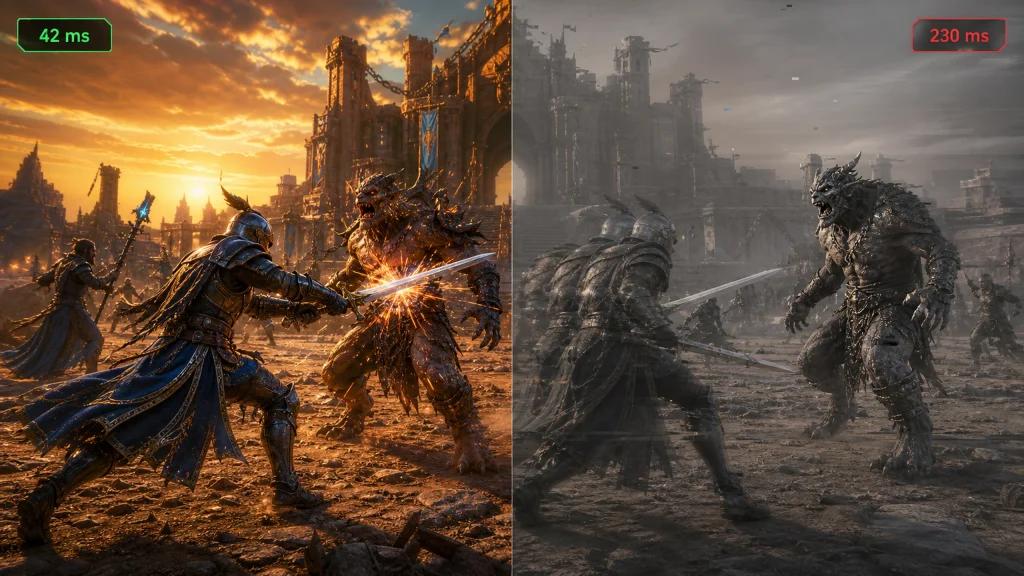
Why Black Desert Online Can Have Color Problems and Lag at the Same Time
Black Desert Online is a visually demanding MMORPG with detailed lighting, shadows, effects, textures, and post-processing. During Node Wars, world bosses, crowded cities, and high-density grind spots, the game can put substantial load on both the CPU and GPU.
At the same time, your connection to Black Desert Online servers can experience:
- High ping
- Packet loss
- Jitter
- Routing instability
- ISP congestion
- Wi-Fi interference
- Peering problems between your ISP and the game server network
These problems can occur simultaneously, but they should not automatically be treated as having the same root cause.
Washed-out colors, color banding, unusual brightness, or gray-looking visuals are more commonly associated with graphics settings, HDR, monitor configuration, GPU drivers, color profiles, or rendering behavior. Lag, rubber-banding, delayed skills, and disconnects are generally network-related.
What Causes Black Desert Online to Look Washed Out?
If Black Desert Online colors look wrong on your PC, check:
- In-game graphics and post-processing settings
- HDR settings in Windows
- NVIDIA or AMD color settings
- Monitor color profiles
- GPU driver updates
- Full RGB versus limited RGB output
- Gamma and brightness settings
- Game file integrity
If visual problems happen at the same time as latency spikes, test the network independently by monitoring ping, jitter, and packet loss.
How Network Routing Affects Black Desert Online in the US
A fast internet plan does not necessarily guarantee low latency in BDO. The route your ISP uses to reach the game infrastructure can matter as much as your advertised download speed.
Players using major US providers such as Xfinity, Spectrum, AT&T Fiber, Verizon Fios, T-Mobile Home Internet, Cox, Optimum, or CenturyLink may experience different routes depending on their location and current ISP peering conditions.
Common symptoms of an unstable route include:
- Ping spikes
- Rubber-banding
- Delayed combat actions
- Skills failing to register immediately
- Random disconnects
- High jitter during Node Wars
- Packet loss during peak hours
NoPing is designed to test optimized routes between your PC and the game server instead of relying exclusively on your ISP's default path.
NoPing Multi Connection: Multiple Routes for Black Desert Online
Multi Connection is designed to send game traffic through multiple optimized routes, helping reduce the impact of instability on an individual network path.
For Black Desert Online, this can be particularly useful during:
- Node Wars
- Siege battles
- World bosses
- PvP
- Long grinding sessions
- Crowded in-game events
Rather than evaluating performance using ping alone, compare ping, jitter, packet loss, and connection stability before and after enabling route optimization.
Multi Internet: Combine Up to 6 Internet Connections
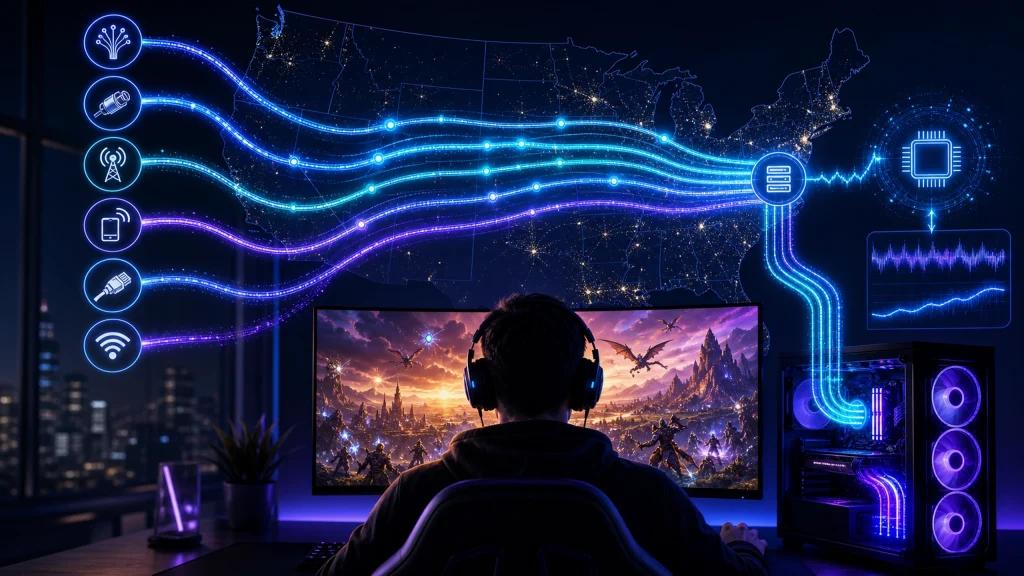
NoPing Multi Internet can combine up to six available internet connections.
Depending on your setup, those connections could include:
- Cable internet
- Fiber
- 5G home internet
- Smartphone tethering
- Mobile hotspots
- Additional wired connections
Multi Internet is designed to use multiple available connections rather than treating every secondary connection purely as an inactive backup.
This can be useful for players who want additional connection resilience during long Black Desert Online sessions where a temporary ISP problem could otherwise cause a disconnect.
Is Multi Internet Just a Backup Connection?
No. Multi Internet is designed around simultaneous connectivity rather than traditional failover, where one connection remains inactive until the primary link fails.
Actual performance will depend on the available connections, their latency, stability, and local network configuration.
Boost FPS for Black Desert Online on PC
Black Desert Online can become CPU-bound even on powerful gaming PCs.
Systems equipped with modern Ryzen 7 or Intel Core i7 processors and GPUs such as the GeForce RTX 4070 or RTX 4080 can still experience frame-time spikes in demanding situations.
Common scenarios include:
- Node Wars
- Siege
- World bosses
- Crowded cities
- High-density grind spots
- Large-scale combat
Boost FPS is designed to optimize system resources and reduce unnecessary background load so more processing capacity remains available to the game.
Does Boost FPS Help If You Already Have an RTX 4080?
Potentially. A powerful GPU does not eliminate CPU bottlenecks.
When evaluating the result, do not look only at average FPS. Pay attention to:
- 1% low FPS
- Frame times
- Stuttering
- Input responsiveness
- CPU utilization
- Background processes
More consistent frame times can feel significantly smoother even when average FPS changes very little.
How to Set Up NoPing for Black Desert Online
Setting up NoPing for BDO takes only a few steps:
- Download NoPing from the official website.
- Install the application and sign in.
- Search for Black Desert Online in the supported games list.
- Select an appropriate route for the Black Desert Online server you use.
- Enable Multi Connection.
- If you have additional internet connections available, configure Multi Internet.
- Enable Boost FPS if you want to test system optimization.
- Launch Black Desert Online.
- Compare performance under the same in-game conditions.
For a meaningful comparison, test the same server, location, activity, and approximate time of day whenever possible.
How to Test Whether NoPing Improves BDO
Record your baseline first.
Check:
- Average ping
- Ping spikes
- Jitter
- Packet loss
- Disconnect frequency
- Average FPS
- 1% low FPS
- Frame-time consistency
Then enable NoPing and repeat the same activity.
This provides a much more useful comparison than relying only on the lowest ping number displayed during a short test.
NoPing vs. ExitLag vs. GearUP Booster for Black Desert Online
Players searching for ways to reduce Black Desert Online lag frequently compare NoPing, ExitLag, and GearUP Booster.
The most useful comparison is not simply which service advertises the lowest ping. Test how each option performs on your specific ISP and Black Desert Online server.
Compare:
- Ping
- Jitter
- Packet loss
- Routing consistency
- Disconnect frequency
- Performance during peak hours
- Available multi-connection features
- System optimization features
NoPing differentiates its offering with Multi Connection, Multi Internet, and Boost FPS, combining network-route optimization with additional connection and system-performance tools.
Because routing quality varies by ISP, city, server, and time of day, testing under your own network conditions is the best way to determine which option performs better.
Black Desert Online Connection Problems by US ISP
Black Desert Online performance can vary significantly between US internet providers because each ISP uses different backbone networks, peering agreements, and routing policies.
Xfinity and Spectrum
Cable connections can experience increased congestion during peak evening hours in some areas.
If BDO becomes unstable primarily at night, compare:
- Packet loss
- Jitter
- Peak-hour ping
- Route changes
AT&T Fiber and Verizon Fios
Fiber generally provides excellent local latency and bandwidth, but the route beyond your ISP's own network can still affect game performance.
A fast fiber connection therefore does not automatically guarantee the shortest route to every game server.
T-Mobile Home Internet 5G
5G home internet latency can fluctuate because of:
- Signal quality
- Tower congestion
- Wireless conditions
- Network scheduling
- Location
For gaming, monitor jitter and ping spikes rather than relying solely on download speed.
Cox, Optimum, and CenturyLink
Routing quality can vary considerably by region. If your normal route becomes unstable, comparing an alternative optimized path can help determine whether the ISP route is contributing to the problem.
Why Internet Speed Alone Doesn't Determine BDO Performance
Raw download speed is only one part of online gaming performance.
A 1 Gbps connection can still deliver worse BDO responsiveness than a slower connection if its network route has excessive latency or packet loss.
For Black Desert Online, monitor:
- Ping: how long packets take to travel.
- Jitter: how much latency fluctuates.
- Packet loss: how many packets fail to arrive.
- Routing: which network path traffic follows.
- FPS: how quickly your PC renders frames.
These metrics measure different parts of the experience.
Technical Note: Ping, Packet Loss, Jitter, FPS, and Color Are Different Problems
Network optimization cannot fix every Black Desert Online problem.
Route optimization may help when the problem is caused by an inefficient or unstable path between your ISP and the game server. It does not directly repair:
- GPU bottlenecks
- CPU limitations
- Incorrect HDR configuration
- Monitor color profiles
- GPU driver problems
- Overloaded local Wi-Fi
- Game server outages
- Incorrect graphics settings
Likewise, an FPS optimization feature cannot repair an ISP routing problem.
Diagnosing each metric separately is the fastest way to identify what is actually causing the issue.
How to Fix Black Desert Online Color Banding on PC
If you see color banding, gray gradients, washed-out colors, or incorrect contrast in BDO, start with the graphics pipeline.
Check your Windows HDR configuration, monitor settings, GPU control panel, graphics driver, RGB range, gamma, and Black Desert Online graphics settings.
Then test the network separately if you are also experiencing lag.
This distinction is important: packet loss can cause gameplay synchronization problems, but there is no reliable basis for assuming that ordinary packet loss directly forces Black Desert Online into a lower-quality color or post-processing mode.
Why Players Searching for "Color Black Desert" Should Check Both Graphics and Connection Stability
Searches such as "Black Desert color problem," "BDO washed out colors," "Black Desert color banding," and "Black Desert graphics look gray" can describe several different problems.
The fastest troubleshooting process is:
- Verify Windows HDR and color settings.
- Check NVIDIA or AMD output configuration.
- Update or reinstall the GPU driver if necessary.
- Verify BDO graphics settings.
- Monitor FPS and frame times.
- Measure ping, jitter, and packet loss separately.
- Test an alternative network route if the connection is unstable.
NoPing can address the network-routing and system-optimization portions of this process, while monitor, HDR, driver, or game-rendering problems need to be corrected locally.
Frequently Asked Questions About Black Desert Online Color, Lag, and NoPing
Why does Black Desert Online look washed out on my PC?
Washed-out colors can be caused by HDR configuration, monitor settings, GPU color settings, RGB-range mismatches, drivers, gamma, or in-game graphics settings. Check those settings before assuming the problem is network-related.
Why is my color messed up in Black Desert Online?
Incorrect colors in BDO are commonly associated with graphics configuration. Check Windows HDR, your monitor profile, NVIDIA or AMD settings, GPU drivers, and the game's graphics options.
How do I fix color banding in Black Desert Online?
Start by checking HDR, color depth, RGB output range, gamma, monitor configuration, GPU drivers, and BDO graphics settings. Color banding is primarily a graphics/display troubleshooting issue.
Does Black Desert Online performance depend only on internet speed?
No. Routing, latency, jitter, packet loss, ISP peering, Wi-Fi conditions, and the location of the game server can matter more than raw download speed.
Does NoPing reduce ping in Black Desert Online?
NoPing is designed to find alternative routes that can reduce latency when your ISP's default route is inefficient. The improvement varies according to location, ISP, game server, and current network conditions, so lower ping cannot be guaranteed.
Can NoPing guarantee lower ping?
No. Route optimization can provide a better path in some situations, but results depend on your ISP, location, destination server, and current internet conditions.
How should I test NoPing for Black Desert Online?
Measure ping, jitter, packet loss, and stability under the same conditions before and after changing routes. For FPS optimization, also compare frame times and 1% low FPS.
What should I monitor besides ping?
Jitter and packet loss are particularly important. Also watch for sudden latency spikes, route changes, disconnects, and instability during Node Wars or other demanding activities.
Is Multi Internet a backup connection?
No. Multi Internet is designed to work with multiple connections simultaneously rather than functioning solely as traditional failover.
Can I use NoPing with T-Mobile Home Internet 5G?
Yes. You can test NoPing on a 5G internet connection. Because wireless latency varies, compare jitter, packet loss, and ping spikes before and after optimization.
Will NoPing get me banned by XIGNCODE3?
NoPing is a network-routing service and is not intended to modify Black Desert Online game files or client memory. Players should nevertheless follow Pearl Abyss's current terms and anti-cheat requirements.
Does anti-cheat block route optimization?
Network-route optimization and client modification are different technologies. Use supported software and never use tools intended to modify game files, manipulate game memory, or bypass anti-cheat protections.
Which Black Desert Online route should I choose?
Choose the route that corresponds to the BDO server region you actually play on and benchmark several available paths when necessary. The geographically closest route is not always the route with the lowest latency or best stability.
Does Boost FPS help on an RTX 4080?
It can help when the bottleneck is CPU load or background processes rather than GPU performance. Compare frame times and 1% lows instead of looking only at average FPS.
When should I change my NoPing route?
Retest routes after ISP instability, major game updates, server maintenance, unexplained latency increases, or when a previously stable route begins showing higher jitter or packet loss.
Should I compare NoPing with ExitLag and GearUP Booster?
Yes. Compare them under the same conditions and prioritize measured ping, jitter, packet loss, disconnect frequency, and route stability rather than advertised latency figures.
Test Black Desert Online Under Your Own Network Conditions
If Black Desert Online suffers from lag spikes, packet loss, jitter, or unstable routing, test NoPing against your normal ISP route and compare the results.
Enable the connection features relevant to your setup, reproduce the same in-game scenario, and measure the difference instead of relying on theoretical performance.
For visual problems such as washed-out colors or color banding, troubleshoot your GPU, HDR, monitor, and graphics configuration separately.