


For Counter-Strike 2 players in the United States, connection quality depends on much more than raw internet speed. Ping, jitter, packet loss, ISP peering and the route between your connection and the game infrastructure can all affect network stability.
NoPing, ExitLag and GearUP Booster are designed to optimize these routes, but they use different approaches. NoPing differentiates itself with Multi Connection, which works with 5 AI-driven routes, and Multi Internet, which supports up to 6 physical internet connections working in parallel.
The best option depends on your ISP, location, server region and current network conditions. Instead of relying only on advertised latency reductions, players should compare the services under similar conditions and measure ping, jitter, packet loss and connection stability.
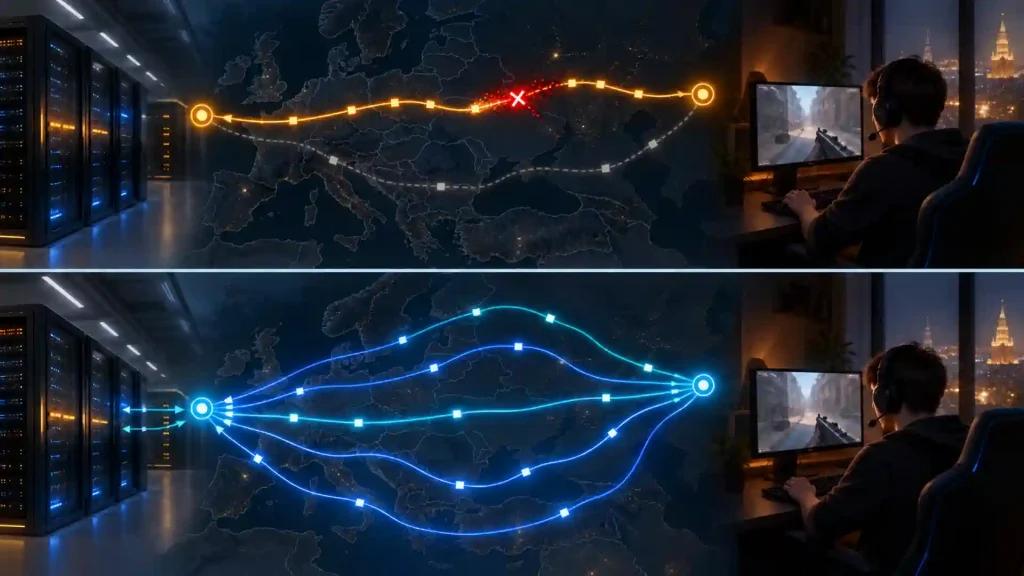
Why Counter-Strike 2 Has Ping Problems in the US
Counter-Strike 2 uses a sub-tick networking system that records player actions with precise timing. Because competitive interactions depend heavily on consistent packet delivery, unstable routing can become noticeable even when average ping appears acceptable.
Valve uses Steam Datagram Relay (SDR) infrastructure to handle game traffic. In the United States, the quality of the path between a player's residential ISP and Valve's network can vary according to location, provider, congestion and time of day.
Major US providers include:
- Comcast Xfinity
- Spectrum
- AT&T Fiber
- Verizon Fios
- T-Mobile Home Internet
- CenturyLink/Quantum Fiber
- Cox
- Optimum
These providers can use different peering and transit routes. As a result, two players located in similar regions can experience different latency, jitter and packet loss even when their advertised internet speeds are comparable.
Gaming route optimization tools attempt to improve this part of the connection by finding alternative paths between the player and the destination network.
How Ping Spikes Affect Counter-Strike 2
Average ping is only one part of network performance.
Competitive players should also monitor:
- Jitter: variation in latency over time.
- Packet loss: packets that fail to reach their destination.
- Latency spikes: sudden increases in response time.
- Route stability: consistency of the network path during a match.
A connection that remains consistently around 35 ms can provide a more predictable experience than one repeatedly fluctuating between 20 ms and 70 ms.
In competitive modes such as Premier and FACEIT, connection instability can become particularly noticeable during fast interactions.
For this reason, optimizing Counter-Strike 2 should focus on connection consistency rather than simply chasing the lowest possible ping number.
NoPing vs ExitLag: How Their Routing Approaches Differ
NoPing and ExitLag both optimize game traffic, but their routing architectures differ.
NoPing Multi Connection
NoPing's Multi Connection works with 5 AI-driven routes.
The system continuously evaluates alternative paths with the goal of reducing the impact of congestion, unstable routing and sudden latency variations.
Instead of relying exclusively on a single available path, Multi Connection provides multiple routing alternatives that can be evaluated according to current network conditions.
ExitLag Routing
ExitLag also analyzes available routes and redirects game traffic through its network infrastructure.
Its route-selection architecture and implementation differ from NoPing's Multi Connection system.
Actual performance depends on variables such as:
- ISP
- City and state
- Local infrastructure
- Server destination
- Peak-hour congestion
- Current internet routing conditions
Neither service can guarantee the same result for every player.
What Is NoPing Multi Internet?
Multi Internet is one of NoPing's main architectural differentiators.
The feature supports up to 6 physical internet connections working in parallel instead of treating additional connections only as traditional backup links.
Possible configurations include:
- Fiber + cable
- Fiber + 5G
- Cable + 5G
- Ethernet + mobile connection
- Multiple available broadband connections
This can be useful when the primary connection experiences intermittent congestion or instability.
For example, a player using T-Mobile Home Internet or another 5G fixed wireless connection can experience variations caused by cellular congestion, signal conditions or local network capacity.
When another internet connection is available, Multi Internet provides additional physical connectivity options rather than relying exclusively on the wireless link.
Multi Connection vs Multi Internet
Multi Connection and Multi Internet address different parts of network optimization.
Multi Connection focuses on routing and works with 5 AI-driven routes.
Multi Internet expands the available connectivity by supporting up to 6 physical internet connections in parallel.
Players with only one ISP connection can still use Multi Connection.
Multi Internet becomes especially relevant when two or more physical internet connections are available.
NoPing vs ExitLag vs GearUP Booster
NoPing, ExitLag and GearUP Booster all target players who want to optimize the path between their internet connection and Counter-Strike 2 infrastructure.
Their architectures and feature sets differ.
| Feature | NoPing | ExitLag | GearUP Booster |
|---|---|---|---|
| Gaming route optimization | Yes | Yes | Yes |
| Multiple optimized routes | Multi Connection: 5 AI-driven routes | Proprietary route optimization | Proprietary route optimization |
| Multiple physical internet connections | Multi Internet: up to 6 | Different feature architecture | Different feature architecture |
| System optimization | Boost FPS | Performance optimization features | Performance optimization features |
| Recommended evaluation | Test on your ISP | Test on your ISP | Test on your ISP |
A result obtained on one US ISP should not automatically be expected on another.
The most reliable comparison is a controlled test performed on the player's own connection.
How US ISP Routing Can Affect Counter-Strike 2
Bandwidth alone does not determine latency.
Two players with the same advertised download speed can experience significantly different network performance because their ISPs may use different peering agreements, transit providers and routes.
Cable networks such as those offered by Xfinity, Spectrum and Cox can experience local congestion depending on regional infrastructure and usage.
Fiber services such as AT&T Fiber, Verizon Fios and Quantum Fiber have different network architectures and routing characteristics.
Fixed wireless services such as T-Mobile Home Internet introduce additional variables because network performance can also depend on cellular conditions.
Route optimization should therefore be evaluated on the player's actual connection rather than through generic benchmark results.
How to Test NoPing, ExitLag and GearUP Booster
A controlled A/B test provides more useful information than comparing marketing claims.
Keep as many variables identical as possible:
- Use the same internet connection.
- Test at approximately the same time of day.
- Use the same server region whenever possible.
- Record your normal connection as a baseline.
- Test NoPing under comparable conditions.
- Repeat the process with ExitLag or GearUP Booster.
- Compare latency, jitter, packet loss and spikes.
- Repeat the test across several matches.
A single match may not provide enough data because internet routing conditions can change throughout the day.
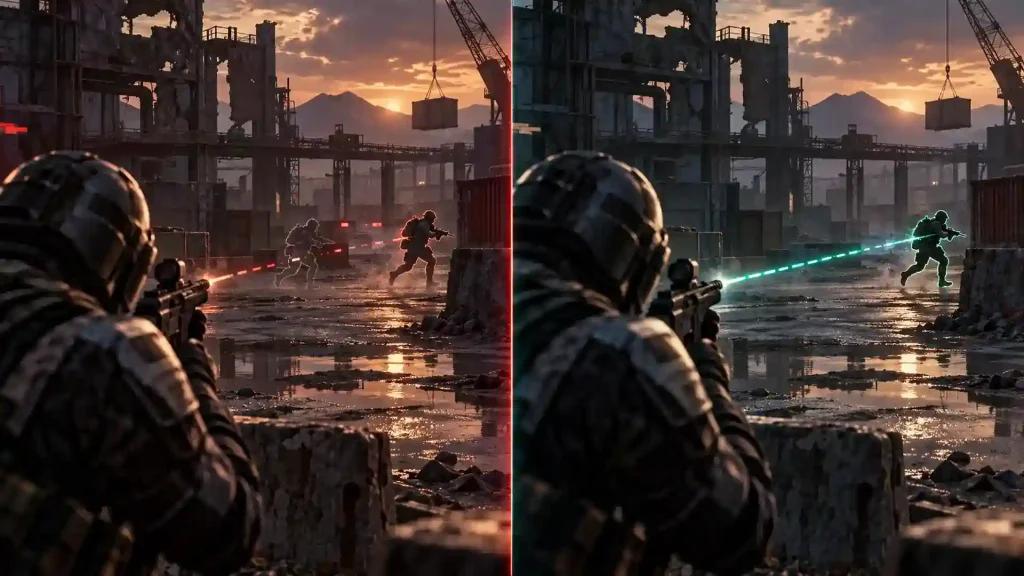
What Should You Measure Besides Ping?
Ping should not be evaluated in isolation.
The most useful network metrics include:
Jitter: Measures how much latency changes between packets. Lower variation generally means more consistent packet delivery.
Packet loss: Shows whether packets are being lost before reaching their destination.
Latency spikes: Reveal temporary increases in response time that may not appear clearly in an average ping measurement.
Route stability: Indicates whether the network path remains consistent throughout the session.
For competitive play, a stable connection can be more useful than one that occasionally reaches a very low latency but experiences frequent spikes.
When Should You Try a Different Route?
Consider testing another route when:
- ping suddenly increases;
- packet loss appears;
- jitter becomes unusually high;
- the ISP experiences instability;
- peak-hour congestion increases;
- the destination server region changes;
- network behavior changes after ISP maintenance.
Internet routing is dynamic. A route that performs well today may not necessarily remain the best option indefinitely.
Can NoPing Guarantee Lower Ping?
No.
Results depend on several factors, including:
- ISP routing
- Geographic location
- Physical distance to the destination
- Local network congestion
- Server location
- Internet infrastructure
- Time of day
Route optimization can provide alternative paths, but it cannot eliminate the physical limits imposed by distance and network infrastructure.
NoPing advertises up to 80% ping reduction for certain network conditions. This should be interpreted as a maximum potential result rather than an expected improvement for every user.
Does Internet Speed Determine Counter-Strike 2 Performance?
No.
Once sufficient bandwidth is available, increasing download speed does not automatically decrease latency.
For competitive gaming, the quality of the route can matter more than raw bandwidth.
Important factors include:
- Latency
- Jitter
- Packet loss
- ISP peering
- Route consistency
- Congestion
A high-bandwidth connection with inefficient routing can therefore experience higher latency than a slower connection using a cleaner path.
How to Test NoPing for Counter-Strike 2
Start by measuring your normal connection.
Record:
- Average ping
- Jitter
- Packet loss
- Frequency of latency spikes
Then activate NoPing and repeat comparable sessions.
Avoid judging performance solely by the lowest ping displayed during a match.
Instead, compare several sessions and determine whether the optimized connection produces lower variation, fewer spikes and more consistent network behavior.
Is Multi Internet Useful for T-Mobile Home Internet?
It can be particularly relevant when a fixed wireless connection experiences variable latency.
5G fixed wireless performance can change because of:
- Cellular congestion
- Signal quality
- Local tower capacity
- Wireless interference
- Peak-hour demand
If another internet connection is available, Multi Internet allows NoPing to work with multiple physical links rather than depending exclusively on the 5G connection.
The actual impact should still be measured on the player's network.
Should You Compare NoPing With Other Gaming Route Optimizers?
Yes.
Testing multiple services on the same connection provides more useful information than relying on advertised performance numbers.
Compare:
- Average latency
- Jitter
- Packet loss
- Frequency of latency spikes
- Route stability
- Peak-hour performance
- Consistency across multiple matches
The objective is to determine which routing architecture performs most consistently under your specific network conditions.
Try NoPing on Counter-Strike 2
Want to see how route optimization performs on your own connection?
Try NoPing free for 1 day and compare your baseline connection with Multi Connection, Multi Internet and Boost FPS enabled.
NoPing supports 3,000+ games and advertises a 4.9/5 user rating.
Run several comparable sessions before and after enabling optimization. Instead of looking only at the lowest ping, evaluate latency, jitter, packet loss and overall connection stability.
FAQ
Is NoPing better than ExitLag for Counter-Strike 2?
The services use different routing architectures, and results vary according to ISP, location and current network conditions. NoPing differentiates its feature set with Multi Connection and Multi Internet. Testing both under comparable conditions provides the most useful comparison.
Can NoPing guarantee lower ping?
No. Results depend on ISP routing, geographic location, server destination, congestion and current network conditions.
Does Counter-Strike 2 performance depend only on internet speed?
No. Once sufficient bandwidth is available, routing quality, latency, jitter and packet loss can have a greater impact than additional download speed.
What should I monitor besides ping?
Monitor jitter, packet loss, latency spikes and overall connection consistency.
How should I test NoPing?
Measure your normal connection first. Then enable NoPing and repeat comparable sessions under similar conditions. Evaluate several matches rather than relying on a single test.
What is the difference between Multi Connection and Multi Internet?
Multi Connection works with 5 AI-driven routes, while Multi Internet allows NoPing to work with up to 6 physical internet connections in parallel.
Is Multi Internet useful with only one internet connection?
Its main advantage applies when multiple physical connections are available. With a single internet connection, Multi Connection remains the primary routing optimization feature.
When should I test another route?
Consider retesting after sudden latency increases, packet loss, ISP instability, peak-hour congestion or changes to the destination server region.
Should I compare NoPing, ExitLag and GearUP Booster?
Yes. Test them under comparable conditions and evaluate latency, jitter, packet loss, spikes and connection consistency rather than relying only on advertised ping reductions.