


To troubleshoot high ping in VALORANT, check your selected game server, test your connection over Ethernet, and look for packet loss or jitter—not just download speed. If your route to Riot’s server is unstable, a routing optimizer such as NoPing may help, though results depend on your ISP, location, server, and time of day.
VALORANT runs on 128-tick servers, which process a server frame about every 7.8 milliseconds. That makes a stable connection important, but it does not mean every instance of lag or a missed shot is caused by ping. Riot’s North American server list includes locations in Oregon, Northern California, Northern Virginia, Texas, Illinois, and Georgia. Players can check available servers and their ping in the game client.
This guide covers common causes of high ping, lag spikes, and packet loss for US players, including Wi-Fi issues, ISP routing, and network congestion. It also explains how NoPing’s Multi Connection, Multi Internet, and Boost FPS features are intended to work.
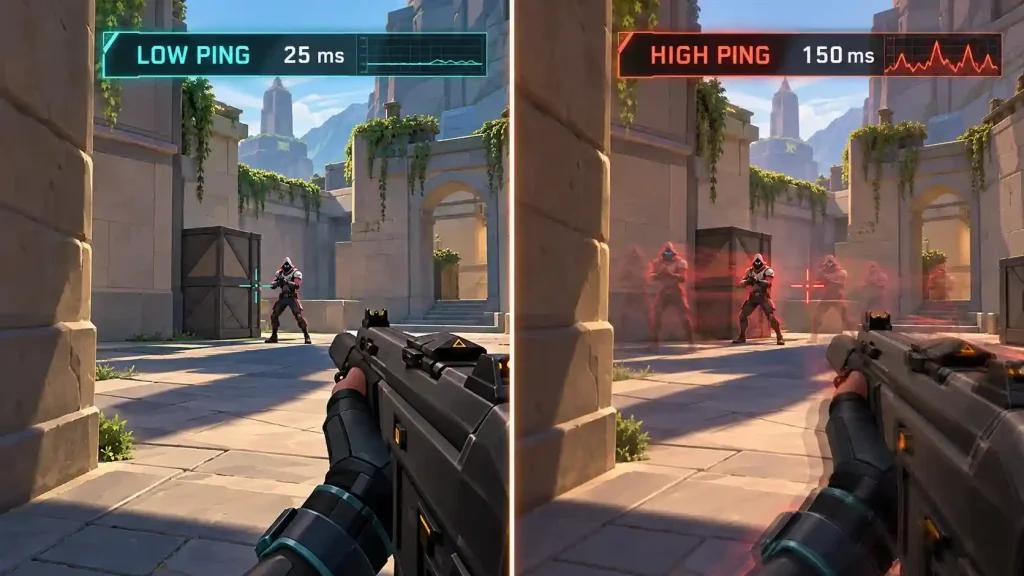
Why VALORANT ping spikes happen in the United States
A high ping can come from physical distance to a server, congestion on your home network, Wi-Fi interference, packet loss, or the route your ISP uses to reach Riot’s network. Internet speed alone does not tell you whether your connection is stable.
VALORANT lets players view available servers and their ping before a match. If you are in Texas, Colorado, or another state far from a listed server, compare the available options in the client; the best choice can vary by location and current routing. Riot lists six North American server locations, including US Central locations, so the game is not limited to East and West Coast servers.
VALORANT’s 128-tick servers process each server frame in approximately 7.8 milliseconds. Jitter—variation in latency—can make a connection feel inconsistent even when its average ping looks reasonable. Check both ping and network indicators such as packet loss and spikes while playing.
ISP performance also varies by city and route. Comcast Xfinity, Spectrum, AT&T Fiber, Verizon Fios, T-Mobile Home Internet, CenturyLink or Quantum Fiber, Cox, and Optimum may perform differently depending on local infrastructure and the route to a specific server.
How high ping and jitter affect VALORANT gameplay
High ping can delay the time it takes for your inputs and the server’s responses to travel between your PC and the game server. Jitter and packet loss can make that connection inconsistent, which may show up as lag spikes, rubber-banding, or delayed updates.
Rubber-banding occurs when your character’s position appears to snap backward or forward. It can happen when movement updates are delayed or lost. Network stutter can also look like an FPS problem, so compare the game’s frame rate with its network statistics before troubleshooting.
A routing tool may help when the issue is the path between your ISP and the game server. It cannot fix every cause of lag, such as weak Wi-Fi, an overloaded home network, or a problem with the game server itself.
How NoPing’s connection features are designed to work
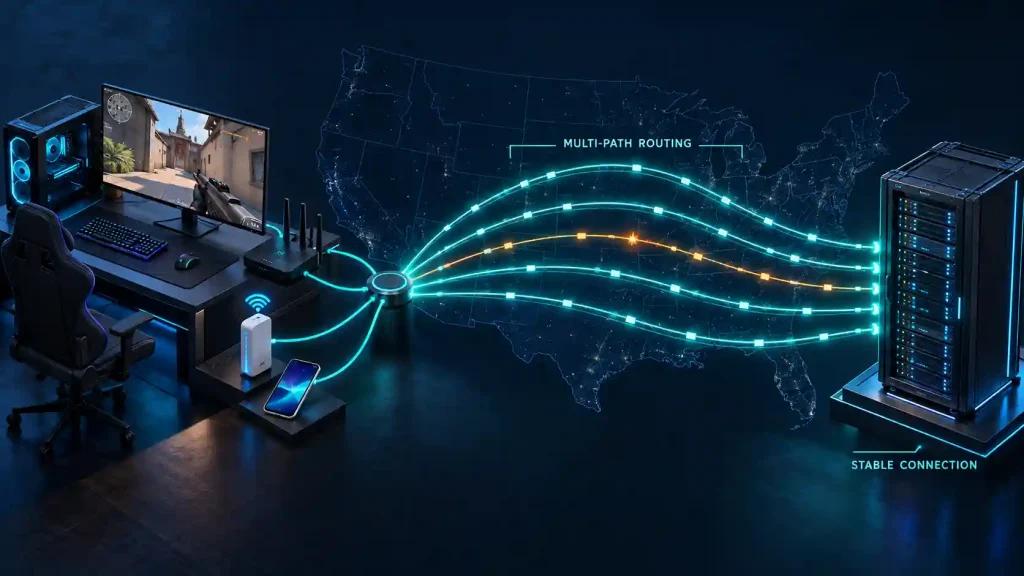
NoPing’s Multi Connection is described as using five parallel, AI-selected routes between your device and the game server. The goal is to reduce the effect of a disruption on any one route. Results depend on the connection and route available for each match.
Multi Internet can combine up to six physical internet connections in parallel, according to NoPing. For example, a player might use a wired home connection alongside a separate mobile hotspot. The feature is intended to use the connections simultaneously; it is not simply a backup link that activates after the primary connection fails.
Boost FPS is designed to reduce the priority of selected background processes so the game can use more system resources. Its effect on frame rate will depend on the PC and the applications running in the background.
NoPing advertises support for more than 3,000 games, a 4.9/5 user rating, and a one-day free trial. Treat any ping or performance improvement as something to measure on your own connection.
Using NoPing with VALORANT on US servers
VALORANT’s server selection lets players compare the available North American servers. NoPing may help test a different network route to the server selected for a match, but it does not choose the server for Riot’s matchmaking system.
NoPing describes its service as a network optimizer that operates outside the VALORANT game process. Players should confirm current compatibility with Riot Vanguard and follow Riot’s support guidance if they encounter connection or anti-cheat errors.
ISP performance varies by metro area, server, and time of day. If a connection is unstable on T-Mobile Home Internet or another wireless service, comparing it with a wired connection—or testing a second internet connection with Multi Internet—may help identify whether the issue is local Wi-Fi, the ISP route, or something else.
Try NoPing’s one-day free trial and compare the same VALORANT server and queue with and without route optimization. Track ping, jitter, and packet loss during similar play sessions.
VALORANT ping troubleshooting FAQ
Does ping depend only on internet speed?
No. Server distance, routing, jitter, packet loss, Wi-Fi quality, and network congestion can all affect gameplay.
How should I test NoPing for VALORANT?
Use the same server and queue before and after changing your route. Compare ping, jitter, packet loss, and spikes during similar sessions.
What should US players check first?
Check the server selected in the VALORANT client, then test a wired connection and review the game’s network indicators. Local ISP routing can also affect results.
Can NoPing guarantee lower ping?
No. Any change depends on your ISP, location, selected server, route, and time of day. A different route may improve stability without lowering average ping.
Should I switch servers if my ping is high?
Compare the ping shown for the available servers in the client. Riot’s North American list includes Oregon, Northern California, Northern Virginia, Texas, Illinois, and Georgia.
Can NoPing fix “Your ping is unstable” warnings?
It may help if the warning is caused by an unstable route. Packet loss, Wi-Fi interference, local congestion, and other network issues can require different fixes.
Does NoPing improve FPS?
Boost FPS is intended to reduce the impact of selected background processes. Any improvement depends on your PC and current system load.
How does NoPing compare with GearUP Booster?
Compare the route, ping, jitter, and packet loss you measure on your own connection. Advertised ping figures do not guarantee the same result for every player.
What should I monitor besides ping?
Watch for jitter, packet loss, and sudden spikes during play. A stable connection can matter even when average ping changes very little.