


Fortnite players in the United States can have a fast internet connection and still experience high ping, jitter, packet loss, or sudden latency spikes. A Comcast Xfinity, Spectrum, AT&T Fiber, Verizon Fios, T-Mobile Home Internet, CenturyLink, Cox, or Optimum connection may perform perfectly at one time of day and become unstable during peak hours.
Raw internet speed is only part of the equation. Fortnite performance also depends on the route between your ISP and the game server, ISP peering, network congestion, packet loss, jitter, and physical distance to the selected matchmaking region.
NoPing is designed to optimize this path. Multi Connection uses five parallel AI-optimized routes to find more stable paths for game traffic, while Multi Internet can combine up to six physical internet connections in parallel. Boost FPS addresses the PC side of performance by helping optimize system resources and frame consistency.
Results depend on your ISP, location, Fortnite server, network conditions, and time of day. The best way to evaluate any route optimization is to compare ping, jitter, packet loss, and stability under similar conditions before and after enabling it.
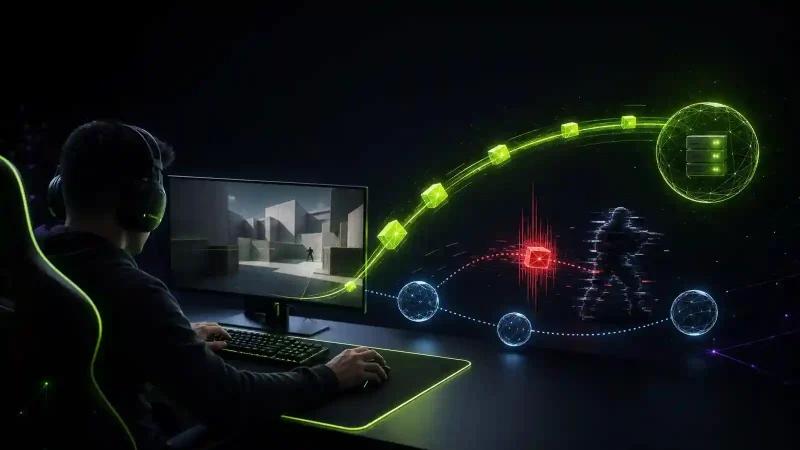
Fortnite Routing and Ping in the US in 2026
Fortnite latency in the United States is heavily influenced by the matchmaking region and the path your ISP uses to reach Epic's infrastructure.
Players searching for “why is my Fortnite ping high?” often focus on download speed, but a 1 Gbps connection does not automatically guarantee lower latency than a slower connection.
For competitive Fortnite, route quality can be especially noticeable during fast builds, edits, close-range fights, and other situations where responsiveness matters.
Why Does Fortnite Ping Change Between US ISPs?
Every ISP manages traffic differently. Comcast Xfinity, Spectrum, Verizon Fios, AT&T Fiber, Cox, CenturyLink, Optimum, and 5G home internet providers can use different routes and peering agreements to reach the same destination.
Fortnite ping can therefore be affected by:
- ISP routing and peering
- Distance to the selected Fortnite server
- Peak-hour congestion
- Packet loss
- Jitter
- Unstable intermediate network hops
- Wi-Fi interference
- Background downloads and uploads
- Changes to Fortnite server infrastructure
Two players in the same city can consequently experience different latency even when both have high-speed internet plans.
Fortnite and Easy Anti-Cheat
Fortnite uses Easy Anti-Cheat (EAC) to protect the integrity of the game environment.
Network optimization should work independently of the anti-cheat system. It should not modify Fortnite files, manipulate gameplay data, or attempt to bypass EAC.
NoPing operates at the network-routing level, focusing on the path traffic takes between the player's connection and supported game infrastructure.
Does NoPing Trigger Easy Anti-Cheat?
NoPing is designed to optimize network routing rather than modify the Fortnite client or bypass Easy Anti-Cheat.
Players should always use supported optimization tools and keep Fortnite, Easy Anti-Cheat, Windows, and their network drivers updated.
How Multi Connection Works With Fortnite
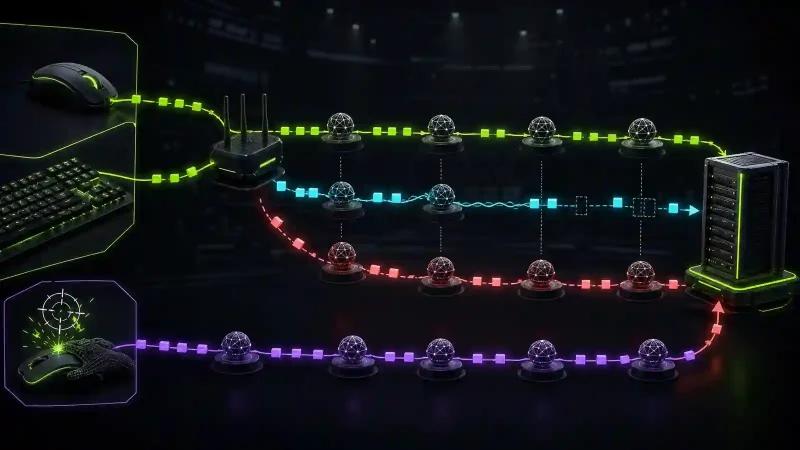
NoPing Multi Connection uses five parallel AI-optimized routes to evaluate alternative paths between the player and the game server.
Normally, your ISP determines the route your traffic follows. That default route is not necessarily the fastest or most stable option at every moment.
Multi Connection is designed to provide alternative routing when the default path suffers from issues such as:
- Congestion
- Poor ISP peering
- Packet loss
- Jitter
- Unstable network hops
- Sudden latency spikes
The goal is not simply to display the lowest possible ping number. For competitive gaming, a stable route with consistent latency and low packet loss can be more valuable than a route with lower average ping but frequent spikes.
How to Test a Better Fortnite Route
The most reliable way to determine whether a new route improves Fortnite is through an A/B test.
Use the same matchmaking region and test under similar network conditions.
Compare:
- Average ping
- Jitter
- Packet loss
- Latency spikes
- Stability during fights
- Responsiveness while building and editing
For a more accurate comparison, repeat the test during both peak and off-peak hours.
If one route produces slightly higher average ping but significantly lower jitter and fewer spikes, it may provide the better competitive experience.
Multi Internet: Up to 6 Physical Internet Connections in Parallel
Multi Internet is designed to use up to six physical internet connections in parallel.
It is not limited to traditional failover, where a secondary connection remains inactive until the primary connection fails.
A US gaming setup could potentially combine connections such as:
- Comcast Xfinity cable
- T-Mobile Home Internet 5G
- Verizon mobile tethering
- AT&T mobile hotspot
- Additional wired or wireless connections
The available configuration depends on the internet connections and hardware accessible to the player.
Why Multiple Internet Connections Can Matter for Fortnite
A Fortnite session rarely uses the game connection in isolation. Players may simultaneously have Discord voice chat, a browser, livestreaming software, YouTube, game launchers, or other applications using the network.
Using multiple available connections can add resilience when one network path becomes unstable.
This can be particularly relevant for competitive matches where a short connection spike can disrupt a fight or voice communication with teammates.
Is Multi Internet a Backup or Failover Feature?
No. Multi Internet is designed around simultaneous use of multiple physical connections rather than waiting for the primary connection to fail before activating another one.
The practical improvement will depend on the quality and availability of each connection.
Boost FPS for Fortnite
Ping and FPS measure different parts of gaming performance.
Ping measures network latency. FPS measures how quickly your PC renders frames.
Reducing ping does not automatically increase FPS, and increasing FPS does not automatically reduce ping. Optimizing both areas, however, can contribute to a more responsive Fortnite experience.
Why 1% Lows Matter in Fortnite
Average FPS does not tell the entire story.
During intense fights, rapid builds, edits, explosions, and visually demanding situations, temporary frame drops can affect responsiveness even when the average FPS counter remains high.
This is why competitive players often monitor:
- Average FPS
- 1% lows
- Frame times
- Stuttering
- CPU utilization
- GPU utilization
Boost FPS is designed to optimize system resources and reduce unnecessary background activity that can interfere with gaming performance.
It can be used alongside Multi Connection and Multi Internet so that network and PC performance are addressed separately.
How to Optimize Fortnite Ping and Performance
A structured test makes it easier to determine which changes actually improve Fortnite.
Start by establishing a baseline with your normal connection. Record ping, jitter, packet loss, latency spikes, FPS, 1% lows, and frame-time consistency.
Then enable route optimization and repeat the test using the same Fortnite matchmaking region.
If multiple internet connections are available, test Multi Internet separately so you can identify whether it improves stability in your particular setup.
For consistent results:
- Use Ethernet when possible.
- Select the appropriate Fortnite matchmaking region.
- Avoid large background downloads during testing.
- Compare results at similar times of day.
- Monitor jitter and packet loss alongside ping.
- Check FPS, 1% lows, and frame times separately from network latency.
- Retest when ISP or server conditions change.
What Causes High Fortnite Ping Even With Fast Internet?
A fast internet plan does not guarantee low Fortnite ping.
The most common causes include:
- Long or inefficient ISP routing
- Poor peering between networks
- Peak-hour congestion
- Distance from the game server
- Packet loss
- High jitter
- Wi-Fi interference
- Network saturation
- Background traffic
This explains why upgrading from a 300 Mbps connection to a 1 Gbps plan may have little effect on Fortnite latency if the underlying problem is routing rather than bandwidth.
NoPing vs ExitLag for Fortnite: What Should You Compare?
When comparing NoPing and ExitLag for Fortnite, focus on measured route quality instead of relying only on the displayed ping number.
The most useful metrics are:
- Average ping
- Jitter
- Packet loss
- Latency spikes
- Route stability
- Peak-hour performance
- Consistency during competitive matches
No route optimization service can guarantee lower ping for every Fortnite player. Results depend on the ISP, player location, server region, network congestion, peering, and time of day.
For a fair NoPing vs ExitLag Fortnite comparison, use the same matchmaking region and similar network conditions, then compare the measured results.
FAQ: Fortnite Ping and NoPing
Why is my Fortnite ping high even with fast internet?
Because internet speed and latency are different. ISP routing, peering, server distance, congestion, jitter, and packet loss can all increase Fortnite ping even on a high-speed connection.
Does Fortnite ping depend only on internet speed?
No. Raw bandwidth is only one factor. Routing quality, server location, jitter, packet loss, and network congestion can be equally or more important.
Can NoPing lower Fortnite ping?
NoPing can test and use alternative network routes that may improve latency or stability when they provide a better path than the ISP's default route. Results vary according to ISP, location, server, and current network conditions.
How should I test NoPing for Fortnite?
Use the same Fortnite matchmaking region before and after enabling route optimization. Compare average ping, jitter, packet loss, latency spikes, and stability during actual matches.
What is Multi Connection?
Multi Connection is a NoPing feature designed to use five parallel AI-optimized routes to improve the path between the player and supported game infrastructure.
Is Multi Internet just an internet backup?
No. Multi Internet is designed to use up to six physical connections in parallel rather than keeping additional connections inactive solely for failover.
Does NoPing bypass Easy Anti-Cheat?
No. NoPing focuses on network routing and is not intended to bypass Easy Anti-Cheat or modify Fortnite game files.
Which Fortnite server should I use in the US?
Use the matchmaking region that provides the lowest stable latency from your location. The best option depends on your physical location, ISP, Epic's current infrastructure, and network routing conditions.
Does Boost FPS lower Fortnite ping?
Not directly. Boost FPS targets PC and frame performance, while network optimization targets latency, jitter, packet loss, and routing.
What should I monitor besides Fortnite ping?
Monitor jitter, packet loss, latency spikes, route stability, FPS, 1% lows, and frame times. Consistency is especially important in competitive Fortnite.
Can NoPing guarantee lower Fortnite ping?
No. NoPing can provide alternative routes, but performance depends on ISP routing, location, server region, congestion, and current network conditions.
When should I change my Fortnite route?
Consider testing another route after ISP instability, Fortnite server maintenance, major game updates, routing changes, or whenever a previously stable connection begins showing higher jitter, packet loss, or latency spikes.

Test Fortnite With NoPing
If Fortnite feels inconsistent despite having a fast internet connection, the problem may be the route rather than your bandwidth.
NoPing supports more than 3,000 games and offers a free one-day trial. Fortnite players can test Multi Connection, Multi Internet, and Boost FPS on their own setup and compare performance before and after optimization.
Focus on measurable results: stable ping, lower jitter, reduced packet loss, fewer latency spikes, and consistent frame performance.