

For Call of Duty BO7 players in the United States, connection stability can matter more than raw internet speed. The biggest problems are usually jitter, packet loss, route instability and server selection, not only the ping number shown on screen.
NoPing usually has an advantage over GearUP Booster because it combines Multi Connection, Multi Internet and Boost FPS in one client. GearUP can help by creating a cleaner single route, but NoPing goes further by testing multiple routes and reducing the impact of sudden spikes during matches.
In Call of Duty BO7, small timing differences can decide close fights. A short latency spike at the wrong moment can be enough to lose a duel that looked won on your screen.
Why Call of Duty BO7 Has Lag Problems in the US
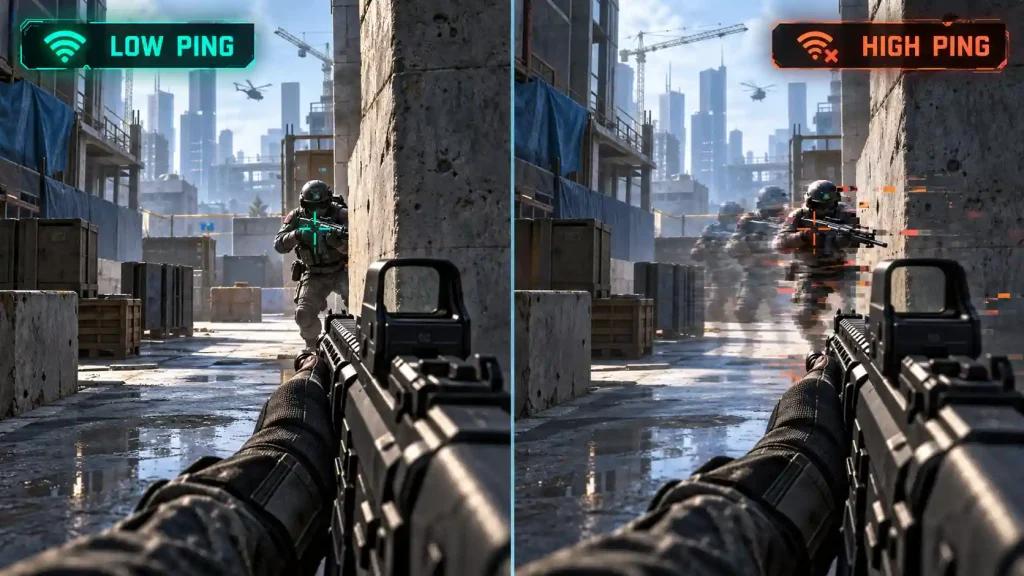
Call of Duty BO7 matches in the US can feel inconsistent because the game depends on several factors at the same time:
- Server location selected by matchmaking
- ISP routing quality
- Packet loss during peak hours
- Jitter from unstable home connections
- Matchmaking placing players across wider server pools
- Background CPU usage affecting frame stability
Even with fast download speed, a bad route between your ISP and the match server can create delay, hit registration issues and sudden spikes.
US players may also see different results depending on their provider. Fiber connections are often more stable, while cable and 5G home internet can vary more during busy hours. That is why route quality matters as much as internet speed.
How Jitter and Packet Loss Affect Gunfights
In Call of Duty BO7, the server does not process every action instantly from your perspective. When jitter or packet loss appears, the game has to reconcile what happened between players.
That is why players often report situations like:
- Shooting first but dying first
- Delayed hit registration
- Losing close-range fights that felt clean
- Dying after reaching cover
- Seeing a different fight in the kill cam
- Feeling smooth in one match and unstable in the next
This is not always caused by slow internet. In many cases, the problem is unstable routing. A cleaner route can make close fights feel more consistent, while an unstable route can turn small timing differences into lost trades.
GearUP Booster vs NoPing: What Is the Main Difference?
GearUP Booster can help by creating an optimized route between the player and the game server. For many users, that may reduce ping or stabilize the connection.
The limitation is that GearUP is mainly built around one optimized path. If that route starts spiking, the match can still suffer.
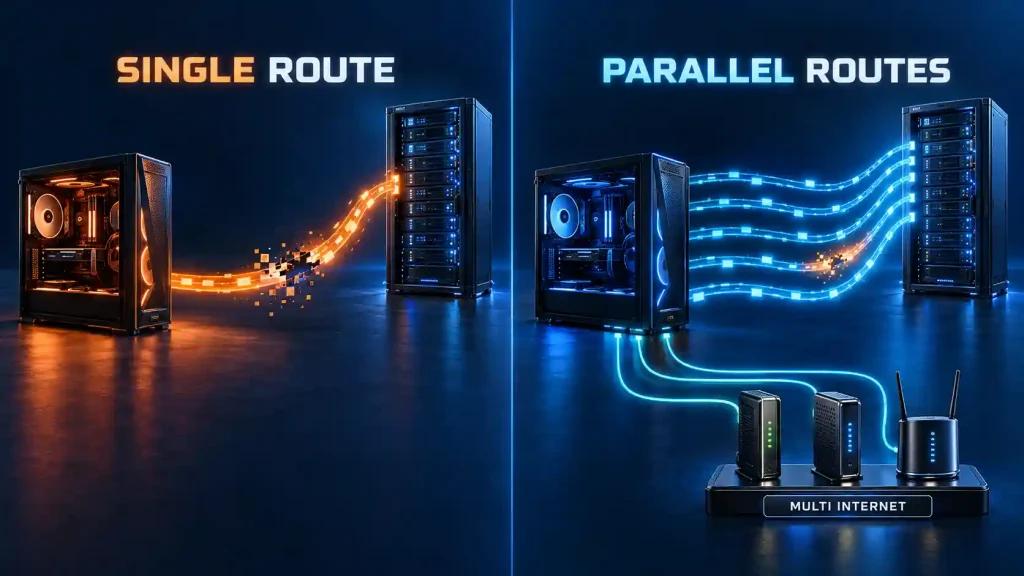
NoPing uses a broader approach. Its Multi Connection feature tests multiple AI-driven routes and looks for the best path in real time. This helps reduce the impact of sudden instability on one specific route.
For Call of Duty BO7, where timing matters in every fight, this difference can be important. A stable latency curve can be more useful than a lower ping number that keeps spiking during combat.
How NoPing Helps Call of Duty BO7 Players
NoPing focuses on three areas that directly affect Call of Duty BO7 performance:
Multi Connection
Multi Connection tests multiple routes between your PC and the game server. Instead of depending on only one path, NoPing can look for a more stable route during gameplay.
This helps reduce:
- Jitter
- Packet loss
- Ping spikes
- Route instability
- Match-to-match inconsistency
Multi Internet
Multi Internet allows users to combine up to 6 physical connections. These connections work in parallel, not only as backup.
For example, a player using a primary home connection plus a secondary connection may gain more stability because the two networks do not always fail in the same way.
This can be especially useful for players with unstable home internet or peak-hour congestion.
Boost FPS
Boost FPS helps reduce background system load so the game has more consistent access to CPU resources.
In Call of Duty BO7, this matters because frame drops can make network problems feel worse. A stable frame rate helps the player react faster and makes gunfights feel more predictable.
NoPing and Call of Duty BO7 Anti-Cheat Compatibility
NoPing works as a network optimization tool. It does not change game files, inject into the game, access memory or bypass anti-cheat systems.
For players worried about anti-cheat, the key point is simple: route optimization should improve the path between your PC and the server without modifying the game client.
Players should always use supported tools and avoid anything that changes game files or interferes with anti-cheat behavior.
Best Way to Test GearUP vs NoPing in Call of Duty BO7
The best comparison is not a single speed test. It is an in-game A/B test.
Use this method:
- Play 10 matches with GearUP Booster.
- Play 10 matches with NoPing.
- Use the same playlist.
- Test at the same time of day.
- Track ping, jitter, packet loss and match smoothness.
- Pay attention to close-range fights and trade situations.
The winner is not always the tool with the lowest displayed ping. The better option is the one that gives fewer spikes, fewer packet loss moments and more consistent gunfights.
NoPing for Call of Duty BO7 in the US
NoPing is a strong option for Call of Duty BO7 players who want to reduce instability caused by bad routing, jitter and packet loss.
It is especially useful for:
- Players with unstable ping
- Players on cable internet during peak hours
- Players using 5G home internet
- Players affected by inconsistent server selection
- Players who lose close fights because of spikes
- Players who want to compare routes before competitive sessions
Try NoPing free for 1 day on Call of Duty BO7. Test it against GearUP Booster across multiple matches and choose the option that gives the most stable connection.
FAQ
Is NoPing better than GearUP Booster for Call of Duty BO7?
For many US players, NoPing can be better because it uses multiple route optimization features instead of relying on a single tunnel. This can help reduce jitter, packet loss and sudden spikes.
Does NoPing lower ping in Call of Duty BO7?
NoPing can lower ping when your default ISP route is inefficient. Results depend on your location, ISP, server region and time of day.
Does internet speed alone fix Call of Duty BO7 lag?
No. Fast internet does not guarantee a stable route. Jitter, packet loss, routing and server distance can affect gameplay as much as raw speed.
Can NoPing fix hit registration problems?
NoPing can reduce hit registration issues caused by routing instability, jitter or packet loss. It cannot change how the game server processes combat.
Does NoPing help with difficult matchmaking lobbies?
Indirectly, yes. When matches are competitive, every fight can be decided by small timing differences. A more stable route can help in those close situations.
Is NoPing safe with Call of Duty BO7 anti-cheat?
NoPing is a network optimizer and does not modify game files or bypass anti-cheat systems. Players should always use supported tools and avoid software that interferes with the game client.
What should I monitor besides ping?
Watch jitter, packet loss, route changes, spike frequency and how stable the game feels during fights.
When should I change routes?
Change routes after ISP instability, game updates, server maintenance, peak-hour congestion or when your current path starts showing spikes.