

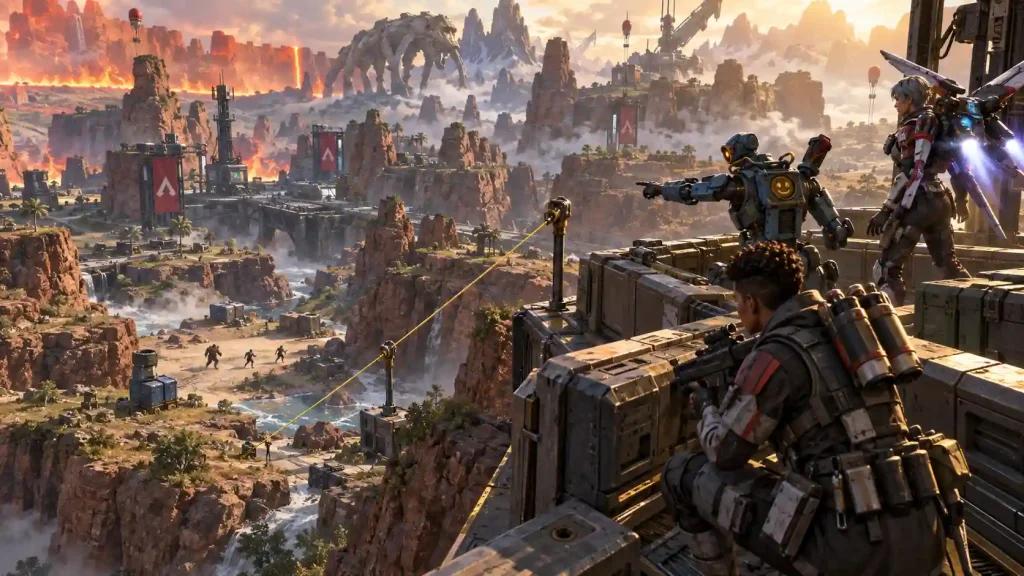
A good Apex Legends rotation in 2026 is about reaching strong positions before the lobby is forced to move. Early zone information, safe paths, cover, high ground when appropriate, and consistent connection performance can matter as much as mechanical skill in ranked matches.
This guide explains how US players can improve rotations, positioning, and network consistency while adapting to different server regions and match conditions.
Why Good Rotations Matter in Apex Legends Ranked
Rotations determine where your squad will be when the next ring closes. Moving too late can force you through exposed areas or into teams that already control favorable positions.
A strong rotation usually involves:
- Reading the next zone as early as possible.
- Leaving enough time to avoid rushed movement.
- Choosing paths with natural cover.
- Avoiding unnecessary fights while moving.
- Securing useful positions before nearby squads arrive.
- Keeping an alternative route available when the original path becomes unsafe.
The objective is not simply to reach the next ring. It is to arrive with enough time and resources to prepare for the next stage of the match.
How Latency, Jitter and Packet Loss Affect Rotations
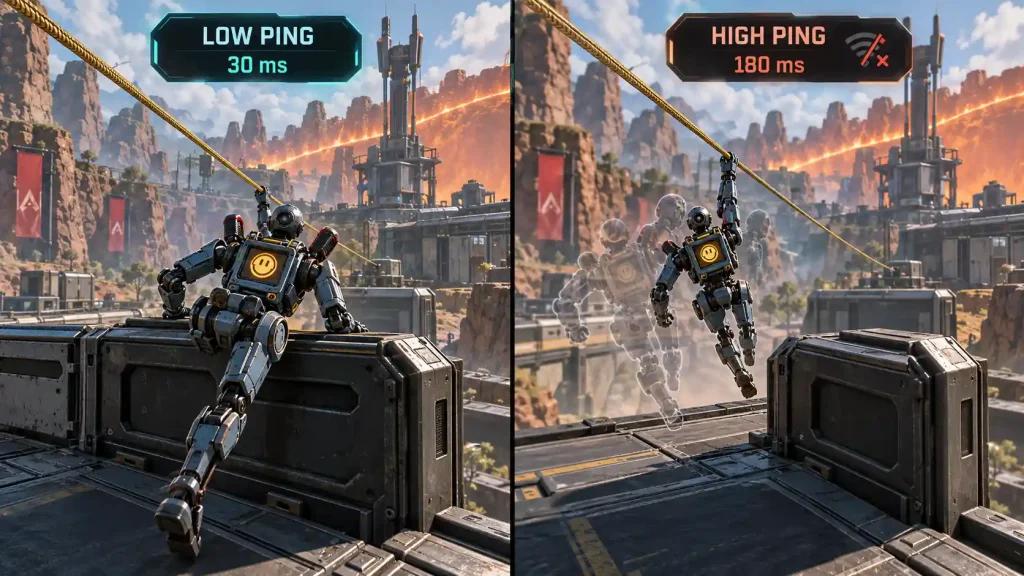
Rotation decisions depend heavily on timing. Abilities, movement, interactions and fights during a rotation can become less predictable when the connection experiences sudden instability.
Ping
Ping measures the time required for data to travel between your device and the game server.
Lower and more stable latency generally provides more responsive gameplay, but the lowest displayed ping is not the only metric that matters.
Jitter
Jitter represents variation in latency.
A connection that constantly fluctuates between different latency values may feel less predictable than one maintaining a slightly higher but stable ping.
Packet loss
Packet loss occurs when network data fails to reach its destination correctly.
During competitive moments, packet loss can contribute to:
- Delayed or inconsistent movement.
- Ability activation problems.
- Sudden position corrections.
- Short freezes or stutters related to network communication.
- Less predictable combat exchanges.
For ranked play, connection consistency should therefore be evaluated alongside average ping.
How Server Region Can Change Rotation Timing
Players in the United States can experience different latency depending on their location, ISP routing and the server assigned to the match.
A connection to an East Coast server, for example, may behave differently from a connection routed toward the West Coast.
This means players should avoid relying on an exact timing window learned under one network condition.
Before making aggressive rotations, pay attention to:
- Current ping.
- Latency spikes.
- Packet loss.
- Jitter.
- Overall server responsiveness.
If the match feels less responsive than usual, allow additional time for rotations rather than depending on extremely narrow timing windows.
Good Apex Legends Rotation Patterns for Ranked
Early Game: Drop to First Ring
The early game should provide information, resources and a safe path toward the next zone.
Prioritize:
- Obtaining sufficient loot without staying unnecessarily long.
- Identifying nearby squads.
- Checking the next ring early.
- Planning more than one possible exit route.
- Avoiding unnecessary contested rotations.
The goal is to enter the mid game with enough resources and information to make deliberate decisions.
Mid Game: Second to Third Ring
This is where positioning becomes increasingly important.
Good practices include:
- Rotate before the lobby is forced through obvious chokepoints.
- Take useful high ground when it can actually be defended.
- Avoid excessive looting after the ring starts moving.
- Monitor nearby fights without automatically entering them.
- Look for safe third-party angles rather than running directly into an active fight.
- Preserve cover between your current position and your next destination.
Late Game: Fourth Ring to Final Ring
Late-game rotations become increasingly dangerous because multiple squads can watch the same open areas.
Prioritize:
- Natural cover.
- Short movement paths.
- Protected sightlines.
- Information about nearby squads.
- Available defensive abilities.
- A second position if your preferred location becomes contested.
High ground can be valuable, but it is not automatically the best position. Zone geometry, available cover and enemy sightlines should determine the decision.
Is High Ground Always the Best Rotation?
No. High ground is useful when it provides cover, visibility and a safe way to leave.
A theoretically strong elevated position can become dangerous when several squads have clear sightlines toward it or when the next ring forces the team into an exposed descent.
Evaluate high ground based on:
- Cover.
- Enemy angles.
- Available exits.
- Next-ring position.
- Nearby squads.
- Resources and abilities available to your team.
Positioning should adapt to the specific lobby rather than follow a fixed rule.
How NoPing Can Help Improve Connection Consistency
NoPing is designed to optimize the network route between the player's connection and the game server.
Multi Connection
Multi Connection evaluates multiple network routes with the objective of maintaining a more stable path to the game server.
This can be useful when the ISP's default route experiences:
- Congestion.
- Unstable peering.
- Packet loss.
- Jitter.
- Sudden latency spikes.
Results depend on the player's ISP, location, server region and current network conditions.
Multi Internet
Multi Internet can use multiple available internet connections to improve resilience when one connection becomes unstable.
This can be particularly relevant for connections that experience frequent latency variation or temporary instability.
Boost FPS
Boost FPS targets local system performance rather than internet routing.
Network optimization and FPS optimization address different bottlenecks. Improving the network route cannot solve a CPU or GPU limitation, while improving frame performance cannot eliminate packet loss occurring between the ISP and the game server.
Apex Legends Connection Tips for Major US ISPs
Network performance can vary even between customers using the same provider, so ISP names alone should not be treated as guarantees of connection quality.
Players using providers such as Comcast Xfinity, Spectrum, AT&T Fiber, Verizon Fios, T-Mobile Home Internet, Cox, Optimum or CenturyLink/Quantum should evaluate their actual connection to the server.
Monitor:
- Average ping.
- Jitter.
- Packet loss.
- Peak-hour latency spikes.
- Route changes.
- Differences between server regions.
If performance changes significantly during peak hours or between regions, testing an alternative route can help determine whether ISP routing is contributing to the problem.
How to Test NoPing With Apex Legends
Use a controlled before-and-after comparison rather than judging performance from a single match.
- Play several matches under your normal connection conditions.
- Record average ping, jitter and packet loss.
- Pay attention to significant latency spikes.
- Enable NoPing and test comparable matches and server conditions.
- Compare the results.
- Repeat the test at different times if your connection changes significantly during peak hours.
The goal is to determine whether route optimization improves your specific connection rather than assuming the same result for every player.
NoPing vs ExitLag for Apex Legends
When comparing NoPing and ExitLag, focus on measurable network behavior rather than a single advertised ping number.
Compare:
- Average latency.
- Jitter.
- Packet loss.
- Frequency of latency spikes.
- Route stability.
- Performance during peak hours.
- Performance across different server regions.
Neither service can guarantee lower latency in every scenario because results depend on the ISP, geographic location, server and current internet routing.
How to Track Whether Your Apex Legends Rotations Are Improving
Track results across a meaningful sample of ranked matches rather than evaluating one session.
Useful indicators include:
- Top 5 percentage.
- Top 10 percentage.
- Average placement.
- Deaths while rotating.
- Deaths outside safe positions.
- Frequency of late rotations.
- Successful early positioning.
Review at least 20 ranked matches before drawing conclusions. This makes it easier to separate actual improvement from normal match-to-match variation.
FAQ
What does “good Apex Legends” mean for ranked players?
For players trying to improve ranked performance, it generally means combining mechanical execution with better positioning, rotations, decision-making and consistent game performance.
Can better rotations help me climb ranked?
Better rotations can improve your chances of reaching favorable positions and avoiding unnecessary fights. Rank progression still depends on overall performance, lobby difficulty, teamwork and execution.
Does NoPing directly improve rotations?
NoPing does not make rotation decisions for the player. Its role is network optimization, which may improve connection consistency when ISP routing, jitter or packet loss is affecting gameplay.
Does internet speed determine whether Apex Legends runs well?
Not by itself. Routing quality, latency, jitter, packet loss, Wi-Fi conditions, ISP peering and server location can all influence online gameplay.
What should I monitor besides ping?
Monitor jitter, packet loss, latency spikes and connection stability. A stable connection can be more useful than focusing exclusively on the lowest possible ping number.
Should I always rotate to high ground?
No. High ground should be evaluated according to cover, enemy sightlines, available exits and the next ring.
How should I test NoPing?
Compare similar matches before and after enabling route optimization. Monitor ping, jitter, packet loss and latency spikes rather than relying on a single match.
Can NoPing guarantee lower ping?
No. The result depends on the ISP, location, server and current network route. Testing under comparable conditions is the most reliable way to evaluate the effect.
When should I test another network route?
Consider testing another route after noticeable ISP instability, routing changes, server maintenance, major game updates or persistent increases in jitter and packet loss.
Technical Note: Ping, Jitter, Packet Loss and FPS Are Different
These metrics describe different performance problems.
Ping measures network latency.
Jitter measures variation in latency.
Packet loss measures data that fails to reach its destination correctly.
FPS measures how frequently the computer renders new frames.
Route optimization can potentially address inefficient network paths, but it cannot fix every source of poor performance. Local Wi-Fi congestion, hardware limitations and game-server problems require different solutions.
Good Apex Legends in the United States: What Actually Creates a Consistent Match?
For US players, a consistently good Apex Legends experience depends on more than raw internet speed.
ISP routing, geographic distance from the server, congestion, jitter, packet loss and local PC performance can all affect gameplay.
The most useful approach is to separate the problem into two areas: gameplay decisions and technical consistency.
Improve rotations by reviewing positioning, timing and deaths during movement. Evaluate the technical side by monitoring ping, jitter, packet loss and FPS under comparable conditions.
That combination provides a clearer picture of what is actually limiting your ranked performance.