

Getting higher FPS in Black Desert Online (BDO) on Windows 11 requires more than lowering every graphics setting. BDO can become heavily CPU-limited in crowded cities, grind spots, Node Wars, and large-scale PvP, making frame-time stability and 1% lows just as important as average FPS.
For a good starting point in 2026:
- Use Full Screen mode.
- Keep your monitor's native resolution unless your GPU is the bottleneck.
- Reduce effects and view distance before lowering texture quality.
- Disable unnecessary overlays and background applications.
- Keep GPU drivers updated.
- Measure performance using the same location or combat scenario before and after each change.
- Use NoPing Boost FPS to reduce unnecessary background resource usage while BDO is running.
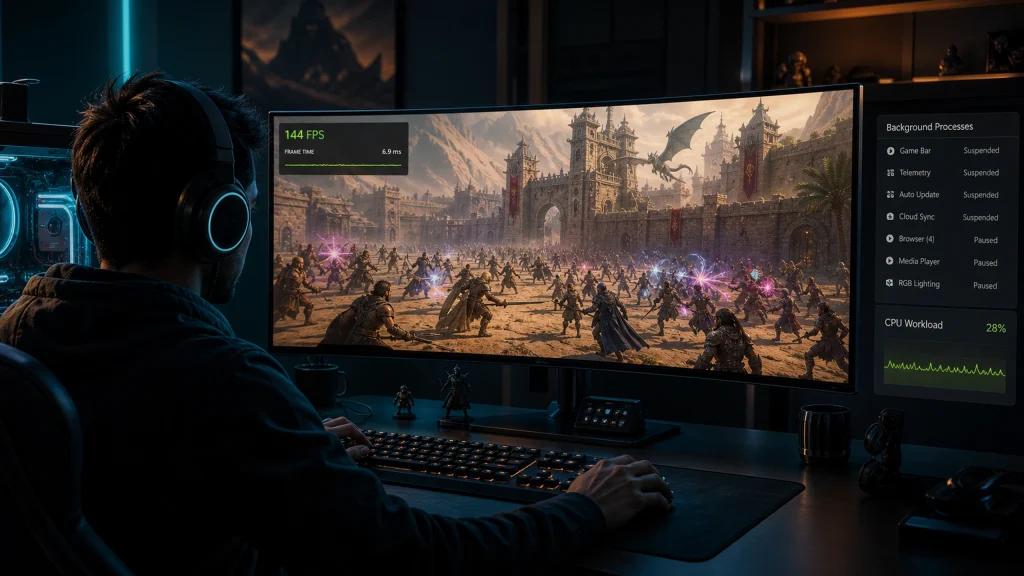
Why Does Black Desert Online Have FPS Drops and Stuttering?
Black Desert Online can put substantial pressure on CPU performance, particularly in environments with many characters, effects, NPCs, and combat calculations happening at once.
Players are more likely to notice FPS drops or inconsistent frame times in situations such as:
- Heidel and other populated cities
- Busy grind spots
- Node Wars
- Siege battles
- World bosses
- Large-scale PvP
- Areas with many players and particle effects
This also explains why upgrading the GPU alone does not always eliminate BDO stuttering. Players with powerful modern systems still report large differences between average FPS and performance in demanding areas.
Why Windows 11 Background Processes Matter
Windows 11 runs numerous applications and services alongside the game. Browsers, cloud synchronization, gaming overlays, launchers, update services, communication apps, and other background software can compete for CPU time and memory.
For BDO, the goal should be to reduce unnecessary background activity without disabling important Windows security or system components.
Best Black Desert Online Settings for More FPS
The best BDO settings depend on whether your system is primarily CPU- or GPU-limited. For large-scale combat, reducing effects and unnecessary visual processing can have a greater impact than simply lowering resolution.
Display Settings
Window Mode: Full Screen for players prioritizing performance and low latency.
Resolution: Use your monitor's native resolution as the baseline. Lower it only when testing shows that the GPU is the primary performance bottleneck.
Graphics Settings
A performance-focused starting point is:
- Texture Quality: High
- Effect Quality: Medium
- View/Distance Settings: Medium
- Object Detail: Medium
- Lighting: Medium
- Overall Detail: Medium
- Bloom: Off
- Lens Flare: Off
- HDR: Test Off first when prioritizing maximum FPS
For Node Wars and other large fights, effects should be one of the first settings you reduce. Current community optimization discussions continue to emphasize reducing or removing unnecessary effects when targeting smoother large-scale PvP.
FPS Cap, G-Sync and FreeSync
Avoid automatically assuming that uncapped FPS will provide the smoothest experience.
Test:
- An FPS cap appropriate for your monitor
- G-Sync or FreeSync when supported
- V-Sync Off when minimizing input latency is the priority
A 144 Hz monitor, for example, does not necessarily require BDO to run completely uncapped. Consistent frame times can feel better than an unstable maximum FPS.
Best Windows 11 Settings for Black Desert Online
Set Windows for Gaming Performance
Before making advanced system changes, start with Windows' standard performance and gaming options.
Check:
Settings > System > Power & battery > Power mode
Test the performance-oriented power option available on your system while monitoring temperatures and clock speeds.
Windows 11 also includes Optimizations for windowed games, which can be relevant for players using windowed or borderless modes.
Reduce Unnecessary Background Apps
Before launching BDO:
- Close unnecessary browser tabs.
- Pause cloud synchronization if it is consuming resources.
- Disable overlays you do not use.
- Review unnecessary startup applications.
- Close launchers and utilities that are not required during gameplay.
Avoid copying aggressive registry, BIOS, service-disabling, or CPU-affinity tweaks without testing them on your specific hardware. BDO optimization behavior can vary considerably between CPU generations and architectures, and community reports show that some older affinity tweaks can actually reduce performance on newer systems.
Update NVIDIA and AMD Drivers
Use a stable current driver for your GPU.
For NVIDIA systems, check the current GeForce driver and per-game settings for Black Desert Online.
For AMD systems, review the Black Desert profile in AMD Software: Adrenalin Edition.
Disable unnecessary driver overlays when troubleshooting FPS drops or stuttering.
How NoPing Boost FPS Can Help BDO Performance
NoPing Boost FPS is designed to complement your BDO and Windows settings by optimizing background resource usage while you play.
Instead of manually reviewing numerous processes every session, Boost FPS helps reduce the priority or impact of unnecessary background activity so more local system resources remain available for the game.
This is especially relevant when the problem is not low average FPS but unstable 1% lows, micro-stutters, and sudden FPS drops in demanding areas.
Boost FPS should not be treated as a replacement for adequate CPU and GPU hardware. The best approach is to combine optimized BDO settings, appropriate Windows configuration, updated drivers, and controlled background activity.
FPS vs Ping in Black Desert Online: What's the Difference?
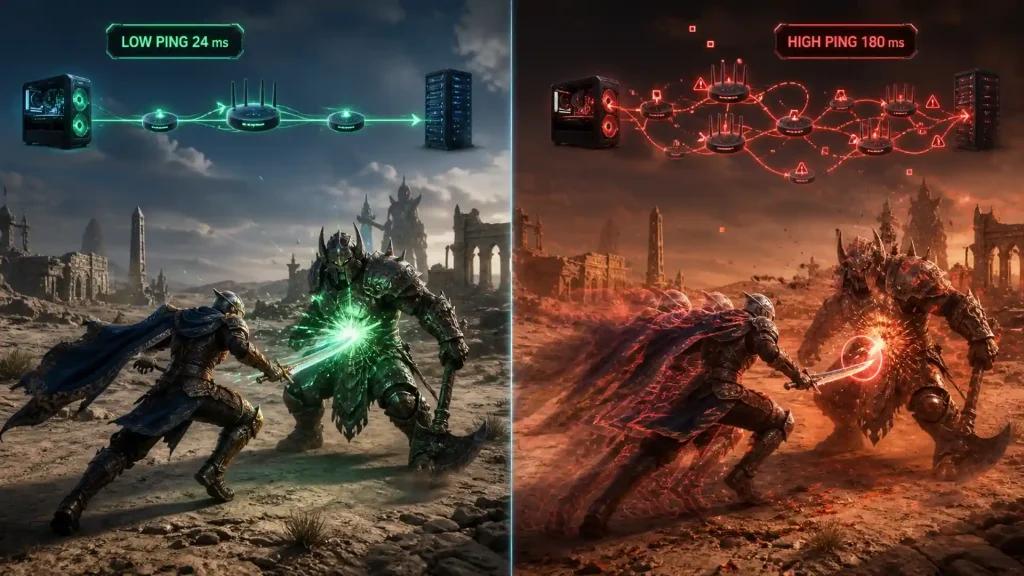
FPS and network latency are separate performance metrics.
Low FPS usually points toward the PC, graphics settings, CPU/GPU load, drivers, or background processes.
High ping, jitter, or packet loss involves the connection between your PC and the BDO server.
A player can therefore have 144 FPS and still experience poor responsiveness because of unstable latency. The opposite is also possible: excellent ping will not fix a CPU bottleneck causing frame drops.
How NoPing Multi Connection Helps Stabilize BDO Routing
NoPing Multi Connection focuses on the network side of the experience.
Rather than increasing your actual FPS, route optimization is intended to improve the path between your connection and the game server when the default ISP route is inefficient or unstable.
When testing BDO with NoPing, compare:
- Ping
- Jitter
- Packet loss
- Latency spikes
- Route stability
Run the same type of activity before and after changing the route whenever possible.
Multi Internet for Unstable Connections
Multi Internet can be useful for players who have access to more than one internet connection.
The feature can combine supported connections to improve resilience when one connection becomes unstable. Potential scenarios include combining compatible broadband and secondary internet connections.
Its usefulness depends on the player's network setup, ISP, location, and current route to the game server.
BDO Connection Optimization for US Players
For US Black Desert Online players, advertised internet speed is only part of the equation.
The route between an ISP and the BDO server infrastructure can affect latency, jitter, and packet loss. Two players with similar download speeds can therefore experience different in-game network performance.
Players using providers such as Xfinity, Spectrum, AT&T Fiber, Verizon Fios, Cox, Optimum, T-Mobile Home Internet, or CenturyLink/Quantum should evaluate the actual connection to BDO rather than relying only on their plan's advertised Mbps.
The most useful test is simple: reproduce the same activity, change the route, and compare the results.
How to Test Whether NoPing Improves Black Desert Online
Use a repeatable test instead of relying on how the game feels during a single session.
Step 1: Establish a Baseline
Play normally and record:
- Average ping
- Jitter
- Packet loss
- Average FPS
- 1% low FPS
- Major latency or frame-time spikes
Step 2: Enable NoPing
Select Black Desert Online and test the optimized connection.
If you are testing Boost FPS, keep your in-game graphics settings unchanged so the comparison remains meaningful.
Step 3: Repeat the Same Scenario
Use the same grind spot, city, or type of combat when possible.
Step 4: Compare the Results
Look beyond the maximum FPS number. Stable 1% lows and fewer frame-time spikes can matter more to actual gameplay than a higher peak FPS.
How to Measure FPS and 1% Lows in BDO
Average FPS does not tell the entire story.
For example, a system averaging 150 FPS can still feel choppy if its frame rate repeatedly drops far below that number during combat.
Monitor:
- Average FPS
- 1% low FPS
- Frame time
- CPU usage
- GPU usage
- CPU/GPU temperatures
NVIDIA and AMD performance monitoring tools can help measure these metrics.
For a useful BDO stress test, measure performance during actual gameplay rather than while standing in an empty location. Current BDO optimization projects similarly recommend longer captures and repeated tests instead of drawing conclusions from a single short benchmark.
NoPing vs ExitLag for Black Desert Online
When comparing NoPing and ExitLag for BDO, focus on measured results rather than advertised ping reductions.
Compare both under similar conditions using:
- Average ping
- Jitter
- Packet loss
- Latency spikes
- Route consistency
- Stability during combat
No routing service can guarantee the same improvement for every player because results depend on the ISP, physical location, destination server, congestion, peering, and time of day.
The best service for a particular BDO connection is the one that produces the most stable measurable result on that connection.
Try NoPing with Black Desert Online
Try NoPing with Black Desert Online and test both sides of performance: local system optimization with Boost FPS and network optimization with Multi Connection and Multi Internet.
Keep your BDO graphics settings consistent during testing and compare FPS lows, ping, jitter, and packet loss before and after optimization.
The objective is not simply to reach the highest FPS number on screen. It is to make BDO feel more consistent during grinding, PvP, Node Wars, and other demanding situations.
Black Desert Online FPS FAQ
How can I increase FPS in Black Desert Online?
Start by reducing effects and view distance, closing unnecessary background applications, updating your GPU driver, and monitoring CPU/GPU usage. If BDO is CPU-limited, lowering resolution alone may provide little improvement.
Why does BDO stutter even on a high-end PC?
Black Desert Online can become CPU-limited and experience frame-time spikes even on powerful PCs. Large battles, crowded areas, background applications, overlays, and game updates can all affect performance. High-end users continue to report stuttering and inconsistent frame times in BDO, including on modern hardware.
Can NoPing Boost FPS add 50 FPS?
Do not expect a guaranteed fixed FPS increase. Results depend on hardware, background workload, Windows configuration, graphics settings, and the scenario being tested. Boost FPS is most relevant when unnecessary background resource usage is contributing to unstable performance.
Does Multi Connection increase FPS?
Not directly. Multi Connection addresses network routing, while FPS is primarily a local PC performance metric.
Should I use V-Sync in Black Desert Online?
If minimizing input latency is your priority, test BDO with V-Sync disabled and use an appropriate FPS cap alongside G-Sync or FreeSync when supported.
Why does my Ryzen X3D still get FPS drops in BDO?
A fast gaming CPU cannot eliminate every engine-side bottleneck or frame-time spike. X3D processors can perform very well in CPU-heavy games, but BDO's workload can still produce drops during demanding scenes.
Should I lower BDO resolution to increase FPS?
Only when your GPU is the limiting factor. If the game is CPU-bound, lowering resolution can produce little or no meaningful FPS improvement.
What matters more than average FPS?
Watch 1% lows and frame time. They reveal short performance drops and stutters that average FPS can hide.
Does faster internet automatically lower BDO ping?
No. Raw bandwidth is different from latency. ISP routing, peering, congestion, jitter, packet loss, server location, and the network path can all influence your BDO connection.
Can NoPing guarantee lower ping in Black Desert Online?
No. Route optimization results depend on the ISP, player location, server destination, congestion, and time of day. Compare your connection before and after optimization.
When should I test another route?
Retest after noticeable ISP instability, game/server maintenance, major patches, persistent latency spikes, or when a previously stable route begins showing higher jitter or packet loss.
Technical Note
FPS, ping, jitter, and packet loss measure different performance problems.
FPS optimization addresses local PC performance. Route optimization addresses the network path between the player and game infrastructure. Neither can repair an overloaded game server, and network routing optimization cannot solve a local CPU or GPU bottleneck.
For accurate troubleshooting, measure each problem separately before changing multiple settings at once.