


High ping in Apex Legends can happen even on a fast internet connection. For US players, common causes include inefficient routing between the ISP and the game server, network congestion during peak hours, jitter, packet loss, Wi-Fi instability, and being connected to a server region farther away than expected.
Raw download speed alone does not determine latency. A 1 Gbps connection can still experience high ping if packets take an inefficient route to the game server.
Common Causes of High Ping in Apex Legends
- Inefficient ISP routing or peering
- Peak-hour network congestion
- High jitter or packet loss
- Connection to a distant server region
- Wi-Fi interference or local network congestion
- Background downloads and Windows processes
- Instability on cable or 5G home internet
- Temporary ISP or server-side routing changes
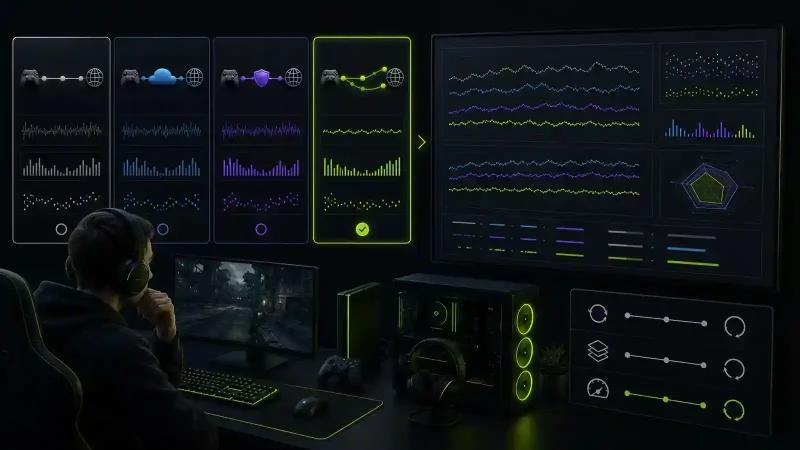
How High Ping Affects Apex Legends Gameplay
High latency can make gameplay feel delayed even when FPS remains stable.
Players may notice:
- Delayed hit registration
- Rubber-banding while moving
- Sudden latency spikes during fights
- Visual and audio cues feeling out of sync
- Inconsistent movement
- Packet loss or connection warning indicators
- Greater difficulty reacting during close-range engagements
Stable latency is especially important in ranked and competitive matches, where sudden spikes can affect fights and positioning.
Ping vs Jitter vs Packet Loss: What's the Difference?
Ping measures how long data takes to travel between your PC and the game server.
Jitter measures how much that latency changes over time. A connection that constantly jumps between 30 ms and 100 ms can feel worse than a stable connection at a moderately higher ping.
Packet loss occurs when some network packets fail to reach their destination.
For online gaming, connection stability matters alongside the average ping number.
Why Fast Internet Can Still Have High Ping in Apex Legends
Bandwidth and latency measure different aspects of your internet connection.
A high-speed cable or fiber plan does not guarantee a direct route to the game server. Once traffic leaves your home network, it travels through your ISP and multiple network routes before reaching its destination.
An inefficient route can increase latency regardless of whether your plan provides 300 Mbps, 1 Gbps or more.
Why Restarting the Router Doesn't Always Fix High Ping
Restarting your modem or router can solve temporary local network problems, but it cannot normally change congestion or inefficient routing farther upstream.
If the problem exists between your ISP and the server network, local troubleshooting may have little effect.
How to Reduce High Ping in Apex Legends
Start by eliminating local connection problems before testing route optimization.
1. Use Ethernet Instead of Wi-Fi
A wired connection generally provides more consistent latency and reduces interference from other wireless devices.
2. Stop Background Downloads
Pause:
- Game downloads and updates
- Cloud synchronization
- Streaming on the same network
- Large file transfers
- Windows background downloads
3. Check Ping, Jitter and Packet Loss
Don't evaluate the connection using average ping alone.
Compare:
- Average ping
- Latency spikes
- Jitter
- Packet loss
- Match-to-match consistency
4. Test Different Server Routes
If the local network is stable but latency remains high, the problem may be the route between your ISP and the server.
A route optimizer such as NoPing can be used to test whether an alternative network path provides better latency and stability.
How NoPing Can Help Reduce Apex Legends Ping
NoPing's Multi Connection technology can evaluate multiple routes between the player and the game server instead of relying exclusively on the ISP's default route.
Multi Connection works with 5 simultaneous routes, allowing NoPing to evaluate connection quality and select better paths according to current network conditions.
This can be useful when the ISP's default route suffers from:
- Congestion
- Unstable peering
- Packet loss
- High jitter
- Unnecessary network hops
- Temporary routing problems
Actual improvement depends on the player's location, ISP, server and current network conditions.
What Is NoPing Multi Internet?
Multi Internet allows up to 6 internet connections to work together.
For example, a player could have access to:
- Cable or fiber as the primary connection
- A second ISP
- 4G/5G
- Another available internet connection
This can add connection diversity when the primary internet link becomes unstable.
It can be particularly useful for connections that experience variable latency or intermittent packet loss.
Can Boost FPS Help Apex Legends?
Network latency and FPS are different problems.
Boost FPS focuses on system performance rather than internet routing by reducing the impact of unnecessary background processes and helping allocate PC resources toward gaming.
Players experiencing both network instability and frame-time problems should evaluate the two separately.
Apex Legends High Ping on Xfinity, Spectrum, AT&T, Verizon and Other US ISPs
Connection quality can vary considerably by location, even among customers using the same ISP.
Comcast Xfinity
If high ping appears primarily during certain hours or routes, test whether an alternative route improves jitter, packet loss and latency consistency.
Spectrum
Cable networks can experience local congestion, particularly during busy periods. Compare performance at different times before assuming the game server is responsible.
AT&T Fiber
Fiber generally provides a stable local connection, but inefficient external routing can still occur. Route optimization may help when the issue exists beyond the home network.
Verizon Fios
A strong fiber connection does not guarantee that every server destination will use the same quality route. Cross-region connections should be evaluated separately.
T-Mobile Home Internet
5G fixed wireless connections can experience more variable latency than wired connections. Monitor jitter and latency spikes in addition to average ping.
Cox, Quantum Fiber, CenturyLink and Optimum
Results depend heavily on the local network and route to the game server. Test the connection rather than relying only on advertised bandwidth.
Does NoPing Work With Apex Legends Anti-Cheat?
Network route optimization should not require modifying game files or bypassing anti-cheat protections.
Players should always use supported software normally and keep the game and anti-cheat components updated.
NoPing vs ExitLag for Apex Legends
Players comparing NoPing vs ExitLag for Apex Legends should focus on real connection performance rather than choosing based only on an advertised ping number.
What Should You Compare?
Run comparable matches and monitor:
- Average ping
- Jitter
- Packet loss
- Latency spikes
- Route stability
- Match-to-match consistency
Multi-Route Optimization
NoPing's Multi Connection uses up to 5 routes simultaneously to optimize the connection.
The important question is whether route optimization improves the path available from your specific ISP and location to the server you're using.
Multi-Internet Connectivity
NoPing also provides Multi Internet, which can combine up to 6 available internet connections.
This addresses a different problem from route optimization alone: instability on the player's primary internet connection.
NoPing or ExitLag: Which One Is Better for Apex Legends?
There is no universal winner for every player.
Results depend on:
- ISP
- Physical location
- Game server
- Time of day
- Current internet route
- Local network conditions
The most reliable comparison is to test both services under similar conditions and record ping, jitter and packet loss.
How to Properly Test NoPing With Apex Legends
Avoid judging performance from a single match.
For a more useful comparison:
- Record your normal ping, jitter and packet loss.
- Play several matches without route optimization.
- Enable NoPing and play the same type of queue.
- Test during approximately the same time period.
- Compare average latency and, more importantly, latency spikes and packet loss.
- Repeat the test across multiple matches.
This makes it easier to determine whether the optimized route actually improves your connection.
Try NoPing With Apex Legends
Players experiencing persistent high ping, jitter or packet loss can test NoPing to determine whether their ISP's default route is contributing to the problem.
NoPing combines:
- Multi Connection: up to 5 simultaneous routes
- Multi Internet: up to 6 internet connections
- Boost FPS: PC performance optimization
- Support for 3,000+ games
Try NoPing free for 1 day and compare your connection before and after enabling route optimization.

FAQ: Apex Legends High Ping
Why is my Apex Legends ping suddenly high?
A sudden increase can be caused by ISP congestion, a routing change, packet loss, Wi-Fi instability or connection to a different server region. Compare several matches and check whether the problem occurs only at specific times.
Why do I have high ping with 1 Gbps internet?
Internet speed and latency are different measurements. A 1 Gbps connection can still have high ping if the network route between your ISP and the game server is inefficient or congested.
Can NoPing lower Apex Legends ping?
NoPing can test alternative routes that may reduce latency when the ISP's default path is inefficient. Results depend on your ISP, location, server and current network conditions.
Can NoPing guarantee lower ping?
No. Physical distance and network infrastructure establish a minimum possible latency. Route optimization is most useful when the existing route is inefficient or unstable.
Does a gaming router lower Apex Legends ping?
It can help when congestion occurs inside your home network. Router QoS cannot necessarily fix inefficient routing or peering problems outside your local network.
Should I switch from cable to fiber for lower ping?
Fiber can provide a more stable connection, but switching providers is not automatically necessary. First determine whether the problem comes from your local connection, ISP routing or the game server path.
What should I monitor besides ping?
Monitor jitter, packet loss, latency spikes and connection stability. Average ping alone does not provide a complete picture of gaming network performance.
When should I test another route?
Test another route when you notice persistent high latency, unusual packet loss, increased jitter or major differences in connection quality between matches.
How should I compare NoPing and ExitLag?
Use the same ISP, device, server region, queue and similar testing period. Compare several matches using average ping, jitter, packet loss and latency spikes instead of relying on a single result.