

AION 2, the long-awaited sequel to the classic NCSOFT MMORPG, has already launched on Asian servers (Korea and Taiwan), and the wait for a global release could be long!
If you are eager to return to Atreia and explore the new era of aerial combat and large-scale PvP, this guide is for you.
While the game does not have an official server outside Korea and Taiwan, it is completely possible to access it!
This guide details the steps to register an account and download AION 2, which is distributed exclusively through the Purple platform in Korea and Taiwan.
1. Purple Account Registration (Game Access)
The Purple platform is the sole distributor of AION 2 and is required to launch the game.
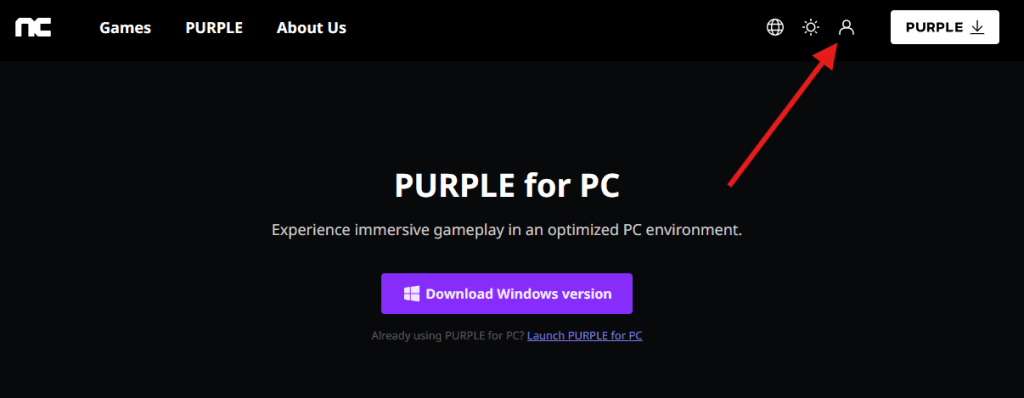
- Step 1: Access Purple
- Go to the official Purple website.
- Step 2: Start Registration
- Click the person icon (upper right corner) to go to the registration page.
- Step 3: Create Your Account
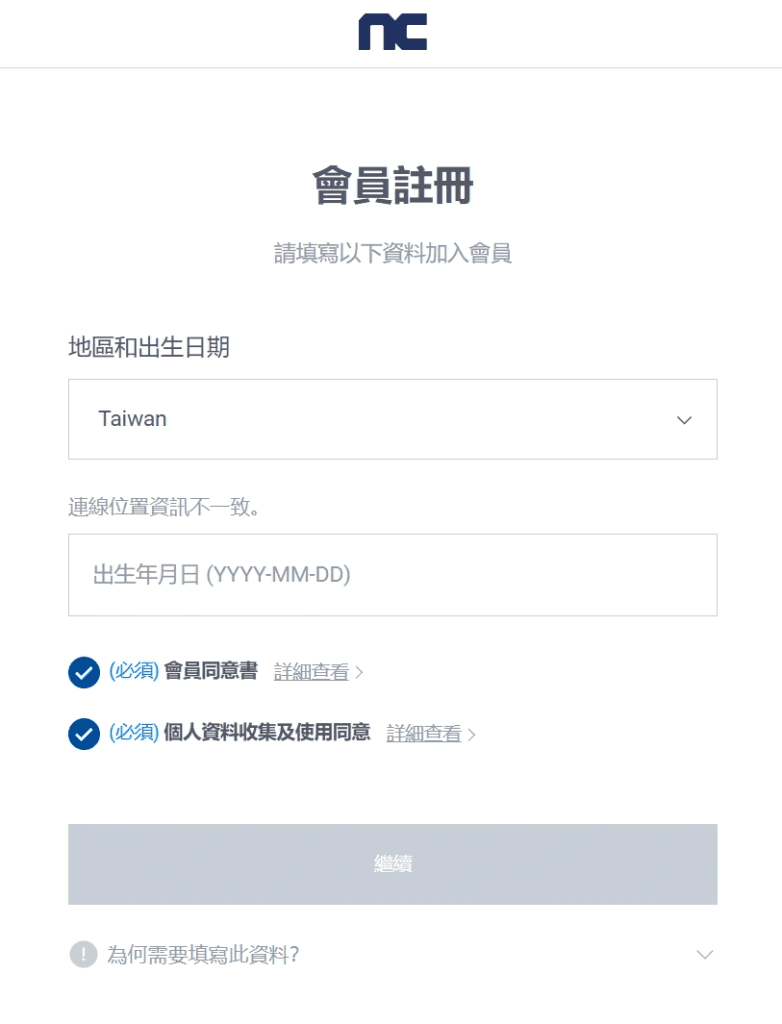
- You can register using email, Google account, Apple ID, or other methods.
- ATTENTION: When prompted during the process, select Taiwan as your region.
2. SMS Account Verification Solution (Optional)
If you have trouble receiving the SMS verification code on your number (likely due to your phone number’s country code), you can try using a temporary number service.
Access this website here (called SMS24.me) and use a temporary number from another country to receive the code and complete your Purple account verification.
3. Downloading the Purple Launcher
- Step 1: Download the Launcher
- Return to the official Purple website.
- Click the download button to download and install the Purple launcher on your computer.

- Step 2: Download and Install AION 2
- After installing the launcher, log in and find AION 2 to start the game download.
4. Connection Optimization (Fixing High Ping)
Since AION 2 servers are located only in Korea and Taiwan, players in USA, Europe and other places around the world will face high ping and latency. The best solution for this issue is to use NoPing, the most complete game optimization platform.
NoPing routes your connection through optimized paths, ensuring the lowest possible latency and maximum stability to eliminate lag. Installing and starting to use the software is very simple!
Here’s how to use NoPing to fix high ping in AION 2:
- Sign-up through the website, clicking on “Login” in the top right

- Download NoPing (you can try it for free)
- Open NoPing and search for AION 2 inside the software
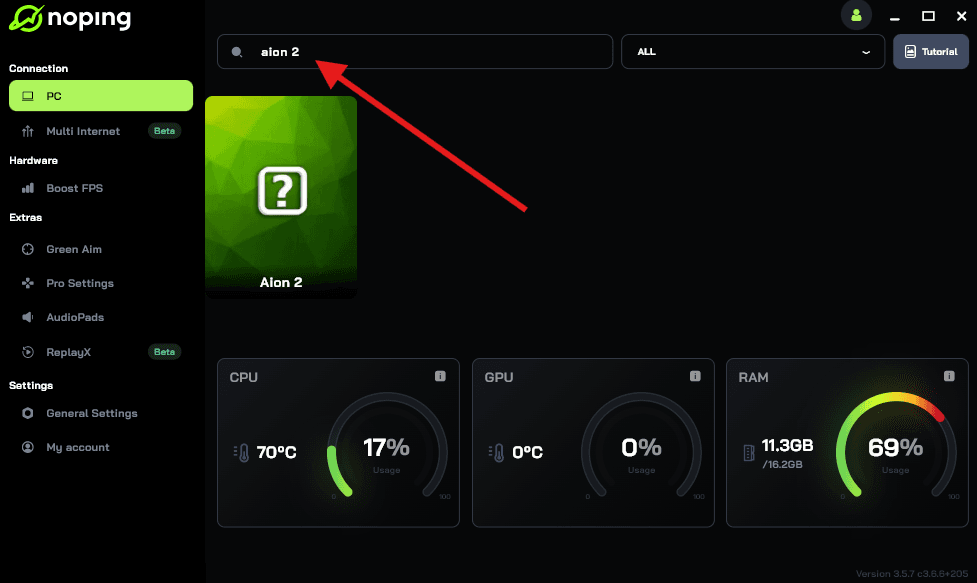
- Once you find AION 2, click on it. Choose your server on the next screen and click on “Optimize Game”.
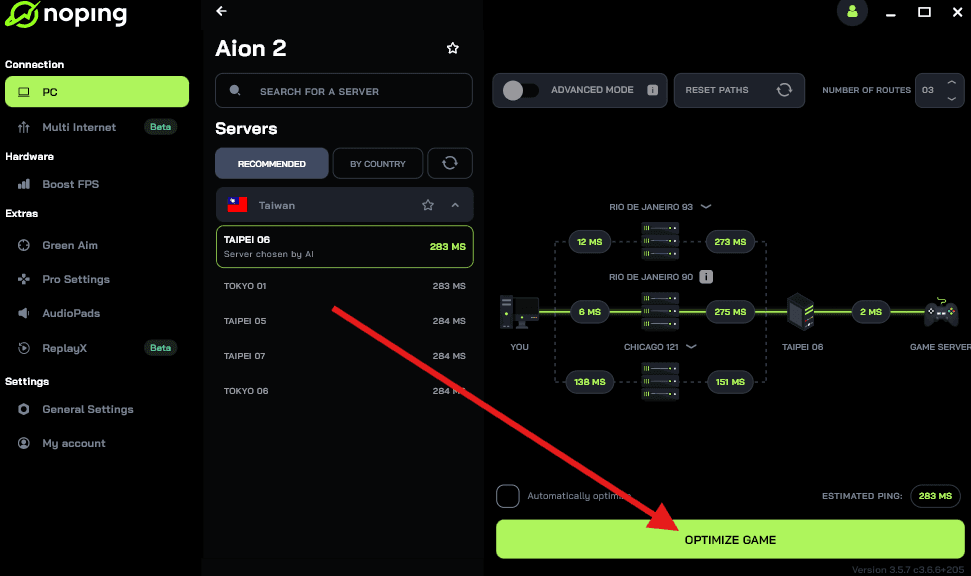
- And that’s it, you can start playing AION 2 with optimized ping!
You can test different servers within NoPing to see which gives you the lowest latency.
So start playing the anticipated AION 2 right now from wherever you are with reduced ping. Download NoPing and start your free trial!