


Ping, jitter, and packet loss describe different network behavior. Ping is the round-trip time for data. Jitter is variation in that delay. Packet loss is traffic that never reaches the destination. High values can coexist, but one does not prove another. FPS is produced by the device, so a frame-rate drop belongs to a different diagnostic branch.

Figure 1. Network timeline comparing ping jitter and missing packets
What is ping in gaming, and how do you lower it?
Ping asks how long a round trip took; averages can hide spikes. Jitter asks how much successive delay changed and is standardized as packet-delay variation. Loss asks how much expected traffic disappeared. A visible symptom alone cannot locate the fault.
Before testing your line, check the game or platform's official service status. A confirmed broad outage ends the local decision tree: wait for the operator. If the service is available, record the destination, time, ISP, connection type, and game metrics.

Figure 2. Gaming network decision tree from service status to ISP route
Ping, jitter, and packet loss decision tree
To lower or reduce ping, first compare Ethernet and Wi-Fi. If only Wi-Fi fails, inspect signal and interference. Then test multiple devices: a shared problem points toward the router, line, or ISP. If every service is unstable, one game route is unlikely. If one destination repeatedly fails while the local link is stable, collect path evidence.
Pause uploads, downloads, backups, and streaming. A saturated connection can increase delay despite high capacity. Change one variable at a time. DNS does not normally change an established gameplay path.
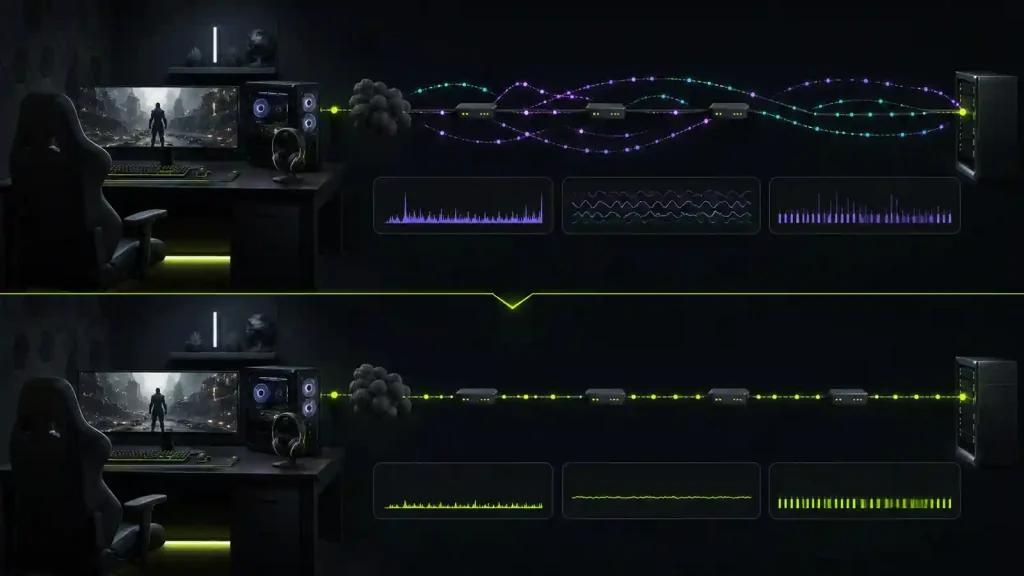
Figure 3. Documented Ethernet test separating local and external faults
Diagnostic checklist
- Check official service status.
- Record destination, time, ISP, ping range, jitter, loss, and FPS.
- Test Ethernet against Wi-Fi.
- Pause competing traffic and repeat.
- Compare multiple devices and supported destinations.
- Document the route before reviewing packet-loss or connection-monitoring options.
Where route optimization fits
A route optimizer can test whether a different internet path avoids external congestion or poor peering. It cannot repair lost packets inside weak Wi-Fi, an overloaded router, a platform outage, or low FPS. It also cannot beat physical distance. Judge it with repeated matched tests and include failures in the result set.
Frequently asked questions
Can ping be high with no packet loss?
Yes. Every packet may arrive but take a long path. Conversely, loss can occur even when the packets that arrive have a low round-trip time.
How do you reduce jitter in gaming?
Remove local contention, test Ethernet, then document the route. A spike is one observation; jitter is variation across a sequence.
How do you reduce packet loss in gaming?
Start with service status, Ethernet, paused traffic, and another device. If loss remains beyond the home network, give timed path evidence to the ISP.
Measure a clean baseline, test NoPing only on the route branch of the decision tree, and keep it only if repeated before-and-after data improves stability. Escalate local or service faults to the responsible provider.