


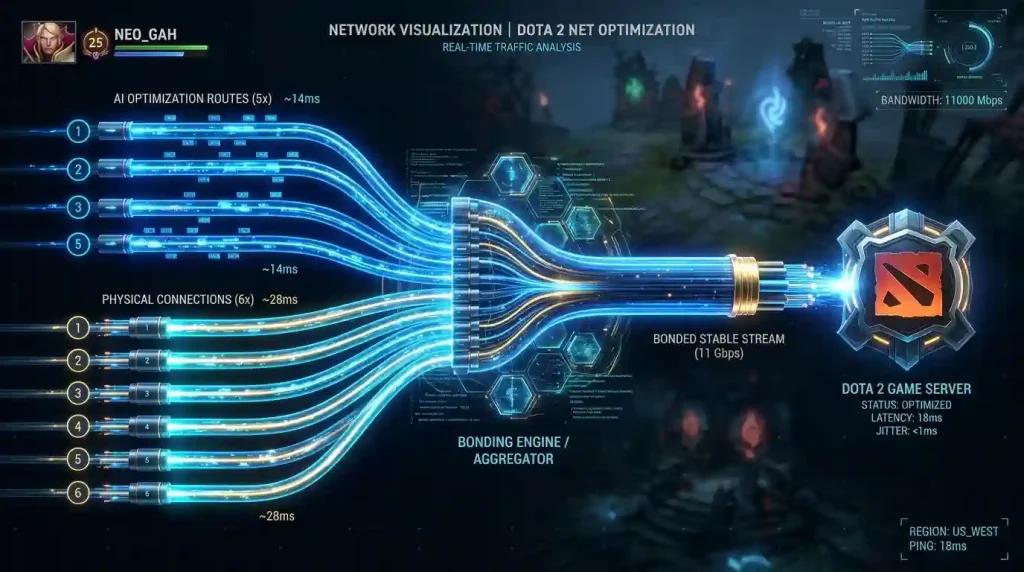
The best Dota 2 setup for US players in 2026 combines stable ISP (AT&T Fiber, Verizon Fios, Comcast, Spectrum, T-Mobile, CenturyLink, Cox, Optimum), correct SDR PoP (Chicago, Dallas, Seattle, Atlanta, Virginia), and NoPing's 5 parallel AI routes plus up to 6 physical connections in parallel.
"Best" in Dota 2 means stable 30 Hz lockstep determinism, no random teamfight stutters, no Behavior Score loss from disconnects, and consistent input-to-server reconciliation. SDR routes through PoPs in Chicago, Dallas, Seattle, Atlanta, and Virginia. Comcast Xfinity peer congestion at peak, Spectrum cable retransmits, AT&T Fiber and Verizon Fios usually cleaner, T-Mobile Home Internet 5G with jitter, CenturyLink Quantum Fiber routes well to West Coast PoPs. NoPing rebuilds the path. Multi Connection sends 5 parallel AI routes simultaneously. Multi Internet bonds up to 6 physical connections in parallel at the same time, not failover. Boost FPS keeps the renderer healthy. Plenty of US users report up to 80 percent less ping. 4.9 out of 5, more than 3,000 supported games, one-day free trial.
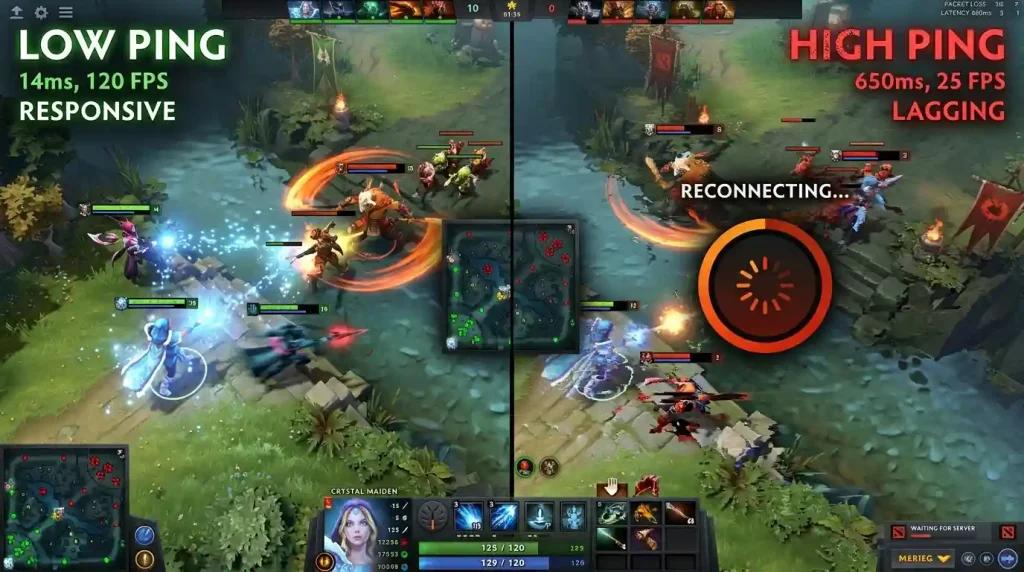
ISP Reality Check
AT&T Fiber and Verizon Fios are usually the cleanest paths to Steam Datagram Relay PoPs. Comcast and Spectrum are widely available but suffer peak congestion. CenturyLink Quantum Fiber on the West Coast is reliable. Cox in the Southwest is fine off-peak. Optimum on the East Coast has random spikes. T-Mobile 5G has jitter that affects Dota 2 lockstep timing.
SDR PoP Choice
NoPing automatically picks the cleanest SDR PoP based on real-time latency measurement. Manual override is available if you prefer a specific PoP for tournament practice or scrim consistency.
Multi Connection and Multi Internet
The core NoPing features. 5 parallel AI routes active simultaneously. Up to 6 physical connections combined in parallel at the same time, not failover. ISP variability cancels out. Disconnects stop. Behavior Score stays clean.
Boost FPS for Source 2
Boost FPS rewrites Windows priorities, kills overlay processes, suspends ISP companion app telemetry, and trims Windows 11 background services. Higher 1 percent lows during teamfights with summoned units.
Free one-day NoPing trial. Multi Connection. Multi Internet. Boost FPS. Best Dota 2 setup, no theory needed.
FAQ:
Q1: Best US ISP for Dota 2?
A1: AT&T Fiber, Verizon Fios. NoPing makes any ISP comparable.
Q2: VAC trigger?
A2: No.
Q3: Backup?
A3: No, parallel.
Q4: 80%?
A4: Yes.
Q5: Best PoP?
A5: NoPing auto-picks.
Q6: Boost FPS?
A6: Yes.
Q7: 5G?
A7: Yes.
Q8: Trial?
A8: One day.
Competitor comparison
NoPing and ExitLag Fora do Top 20 should be compared by measured route quality, packet loss stability, jitter and the server path for Dota 2. No. NoPing can help test alternative routes, but the result depends on ISP, location, server and time. Test the same queue before and after changing route, then compare ping, jitter and packet loss.
FAQ
1. best Dota 2 depends only on internet speed?
No. Routing, jitter, packet loss, ISP peering and server region can matter as much as raw speed.
2. How should I test NoPing for Dota 2?
Test the same queue before and after changing route, then compare ping, jitter and packet loss.
3. Which local issue is common in the United States?
In the United States, bad routing between the ISP and game server region can matter more than raw speed.
4. Can NoPing guarantee lower ping?
No. NoPing can help test alternative routes, but the result depends on ISP, location, server and time.
5. Should I compare against ExitLag Fora do Top 20?
Compare measured stability, route, jitter and packet loss, not only the advertised ping number.
6. Does anti-cheat block route optimization?
Use supported tools and avoid packet manipulation. Route optimization should not change game files or bypass anti-cheat.
7. What metric should I watch besides ping?
Watch jitter, packet loss, route changes and spikes during competitive moments.
8. When should I change route again?
Change route after ISP instability, server maintenance, new patches, or when the selected path becomes unstable.
Understanding Your Dota 2 Connection: What Makes the 'Best' Setup
"Best Dota 2" is a common search for a reason. For US players, the difference between a won and lost teamfight often comes down to connection stability, not just bandwidth. Dota 2 uses a lockstep deterministic netcode running at 30 Hz. This means every player's game instance must agree on the exact game state. High jitter, packet loss, or inconsistent routing can cause stuttering for everyone in the match, not just you. This is why discussions about the best Dota 2 server, comparing league Dota 2, or even seeing 'WoW Dota 2' in search trends often point back to the universal need for a stable path to Valve's server infrastructure.
Technical note
Ping, packet loss, jitter and FPS are different problems. Route optimization can help network path issues, but it does not fix local CPU/GPU bottlenecks, overloaded Wi-Fi, or game server outages.