


- Code DOFUS: DOFUSMARS2020
- Code WAKFU: WAKFUMARS2020

HOW TO IMPROVE PING IN DOFUS?
1) Create a NoPing account 2) Download the software through the website and install the program: http://download.nptunnel.com/NoPingx64.msi 3) Open NoPing on your desktop. 4) Click to login in the center of the screen. 5) In the search bar at the top of the "Find your game" software, type "Dofus". The game image will appear below. Click on the game image and then on Choose Server. 6) A new screen will appear, now click on the “PING” button, with this you will have the ping result on each server.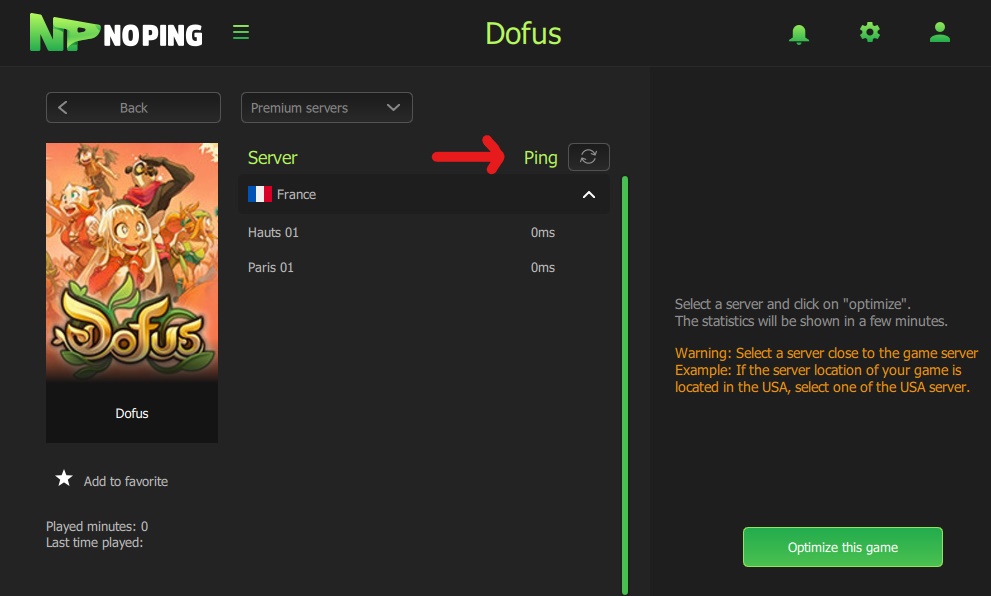 7) Perform the ping test at NoPing to get the best MS.
8) Select the server you play. Then click on “Optimize this game”. For example, if your game is located in the United States, you should choose the server with the lowest ping in the United States.
9) Wait for the Disconnect button to appear. Then, join your game.
7) Perform the ping test at NoPing to get the best MS.
8) Select the server you play. Then click on “Optimize this game”. For example, if your game is located in the United States, you should choose the server with the lowest ping in the United States.
9) Wait for the Disconnect button to appear. Then, join your game.
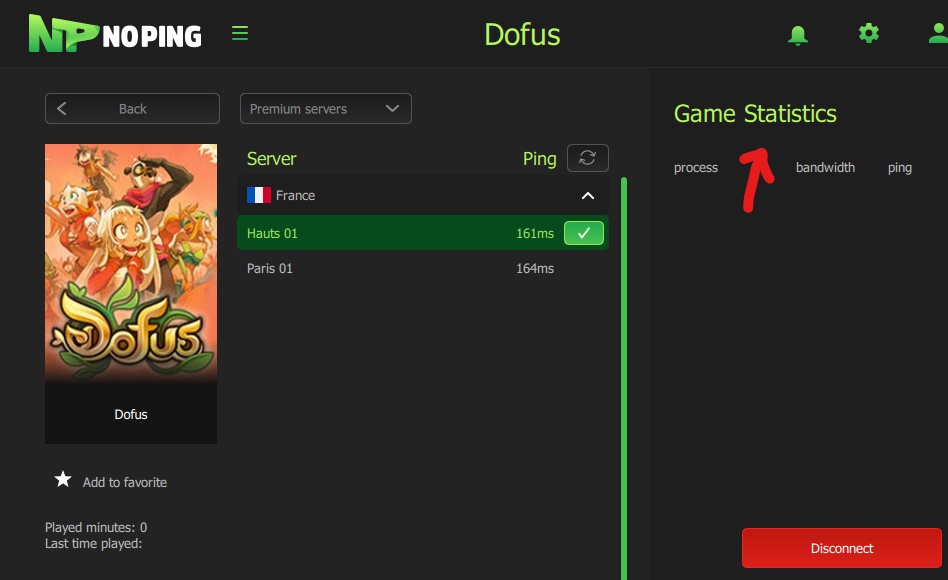
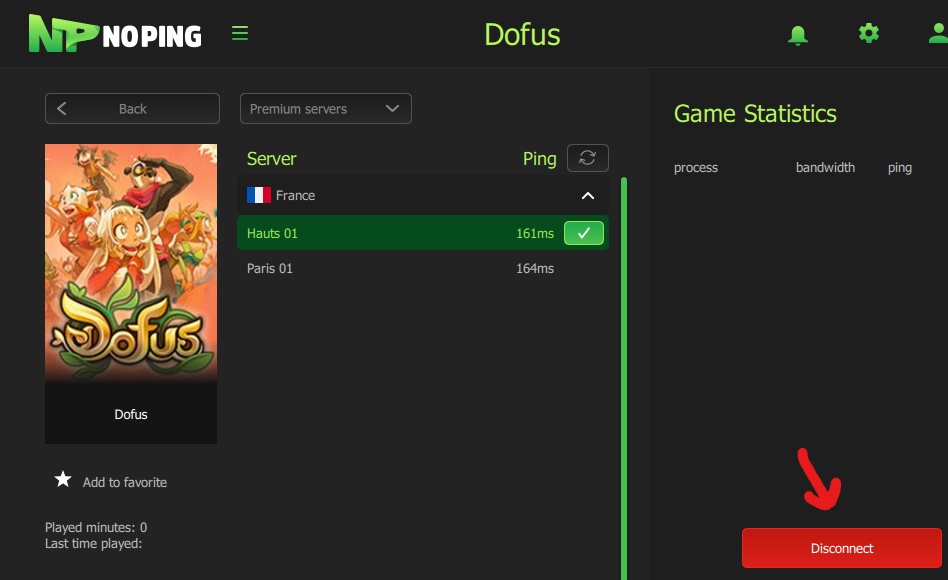 10) To check if it is working correctly, after making the connection in your game, go back to the NoPing screen. In the right corner of the statistics the name of your game and its ping should appear.
 11. There you go! Now you can immerse yourself in a fantastic medieval universe with dragons, heroes and deities.
Try NoPing for free for 7 days now and set out to find the precious Dofus.