


Ancient and evil dragons are about to revive and destroy the world🔥. The Hybrids, who inherited the power of the dragon's blood just like you, began to run around to protect the world🛡️ Would you like to join us😎? #DragonRaja 🎮Download now: bit.ly/2Lp7fzX
STEP 1: HOW TO SET UP NOPING
NoPing is software that generates the best routes for low ping connections to be made in more than 600 games, including Dragon Raja. To configure the program: 1) Create a NoPing account 2) Download the software through the website and install the program: http://download.nptunnel.com/NoPingx64.msi 3) Open NoPing on your desktop. 4) Click to login in the center of the screen. 5) In the search bar at the top of the “Search for your game” software, type “DragonRaja". The game image will appear below. Click on the game image and then on Choose Server. 6) A new screen will appear, now click on the “PING” button, with this you will have the ping result on each server.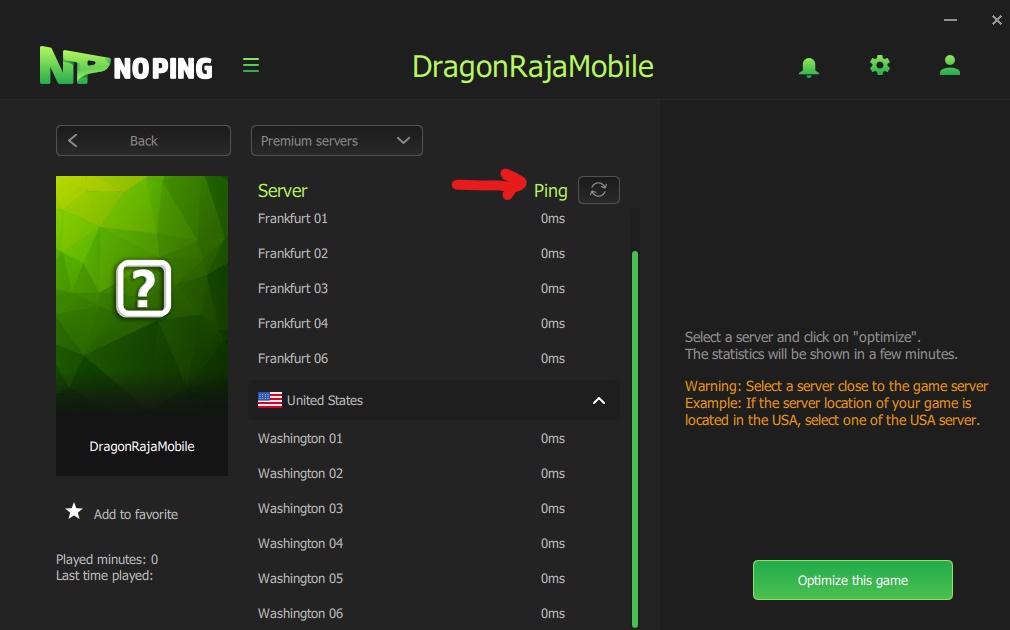 7) Perform the ping test at NoPing to get the best MS.
8) Select the server you play. Then click on “Optimize this game”. For example, if your game is located in the United States, you should choose the server with the lowest ping in the United States.
9) Wait for the Disconnect button to appear. Then, join your game.
7) Perform the ping test at NoPing to get the best MS.
8) Select the server you play. Then click on “Optimize this game”. For example, if your game is located in the United States, you should choose the server with the lowest ping in the United States.
9) Wait for the Disconnect button to appear. Then, join your game.
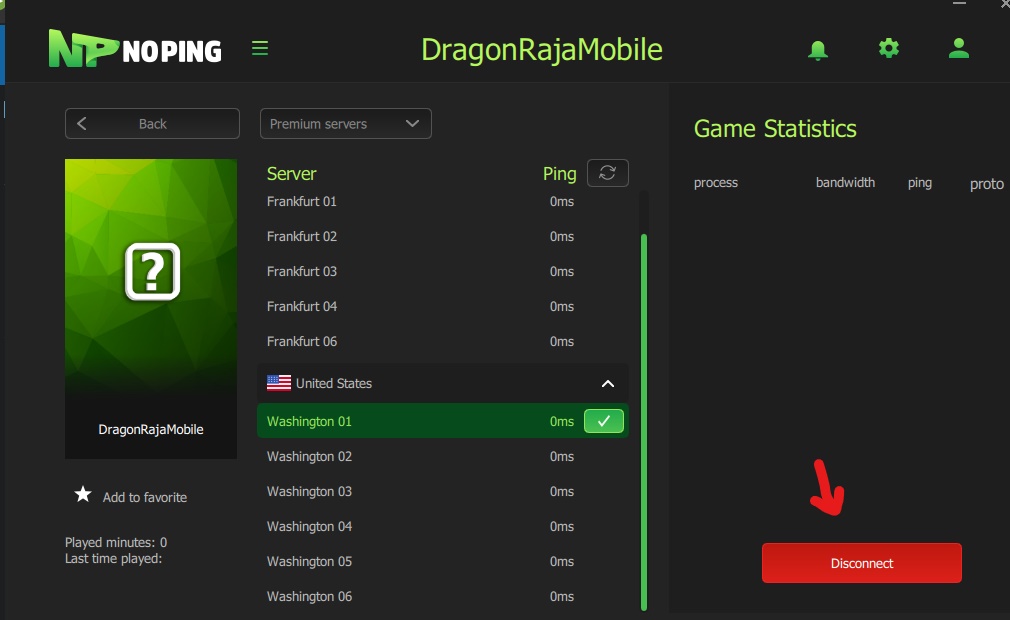 10) To check if it is working correctly, after making the connection in your game, go back to the NoPing screen. In the right corner of the statistics the name of your game and its ping should appear.
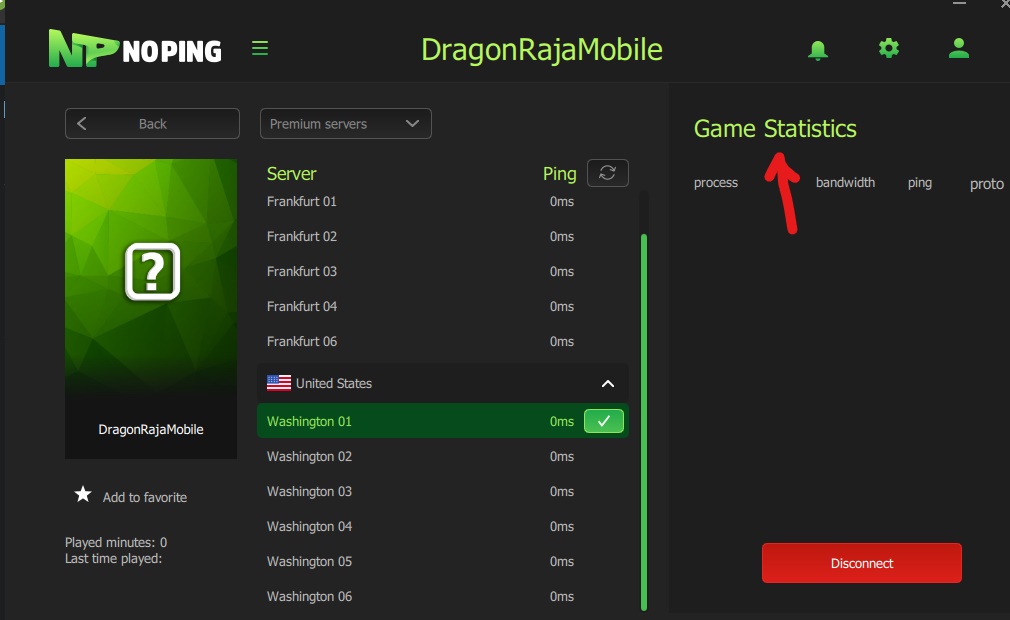 11) Ready! You can now explore the world of Dragon Raja without delay.
STEP 02: INCREASE FPS IN DRAGON RAJA
In this new NoPing version, you can boost your FPS, improving the performance of your game. 1 - To configure BOOST FPS, click on the settings button.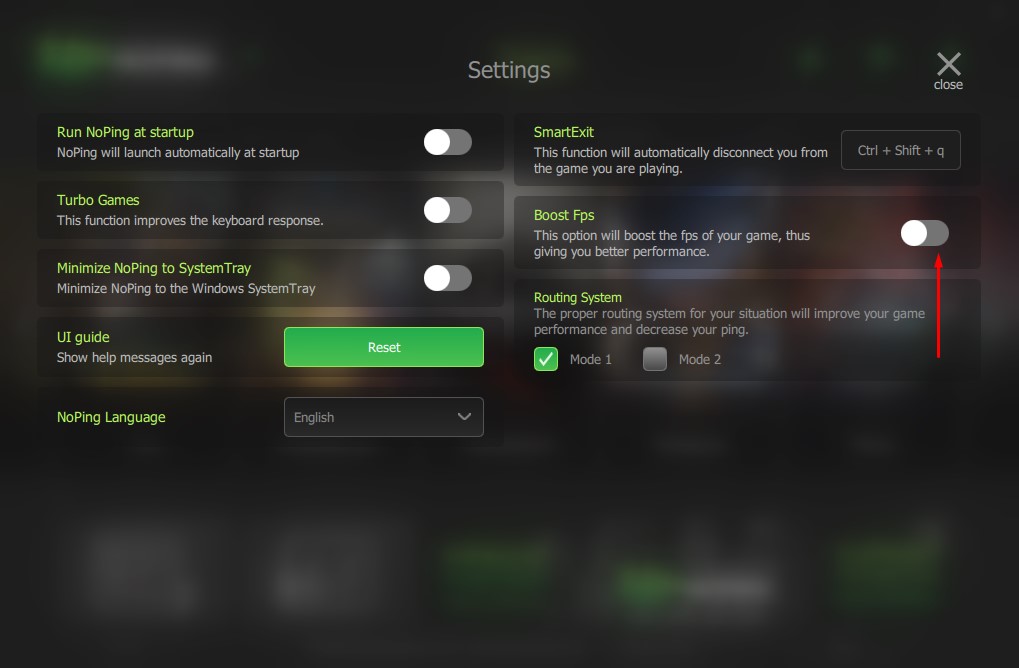 2 - Select the Boost FPS option.
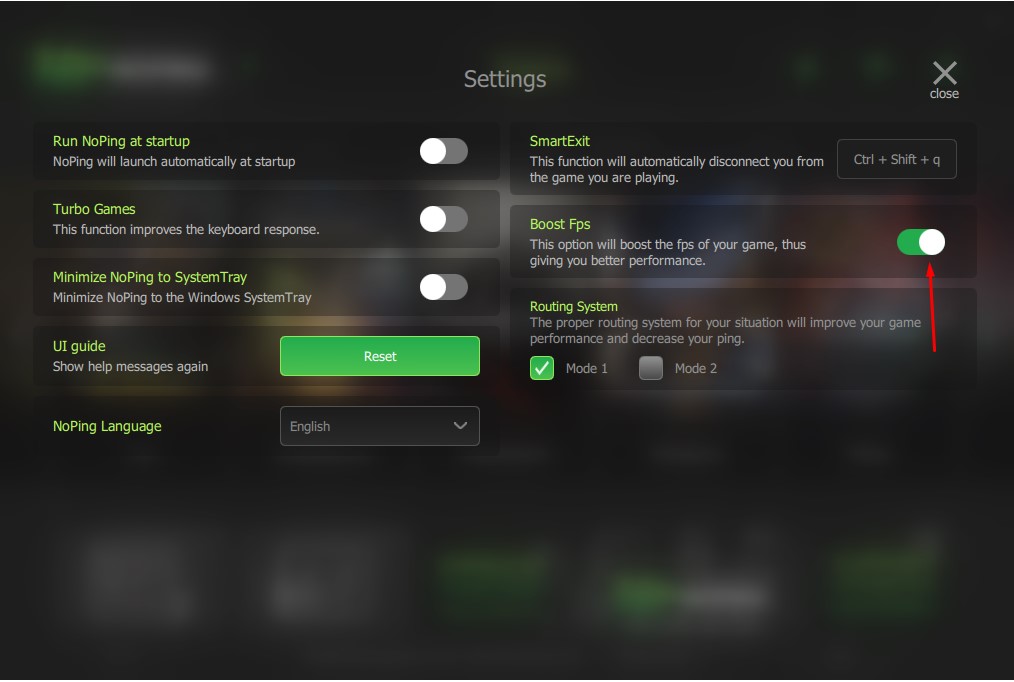 3 - Wait a few seconds after the selection.
STEP 03: IMPROVE YOUR KEYBOARD'S RESPONSE TIME
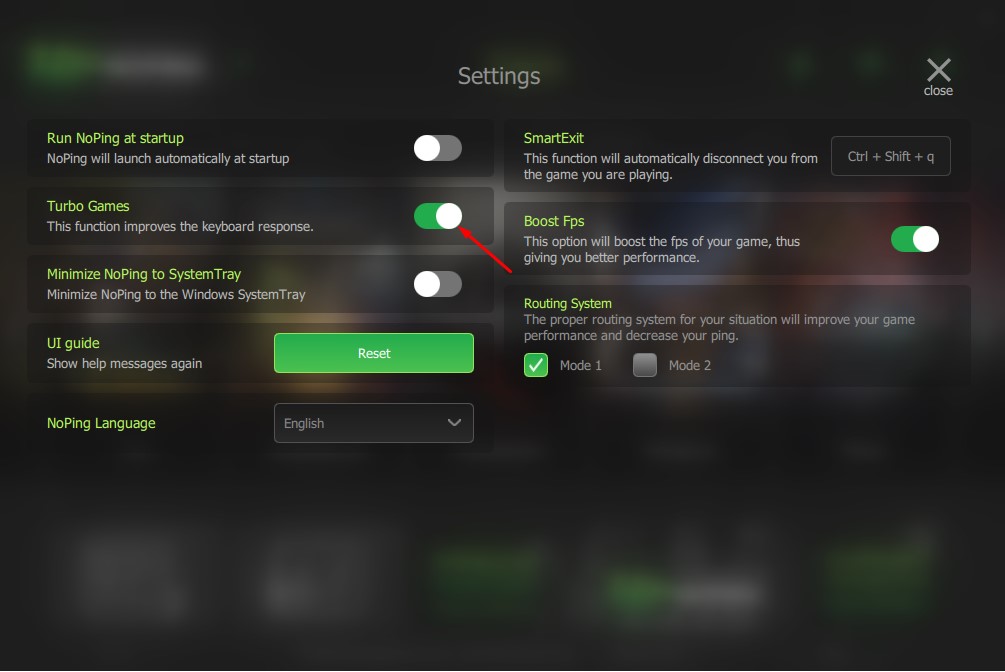
NoPing has the Turbo Games function that improves the response time of your keyboard and mouse, optimizing the build in Fortnite. 1 – To configure Turbo Games, click on the settings button.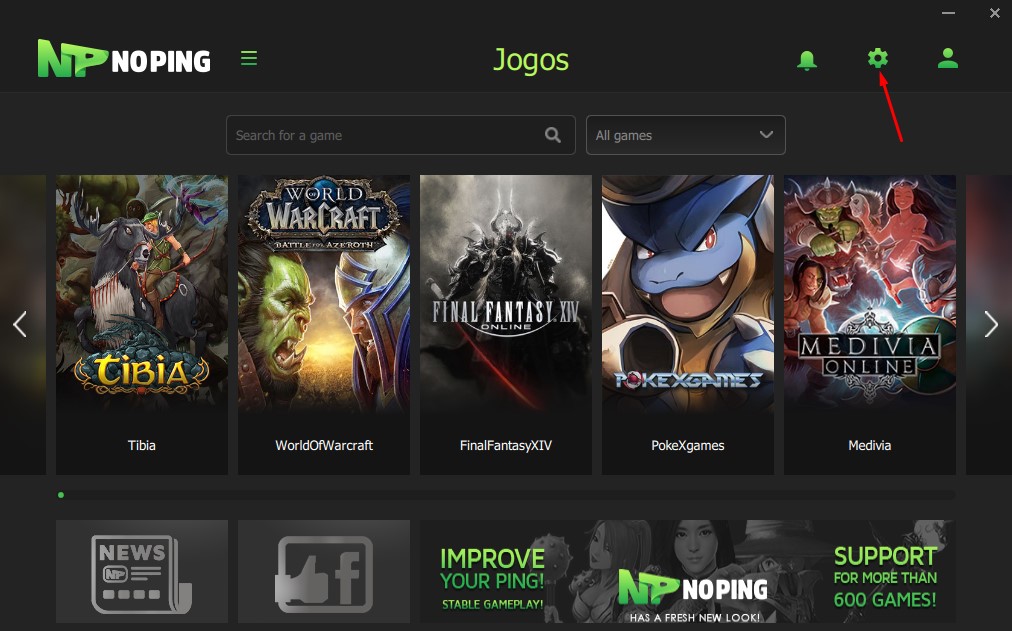 2 – Select the Turbo Games option
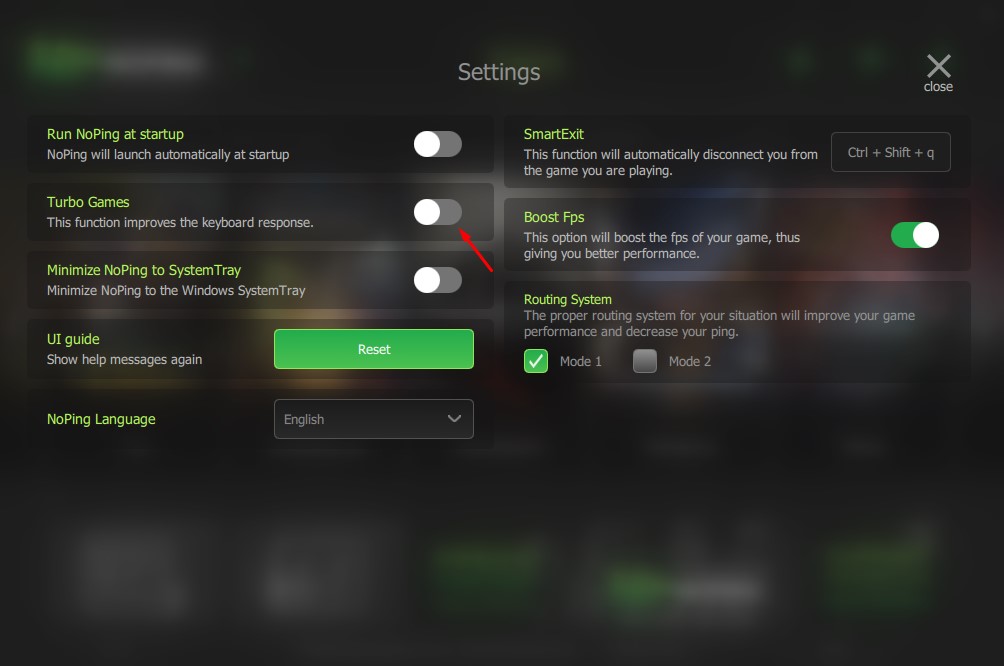 3 – Wait a few seconds after the selection.
Fight epic battles in the amazing world of Dragon Raja without delays!
Try it for free for 7 days and check out our plans.
 Posted by Livia Dias