

ANSWER BOX:
EA FC 26 FUT Champs and friendlies are historically partially P2P. The feeling of “delay” or “momentum” comes from host P2P quality and ISP routing. NoPing rebuilds the path via 5 parallel AI routes plus up to 6 physical connections in parallel.
INTRODUCTION:
“Delay” and “momentum” are the two words that most appear in discussions in the FC 26 community in the US. People assume the game has hidden DDA (dynamic difficulty adjustment). The reality is more physical and network-based than that. FUT Champs and friendlies are partially P2P (one player’s connection becomes the host). EA AntiCheat (EAAC) at kernel level is an additional layer. Competitive servers in NA-East and NA-West run in EA Multiplay datacenters. The real experience depends on who is hosting the connection, how stable that connection is, and how clean your path to that host is. Comcast Xfinity with peering congestion, Spectrum with cable retransmissions, AT&T Fiber and Verizon Fios generally cleaner, T-Mobile 5G with jitter, CenturyLink, Cox, Optimum. NoPing fixes the route. Multi Connection sends 5 parallel AI routes simultaneously. Multi Internet combines up to 6 physical connections in parallel at the same time, not failover. Boost FPS keeps the renderer healthy. Many US users report up to 80% less ping. 4.9 out of 5, more than 3,000 supported games, one-day free trial.
Why FC 26 P2P feels like “Momentum”
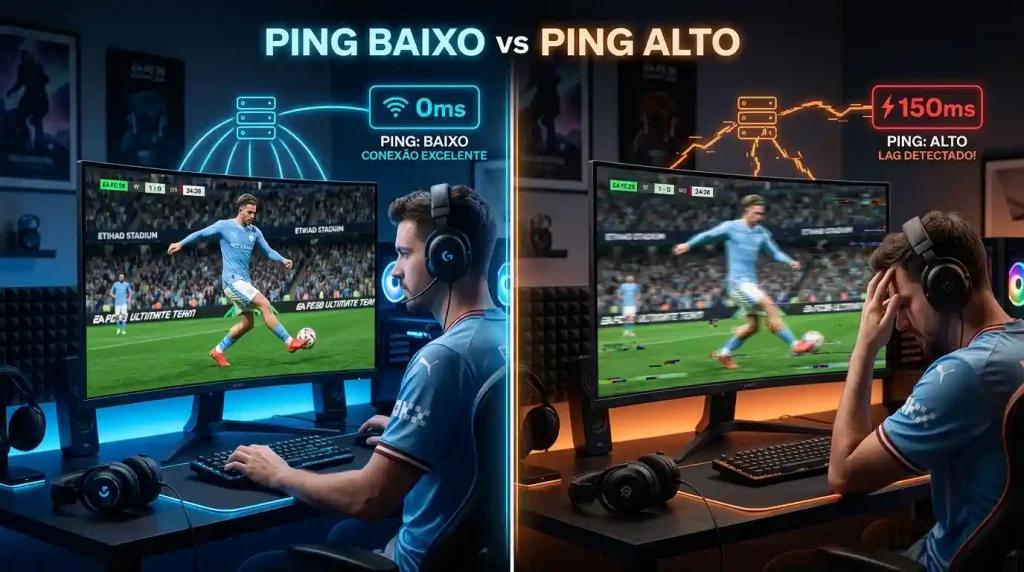
When the host has a marginal connection, inputs from both players feel slow in the same way as a high-ping match in any P2P game. The community attributes this to “momentum” or “scripting”, but this is consistent with P2P host fallback behavior under congestion. EA AntiCheat does not change this dynamic. NoPing’s Multi Connection ensures that your side of the connection presents the cleanest possible profile for the P2P host election logic.
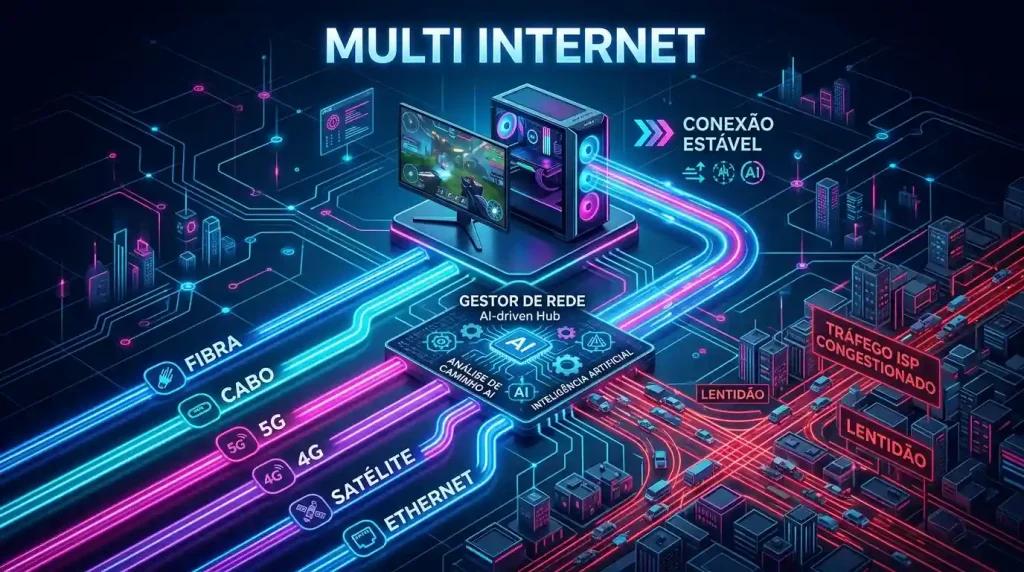
Multi Internet up to 6 physical connections in parallel
NoPing’s exclusive feature for FC 26 P2P. Up to 6 physical connections active in parallel at the same time, not failover. Comcast cable, Verizon Fios, AT&T Fiber, T-Mobile 5G, Cox, and a mobile hotspot can carry traffic simultaneously. The aggregated path becomes stable, even when one ISP suffers a 30-second peer instability.
Boost FPS for FC 26 animation smoothness
FC 26 has very tight animation timing. A frame stutter during a kick animation feels like the game “ate” your input. Boost FPS rewrites Windows priorities, closes overlay processes, suspends ISP app telemetry, and reduces Windows 11 background services. It improves 1% lows during animation transitions.
Practical setup
Install NoPing, log in with the trial, choose FC 26, select NA-East or NA-West, enable Multi Connection, Multi Internet, and Boost FPS. The feeling of “delay” is significantly reduced in FUT Champs.
One-day free trial of NoPing. Multi Connection. Multi Internet. Boost FPS. FUT delay finally explained and reduced.
FAQ:
Q1: Is FUT delay scripted?
A1: No. It is host P2P quality plus routing.
Q2: Will NoPing fix delay?
A2: It reduces it by improving your connection side.
Q3: Compatible with EAAC?
A3: Yes.
Q4: Backup?
A4: No, parallel.
Q5: 80%?
A5: Yes.
Q6: Best US server?
A6: NA-East or NA-West.
Q7: Boost FPS?
A7: Yes.
Q8: Trial?
A8: One day.
Why choose NoPing instead of ExitLag or GearUP Booster for EA FC 26?
Standard ping reduction tools like ExitLag and GearUP Booster usually work by finding a single optimized route. This helps in server-based games, but the P2P nature of EA FC 26 FUT requires more. A single optimized route can still suffer from temporary ISP instability. NoPing approaches this differently for P2P games. Its Multi Connection technology runs 5 parallel traffic routes simultaneously, and the exclusive Multi Internet can combine up to 6 physical links (such as cable, fiber, and 5G). This redundancy means that even if one route fails, your stability in P2P sessions is much higher than what a single-route competitor can offer.
Q5: Why does EA FC 26 lag on my Comcast Xfinity connection?
A5: Comcast Xfinity and other cable ISPs can suffer from “bufferbloat” and peer network congestion during peak hours, causing ping spikes and packet loss in EA FC 26. NoPing’s Multi Connection can bypass these congested routes.
Q6: What is the best server for EA FC 26 in the US, NA-East or NA-West?
A6: You should select the server closest to your physical location to minimize ping. NA-East (Virginia) is usually better for East Coast players, while NA-West (Oregon) is ideal for the West Coast. NoPing allows you to test both to find your best route.
Q7: Do ExitLag or GearUp Booster work better than NoPing in EA FC 26?
A7: Unlike single-route optimizers, NoPing’s Multi Connection uses 5 parallel AI routes simultaneously to find the most stable path. The exclusive Multi Internet can also combine up to 6 physical connections for P2P games like EA FC 26, offering higher stability than single-route competitors.
Q9: How does NoPing handle EA FC 26 P2P host selection differently from a VPN?
A9: Unlike a VPN that masks your IP and adds latency, NoPing uses 5 parallel AI routes and Multi Internet to strengthen your connection profile. This helps your PC be selected as a more stable P2P host, reducing the delay you and your opponent feel during FUT matches.
FAQ:
Q1: Is FUT delay scripted or caused by DDA (Dynamic Difficulty Adjustment)?
A1: It is not script. The “delay” or “momentum” in FUT Champs comes from P2P host quality and ISP routing issues, which affect how quickly inputs are registered for both players.
Q2: Will NoPing fix delay in EA FC 26?
A2: NoPing reduces delay by improving your connection side with 5 parallel AI routes and Multi Internet bonding, giving your PC a cleaner and more stable connection to the P2P host.
Q3: Is NoPing compatible with EA AntiCheat (EAAC)?
A3: Yes, NoPing is fully compatible with EA AntiCheat. It does not modify game files or memory, so it does not trigger the anti-cheat.
Q4: Is Multi Internet a backup feature?
A4: No. Multi Internet is not failover. It combines up to 6 physical connections (cable, fiber, 5G, etc.) to carry traffic in parallel at the same time, maintaining stability even if one ISP briefly fails.
Q5: Can NoPing reduce ping by 80% as some users claim?
A5: Many players in the US see significant ping reduction — up to 80% — especially when combining Multi Connection and Multi Internet, but results depend on ISP and route quality.
Q7: Does Boost FPS help EA FC 26 animation smoothness?
A7: Yes, Boost FPS helps by freeing system resources, closing background telemetry, and stabilizing frame timing, preventing the game from “eating” inputs during animations.
Q8: Does NoPing offer a free trial for EA FC 26?
A8: Yes, NoPing offers a one-day free trial with full access to Multi Connection, Multi Internet, and Boost FPS so you can test the improvement in FUT Champs before subscribing.
Q8: Does Boost FPS help EA FC 26 animation smoothness?
A8: Yes, Boost FPS helps by freeing system resources, closing background telemetry, and stabilizing frame timing, preventing the game from “eating” inputs during animations.
Q9: Does NoPing offer a free trial for EA FC 26?
A9: Yes, NoPing offers a one-day free trial with full access to Multi Connection, Multi Internet, and Boost FPS so you can test the improvement in FUT Champs before subscribing.
Why FC 26 P2P feels like “Momentum”
FUT Champs and EA FC 26 friendlies rely partially on P2P (peer-to-peer), where one player’s connection becomes the match host. When the host has a marginal connection — high jitter, packet loss, or bufferbloat — both players feel the same input delay and sluggishness. The community often attributes this to hidden “momentum” or “scripting” mechanics, but this behavior is consistent with P2P host behavior under congestion.
This is especially noticeable in the United States, where ISP quality varies widely. A host on Comcast Xfinity cable with peak-hour bufferbloat can make the entire match feel slow, even if you are on AT&T Fiber with a clean connection. EA AntiCheat (EAAC), which runs at kernel level, does not change this network dynamic — it protects the game client, but cannot improve host routing quality.
NoPing’s Multi Connection improves your side of the connection by running 5 optimized routes in parallel simultaneously. When your PC is selected as the P2P host, this means your connection presents the cleanest possible profile for host election logic, reducing the chance that temporary ISP instability negatively impacts the match for both players.
FAQ
1. Does EA FC 26 depend only on internet speed?
No. Routing, jitter, packet loss, ISP peering, and server region can matter as much as raw speed.
2. How should I test NoPing for EA Sports FC?
Test the same queue before and after changing route and compare ping, jitter, and packet loss.
3. What common local issue exists in the United States?
In the United States, poor routing between ISP and server region can matter more than raw speed.
4. Does NoPing guarantee lower ping?
No. NoPing can help test alternative routes, but results depend on ISP, location, server, and time.
5. Should I compare ExitLag outside the top 20?
Compare measured stability, route, jitter, and packet loss, not just advertised ping.
6. Does anti-cheat block route optimization?
Use supported tools and avoid packet manipulation. Route optimization should not modify game files or bypass anti-cheat.
7. What metric should I watch besides ping?
Watch jitter, packet loss, route changes, and spikes during competitive moments.
8. When should I switch route again?
Switch route after ISP instability, server maintenance, new patches, or when the selected path becomes unstable.
Many players in the United States still search for the series using its old name, so if you are looking for a “FIFA lag fix”, the same P2P routing issues apply to EA FC 26. Common complaints also include input delay during peak hours and behavior that looks like bugs where shots do not respond — all of this is generally tied to host jitter and not the game code.