

Quick Answer
Frame pacing issues in EA Sports FC 26 in the United States often appear as the feeling that the game has lost "DPS" or responsiveness during matches. The cause is usually related to temporary CPU stalls combined with packet retransmissions on the network.
NoPing aims to address both issues. The Multi Connection feature uses 5 parallel AI-powered routes simultaneously, while Boost FPS optimizes Windows processes to free up system resources.
Introduction
In casual FC 26 community discussions, the term "DPS" usually does not mean "damage per second." Players have adopted the expression from shooter games to describe how responsive the controls feel.
When controls feel slow or delayed, many players say the game has "low DPS." When inputs respond instantly, the sensation is described as "high DPS."
In EA Sports FC 26, this perception is much more related to frame pacing and the so-called 1% lows than to average FPS. A computer running at an average of 144 FPS but dropping to 70 FPS during corners, replays, or intense match moments can create the feeling of reduced responsiveness.
Among the most common causes are:
- Temporary CPU stalls caused by overlays, monitoring software, and Windows 11 background services.
- Telemetry applications provided by internet service providers.
- Packet retransmissions caused by packet loss or congested routes to EA servers.
In the United States, situations such as Comcast peering congestion, retransmissions on Spectrum connections, and jitter fluctuations on T-Mobile 5G connections can impact the gaming experience. Fiber connections such as AT&T Fiber and Verizon Fios generally provide more stable performance.
NoPing combines network and performance optimization features. Multi Connection uses 5 simultaneous parallel routes, Multi Internet allows users to combine up to 6 physical internet connections at the same time, and Boost FPS optimizes the operating system to free up CPU cycles.
According to user reports, it is possible to achieve ping reductions of up to 80% in certain scenarios, along with improvements in 1% low stability. The platform has an average rating of 4.9 out of 5, supports more than 3,000 games, and offers a one-day free trial.
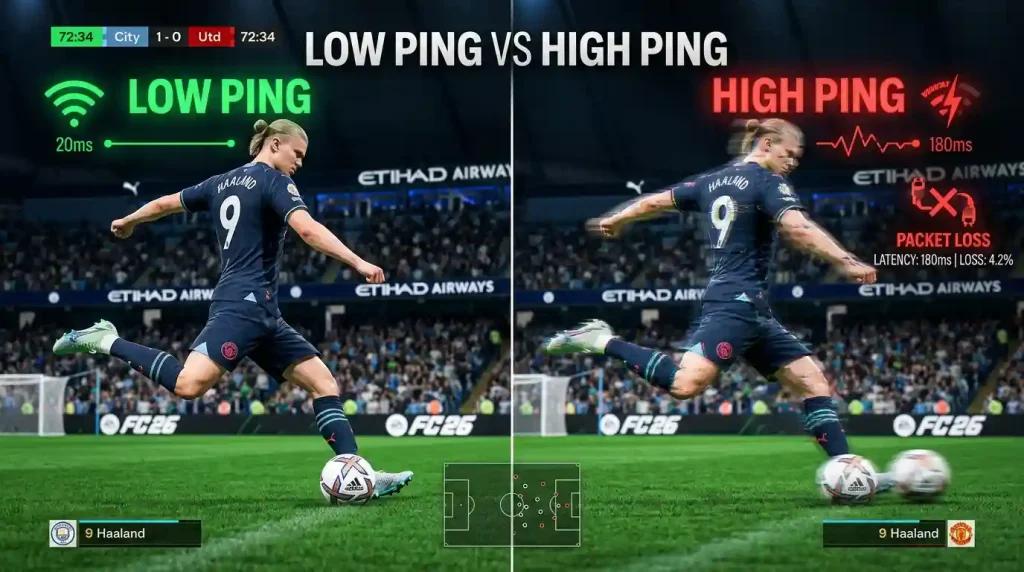
How Frame Pacing Affects Gameplay Feel in FC 26
FC 26's animation system depends on precise synchronization between player inputs and frame rendering.
When a brief interruption occurs during a shot or pass, it may feel as though the game ignored the command.
Boost FPS was designed to reduce these interruptions. When combined with NoPing's network optimization layer, the goal is to make controls feel more responsive throughout the entire match.
Multi Connection: Reducing Packet Retransmissions
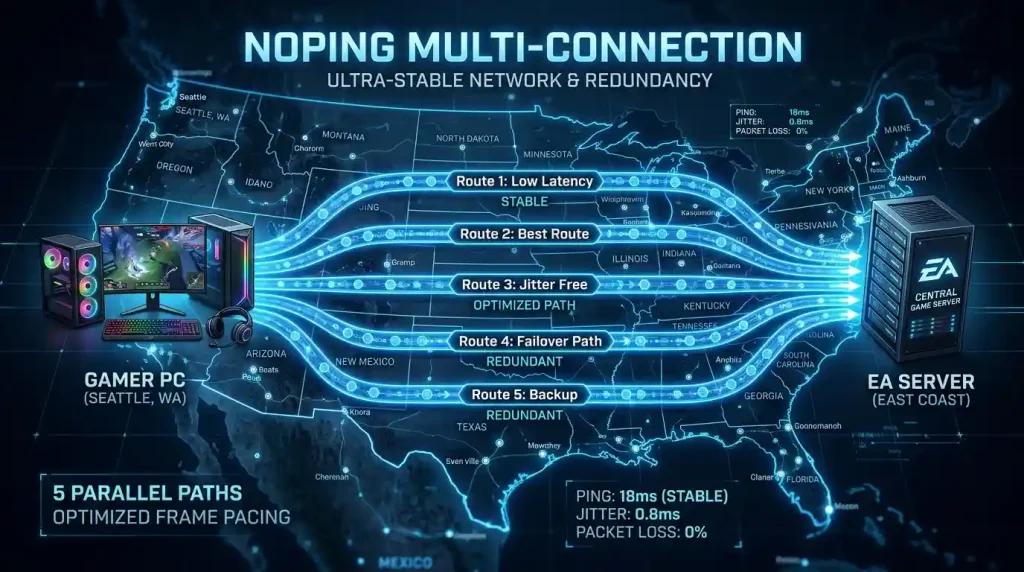
Multi Connection maintains 5 AI-powered parallel routes running simultaneously.
FC 26 traffic is distributed packet by packet across these routes. As a result, packet loss tends to approach zero across the overall connection.
Less packet loss means fewer retransmissions and fewer CPU cycles spent dealing with network-related issues.
Multi Internet: Up to 6 Physical Connections in Parallel
Multi Internet does not operate like a traditional backup system.
Instead of switching between connections when one fails, it allows up to 6 physical internet connections to be used simultaneously.
For example:
- Comcast Xfinity
- Verizon Fios
- AT&T Fiber
- T-Mobile 5G
- Cox
- Smartphone hotspot
All of these connections can operate together, increasing overall connection redundancy.
Boost FPS for Greater Frame Stability
Boost FPS works directly at the operating system level.
Among its optimizations are:
- Adjusting Windows process priorities.
- Closing unnecessary overlay processes.
- Suspending telemetry services.
- Reducing Windows 11 background services.
The primary objective is to improve 1% low stability and reduce noticeable stuttering during matches.
A one-day free trial is available with access to Multi Connection, Multi Internet, and Boost FPS.
Why Use NoPing to Improve Frame Pacing in EA Sports FC 26
Most ping reducers and gaming VPNs focus exclusively on latency.
While they may display lower ping numbers, the "DPS" issue perceived by FC 26 players generally involves both network performance and CPU performance.
Traditional VPNs can introduce additional hops into the route, increasing jitter in certain situations.
NoPing aims to optimize both sides of the equation:
- Network layer, using 5 AI-powered parallel routes to reduce packet loss.
- Processing layer, using Boost FPS to free up CPU resources.
The combination seeks to maintain stable frame pacing throughout the match, including during ISP peak traffic hours.
Frequently Asked Questions (FAQ)
What Does "DPS" Mean in EA Sports FC 26?
Within the North American FC 26 community, "DPS" is commonly used to describe control responsiveness. It is not related to damage per second.
"Low DPS" usually refers to frame pacing drops and delayed input response. "High DPS" indicates fast and consistent responsiveness.
Does NoPing Increase Raw FPS in EA Sports FC 26?
Boost FPS may moderately increase average FPS by freeing system resources.
However, the main benefit is typically seen in 1% lows, which directly affect gameplay smoothness during corners, replays, and intense match situations.
Does NoPing Work with EA AntiCheat (EAAC)?
Yes. NoPing is compatible with EA AntiCheat (EAAC).
The tool operates at the network routing layer and does not modify game files or inject content into the EA Sports FC 26 client.
Is Multi Internet Just a Backup Connection?
No.
Multi Internet uses true parallel aggregation. Up to 6 physical internet connections can operate simultaneously.
How Does NoPing Connect to EA Sports FC 26 Servers in the United States?
The system uses 5 AI-powered parallel routes to reach EA Multiplay servers in the NA-East and NA-West regions.
The platform continuously monitors latency, jitter, and packet loss to distribute traffic across the best available routes.
Does NoPing Help Players Using T-Mobile 5G Home Internet?
Yes.
Since mobile connections typically experience more jitter than fiber connections, Multi Connection's redundant routes can help reduce fluctuations when communicating with game servers.
Why Does FC 26 Feel Slower After 6 PM When Using Comcast Xfinity?
During peak hours, increased residential traffic can create congestion on specific routes and peering points.
This may result in packet loss, retransmissions, and increased CPU workload on the system.
How Can I Test NoPing with EA Sports FC 26?
The service offers a one-day free trial with access to Multi Connection, Multi Internet, and Boost FPS.
A good practice is to compare similar matches before and after enabling the tool while monitoring:
- Ping
- Jitter
- Packet loss
- FPS stability
- Control responsiveness
How Does NoPing Compare to ExitLag and GearUP Booster?
NoPing, ExitLag, and GearUP Booster all provide optimized routes for connecting to EA servers.
The main difference highlighted by NoPing is the inclusion of Boost FPS, which also aims to optimize local operating system performance.
When comparing solutions, it is best to analyze:
- Route quality
- Connection stability
- Jitter
- Packet loss
- FPS consistency
- Real-world gameplay experience
Competitor Comparison
NoPing and ExitLag should be compared based on real performance metrics:
- Route quality
- Connection stability
- Jitter
- Packet loss
- Path efficiency to EA Sports FC servers
Results may vary depending on:
- Internet service provider
- Player location
- Selected server
- Match time
For this reason, it is recommended to test the same matchmaking queue or game mode before and after changing routes while comparing network performance indicators.
Additional FAQ
Does DPS in EA Sports FC 26 Depend Only on Internet Speed?
No.
Routing quality, jitter, packet loss, ISP peering, and server region can be just as important as the advertised internet speed.
How Should I Test NoPing in EA Sports FC?
Play the same matchmaking queue or game mode before and after changing routes, then compare ping, jitter, and packet loss.
What Is a Common Problem in the United States?
Inefficient routes between the ISP and the game server region can have a greater impact than the nominal speed of the connection itself.
Can NoPing Guarantee Lower Ping?
No.
The tool may help identify alternative routes, but results depend on factors such as ISP, location, server selection, and time of day.
Should I Compare Only Ping When Evaluating Competitors?
No.
It is also important to evaluate stability, jitter, packet loss, and overall route quality.
Does Anti-Cheat Block Route Optimization Tools?
Compatible tools that do not modify game files typically operate only at the network layer.
Which Metrics Should I Monitor Besides Ping?
Monitor:
- Jitter
- Packet loss
- Route changes
- Latency spikes during competitive moments
When Should I Change Routes Again?
Consider testing new routes after:
- ISP instability
- Server maintenance
- Major game updates
- Stability drops on the current route
Technical Note
Ping, packet loss, jitter, and FPS represent different types of issues.
Route optimization may help improve the path data takes across the network, but it does not fix local CPU or GPU bottlenecks, overloaded Wi-Fi networks, or game server outages.