

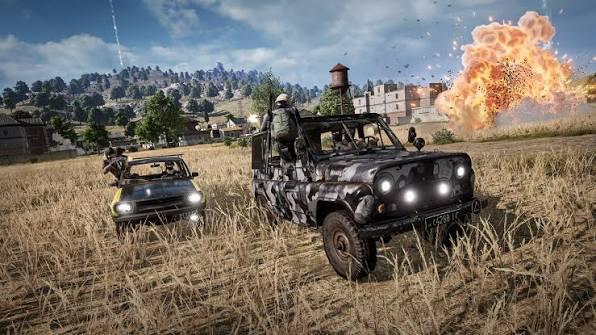
Searching for GearUP Booster PUBG usually means looking for a way to reduce lag, stabilize connections, and avoid desync during competitive matches. For players in the United States, the results can vary depending on their internet service provider (ISP), server region, and network conditions.
In PUBG: Battlegrounds, desync can make a player appear to take damage behind cover, register hits inconsistently, or move differently on the server than on their own screen. Network latency, jitter, and packet loss can contribute to these problems, although server behavior and client performance can also play a role.
This guide compares GearUP Booster and NoPing for PUBG, focusing on routing technology, connection stability, ISP compatibility, and performance testing. It also explains what network optimization can improve and which problems require other solutions.
GearUP Booster vs. NoPing for PUBG: A Feature Comparison
Both tools aim to improve gaming connections, but their advertised features differ. The practical results depend on the player's location, ISP, selected server, and existing network conditions.
| Feature | GearUP Booster | NoPing |
|---|---|---|
| Connection optimization | Gaming route optimization | Gaming route optimization with Multi Connection |
| Parallel routing | Check the current implementation and plan | Multi Connection advertises up to five parallel routes |
| Multiple internet connections | Verify current product support | Multi Internet advertises support for up to six connections |
| FPS optimization | Verify current features | Includes Boost FPS |
| Route selection | Depends on the product and configuration | Automatic route selection is a stated feature |
| Supported games | Check the current official catalog | Advertises support for more than 3,000 games |
| Free trial | Availability and duration may vary | A one-day trial is advertised; confirm current terms |
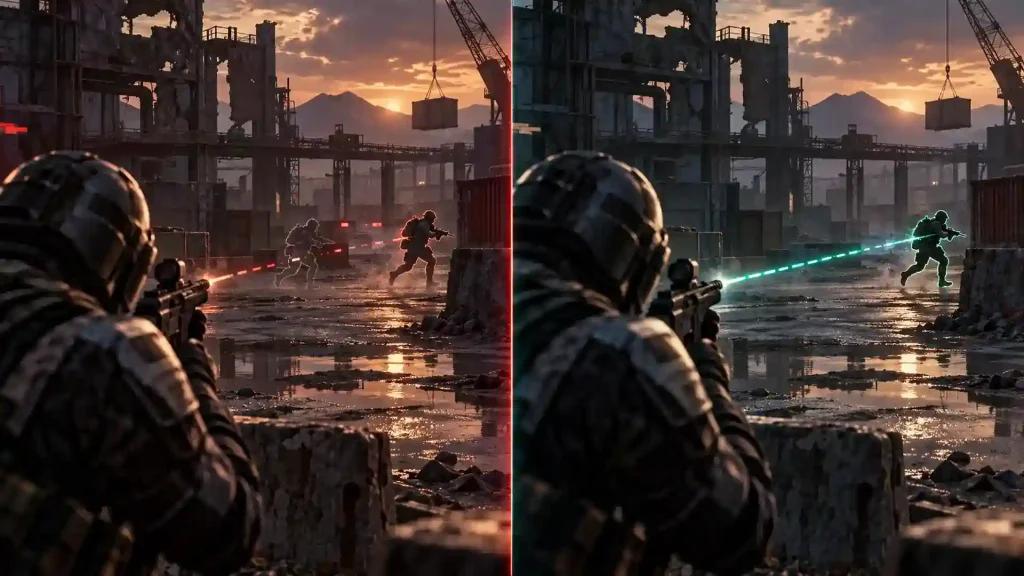
Which PUBG Booster Should You Choose?
Choose based on measured results rather than advertised ping reductions.
- Compare average ping: Check latency to the same game server before and after enabling each tool.
- Measure jitter: Look for sudden variations in latency, particularly during firefights.
- Check packet loss: Repeated packet loss can disrupt movement and hit registration.
- Test during peak hours: Evening congestion can expose routing problems that are not apparent during quieter periods.
- Evaluate consistency: A stable connection may be more useful than a lower average ping accompanied by frequent spikes.
NoPing's Multi Connection and Multi Internet features may be useful for players whose connections suffer from unstable routes or inconsistent ISP performance. GearUP Booster may also improve performance when its selected route provides a better path to the game server. Neither tool guarantees better results for every player.
Why Does PUBG Have Desync Problems in the US?
PUBG desync can result from several interacting factors, including network latency, jitter, packet loss, server-side processing, and differences between the game client and authoritative server state.
How Server Tick Rate Affects PUBG Gameplay
A server tick rate describes how frequently a game server processes and updates its simulation. At 30 Hz, a server processes approximately 30 updates per second, equivalent to about 33.3 milliseconds between ticks.
This timing can affect how quickly changes in player position and other game events are reflected in the server simulation. However, tick rate alone does not determine the severity of desync. Client prediction, lag compensation, interpolation, server performance, and network conditions also matter.
During a close-range fight, a combination of latency and packet loss can make the action displayed on a player's screen differ from the state ultimately accepted by the server.
How US Internet Providers Affect PUBG Connections
The route between a player's home network and the game server can influence latency and stability. Two players with the same advertised internet speed may experience different results because their ISPs use different network paths and interconnection points.
Players using services such as Comcast Xfinity, Spectrum, AT&T Fiber, Verizon Fios, Cox, CenturyLink or Quantum Fiber, and T-Mobile Home Internet should evaluate their actual connection rather than assume that a particular provider always performs better.
For players in Texas, Colorado, and other central US locations, the best server region can vary with location, matchmaking, routing, and current network conditions. Test the available regions and compare results instead of assuming that US East or US West is always preferable.
Can PUBG Anti-Cheat Cause Network Lag?
PUBG uses anti-cheat technology, including BattlEye and Krafton's security systems. Anti-cheat activity and other background processes can affect system resource usage, depending on the player's hardware and software environment.
However, anti-cheat activity should not automatically be treated as the cause of network desync. CPU limitations, frame-time spikes, routing instability, and packet loss are different problems that require separate measurements.
How Desync Affects PUBG Matches
Desync can affect movement, shooting, and the way encounters appear to unfold. Identifying the underlying symptom helps determine whether a network optimizer is likely to help.
Rubber-Banding and Unexpected Movement
Rubber-banding occurs when a character appears to move backward or snap to a different position. It can happen when the client and server disagree about movement or when network updates arrive late or inconsistently.
If rubber-banding occurs alongside packet loss or latency spikes, investigate the network connection. If the connection remains stable, examine game performance, server conditions, and other potential causes.
Packet Loss During Firefights
Packet loss occurs when data packets fail to reach their destination. Bursts of lost packets can interrupt the delivery of movement and gameplay information, making a connection feel less responsive.
Cable connections using DOCSIS technology may experience upstream congestion under some conditions, but this varies by network and location. Fiber connections can also experience routing or local network problems.
To investigate packet loss:
- Test the connection during the same hours when problems occur.
- Check whether packet loss appears on the local network or farther along the route.
- Compare results with and without a gaming optimizer.
- Repeat the test across multiple matches before drawing conclusions.
Why a Lower Ping Does Not Always Mean Less Desync
Ping measures round-trip network latency. It does not fully describe the consistency of a connection or the accuracy of server-side hit registration.
A connection with a slightly higher average ping but fewer spikes may feel more consistent than one with a lower average ping and frequent jitter. Packet loss, server response, frame pacing, and game mechanics can also affect the experience.
How NoPing's Multi Connection and Multi Internet Work
NoPing advertises several features designed to optimize gaming performance. Their effectiveness depends on the user's network configuration and the problems affecting the connection.
Multi Connection: Parallel Network Routes
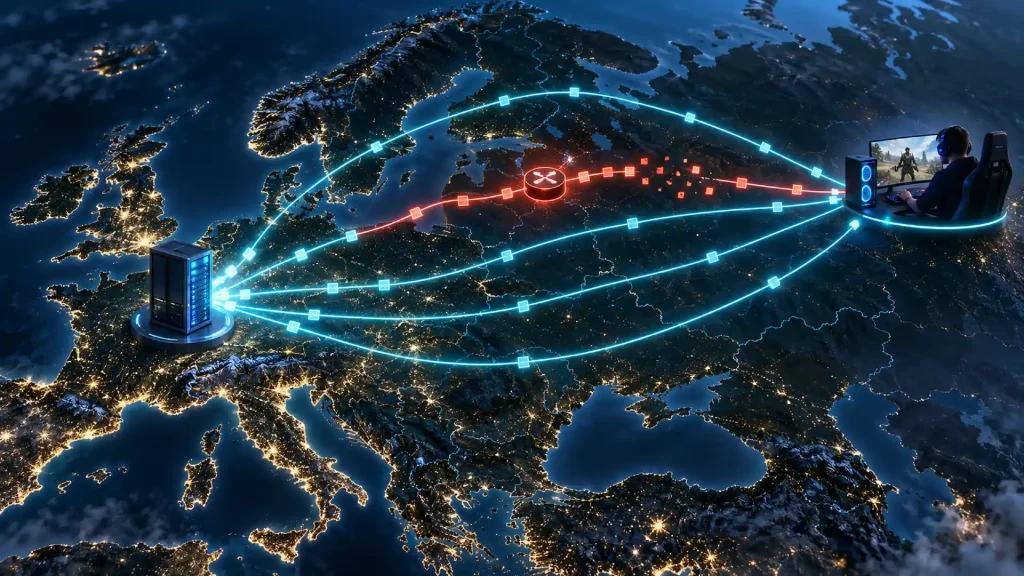
NoPing's Multi Connection feature is designed to use multiple network routes in parallel. The company advertises up to five routes for its routing technology.
The intended benefit is to reduce the impact of an unstable path. If one route experiences congestion, alternative routes may help maintain more consistent packet delivery, depending on how the feature handles traffic and how those paths perform.
For PUBG players, the relevant question is whether enabling Multi Connection reduces jitter, packet loss, or latency spikes on their actual connection. The number of routes alone does not establish that a player will experience less desync.
Multi Internet: Using Multiple Internet Connections
Multi Internet is designed to use multiple physical internet connections simultaneously, with support for up to six connections advertised by NoPing.
For example, a player might have a cable connection as their primary service and a separate 5G home internet connection as an additional link. Combining independent connections may help when one ISP experiences congestion or route instability.
The result depends on how traffic is distributed, the quality of each connection, and whether their problems occur at the same time. Additional subscriptions and hardware may also increase costs.
Players should confirm device compatibility, setup requirements, and the current feature limits before configuring multiple connections.
Boost FPS: Addressing System Performance
Network optimization and frame-rate optimization solve different problems.
NoPing's Boost FPS feature is designed to reduce the impact of selected background processes. Its usefulness depends on the processes involved and the system's available resources.
To investigate low FPS or inconsistent frame times in PUBG, monitor CPU usage, GPU usage, frame-time consistency, and background applications. Do not assume that every stutter is caused by the internet connection or that every FPS problem can be resolved by a booster.
PUBG Connection Stability on US ISPs
The quality of a PUBG connection depends on the player's location, ISP routing, selected server, local network, and time of day. Provider-wide generalizations are not a substitute for testing an individual connection.
Comcast Xfinity and Spectrum
Cable internet users may experience congestion or upstream performance changes in some locations and at certain times. The effect on PUBG depends on local network conditions and the route to the game server.
Compare latency, jitter, and packet loss during peak and off-peak periods. If the problem occurs only at specific times, record those patterns before changing providers or adding another connection.
AT&T Fiber and Verizon Fios
Fiber services can offer strong performance, but fiber access alone does not guarantee the best route to every game server.
Check whether the connection remains stable during matches and whether latency changes when the selected server region changes. If the local network is already stable, a routing optimizer may provide little or no additional improvement.
Cox, CenturyLink, and Quantum Fiber
Players using these services should compare their actual routes to the available PUBG server regions. Performance can differ between metropolitan areas and individual network configurations.
Run repeatable tests before attributing a problem to the ISP or selecting a different booster.
T-Mobile Home Internet
Fixed wireless access uses a wireless link between the home gateway and the provider's network. Signal quality, radio conditions, cell congestion, and routing can affect performance.
A separate internet connection may help reduce dependence on a single unstable link, but the improvement depends on the quality and independence of the connections. Wired fiber may be preferable when available and when its performance is better for the player's location.
How to Test NoPing Against GearUP Booster for PUBG
A controlled comparison provides more useful information than relying on advertised ping reductions.
Step 1: Establish a Baseline
Play PUBG without either booster and record the following:
- Average ping and the size of latency spikes.
- Jitter, where a reliable measurement is available.
- Packet loss.
- Selected server region.
- Time of day and ISP connection type.
- Any FPS drops or frame-time problems.
Use the same measurement method throughout the comparison.
Step 2: Test GearUP Booster
Enable GearUP Booster and repeat the test under comparable conditions. Use the same server region, similar match conditions, and the same network connection.
Record the results instead of relying solely on the ping displayed by the application.
Step 3: Test NoPing
Disable GearUP Booster before testing NoPing. Repeat the same process and record the same metrics.
Avoid running both routing tools simultaneously, because overlapping network optimization layers can complicate the results.
Step 4: Compare the Results
Compare average latency, jitter, packet loss, and the frequency of spikes. Repeat the tests across several matches to reduce the effect of changing server conditions.
Use the tool that produces the most consistent improvement on your connection. If neither changes the results, investigate the router, local network, ISP route, game server, or system performance.
What NoPing Cannot Fix in PUBG
Network optimization has clear limitations.
- Poor aim or missed shots: Routing tools cannot correct aiming errors or guarantee that a shot will register.
- Server-side problems: An overloaded or unstable game server may continue to cause problems.
- Low FPS: Network optimization does not replace appropriate graphics settings, hardware upgrades, or system troubleshooting.
- Frame-time spikes: These may be caused by CPU or GPU limitations, drivers, background applications, or other system issues.
- Anti-cheat errors: A routing optimizer is not a universal solution for false positives or compatibility errors.
- A poor local network: Wi-Fi interference, faulty equipment, and problems with the home network may require separate troubleshooting.
NoPing should be evaluated as a potential network optimization tool, not as a guaranteed solution to every PUBG performance problem.
Try NoPing With PUBG: Battlegrounds
NoPing advertises Multi Connection, Multi Internet, and Boost FPS in one platform, along with support for more than 3,000 games. The company also advertises a one-day trial.
Before starting a trial, confirm the current terms, available features, and compatibility with your setup. Test NoPing against GearUP Booster on the same ISP and server region, then compare latency, jitter, packet loss, and connection stability.
Choose the tool that produces measurable improvements in your own matches.
Frequently Asked Questions
Is NoPing better than GearUP Booster for PUBG?
There is no universal winner. NoPing advertises Multi Connection and Multi Internet, while GearUP Booster offers gaming connection optimization. The better option depends on the available routes, ISP, server region, and measured results.
Does NoPing cause BattlEye or Zakynthos bans?
NoPing describes its service as a network optimization tool. However, no third-party application should be assumed to have guaranteed compatibility with every anti-cheat update. Review current compatibility guidance and avoid tools that modify game files, interfere with anti-cheat systems, or manipulate gameplay.
Can NoPing completely eliminate PUBG desync?
No. It may help when the underlying cause is routing instability or packet loss that the service can improve. It cannot guarantee that every desync event will disappear, particularly when server behavior, game mechanics, or system performance contribute to the problem.
Should players in Texas use US East or US West servers?
Test the available server regions. The better option depends on the player's location, ISP routing, current congestion, and server conditions. Compare actual latency and stability rather than relying on a fixed regional recommendation.
Can NoPing improve FPS in PUBG?
NoPing includes a Boost FPS feature designed to reduce the impact of selected background processes. Any improvement depends on the computer's hardware, current workload, and configuration. Network optimization alone does not guarantee higher FPS.
Is Multi Internet useful with T-Mobile Home Internet?
It may help if a second independent connection provides a more stable path when the primary connection experiences problems. The benefit depends on both links, their routing, and how the software handles traffic. Compare results before committing to additional service costs.
Why can PUBG feel less stable than other shooters?
Games differ in their server architecture, tick rate, client prediction, lag compensation, and network implementation. PUBG's behavior cannot be explained by tick rate alone. Network conditions and server-side processing also influence how discrepancies appear during combat.
How can I tell whether NoPing is helping?
Compare the same server region and similar playing conditions before and after enabling the software. Monitor ping, jitter, packet loss, and the frequency of latency spikes. Repeat the comparison across multiple matches before deciding whether the improvement is consistent.
Does internet speed determine PUBG ping?
No. Download speed is only one aspect of an internet connection. Routing, distance to the server, congestion, jitter, packet loss, and ISP interconnection can all affect latency and stability.
What should I monitor besides ping?
Monitor jitter, packet loss, latency spikes, route changes, and frame-time consistency. These measurements help distinguish network instability from problems caused by the game client or computer.
When should I test a different route?
Test another route when latency spikes or packet loss become persistent, when your ISP experiences instability, or when game updates and server changes coincide with new connection problems. Recheck the results under comparable conditions before deciding that the new route is better.
Conclusion
For PUBG players in the United States, the choice between GearUP Booster and NoPing should depend on measured connection performance rather than marketing claims alone.
NoPing's advertised Multi Connection and Multi Internet features offer additional routing options worth testing on connections affected by instability. GearUP Booster may also help when its routing produces a better path to the selected game server.
Compare both tools using the same server region, ISP, and testing conditions. If neither produces a consistent improvement, investigate the local network, ISP routing, server conditions, and system performance before paying for additional optimization software.