

High latency in Counter-Strike 2 is one of the main factors that affects player performance in competitive matches. The issue directly impacts command responsiveness, disrupts fast movements, and makes actions that require instant precision much harder during decisive encounters.
Latency in CS2 affects response time
In Counter-Strike 2, accuracy depends on how quickly communication happens with the servers. When ping increases, the delay between command input and server response also rises.
This delay directly impacts competitive gameplay. Shots may register later than expected, while fast movements can become inconsistent during firefights.
In some situations, players may notice brief freezes and delayed updates of in-game actions. The frequency of these issues varies depending on the stability of the internet connection being used.
Network adjustments can help reduce latency
Using an Ethernet cable helps reduce common interference found in wireless connections. Wi-Fi networks are more affected by physical obstacles, router distance, and multiple connected devices at the same time.
Active downloads, video streaming, and background applications also consume bandwidth during matches. When too many devices share the connection, ping fluctuations tend to happen more frequently.
Router settings can also influence network stability. Features such as QoS allow players to prioritize game traffic over other internet activities.
Among the most common adjustments are:
• Wired connection via Ethernet cable;
• Closing background applications;
• Limiting the number of connected devices;
• Prioritizing game traffic on the router.
Latency also depends on the route between player and server
Connection stability does not rely only on the home network. The route taken by data packets to reach the servers also affects in-game performance.
When the selected route experiences congestion, ping can fluctuate even if the connection has good download and upload speeds.
For this reason, competitive players often use route optimization tools to try to reduce delays during matches.
How to test a solution to reduce latency in Counter-Strike 2
Players experiencing frequent instability can use route optimization platforms to try improving connection performance during matches.
Here is how to use NoPing with Counter-Strike 2:
Create an account on the official website to test it for free.
Download and install the program on your computer.
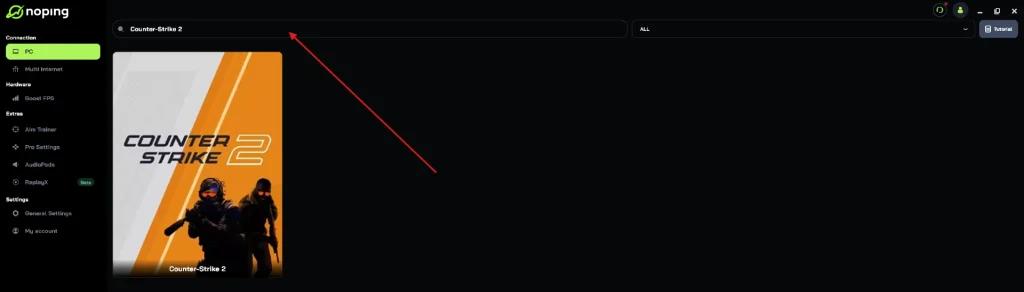
Open the software and search for “Counter-Strike 2”.
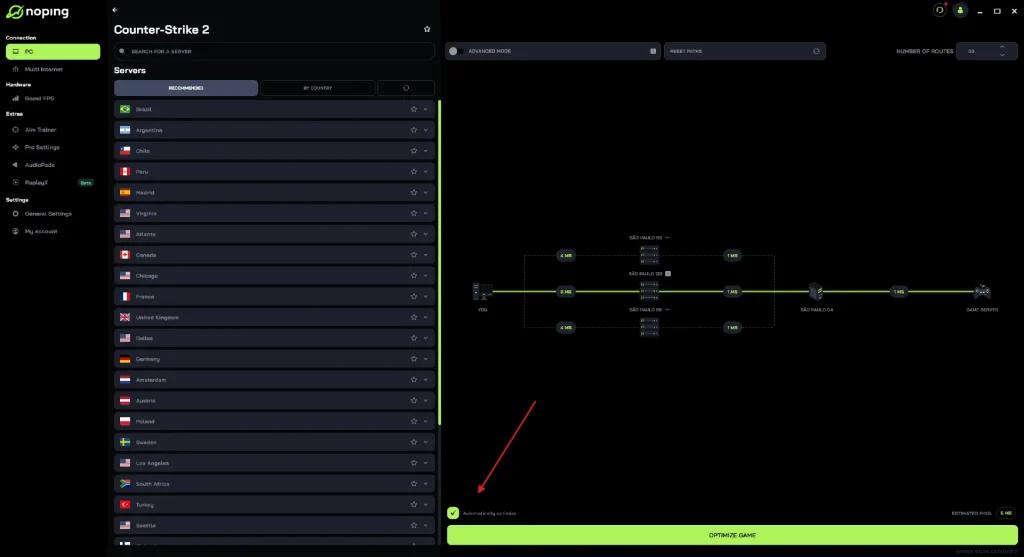
Select the game and click the “Optimize Automatically” option.
Then click “Optimize Game” to launch the match.
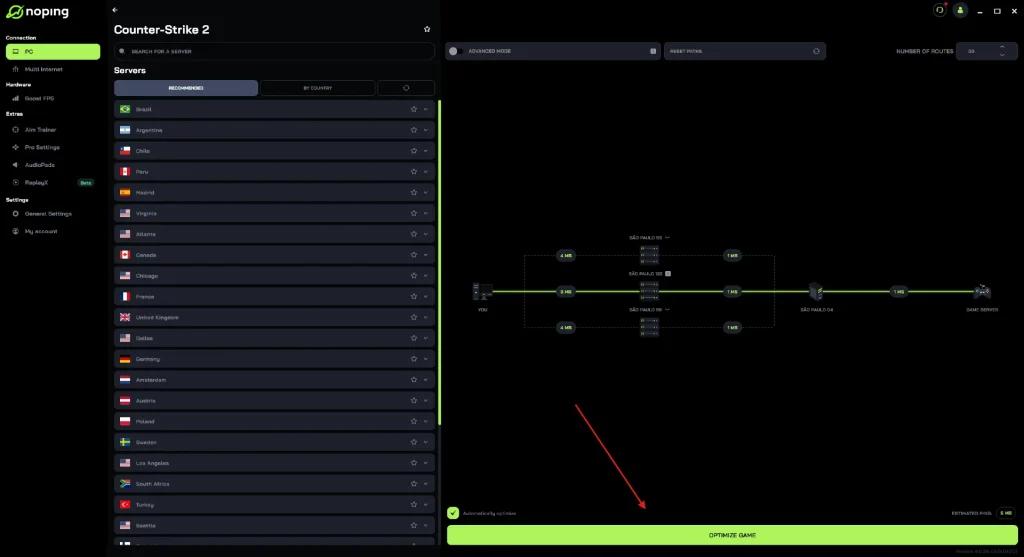
The tool is designed to identify more stable routes to the servers, which may help reduce ping and minimize latency fluctuations during online matches.