Greetings, Adventurers!
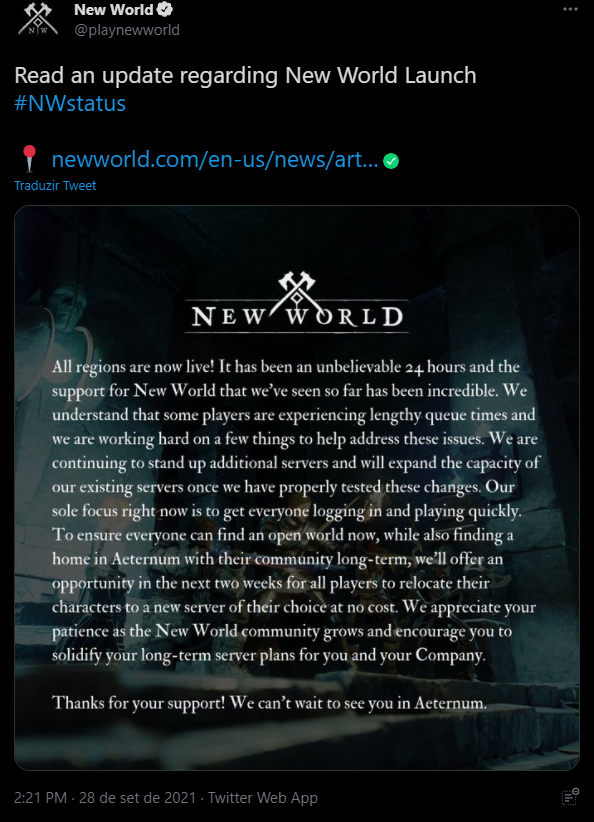
All regions are now live! It has been an unbelievable 24 hours and the support for New World that we’ve seen so far has been incredible. We understand that some players are experiencing lengthy queue times and we are working hard on a few things to help address these issues. We are continuing to stand up additional servers and will expand the capacity of our existing servers once we have properly tested these changes.
Our sole focus right now is to get everyone logging in and playing quickly. To ensure everyone can find an open world now, while also finding a home in Aeternum with their community long-term, we’ll offer an opportunity in the next two weeks for all players to relocate their characters to a new server of their choice at no cost. We appreciate your patience as the New World community grows and encourage you to solidify your long-term server plans for you and your Company.
This way, NoPing has separated for you a tutorial on how to install the newest MMORPG that is conquering players all over the world! Check out the step by step
1- Log in to NoPing's homepage and register to enjoy it for 7 days for free.
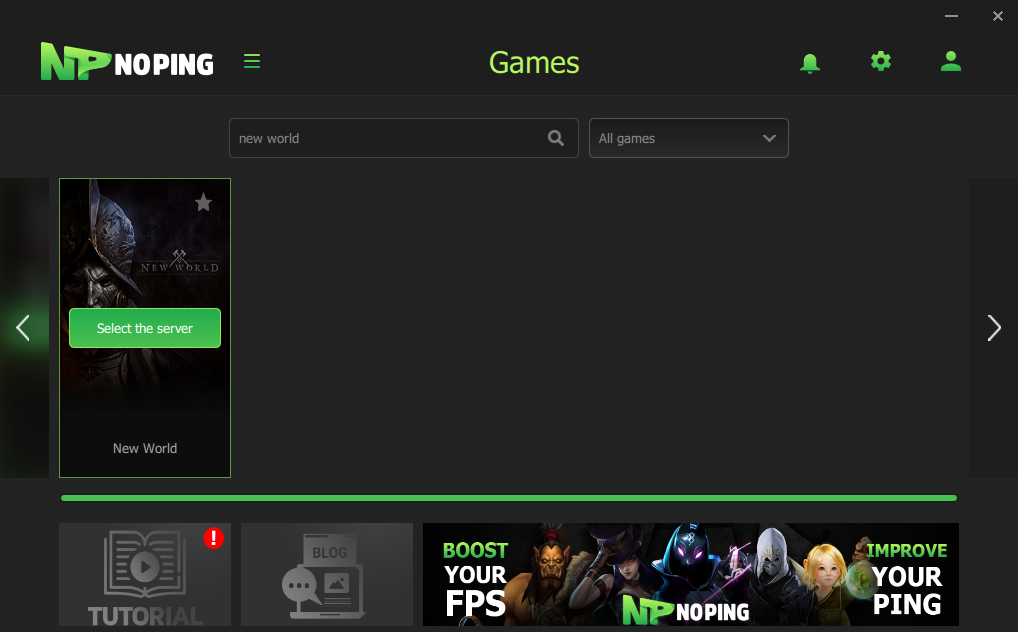
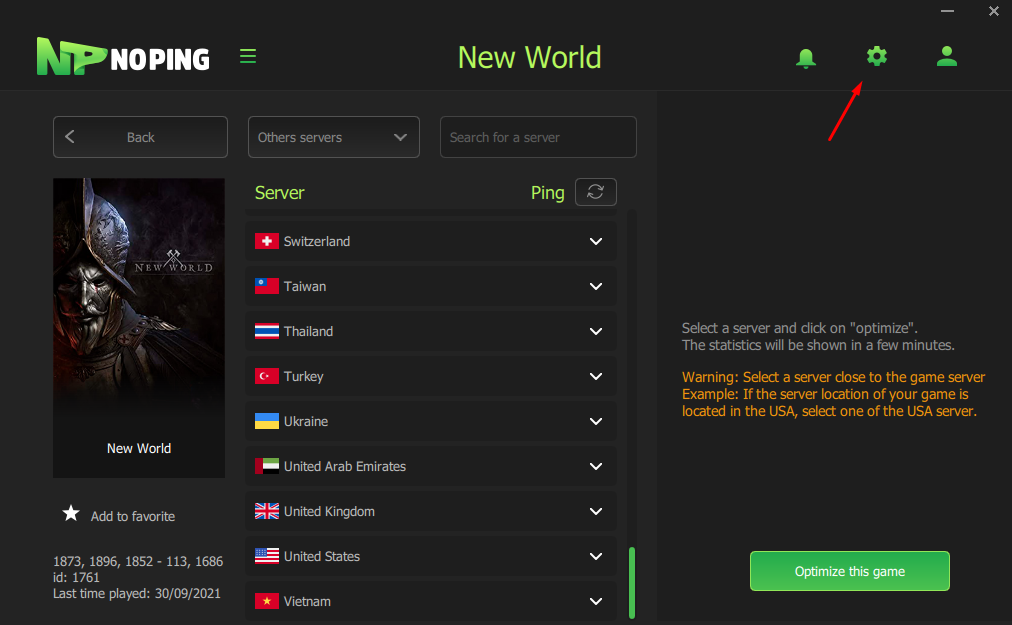
2- With the game already installed and open on your machine, open the NoPing platform and select the game New World, after that, select the option "choose server".
 3- With the new screen open, click on the button next to "PING" to generate the best ms results on each server.
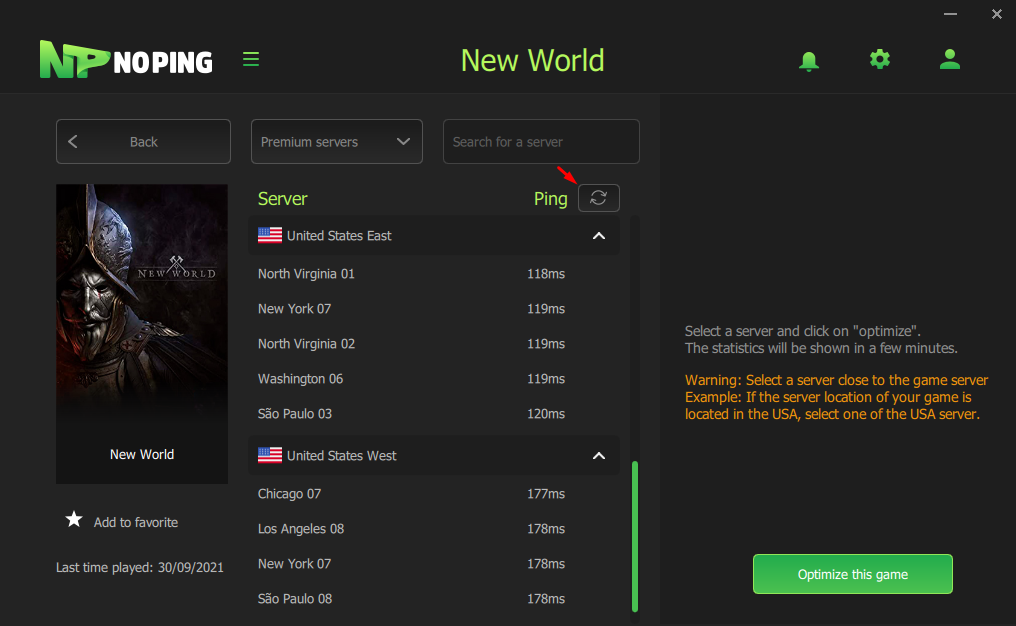 4- Select the server with the lowest ms and click "Optimize this game".
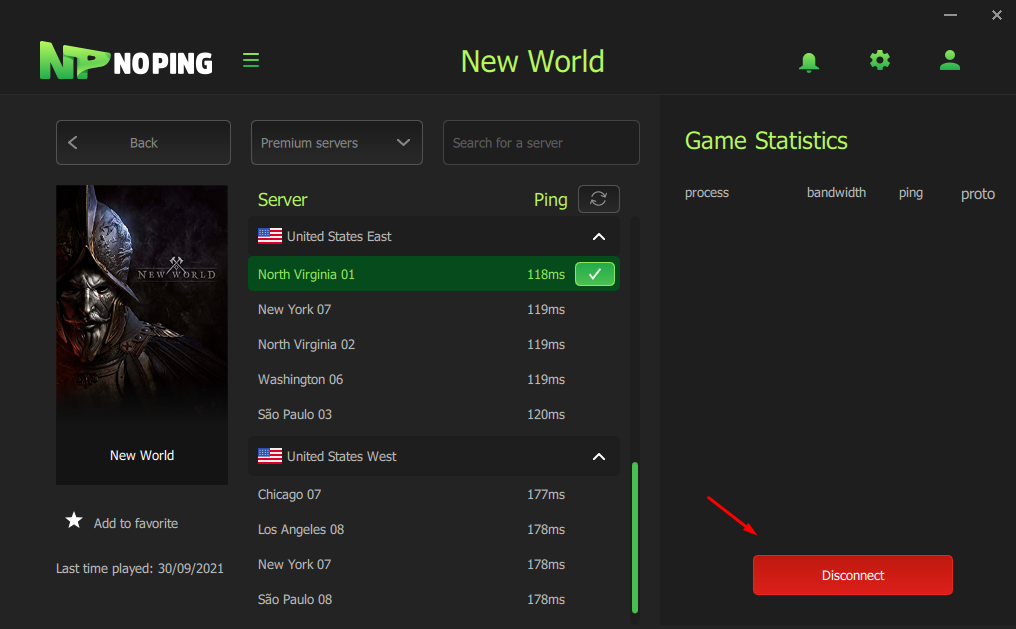
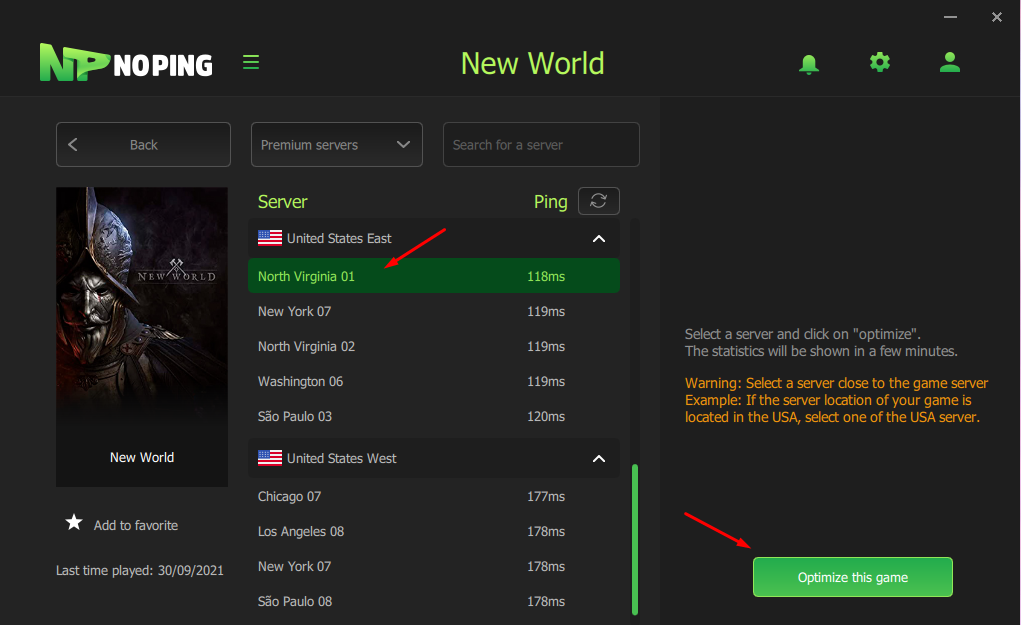 5- The selected server receives a flag beside and automatically appears the button "Disconnect", after making the connection in the game back to the screen of NoPing and note that automatically will appear in the right corner of the statistics the name of the game and its ping.
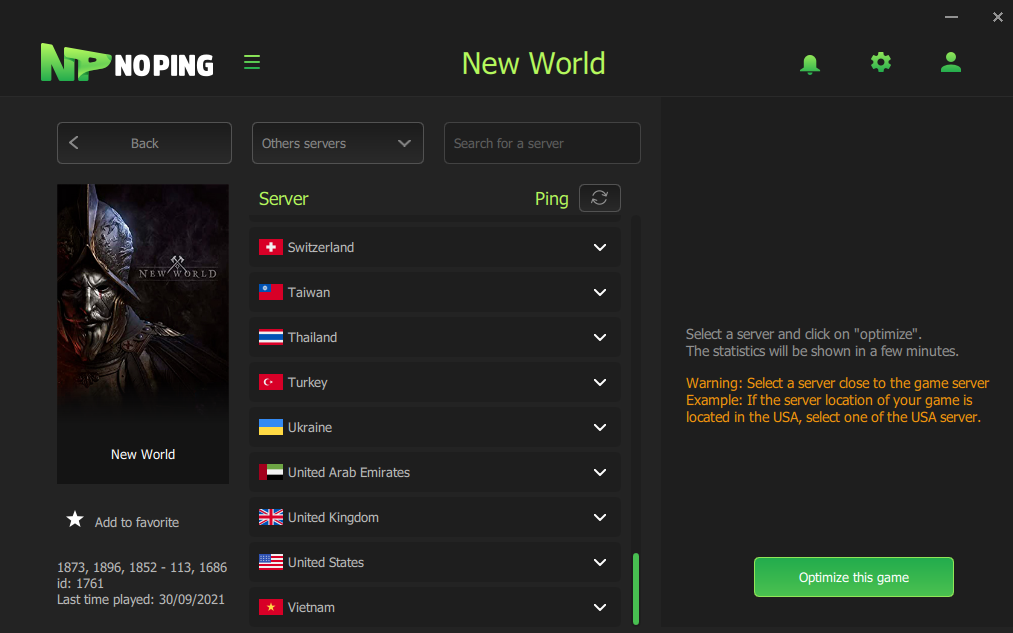
 6- If you experience instability in the game, click on "Premium Servers" and select "Others Servers".
 7- To further optimize, select the gear in the upper right corner.
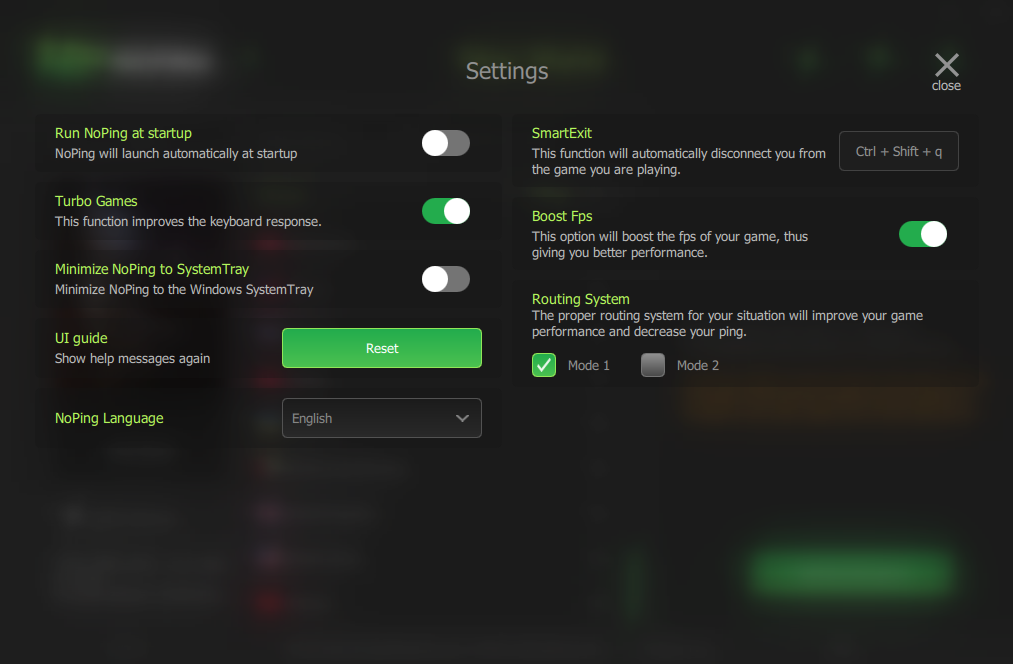
 8- A new settings screen will appear, on this screen you can enable and disable optimization tools to improve your game.
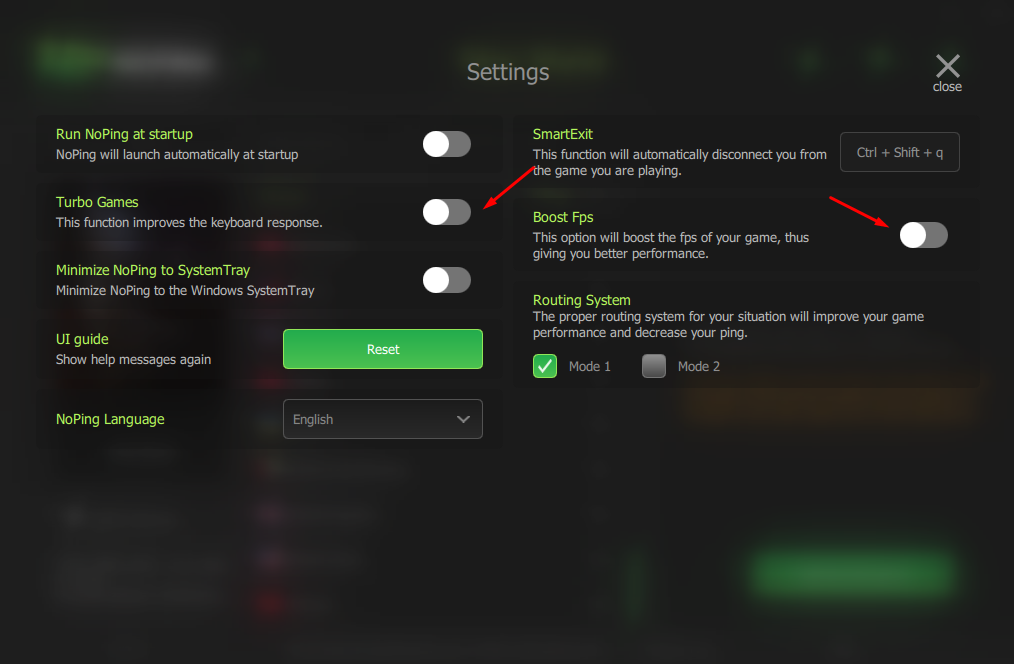 9- Leave enabled the "Boost Fps" and "Turbo Games" options.