

To learn how to fix lag in CS2, you need to attack three fronts at the same time. Use more stable network routes to Brazilian servers, reduce packet loss, and stabilize your frame rate. With NoPing, Multi Connection sends CS2 traffic through 5 simultaneous routes, Multi Internet combines up to 6 simultaneous connections, and Boost FPS frees up CPU, GPU, and RAM so that Counter-Strike, peeks, and sprays feel more responsive and consistent.
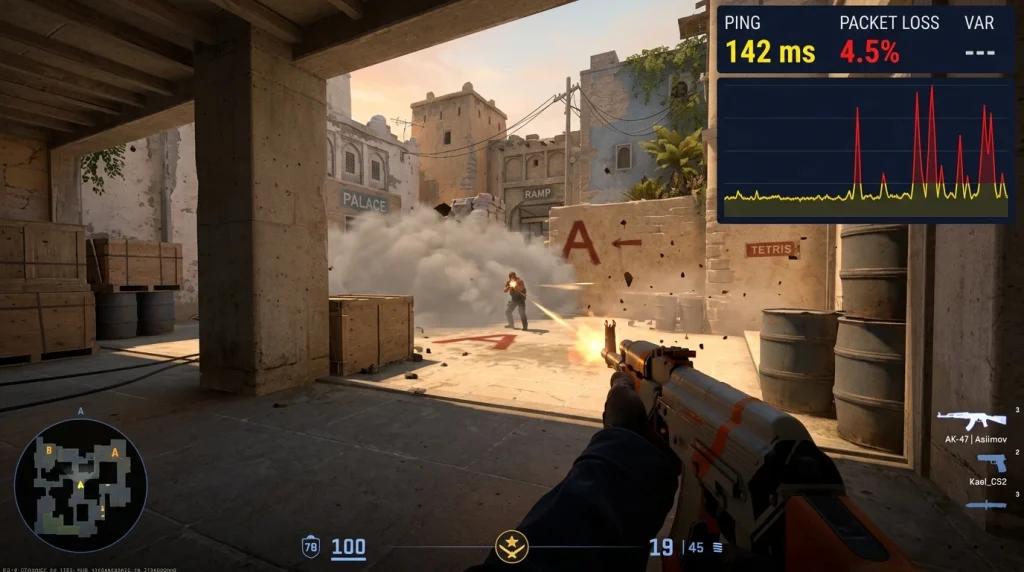
Anyone who plays ranked CS2 in Brazil knows the routine. After 7 PM, your ping jumps from 30 ms to 80 ms in Premier or FACEIT, you die twice behind walls on Mirage, and the night turns into frustration.
When the issue only happens during peak hours and disappears in the morning, your PC is probably not the only culprit. In many cases, your ISP routes are overloaded, and packet loss reaches the subtick system at a critical point of the round.
On major Brazilian networks, including Vivo, Claro/Net, and Oi, route and interconnection congestion can happen during peak hours, and CS2 traffic ends up sharing the same routes with streaming, downloads, and the rest of the household traffic.
The worst part is that the symptoms are misleading. You think hit registration bugged because you landed three shots on a clean peek and the enemy did not die. You think it is input delay or a faulty mouse. You think it is Valve’s server.
Usually, it is the combination of two things: lost or out-of-order packets that your network cannot fix in time, and a sudden FPS drop right during a spray transfer. The subtick system registers the exact moment of your click inside the server tick, but it depends on packets arriving with low variation, low packet loss, and in the correct order.
When your routes choke, subtick reconstructs the event too late, and the play becomes that clip you post on Discord asking what happened.
Why Your CS2 Lags During Peak Hours in Brazil
The short answer: modern tick systems depend on clean routing, and many Brazilian routes become unstable between 7 PM and 11 PM. To understand how to fix lag in CS2, break the issue into three layers.
The first is subtick. Unlike old CSGO, CS2 timestamps every input with the exact sub-moment inside the server tick. This is incredible when the connection cooperates, because the server knows whether you fired three milliseconds before or after the enemy peek.
However, everything depends on packets arriving in the correct order and with proper timestamps. If your network reorders, drops, or delays packets, subtick reconstructs events too late, and your bullet that should have registered first gets processed afterward.
The result is the classic death behind the wall, or the feeling that the enemy “tanked” shots you were sure connected during a jiggle peek. This is the kind of frustration that appears constantly in ranked clips.
The second layer is routing to Brazilian servers. In Brazil, Valve mainly hosts Premier and Matchmaking servers through São Paulo. FACEIT also uses infrastructure with Brazilian presence for regional matches.
The path from your PC to these servers goes through your ISP network, intermediary nodes, and interconnections between networks. During peak hours, these points become congested. You may live only 200 km away from São Paulo and still have packets taking absurd detours because the preferred peering routes are overloaded.
Having 1 gigabit fiber does not solve the problem, because bandwidth does not fix latency or packet loss on congested routes.
The third layer is the client side. A saturated CPU, RAM filled with Chrome tabs, antivirus scans, Windows background processes, and outdated drivers destroy your 1% low FPS performance. During a spray fight on Mirage A site, with Mid smoke and a Molotov in the corner, you need stable 240 FPS.
If your FPS drops to 90 during a 1v2 clutch, the camera freezes for a fraction of a second and the spray transfer fails. In that case, it is not the network anymore. It is your PC choking. This combination explains anti-eco stutter, broken sprays, inconsistent hit registration, and ranked matches that feel unfair.
It is not paranoia: it is the combination of subtick, dirty packets, and FPS drops in moments that require precision.
How to Fix Lag in CS2 with NoPing Attacking All Three Layers
NoPing does not replace your ISP or your PC. Instead, it optimizes the data routes used by CS2 and prepares your system to sustain framerate when it matters most.
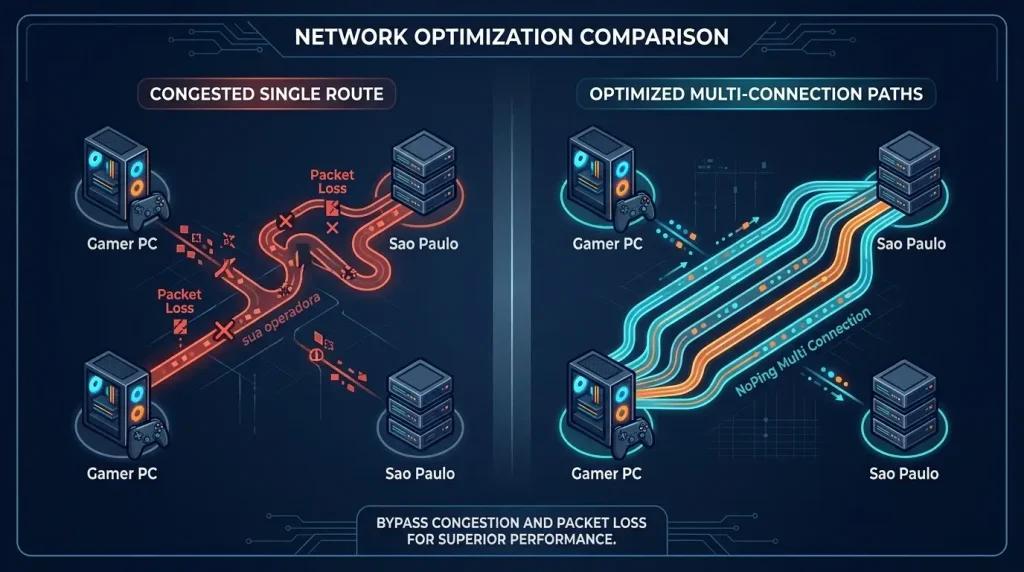
The centerpiece is Multi Connection. Instead of sending CS2 traffic through a single congested route to São Paulo servers, NoPing uses 5 simultaneous routes. These routes operate at the same time, while NoPing’s AI monitors in real time which one offers the lowest latency and packet loss.
Traffic follows the cleanest routes among the 5 simultaneous paths without waiting for manual switching, and that redundancy is exactly what reduces deaths behind walls during long peeks. If one point in your network becomes unstable, the remaining routes can maintain more stable delivery and reduce visible packet loss during peeks.
The second feature is Multi Internet. If you have more than one physical connection available, such as primary fiber, fixed 5G, Wi-Fi from another ISP, or a 4G modem as a backup connection, NoPing can combine up to 6 simultaneous connections into a single gaming session.
All of them carry CS2 traffic at the same time. When one connection fluctuates or degrades, the simultaneous connections help maintain stable traffic and reduce timeout chances. For FACEIT players in Brazil who constantly live on the edge of disconnects, this changes everything: you reduce lockouts in the middle of Mirage caused by brief internet instability.
The third feature is Boost FPS. Even with a perfect network, CS2 falls apart if your CPU sits at 100% usage. Boost FPS prioritizes CPU and GPU resources, frees RAM, and closes unnecessary Windows processes competing with the game.
The improvement varies depending on hardware, active processes, and Windows configuration, but what truly matters is not average FPS alone. The important metric is your 1% lows. You want your anti-eco spray transfer to stay at stable 240 FPS without collapsing to 80 when smoke explodes, and that depends on keeping background processes clean.
Combining all three means subtick receives inputs in order, routing to São Paulo becomes shorter, and your PC sustains frames when they matter most. Counter-strafes become precise again, jiggle peeks reveal enemies at the right frame, and spray transfers between targets feel stable instead of random.
How to Fix Lag in CS2: Step-by-Step Guide
This workflow covers network optimization, CS2 settings, and PC tuning. It is worth doing the full process before jumping into ranked.
- Run a quick diagnosis. Open CS2, join a deathmatch, and enable the game telemetry (Network/Telemetry HUD and cl_showfps). Check your average ping, latency variation, and packet loss. If latency variation goes above 5 ms or packet loss appears at any percentage, the issue is in your network. If FPS fluctuates more than 30% below the average, the issue is in your PC. Often, it is both at the same time.
- Create your NoPing account and download the Windows client. The trial is free for 1 day, requires no credit card, and includes Multi Connection, Multi Internet, Boost FPS, Pro Settings, and Aim Trainer.
- Open NoPing, search for “Counter-Strike 2” in the supported games list, and enable optimization. Within seconds, the 5 simultaneous routes to Brazilian servers in São Paulo become active for Premier, Matchmaking, and FACEIT.
- If you have a secondary connection available (fixed 5G, Wi-Fi from another provider, or a 4G modem), connect both to your PC. Inside NoPing, enable Multi Internet and select both connections (or up to 6). The connections carry traffic simultaneously, reducing the chances of your session dropping if one connection degrades.
- Before entering ranked matches, enable Boost FPS. It identifies Windows processes competing with the game and frees resources. Close heavy applications like browsers with many tabs and Spotify. Disable Discord and GeForce Experience overlays. Keep OBS closed unless you are recording or streaming.
- Inside CS2, review your settings carefully and avoid copying old CSGO commands without understanding them, because many cvars were removed or changed. Check current recommendations in the CS2 telemetry menu before changing old interpolation commands. On FACEIT, avoid changing commands without testing first in deathmatch.
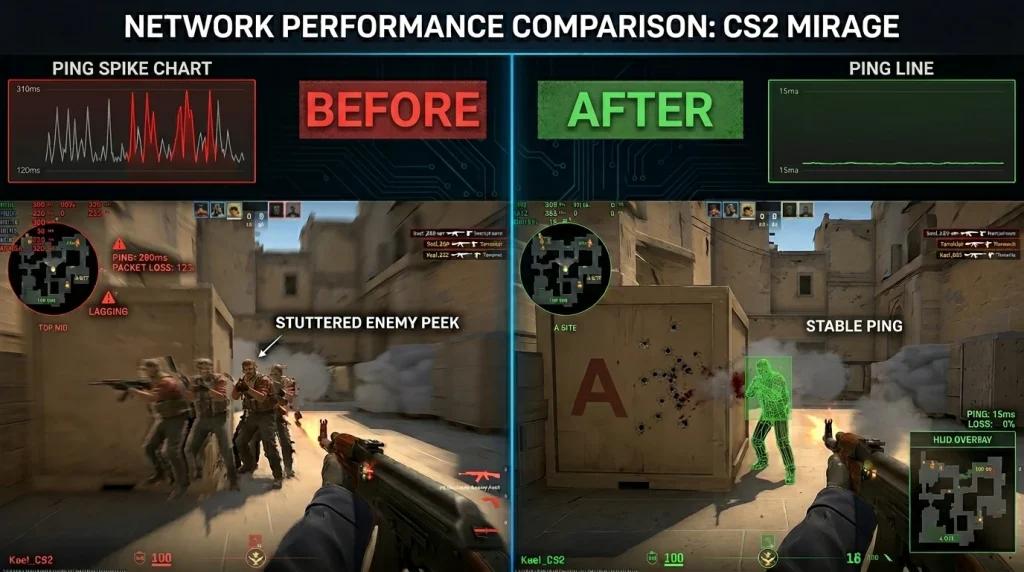
- Return to deathmatch and run the diagnosis again. Confirm near-zero variation, 0% packet loss, and stable FPS. If everything looks good, queue for Premier or FACEIT and monitor telemetry during an A site fight on Mirage. Look for practical signs: fewer deaths behind walls, lower variation, enemy peeks feeling more honest, and more consistent spray transfers.
If you play FACEIT and are still stuck at lower levels, use NoPing’s Aim Trainer and Pro Settings to calibrate your aim and crosshair using real professional configurations. It does not replace practice, but it removes technical variables from your climb.
Frequently Asked Questions About Fixing Lag in CS2 in Brazil
[FAQ Q]: Even with fast fiber internet, my CS2 ping spikes heavily at night. Why?
[FAQ A]: Bandwidth does not solve latency. At night, your ISP network becomes congested, and CS2 traffic competes with streaming, downloads, and regional internet usage. NoPing bypasses this by sending your data through 5 simultaneous routes to São Paulo, with AI selecting the cleanest paths in real time, making ping much more stable during peak hours.
[FAQ Q]: What is subtick in CS2 and why does it depend so much on the network?
[FAQ A]: Subtick is CS2’s system that registers the exact instant inside the server tick when you pressed a button. It works extremely well when packets arrive in order and without loss. If your connection loses or reorders packets, subtick registers your shot late, causing frustrating deaths behind walls during peeks and gunfights.
[FAQ Q]: Can using NoPing get you banned in CS2, FACEIT, or Premier?
[FAQ A]: NoPing is designed to work on network routes and Windows optimization without modifying game files, crosshairs, or memory. The idea is to operate outside anti-cheat space without interfering with VAC or FACEIT Anti-Cheat. In most cases, use the official version and follow the current rules from Valve, FACEIT, and the servers where you play.
[FAQ Q]: How can I tell if the problem is my ISP or Valve’s servers?
[FAQ A]: The easiest way is opening CS2 network telemetry inside a deathmatch. If latency variation and packet loss spike only at night, the bottleneck is probably your ISP routes. If they stay high all the time, suspect your Wi-Fi or home cabling. Valve server problems are rare and affect all players simultaneously, which you usually discover quickly through official profiles and forums.
[FAQ Q]: Does NoPing work for FACEIT too, or only official Valve Premier?
[FAQ A]: NoPing works for both Premier and FACEIT. FACEIT uses infrastructure with Brazilian presence for regional matches, and NoPing routes traffic through 5 simultaneous paths to these servers the same way it does for Valve servers. Competitive FACEIT players usually feel the difference even more because hit registration and timing requirements are higher.
[FAQ Q]: Is it worth using a traditional VPN to fix lag in CS2?
[FAQ A]: Traditional VPNs are usually not the best solution for competitive CS2. They encrypt and centralize all traffic through a single server, which often adds ping instead of reducing it. NoPing focuses only on game traffic, using 5 simultaneous routes selected in real time by AI, plus Multi Internet with up to 6 simultaneous connections. The goal is the opposite of a VPN: lower latency.
[FAQ Q]: What is the difference between network lag and FPS drops in CS2?
[FAQ A]: Network lag happens when your inputs arrive late or out of order to the server. You shoot and the bullet registers afterward, enemies appear in strange positions, and deaths behind walls happen. FPS drops happen when your PC stutters: the camera freezes for a fraction of a second, spray transfers fail, and AWP flicks become frame-perfect impossible shots. NoPing addresses both simultaneously with Multi Connection and Boost FPS.
[FAQ Q]: Will the improvement appear right after enabling NoPing?
[FAQ A]: Improvement can appear in the very first match when the bottleneck is routing, packet loss, jitter, or FPS instability. The 5 simultaneous routes activate within seconds after selecting CS2 inside the app, and Boost FPS acts immediately by freeing processes. Since the 1-day free trial requires no credit card, you can test it during a FACEIT or Premier session before deciding.
Knowing how to fix lag in CS2 in Brazil means separating network issues, subtick behavior, and FPS performance. NoPing attacks all three simultaneously: Multi Connection with 5 simultaneous routes to São Paulo, Multi Internet with up to 6 simultaneous connections, and Boost FPS to stabilize 1% lows when it matters most.
Add the included Aim Trainer and Pro Settings, and you have a package designed to reduce technical variables in Premier and FACEIT without blaming the network at the end of every round.
Try the free 1-day trial, with no credit card and no commitment. Create your account, download the client, activate the 5 simultaneous routes, and jump into your next Mirage match. Compare telemetry before and after the first game: if ping, packet loss, and FPS improved, move forward with the plan.
The difference in your spray response and peeks may appear as early as the first round when the bottleneck was routing, packet loss, or FPS.