


High ping in Mu Online affects command response times during PvP battles, large-scale events, and encounters involving many players connected simultaneously. Latency changes the amount of time the server needs to register actions performed by the user.
The issue appears more frequently in online matches that require continuous data exchange between the client and the server. In scenarios with dozens of active players, the volume of transmitted information increases and raises the risk of connection instability.
Connections above 100 ms already make delays in skill activation, movement, and combo execution noticeable. In situations below 50 ms, communication with the server tends to occur with less delay.
High ping delays skill registration
The server must confirm every action sent during gameplay. When the connection becomes unstable, commands may arrive late or outside the time window expected by the game.
In PvP encounters, latency directly affects actions that depend on quick response times.
The impact can be seen in:
• Use of defensive skills;
• Combo execution;
• Skill canceling;
• Fast movement actions.
During raids and group events, network instability harms synchronization between party members. In encounters with simultaneous mechanics, delays of only a few milliseconds can alter the order of executed actions.
Home connection quality affects ping in Mu Online
The quality of the local network directly impacts connection stability during online matches. Wi-Fi networks with many connected devices tend to create bandwidth competition.
Video streaming, background downloads, and automatic updates increase network usage and may raise latency during gameplay.
Some measures can help reduce interference:
• Use an Ethernet cable;
• Close downloads before starting the game;
• Restart the router;
• Update network drivers;
• Reduce the number of devices connected to Wi-Fi.
Routers with QoS (Quality of Service) can prioritize online gaming traffic. When this feature is enabled, other network services have less impact on communication with the servers.
Try an alternative to reduce ping in Mu Online
Players facing constant instability in Mu Online can use route optimization tools to improve communication with the game servers. Among the available options, the NoPing service offers a system designed to search for potentially more stable routes during gameplay.
To use the service, the process includes:
• Create an account for a free trial;
• Download and install the software;
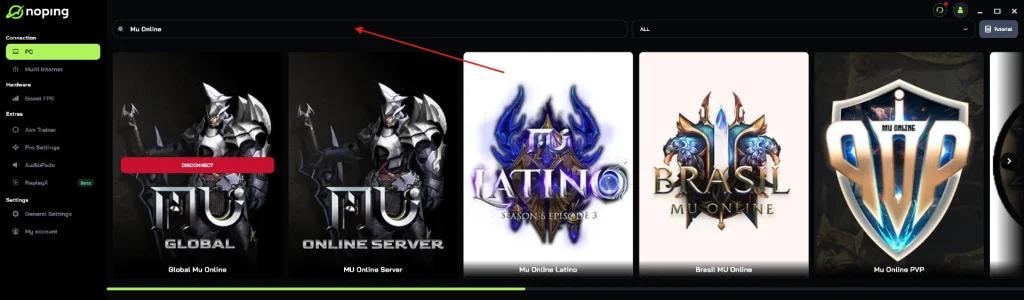
• Search for “Mu Online” on the platform;
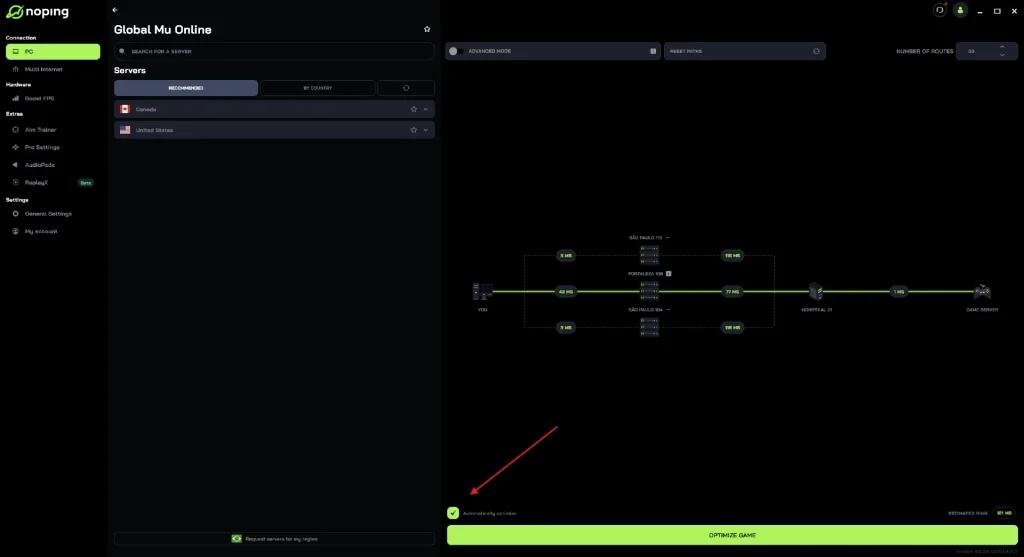
• Select the “Optimize Automatically” option;
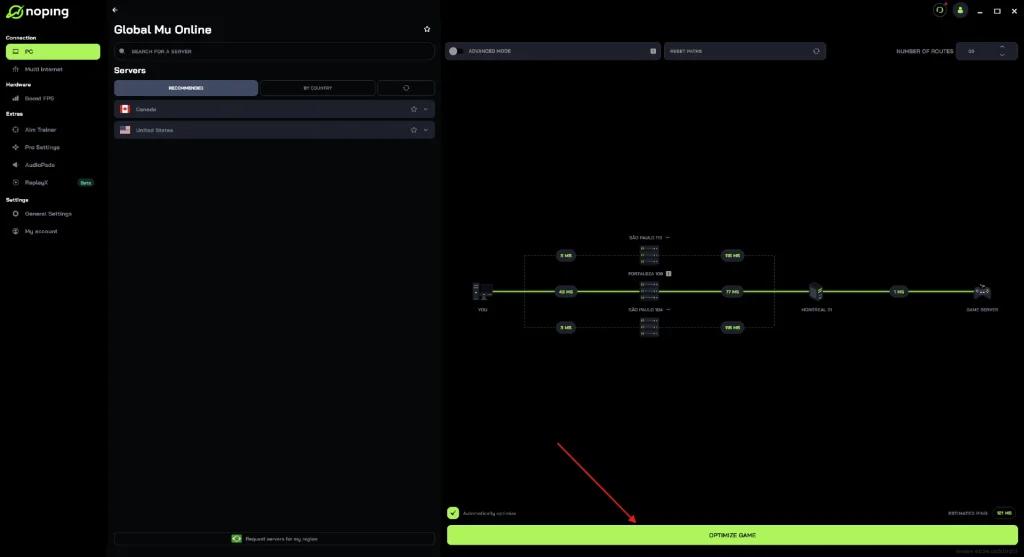
• Click “Optimize Game” before starting the match.
The tool works by analyzing connection routes in real time, focusing on reducing latency fluctuations and improving stability during online sessions. After testing local network adjustments, many players turn to optimization services in search of more consistent connections.
Among the solutions currently available, NoPing stands out as one of the most recognized platforms in this segment. The service supports multiple online games and offers features focused on connection stability during competitive matches.