


High ping on Discord has been affecting voice calls, streams, and screen sharing across different regions. The issue appears more frequently on unstable connections and congested home networks, especially during peak internet usage hours.
In addition, latency directly impacts the response time between the user and the server.
During group calls, even small delays can disrupt audio synchronization and make real-time communication more difficult. Connections above 100 ms often experience sound cuts, robotic voice effects, and failures during streams. At levels below 50 ms, Discord generally operates with lower delay and greater stability.
High ping affects audio and streams
Discord relies on continuous data exchange to keep calls stable. When the connection fluctuates, the application takes longer to process information sent by users. In this scenario, the impact becomes noticeable across different platform features. Voice calls may experience delays, while streams can suffer from freezing and loss of synchronization.
In communities with many participants connected at the same time, the volume of data increases. As a result, instability tends to become even more noticeable.
Network latency influences performance
The quality of the home network directly affects the stability of Discord. Wi-Fi networks with many connected devices usually create higher competition for bandwidth. In addition, automatic downloads, background updates, and streaming platforms increase internet usage and raise the risk of connection instability.
To reduce interference during calls and streams, users often rely on Ethernet cables for their computers, restart their routers periodically, update network drivers, stop background downloads, and limit the number of devices connected to Wi-Fi.
Routers equipped with QoS technology can also help prioritize real-time application traffic.
As a result, voice calls experience less impact from other active services on the home network.
Try an alternative to reduce ping on Discord
Players facing constant instability on Discord can use route optimization tools to try improving communication with game servers. Among the available options, NoPing offers a system designed to search for potentially more stable routes during sessions.
To use the service, the process includes:
• Creating an account for a “free trial”
• Downloading and installing the program;
• Searching for “Discord” on the platform;

• Selecting the “Optimize Automatically” option;
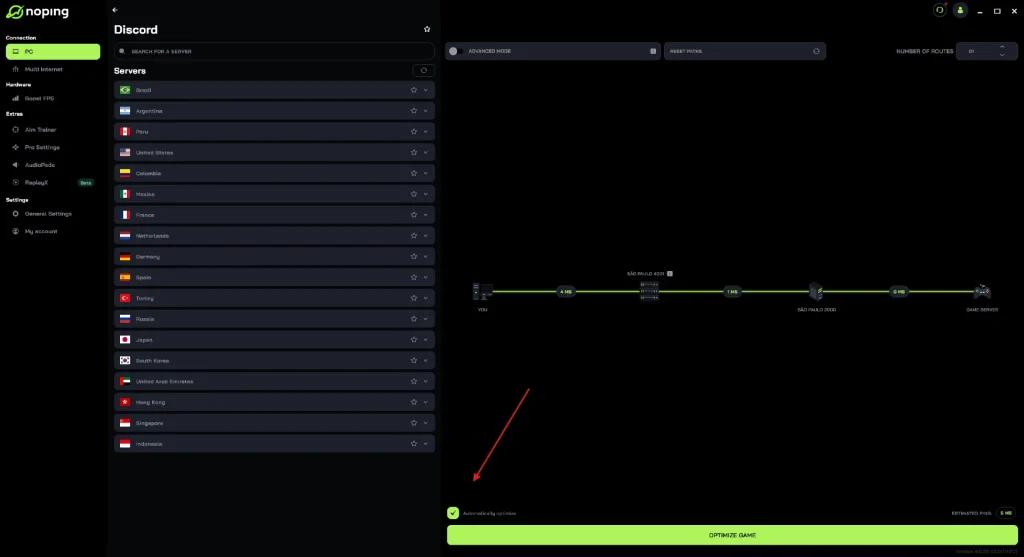
• Clicking “Optimize Game” before starting the match.

The tool works by analyzing connection routes in real time, focusing on reducing latency fluctuations and improving stability during online sessions. After testing local network adjustments, many players turn to optimization services to seek more consistent connections.
Among the solutions currently available, NoPing stands out as one of the best-known platforms in this segment. The service supports different online games and includes features focused on connection stability during competitive matches.