


Players of Valorant can experience performance issues even with fast internet when jitter is present, an instability that affects connection consistency. The problem directly interferes with actions such as shooting, movement, and ability usage, impacting competitive matches.
Unlike latency (ping), which measures response time, jitter represents the variation of that response time during gameplay. Even with low ping, fluctuations can make the experience unstable and negatively affect real-time decisions.
How Jitter Impacts Valorant
When jitter levels are high, data packets fail to reach the server consistently. The system attempts to compensate for these irregularities, causing effects that harm gameplay performance:
• Hit registration failures (hit reg)
• Input delay
• Rubberbanding, where the player is involuntarily pulled back to a previous position
In practice, players may lose fights even when executing actions correctly.
Main Causes of Jitter
The issue may originate from the home network or external factors:
• Congested Wi-Fi networks
• Multiple connected devices
• Outdated routers
• Simultaneous downloads and streaming
• Distance from game servers
In addition, unstable ISP routing can also contribute to response time fluctuations.
How to Reduce Jitter in Valorant
Practical measures can help stabilize the connection:
• Use an Ethernet cable to reduce interference
• Avoid parallel activities while gaming
• Enable QoS on your router to prioritize gaming traffic
• Use a 5 GHz network if playing on Wi-Fi
• Select closer servers
• Update your router and firmware
Try a Free Solution to Reduce Jitter in VALORANT
Players dealing with instability in VALORANT can use a practical alternative to optimize their connection. Here’s how to use NoPing:
• Visit the website and create an account to start a free trial
• Download and open NoPing on your computer
• Search for VALORANT within the software
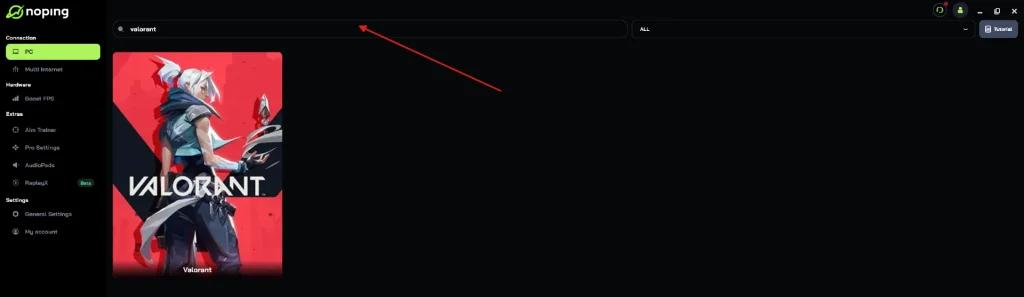
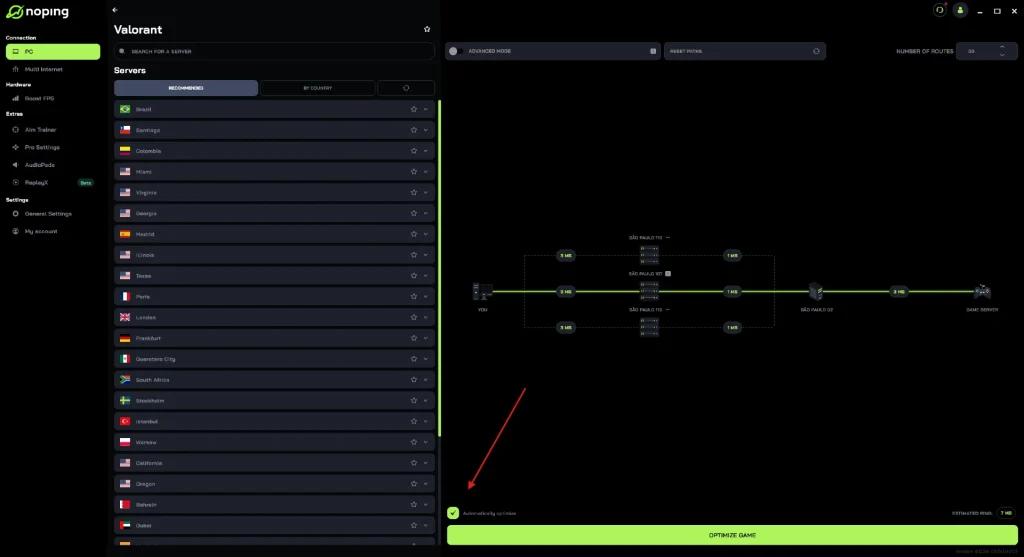
• Click on the game and select “Optimize Automatically”
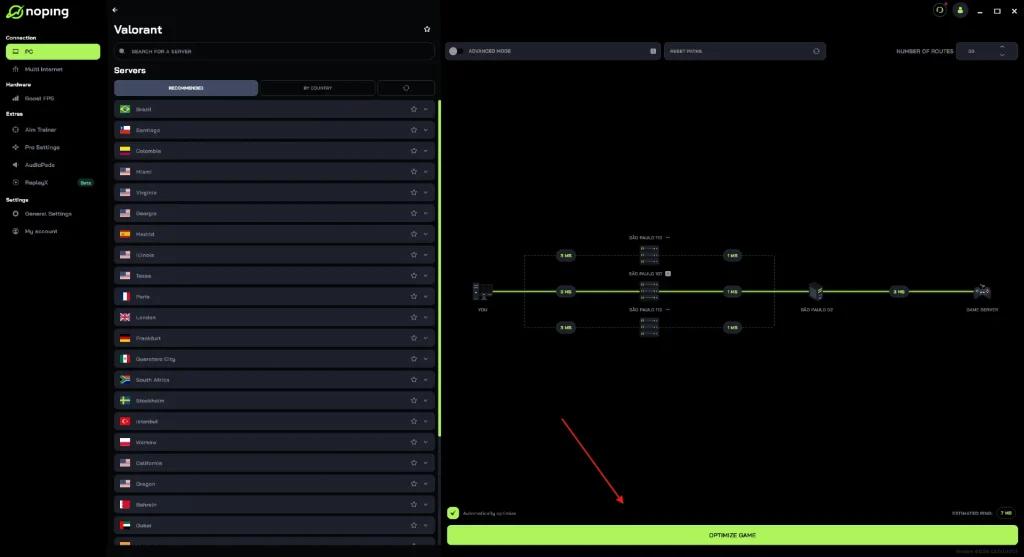
Then click on “Optimize Game”.
When the Problem Is Not on Your Network
In some situations, jitter is related to external factors such as network congestion, inefficient routing, or overloaded servers. In these cases, local adjustments may have limited impact.
Ideal Jitter Levels
For competitive gaming:
• 0 to 20 ms: ideal
• 20 to 50 ms: acceptable
• Above 50 ms: harmful
Connection stability plays a critical role in Valorant performance, and reducing jitter becomes essential to maintain consistency during matches.