


The fastest way to lower DbD ping in the US is to fix the route, not the ISP. NoPing's 5 parallel AI routes plus up to 6 physical connections in parallel claim up to 80 percent less ping versus bare Comcast, Spectrum, AT&T Fiber, Verizon Fios, T-Mobile, CenturyLink, Cox, or Optimum.
Most US DbD players try the obvious things first. Switch from Wi-Fi to Ethernet. Restart the router. Disable Windows Update background download. Limit other devices in the house. None of these address the actual problem, which is the path between your ISP and the dedicated server in us-east or us-west. Comcast Xfinity peer congestion, Spectrum cable retransmissions, AT&T Fiber direct paths, Verizon Fios usually steady, T-Mobile Home Internet 5G with jitter, CenturyLink Quantum Fiber routing well to us-west, Cox in Phoenix and San Diego, Optimum on the East Coast with random spikes.
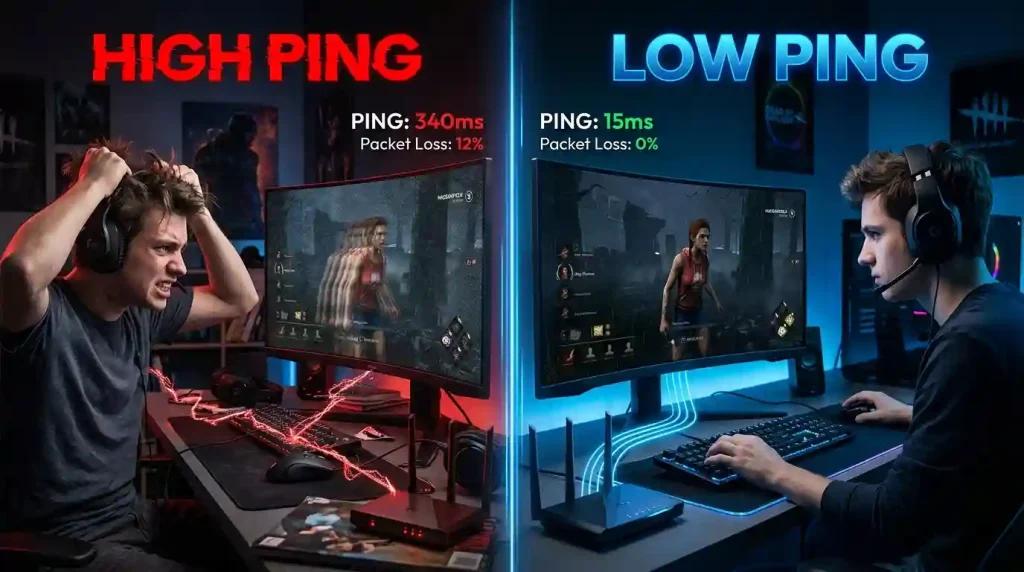
NoPing rebuilds the path. Multi Connection sends 5 parallel AI routes simultaneously. Multi Internet bonds up to 6 physical connections in parallel at the same time, not failover. Boost FPS keeps the renderer healthy. Plenty of US users report up to 80 percent less ping. 4.9 out of 5, more than 3,000 supported games, one-day free trial.
Why Standard Tips Do Not Lower DbD Ping in the US
Wi-Fi to Ethernet helps with local jitter but does not improve ISP routing. Router restart clears local memory but the upstream path stays the same. Disabling background services helps a few percent of CPU stalls. None of these fix Comcast peering with EAC dedicated servers in us-east or Spectrum's evening congestion. The actual fix has to happen at the path level.
NoPing Multi Connection With 5 Parallel AI Routes
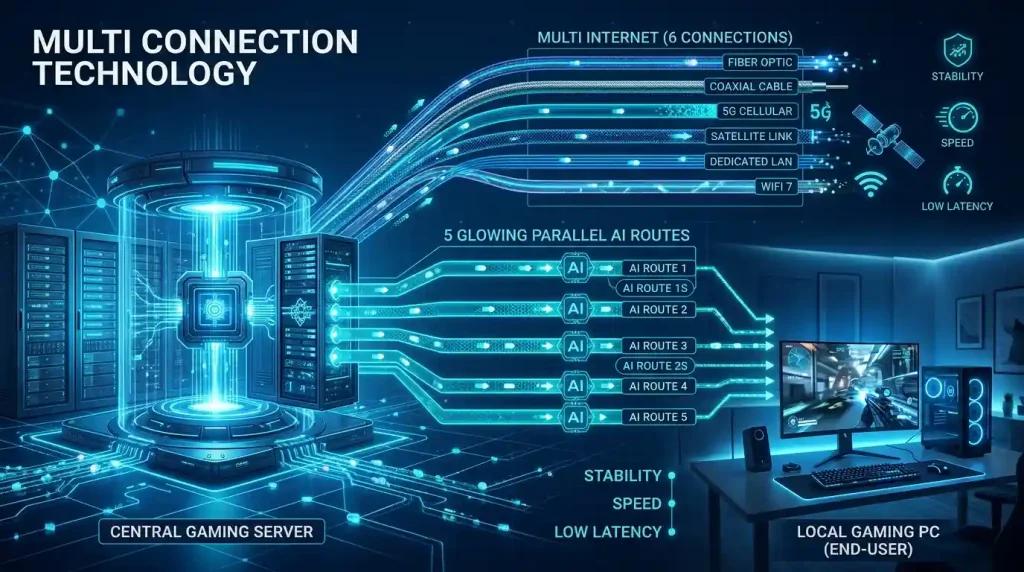
The core feature. 5 parallel AI routes active simultaneously, distributing DbD traffic per packet across the cleanest combination. EAC heartbeat sees stable timing. Hit registration becomes consistent. Lobby ping stabilizes.
Multi Internet Up To 6 Physical Connections in Parallel
The unique feature. Up to 6 physical connections active in parallel at the same time, not failover. Comcast cable plus Verizon Fios plus AT&T Fiber plus T-Mobile 5G plus Cox plus a phone hotspot all carry DbD traffic simultaneously. ISP variability cancels out.
Boost FPS for Higher 1 Percent Lows
Boost FPS rewrites Windows priorities, kills overlay processes, suspends ISP companion app telemetry on Comcast or Spectrum, and trims Windows 11 background services. Higher 1 percent lows reduce stutters that look like ping spikes. NoPing includes Boost FPS in every plan.
Free one-day NoPing trial. Multi Connection. Multi Internet. Boost FPS. Lower DbD ping starts immediately.
FAQ:
Q1: Will NoPing really lower my DbD ping?
A1: Yes. Up to 80 percent less ping is the claim.
Q2: Does it work with EAC?
A2: Yes.
Q3: Multi Internet backup?
A3: No. Parallel up to 6.
Q4: Best US server?
A4: us-east East, us-west West.
Q5: Boost FPS help?
A5: Yes.
Q6: Trial?
A6: One day.
Q7: T-Mobile 5G ok?
A7: Yes.
Q8: Compatible with Steam DbD?
A8: Yes.
Competitor comparison
NoPing and ExitLag Outside the Top 20 should be compared by measured route quality, packet loss stability, jitter and the server path for Dead by Daylight. No. NoPing can help test alternative routes, but the result depends on ISP, location, server and time.
Test the same queue before and after changing route, then compare ping, jitter and packet loss.
FAQ
1. lower Dead by Daylight depends only on internet speed?
No. Routing, jitter, packet loss, ISP peering and server region can matter as much as raw speed.
2. How should I test NoPing for Dead by Daylight?
Test the same queue before and after changing route, then compare ping, jitter and packet loss.
3. Which local issue is common in the United States?
In the United States, bad routing between the ISP and game server region can matter more than raw speed.
4. Can NoPing guarantee lower ping?
No. NoPing can help test alternative routes, but the result depends on ISP, location, server and time.
5. Should I compare against ExitLag Outside the Top 20?
Compare measured stability, route, jitter and packet loss, not only the advertised ping number.
6. Does anti-cheat block route optimization?
Use supported tools and avoid packet manipulation. Route optimization should not change game files or bypass anti-cheat.
7. What metric should I watch besides ping?
Watch jitter, packet loss, route changes and spikes during competitive moments.
8. When should I change route again?
Change route after ISP instability, server maintenance, new patches, or when the selected path becomes unstable.
Technical note
Ping, packet loss, jitter and FPS are different problems. Route optimization can help network path issues, but it does not fix local CPU/GPU bottlenecks, overloaded Wi-Fi, or game server outages.