

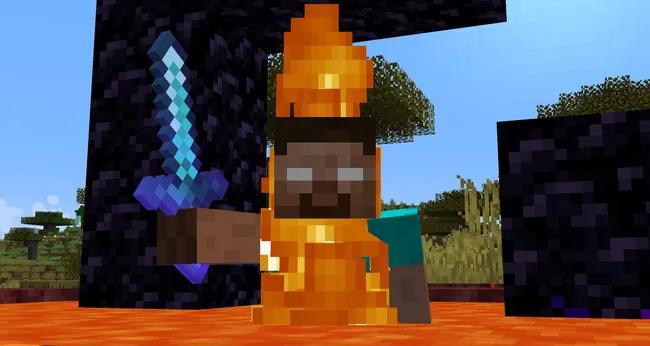
Minecraft commands allow players to control time, weather, difficulty, game modes and locations, as long as cheats are enabled in their world. Based on a guide by PC Gamer, updated on February 13, 2024, this list brings together some of the most useful Minecraft commands for single-player worlds and multiplayer servers. Here's what each command does and how to use it.
How to Enable Cheats in Minecraft
You can enable cheats when creating a new world by selecting Allow Cheats: On in the world creation menu. Choosing Creative Mode also enables cheats automatically.
Once inside the game, press T to open chat and type a command. You can also press / to open the command interface with the slash already entered.
Minecraft provides autocomplete suggestions as you type. Use the arrow keys to browse the available options and press Tab to complete a command. This feature is particularly helpful with longer commands such as /locate, since you don't need to memorize every item or enchantment ID.

What Are the Most Useful Minecraft Commands?
Here are some essential Minecraft cheats and what they do:
/time set day: Changes the time to morning. You can also usenightor values between 0 and 24000./gamerule mobGriefing false: Prevents creepers and ghasts from destroying blocks and stops endermen from picking up and moving blocks./gamerule fallDamage false: Disables fall damage. Changefalsetotrueto restore the default behavior./gamerule keepInventory true: Lets players keep their inventory after dying. Set it tofalseto restore the default rule./gamemode creative: Changes the game mode. Other available options includeadventure,spectatorandsurvival. In Creative Mode, double-tap the jump key to fly./difficulty peaceful: Sets the world's difficulty to Peaceful. Other options areeasy,normalandhard. Hostile mobs won't attack players in Peaceful mode./give @s minecraft:diamond 10: Gives the player 10 diamonds. You can replace the item ID and quantity to receive other items. Autocomplete displays available options./tp x y zor/teleport: Teleports the player to specific coordinates. Target selectors can also be used to teleport other players or mobs./experience add @s 10 levels: Grants 10 experience levels. Replacelevelswithpointsto add experience points instead.
What Do @p, @r, @a, @e and @s Mean in Minecraft?
Target selectors allow commands to identify players and entities without requiring their usernames. They're especially useful on multiplayer servers.
@p: Targets the nearest player.@r: Targets a random player.@a: Targets all players.@e: Targets all entities in the world.@s: Targets the entity executing the command.
What Other Minecraft Commands Can You Use?
Minecraft includes several additional commands for managing worlds, building structures and interacting with entities.
/gamerule doDaylightCycle false: Disables the day-night cycle, effectively keeping the world in daylight in Java Edition./clone x1 y1 z1 x2 y2 z2: Copies structures and builds from one location to another./effect: Applies status effects. For example,/effect give @s minecraft:night_vision 180grants Night Vision for 180 seconds, or three minutes./enchant: Enchants the item held by the player. For example,/enchant @s minecraft:unbreakingadds Unbreaking to a tool./fill x y z x y z [block]: Fills an area with a specified block. It can create a river using water or clear an area using air./gamerule: Opens access to several world rules. Entering the command displays the available options./kill: By default, kills everything, including the player. To target a specific mob type, use/kill @e[type=mobType]./locate: Finds the coordinates of the nearest biome, structure or point of interest. You can use/tpafterward to travel there./me: Displays a message in chat as if the player had said it./place: Generates structures in the world. Optional coordinates can be added at the end of the command./seed: Displays the world seed in chat, with an option to copy it with one click./setblock x y z [block]: Replaces the block at specific coordinates./setworldspawn: Changes the world spawn point to the player's current location. Addx y zto select a different location./spawnpoint: Sets an individual player's respawn point after death./summon: Spawns a mob. For example,/summon minecraft:endermancreates an enderman at the player's location./weather: Changes the weather torain,clearorthunder.
Minecraft Bedrock Edition Exclusive Commands
Some commands are exclusive to Minecraft Bedrock Edition:
/alwaysdayor/daylock: Prevents nighttime from occurring in the world./toggledownfall: Turns rain or snowfall on or off.
Which Minecraft command do you use most often? Share your favorite in the comments and send this guide to someone you play with.
Improve Your Connection While Playing Minecraft
Want to see the difference for yourself? Try the free NoPing trial, with no credit card required, and discover how connection optimization works. Get one full day of access with immediate activation and compare your ping and connection stability during gameplay.
Related Articles
Minecraft vs Roblox: The Ultimate Comparison
Minecraft Port Forwarding: What It Is and How to Set It Up [2026 Guide]
How to Fix Minecraft Exit Code 1 [2026 Guide]