


Players of Path of Exile 2 who experience connection delays, freezes, and instability during gameplay can take several steps to reduce ping and improve communication with the game's servers.
Latency issues are more common on unstable connections, congested home networks, and during periods of high internet usage. Connection quality directly impacts the experience in Grinding Gear Games' action RPG.
When ping increases, information takes longer to travel between the player's computer and the game servers. As a result, actions may be delayed, movement becomes less precise, and combat situations can be negatively affected.
What Is Ping and Why Does It Affect Path of Exile 2?
Ping is the amount of time required for a data packet to travel between the player's device and the server hosting the game session. This value is measured in milliseconds (ms).
In general, connections below 50 ms tend to provide a more stable experience. Latency levels above 100 ms, on the other hand, can cause noticeable delays, making controls feel less responsive and increasing the perception of lag.
In online games that rely on constant synchronization between the client and the server, such as Path of Exile 2, any increase in latency can directly impact performance during quests, events, and boss encounters.
Main Causes of High Latency in the Game
Several factors can contribute to increased ping during gameplay.
The most common include:
Overloaded Wi-Fi networks;
Too many devices connected simultaneously;
Downloads and updates running in the background;
Streaming services consuming bandwidth;
Routing issues between the internet provider and the game servers;
Outdated networking equipment.
Additionally, fluctuations in the internet service provider's infrastructure can create temporary instability.
How to Improve Your Connection in Path of Exile 2
Some simple measures can help reduce interference and improve network stability.
Use a Wired Ethernet Connection
Whenever possible, connect your computer directly to the router using an Ethernet cable. This setup generally provides lower latency and greater stability compared to Wi-Fi connections.
Reduce Network Bandwidth Usage
Automatic downloads, game updates, and video streaming can compete for connection resources.
Before starting a Path of Exile 2 session, it is worth checking whether any programs are consuming bandwidth in the background.
Restart Your Router Regularly
In some cases, a simple router reboot can resolve temporary connection issues and refresh routing paths provided by your internet service provider.
Update Network Drivers
Outdated drivers can cause compatibility issues and reduce performance. Keeping network components up to date helps ensure more efficient communication between your system and the internet.
Prioritize Game Traffic
Routers that support QoS (Quality of Service) technology allow users to prioritize specific applications.
With this configuration, game-related traffic receives priority over other activities on the home network.
Can Optimization Tools Help Reduce Ping?
When local adjustments do not fully resolve the issue, some players turn to route optimization platforms.
These tools analyze different communication paths between the user and the game servers, searching for potentially more stable routes for sending and receiving data.
Among the solutions available on the market is NoPing, a service that supports various online games and offers features designed to optimize connection quality.
The process typically includes:
- Creating a free trial account;
- Downloading and installing the software;
- Finding Path of Exile 2 within the platform;

- Selecting the automatic optimization option;
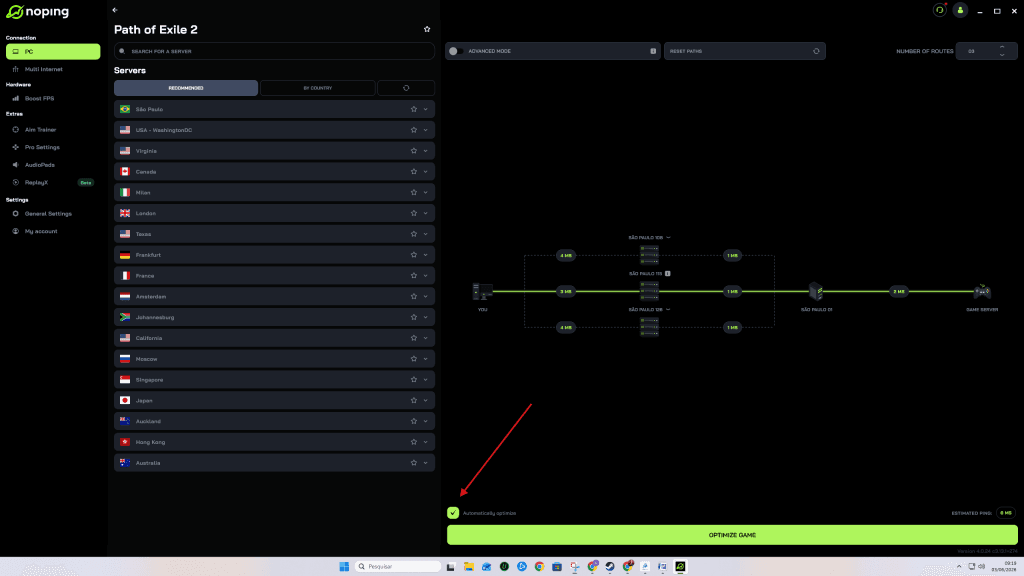
- Starting the optimization before launching the game.
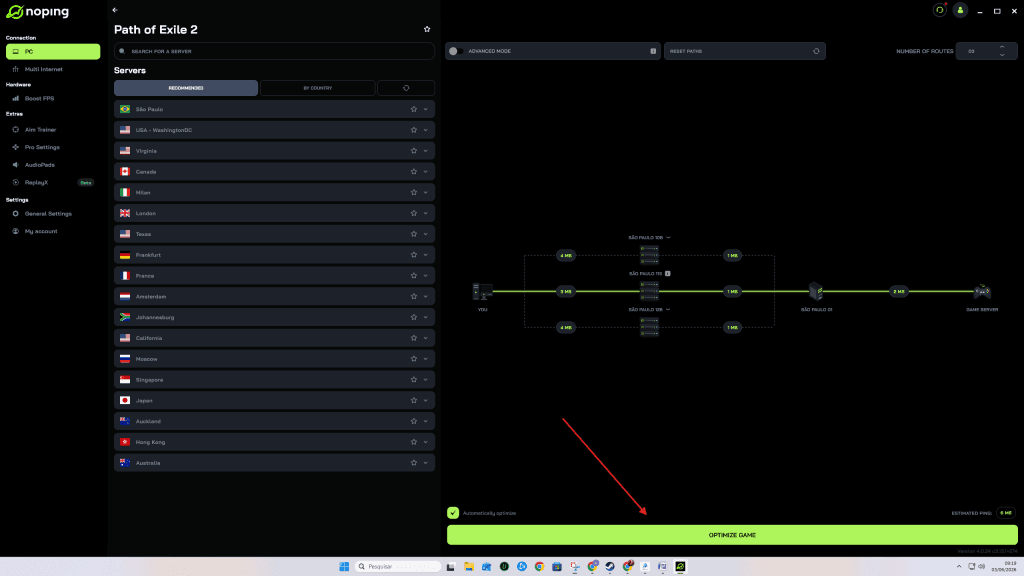
The goal of these platforms is to reduce latency fluctuations and improve stability during online sessions.
When Is It Worth Investigating Routing Problems?
If ping remains high even after applying the recommended measures, the issue may be related to the route data takes to reach the servers.
In these situations, network diagnostic tools and optimization services can help identify bottlenecks outside the home network.
As a result, some players may achieve a more consistent connection, especially during peak hours or when playing from regions located farther from the servers.
Path of Exile 2 Requires a Stable Connection for the Best Experience
While computer performance is important, connection quality remains one of the most critical factors for a satisfying experience in Path of Exile 2.
Combining a properly configured network, reduced unnecessary traffic, and latency monitoring can help minimize delays during gameplay. When necessary, route optimization tools can serve as an alternative for players seeking more stable connections to the game's servers.