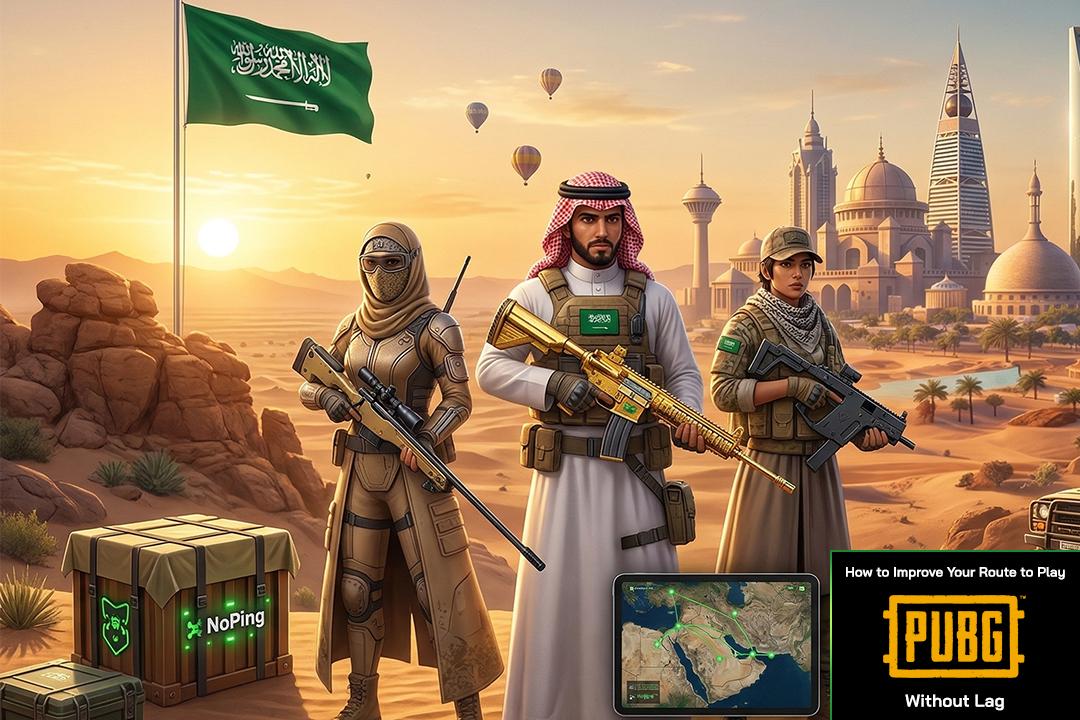
High Ping
Picture this. Your squad is alive in the final circle on Erangel. The zone is closing on the wheat fields south of Pochinki, and you spot the last enemy crouching behind a tree at 200 meters. You are scoped in with the M24 bolt-action sniper. At 30ms ping, you know exactly how much to lead a moving target — the bullet travel time is predictable, the server agrees with your aim, and the headshot lands clean. Knock. Your squad rushes in. Winner winner chicken dinner.
Now replay that exact scenario at 130ms ping. You lead the target the same amount. You fire. The bullet whiffs past empty air. Why? Because the server's version of that enemy was already two full steps ahead of where your screen showed them. Before you can chamber another round, the enemy turns and sprays your squad down with a Beryl M762. No chicken dinner. Just a death screen and rage.
This is the reality for Saudi Arabia's 23 million gamers since March 2026. Krafton's PUBG Gulf and Persian region servers experienced an emergency shutdown due to AWS infrastructure disruption in the Middle East. The servers that once delivered 25-45ms ping from Riyadh, the servers that powered gaming cafe tournaments and Esports World Cup qualifiers, went dark overnight.
Krafton migrated Gulf region players to EU and Southeast Asia servers. Saudi players who previously enjoyed sub-50ms now face 100-130ms to EU servers in Frankfurt and London, or 120-160ms to SEA servers. The ping did not just increase — it fundamentally broke how PUBG plays.
Both PUBG PC and PUBG Mobile are affected. Millions of Saudi players across both platforms are seeing persistent "Server Connection Error" messages, the "restrict-area" error code that blocks connection to preferred regions, and lobby crashes that force constant restarts. Krafton implemented emergency 4-hour maintenance windows on March 25 and 26 for Update 40.2, but the core server availability issue remains unresolved. To make matters worse, EU servers are now flooded with Middle Eastern players, causing desync complaints from European players too. Everyone's experience has degraded.
The Gulf servers are gone. Your ping tripled. But your chicken dinners do not have to end.
NoPing download page — noping.com
What Happened to PUBG's Gulf Servers
In March 2026, the AWS cloud infrastructure that hosted Krafton's PUBG servers for the Gulf and Persian region was compromised by regional instability. Krafton runs PUBG on Amazon Web Services, and when the AWS Gulf region (ME-SOUTH-1 in Bahrain) became unavailable, the game servers went down with it.
Krafton's response was an emergency migration. Gulf region players were scattered across two server pools: some Saudi players now connect to EU servers in Frankfurt or London, while others are routed to Southeast Asia servers. The migration was not clean — the "restrict-area" error code prevents many players from selecting their preferred server region, and "Server Connection Error" messages flood lobbies during peak hours.
The distance tells the story. The Gulf server sat roughly 800 kilometers from Riyadh, delivering 25-45ms ping that felt nearly instantaneous for competitive play. EU servers in Frankfurt sit approximately 4,000 kilometers away. SEA servers are even further at 4,500-5,000 kilometers. These are not numbers that faster home internet can overcome — they are dictated by the speed of light through fiber optic cable.
Krafton pushed emergency maintenance windows on March 25 and 26 to deploy Update 40.2, but these patches addressed game content and stability, not the underlying server infrastructure problem. The Gulf servers remain offline with no announced restoration timeline. Meanwhile, the flood of Middle Eastern players onto EU servers has increased load for everyone, European players included, creating a cascading desync problem across the entire EU player pool.
The PUBG MENA servers are down, the PUBG GCC servers are offline, and Saudi Arabia's gaming community is left wondering: when will PUBG Middle East servers come back? The honest answer is that nobody knows. But waiting is not the only option.
Why 60Hz Tick Rate Makes It Worse
Here is the technical detail that explains why PUBG feels particularly terrible at high ping compared to other shooters. Krafton upgraded PUBG's server tick rate from 20Hz to 60Hz. This means the server updates the game state 60 times per second — once every 16.7 milliseconds.
At the old 30ms Gulf ping, your client data arrived within 2 tick windows. The server had a recent snapshot of your position, your aim, your bullet trajectory. The game felt responsive and accurate.
At 130ms ping to EU servers, your data arrives 7 to 8 ticks late. The server is processing the game world on a fundamentally different timeline than what you see on your screen. Every input you make — every shot, every movement, every lean — reaches the server almost half a second after the server's last update of your game state.
This is why the improved 60Hz tick rate paradoxically makes high ping feel worse than the old 20Hz days. The server is updating more frequently, which means the gap between its version of reality and yours grows wider with each missed tick. The game is technically better, but your connection to it is technically worse.
What 130ms Ping Actually Does in PUBG — PC and Mobile
Bullet Registration Falls Apart (PC)
PUBG uses ballistic simulation for all weapons. Unlike games with hitscan mechanics where bullets instantly reach targets, PUBG models real bullet travel time, bullet drop over distance, and projectile velocity. This means your shots are actual objects in the game world that take time to reach their target.
At 30ms ping, you lead a running target at 200 meters and the server agrees with your aim. The target position on your screen closely matches the server's version. Your bullet arrives where you intended, and the headshot registers.
At 130ms, the server's version of that target is roughly 130 milliseconds ahead of what you see. For a target running perpendicular to you at full sprint, that 130ms gap translates to the enemy being significantly further along their movement path on the server than on your screen. Your perfectly aimed M24 headshot sails through empty air.
Bolt-action snipers suffer the most. The M24, AWM, and Kar98k demand precision — a single missed shot at range means the enemy reaches cover before you can chamber another round. At 130ms, these weapons become coin flips rather than skill shots.
DMR users feel it too. Spam-firing the Mini14 or tapping the SKS requires constant micro-adjustments for the desync gap between your screen and the server. The muscle memory you built at 30ms no longer applies.
Even full-auto AR sprays with the M416 or Beryl M762 suffer. Spray transfers between targets hit ghost positions — where the enemy was 130ms ago, not where they are now.
Vehicle Physics Become Deadly (PC)
PUBG's vehicle system — UAZs, Dacia sedans, motorcycles, boats, and the BRDM — relies on constant client-server position synchronization. At low ping, vehicles handle predictably. At 130ms, the server and your client disagree about where the vehicle is on the terrain.
Driving a UAZ across one of Erangel's bridges at 130ms produces rubber-banding, sudden teleports to positions three meters behind where you thought you were, and phantom collisions with bridge railings that should not be there. Motorcycles flip on flat terrain because the server registers a terrain bump your client never rendered. The BRDM enters water at the wrong angle because your position sync is 130ms behind reality.
Bridge camping — a core PUBG tactic where teams hold bridge crossings on Erangel — becomes unreliable when the vehicles approaching your position are desynced from their actual locations.
The Looting Race Is Lost Before It Starts (PC and Mobile)
Every competitive PUBG match starts with a looting race. Hot dropping to Pochinki, School, or Military Base means you are competing with enemies to pick up weapons and armor in the first 30 seconds. Every door interaction, every item pickup, every attachment swap requires a server round-trip.
At 30ms, these interactions are invisible. At 130ms, each action costs you 0.13 seconds of round-trip delay. In a building with 15 lootable items, that adds up to roughly two seconds of pure latency overhead. The enemy with 30ms ping grabs the M416, loads it, and kills you while you are still opening the first door.
Attachment swapping mid-fight — switching scopes from 6x to red dot, swapping grips between engagements — becomes dangerously slow. Every fraction of a second you spend in your inventory is a fraction of a second you are vulnerable with 130ms of unresponsive input.
PUBG Mobile Specific Problems
PUBG Mobile is one of the most popular games in Saudi Arabia, and millions of players are mobile-first. The server migration hits mobile players with a triple disadvantage.
First, WiFi jitter on mobile compounds the server latency. Saudi players on home WiFi already experience 10-30ms of variable wireless delay from interference, distance from the router, and wall penetration. Stack that on top of 100-130ms server ping, and you get ping spikes reaching 200ms or more during matches.
Second, touch controls already have inherent input delay compared to mouse and keyboard. Adding 130ms of network latency on top makes aiming feel like dragging your thumb through sand. The gyroscope aiming that competitive mobile players rely on becomes imprecise when the server is a full eighth of a second behind your physical movements.
Third, PUBG Mobile's auto-aim assist calculates targeting based on server-reported enemy positions. At 130ms, those positions are stale — the assist guides your aim toward where the enemy was, not where they are. Your assist is actively pointing you at the wrong spot.
Squad communication also desyncs. You call out "enemy to the right" but on your teammate's screen, that enemy was to the right 130ms ago. By the time your callout registers and your teammate reacts, the enemy has repositioned.
Throwables and Timing
Grenade cooking in PUBG is an art of precise timing. You pull the pin, hold the grenade for exactly the right duration, and release for a perfect airburst that denies the enemy cover. At 130ms, your cook timing is off by 130 milliseconds — the grenade either detonates too early (in the air above the target) or too late (bouncing past them).
Molotov cocktails for area denial land on the server's version of the ground, not necessarily where you aimed on your screen. Smoke grenades thrown for teammate revives pop later than expected — the enemy pushes through the gap before smoke deploys on the server side. Flashbang pops are mistimed, either blinding too early or too late for the push.
"Just Get Better Internet" — Why That Won't Fix PUBG Lag
Saudi Arabia has excellent internet infrastructure. STC, commanding roughly 65 percent of the market, offers fiber-to-the-home and 5G coverage across Riyadh, Jeddah, and Dammam. Mobily at 25 percent and Zain at 10 percent offer competitive fiber and 5G as well. The internet in Saudi Arabia is not the problem.
All three Saudi ISPs route international traffic to Europe through similar submarine cable paths across the Red Sea and Mediterranean. The problem is 4,000 kilometers of physical distance between Saudi Arabia and EU servers, not bandwidth. Upgrading from 100 Mbps to 2.5 Gbps fiber changes nothing for ping.
VPNs are designed for privacy, not for gaming performance. They make the problem worse, not better.
How NoPing Fixes PUBG Bullet Registration and Cuts Ping From Saudi Arabia
Multi-Path Routing — The Falcon's Flight (PC)
In Saudi falconry, a trained saker falcon does not fly in a straight line toward its prey. It reads the thermals, adjusts altitude based on wind conditions, and takes the optimal path through shifting air currents to reach its target with precision. The falcon adapts in real time because a single fixed path through unpredictable conditions is a failed hunt.
NoPing applies this same principle to your PUBG game packets. Instead of your data taking one fixed route from your STC or Mobily connection through a single international backbone to EU servers, NoPing establishes multiple simultaneous network paths.
Your PUBG data travels through several different routes simultaneously: different international backbone nodes, different submarine cable entry points, different peering connections. NoPing measures which path delivers fastest in real time, and your packets arrive via whichever route is optimal at that exact moment. If one path congests at 9 PM during peak Saudi gaming hours, your data is already flowing through the alternative.
The direct impact on PUBG is measurable. Your bullet registration data reaches the EU server via the fastest available route. Hit registration improves immediately because the desync gap between your client and the server narrows with every millisecond saved.
Multi-Internet Bonding — Double Your Routes (PC and Mobile)
Many Saudi households have access to more than one internet provider. STC fiber as the primary connection and a Mobily or Zain mobile data plan as secondary. NoPing bonds both simultaneously.
When NoPing bonds STC fiber with Mobily 5G, it doubles the available routing paths from Saudi Arabia to the EU server. STC's primary EU route runs through one set of submarine cables and backbone nodes. Mobily may route through entirely different infrastructure. Two ISPs mean two sets of routes, and NoPing uses whichever individual path from either ISP delivers your packets fastest.
PUBG Mobile — WiFi + Mobile Data Bonding
This is the critical feature for Saudi Arabia's massive PUBG Mobile player base. NoPing's mobile app bonds your home WiFi connection with your STC or Mobily 5G mobile data simultaneously.
WiFi is fast but unreliable for gaming. Microwave interference, walls between you and the router, distance degradation — any of these cause WiFi to drop packets. When WiFi drops a packet, your game stutters. With NoPing bonding active, WiFi and 5G carry your game data simultaneously. When WiFi drops a packet due to interference or signal weakness, the 5G path delivers it.
Jitter Elimination — Making 90ms Feel Like 90ms
Raw ping matters, but consistency matters more. A stable 90ms connection plays dramatically better than a connection bouncing between 70ms and 180ms. This is because PUBG's netcode uses prediction algorithms based on your average ping to estimate where you and other players will be in the next few tick windows.
When your ping is stable at 90ms, the netcode can predict accurately. Your position on the server stays synchronized with your screen position within a predictable margin. NoPing stabilizes jitter to within a plus-or-minus 5ms window. Your 90ms connection stays at 90ms, tick after tick, match after match.
Krafton Anti-Cheat Compatible
NoPing operates at the network routing level, entirely outside the game client. It does not modify PUBG's executable, inject code into the game process, hook kernel functions, or alter game files. Krafton's custom anti-cheat system and hardware ban enforcement see normal network traffic flowing through optimized routes.
NoPing is fully compatible with Krafton's anti-cheat infrastructure. Thousands of PUBG players worldwide use NoPing daily without ban risk.
Realistic Ping Expectations
| City | Current Ping (EU) | With NoPing (EU) | Improvement |
|---|
| Riyadh | 100-130ms | 70-95ms | 25-35ms saved |
| Dammam/Khobar | 95-125ms | 65-90ms | 25-35ms saved |
| Jeddah | 110-140ms | 75-100ms | 30-40ms saved |
How to Set Up NoPing for PUBG in Saudi Arabia — PC and Mobile
PC Setup
- Download NoPing from noping.com
- Create your account or log in to your existing account
- Select "PUBG: BATTLEGROUNDS" from the game list
- Choose your server: EU (Frankfurt) or SEA — test both to find the lowest ping
- Click "Optimize" — NoPing will test multiple network paths and select the fastest
- Launch PUBG normally through Steam
Mobile Setup (PUBG Mobile)
- Download the NoPing mobile app from your app store
- Select "PUBG Mobile" from the game list
- Enable Multi-Internet bonding: connect to your home WiFi AND enable mobile data simultaneously
- Launch PUBG Mobile
Pro Tips for Saudi Players
- For Multi-Internet bonding on PC: Connect your primary Ethernet cable (STC fiber) and plug in a USB-tethered mobile phone (Mobily or Zain) before launching NoPing.
- Test both EU and SEA servers: Routing quality varies by ISP and time of day.
- If you encounter the "restrict-area" error: NoPing's route optimization may help bypass the region lock by stabilizing your connection path.
FAQ — PUBG Ping Issues in Saudi Arabia (PC and Mobile)
Q: Will Krafton bring back PUBG Gulf or Middle East servers?
A: Krafton has not announced a restoration timeline as of March 2026. The issue is infrastructure-level. NoPing is the solution for maintaining competitive play while the infrastructure is repaired.
Q: Can NoPing get me back to 30ms ping in PUBG?
A: No. Achieving 30ms ping requires game servers within the Gulf region. NoPing realistically brings your EU server ping down to 70-95ms by eliminating routing waste and optimizing path selection.
Q: Does NoPing work with Krafton's anti-cheat system?
A: Yes. NoPing operates entirely at the network routing level and does not interact with the PUBG game client in any way. There is no ban risk.
Q: I keep getting "Server Connection Error" and "restrict-area" — does NoPing fix this?
A: NoPing stabilizes your connection path to the PUBG servers, which can resolve intermittent "Server Connection Error" issues caused by routing instability.
Q: Does NoPing work for PUBG Mobile?
A: Yes. NoPing's mobile app supports PUBG Mobile with WiFi plus mobile data bonding — a critical feature for stable mobile gameplay in Saudi Arabia.
Q: Will NoPing work with STC, Mobily, and Zain?
A: Yes, all three Saudi ISPs are fully supported. NoPing works with any internet connection.
Q: Is NoPing a VPN? Will it slow me down like a VPN does?
A: No. NoPing is not a VPN. VPNs encrypt all your traffic and typically increase ping. NoPing is a multi-path network optimizer that reduces latency.
Saudi Arabia's PUBG Players Deserve Better — Until Gulf Servers Return, There's NoPing
Saudi Arabia's 23 million gamers built one of the strongest PUBG communities in the Middle East. The Gulf server crisis is infrastructure-level. It is not something Krafton can snap-fix with a patch or a maintenance window.
NoPing will not replace Gulf servers. Nothing can, except Gulf servers coming back online. But NoPing makes EU and SEA servers playable for competitive PUBG — both on PC and Mobile. Bullet registration tightens as your shot data reaches servers faster. Vehicle physics stabilize as jitter is eliminated. Looting speed improves as every round-trip action completes quicker.
Download NoPing. Bond your STC fiber with Mobily 5G. Test it in your next squad match. Feel the difference the first time your M24 headshot lands clean at 200 meters — the way it used to.
Try NoPing free for PUBG — download at noping.com
```
Would you like me to process another article for you?