


ARC Raiders communities are a useful source of practical strategies developed through real matches and repeated extractions. While official guides explain core mechanics, Reddit discussions often focus on what players discover through experience: when to extract, how to position, how to use audio, and how to deal with unstable connections.
Some of the most common community recommendations include:
- Prioritize a safe extraction instead of risking everything for extra loot.
- Use cover and positioning instead of relying only on aggressive movement.
- Pay close attention to footsteps, gunfire, and other audio cues.
- Avoid unnecessarily contested high-value areas when survival is the priority.
- Monitor ping, jitter, packet loss, and connection spikes during matches.
- Test different routes when network performance changes depending on the time of day.
Is It Better to Extract Early or Keep Looting?
A common ARC Raiders Reddit strategy is to avoid excessive greed. Staying longer can increase potential rewards, but it also increases exposure to other squads and unexpected fights.
A practical approach is to evaluate:
- Current inventory value
- Remaining resources
- Nearby combat activity
- Distance to extraction
- Time remaining
- Current connection stability
If the risk becomes greater than the likely reward, extracting can be the better decision.
Why Audio and Positioning Matter in ARC Raiders
Audio can provide information before an enemy appears on screen. Footsteps, gunfire, movement, and environmental sounds can help players identify approaching threats and decide whether to fight, reposition, or disengage.
Cover-Based Positioning vs. Run-and-Gun
Using cover reduces unnecessary exposure and gives players more time to react.
Instead of moving through open areas without a plan:
- Move between defensible positions.
- Listen before entering contested areas.
- Avoid predictable paths when nearby players are fighting.
- Use terrain and structures to reduce exposed angles.
- Reposition when a fight becomes unfavorable.
Good positioning becomes especially important when multiple squads converge on the same area.
Why ARC Raiders Can Lag During Peak Hours
A fast internet plan does not automatically guarantee a stable gaming connection. The route between your ISP and the game server can affect performance independently of your advertised download speed.
Common network symptoms include:
- Sudden ping spikes
- High jitter
- Packet loss
- Delayed inputs
- Temporary connection instability
- Performance that becomes worse during peak hours
These issues can vary according to ISP, server region, location, network congestion, and time of day.
Ping, Jitter, and Packet Loss Explained
Ping measures how long data takes to travel between your device and the game server.
Jitter measures how much that latency changes over time.
Packet loss occurs when some data fails to reach its destination.
A connection with slightly higher but stable ping can sometimes feel more consistent than one with lower average ping but frequent spikes, jitter, or packet loss.
ARC Raiders Connection Issues on US ISPs
US players can experience different routing conditions depending on their provider and region. Networks such as Xfinity, Spectrum, AT&T Fiber, Verizon Fios, T-Mobile Home Internet, Quantum Fiber, Cox, and Optimum can use different paths to reach game infrastructure.
The important factor is not simply which ISP you use. It is the quality of the route between your connection and the ARC Raiders server at that specific moment.
Why Peak-Hour Performance Can Change
During busy periods, congestion or changes in network routing can affect the path your traffic takes.
If ARC Raiders consistently performs worse at certain hours, compare:
- Average ping
- Jitter
- Packet loss
- Frequency of latency spikes
- Wi-Fi versus Ethernet
- Background network usage
- Different available routes
Testing under similar conditions produces more useful results than comparing unrelated matches.
How NoPing Can Help With ARC Raiders Routing
NoPing is designed to optimize the network path between the player and supported game servers. Instead of assuming the ISP's default route is always the best option, players can test alternative routes and compare connection quality.
Results can vary depending on:
- ISP
- Physical location
- ARC Raiders server region
- Network congestion
- Time of day
- Quality of the original route
No routing tool can guarantee the same ping reduction for every connection.
Multi Connection
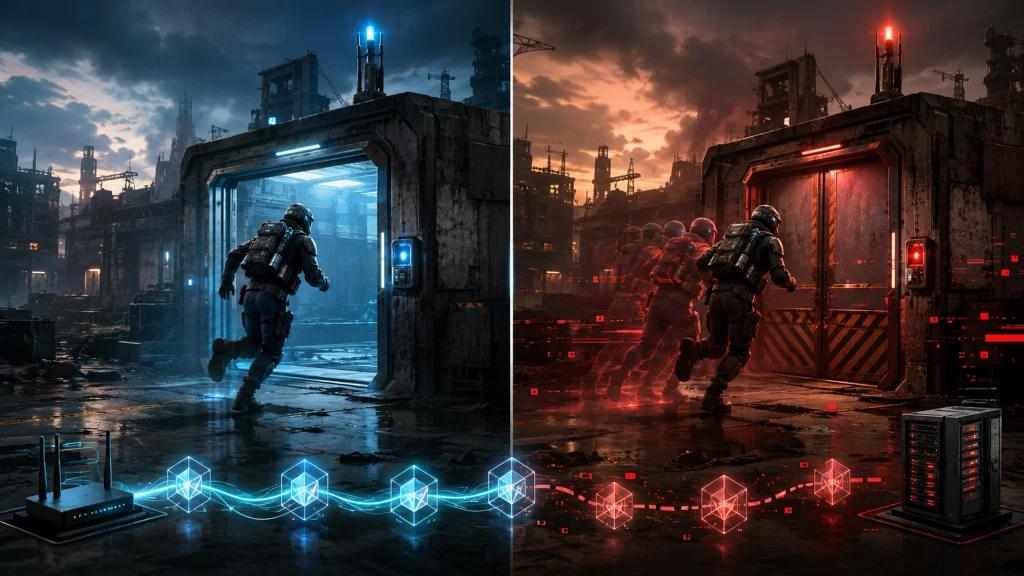
NoPing's Multi Connection technology uses multiple routes to help maintain a more stable connection when an individual path becomes unstable.
This can be useful when the default ISP route experiences:
- Intermittent congestion
- Packet loss
- Jitter
- Latency spikes
- Route instability
The goal is not simply to achieve the lowest possible ping number, but to improve overall route consistency.
Multi Internet
Multi Internet allows compatible setups to use multiple internet connections together.
Depending on the player's available connections, this can provide additional network redundancy and stability when one connection becomes inconsistent.
This can be particularly relevant for users combining different connection types, such as fixed broadband and mobile internet.
ARC Raiders FPS Drops vs. Network Lag
Ping and FPS are different performance metrics.
Network optimization may help with routing-related problems, but it cannot solve every performance issue.
How to Tell the Difference
A network problem may involve:
- Ping spikes
- Packet loss
- Jitter
- Delayed network responses
- Connection instability
A local performance problem may involve:
- FPS drops
- Stuttering caused by CPU or GPU load
- Thermal throttling
- Insufficient system resources
- Background applications consuming resources
Players should identify which problem they are experiencing before attempting to fix it.
Boost FPS
NoPing's Boost FPS feature is designed to reduce unnecessary background resource usage and optimize the system environment for gaming.
However, software optimization cannot replace hardware upgrades when the CPU, GPU, RAM, or other components are the actual bottleneck.
How to Test NoPing With ARC Raiders
The most reliable way to evaluate route optimization is through controlled comparison.
ARC Raiders Connection Test
- Choose the same server region whenever possible.
- Play several matches without route optimization.
- Record ping, jitter, packet loss, and noticeable spikes.
- Activate NoPing and select ARC Raiders.
- Repeat the test under similar conditions.
- Compare the results rather than relying on a single match.
Testing at the same time of day is especially useful when investigating peak-hour congestion.
ARC Raiders Reddit Advice vs. Official Guides
Reddit and official ARC Raiders resources serve different purposes.
Official resources are useful for understanding game systems, mechanics, updates, and intended functionality.
Community discussions can provide:
- Match-specific strategies
- Extraction experiences
- Positioning techniques
- Equipment discussions
- Connection troubleshooting
- Player-tested approaches
Using both sources gives players a broader perspective.
How to Find Useful ARC Raiders Reddit Discussions
Search quality matters as much as the platform itself.
Useful searches can include:
- ARC Raiders Reddit tips
- ARC Raiders extraction tips Reddit
- ARC Raiders lag Reddit
- ARC Raiders ping issues
- ARC Raiders packet loss
- ARC Raiders best settings Reddit
- ARC Raiders connection issues
- ARC Raiders beginner tips Reddit
The main ARC Raiders subreddit can be useful, but individual recommendations should still be tested rather than treated as universal solutions.
How to Evaluate Community Advice
Look for posts that include specific information such as:
- Server region
- ISP
- Approximate location
- Ping before and after a change
- Packet-loss measurements
- Hardware configuration
- Game settings
- Repeated test results
Detailed reports are generally more useful than isolated claims without supporting information.
NoPing vs. ExitLag for ARC Raiders
NoPing and ExitLag should be compared using actual connection performance rather than advertised ping numbers alone.
Important metrics include:
- Average ping
- Jitter
- Packet loss
- Frequency of spikes
- Route consistency
- Stability during combat and extraction
Because routing conditions vary by ISP, location, server, and time of day, the better option can differ between players.
The most useful comparison is to test both services under similar conditions and measure the results.
How to Improve ARC Raiders Connection Stability
For players experiencing unstable connections, a practical troubleshooting sequence is:
- Use Ethernet when possible.
- Stop unnecessary downloads and uploads.
- Check whether other devices are saturating the connection.
- Measure ping, jitter, and packet loss.
- Compare performance at different times of day.
- Test an alternative network route.
- Compare results using the same server region.
- Check for local PC performance problems separately.
This helps distinguish ISP routing problems from Wi-Fi issues, hardware bottlenecks, and server-side instability.
Try NoPing With ARC Raiders
Players experiencing routing instability can test NoPing with ARC Raiders and compare performance before and after optimization.
NoPing combines route optimization features such as Multi Connection and Multi Internet with system optimization tools such as Boost FPS.
Use comparable matches and monitor ping, jitter, packet loss, and connection spikes to determine whether the optimized route performs better for your specific ISP and server region.
FAQ
What does ARC Raiders Reddit recommend for reducing lag?
Community discussions commonly suggest checking whether the problem comes from Wi-Fi, background traffic, ISP routing, packet loss, or server conditions. Testing an alternative route can help determine whether the default ISP path is contributing to the problem.
Does internet speed determine ARC Raiders ping?
No. Download speed alone does not determine latency. Distance to the server, ISP routing, peering, congestion, jitter, and packet loss can all affect gameplay.
Can NoPing guarantee lower ping in ARC Raiders?
No. Results depend on the player's ISP, location, server region, current routing conditions, and time of day. The best approach is to measure performance before and after changing the route.
How should I test NoPing for ARC Raiders?
Use the same server region and similar testing conditions. Compare ping, jitter, packet loss, and spikes across multiple matches before and after enabling route optimization.
What should I monitor besides ping?
Jitter and packet loss are especially important. Also monitor sudden latency spikes and whether connection quality changes during busy periods.
Why does ARC Raiders lag more at night?
Peak-hour congestion can affect ISP networks and upstream routes. If the problem repeatedly appears at similar hours, compare network metrics during peak and off-peak periods.
Can NoPing fix FPS drops?
Network routing and FPS are different issues. Route optimization targets network-path problems, while FPS depends primarily on local hardware, game settings, drivers, and system resource usage. System optimization features may help reduce unnecessary background resource consumption.
Should I use Reddit tips or official ARC Raiders guides?
Both can be useful. Official resources explain game mechanics and updates, while Reddit provides player experiences and community-tested strategies.
How do I find useful ARC Raiders posts on Reddit?
Search for specific problems rather than broad discussions. Queries combining ARC Raiders with terms such as "ping," "packet loss," "lag," "extraction tips," "settings," or your ISP can produce more relevant discussions.
Is NoPing or ExitLag better for ARC Raiders?
There is no universal answer. Compare both under similar conditions and evaluate ping, jitter, packet loss, route consistency, and spikes rather than relying only on advertised latency figures.
When should I test another route?
Consider testing another route after ISP instability, server changes, maintenance, major game updates, or whenever a previously stable connection begins showing persistent jitter, packet loss, or latency spikes.
Does route optimization replace a better internet connection?
No. Route optimization can help when the network path is inefficient or unstable, but it cannot fix overloaded Wi-Fi, local hardware problems, ISP outages, or game-server failures.