

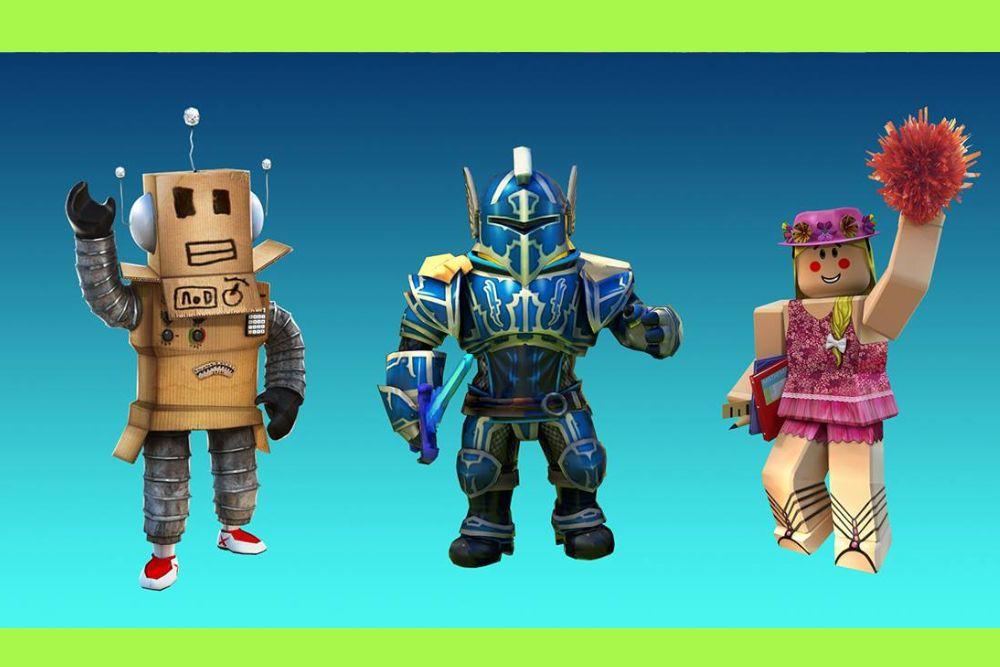
The introduction of the Roblox R15 avatar system marked a massive shift in how players interact within the digital world.
For years, the blocky, six-jointed R6 model was the standard, providing a nostalgic but limited experience.
When Roblox decided to expand the skeletal structure to fifteen joints, it opened the door for a level of expression and movement that was previously impossible.
This guide covers everything you need to understand about this modern avatar rig, how to set it up, and why it has become the gold standard for the platform.
What exactly is a Roblox R15 avatar?
A Roblox R15 avatar is a character model composed of fifteen distinct body parts and joints, allowing for more realistic and fluid movement.
Unlike the legacy R6 system, which treats the entire arm or leg as a single piece, the R15 rig breaks these limbs down into upper, lower, and extremity sections. This means your character can bend their elbows, flex their knees, and rotate their wrists.
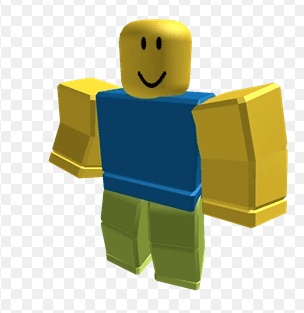
The fifteen parts include:
- Head
- Upper Torso
- Lower Torso
- Left Upper Arm, Left Lower Arm, and Left Hand
- Right Upper Arm, Right Lower Arm, and Right Hand
- Left Upper Leg, Left Lower Leg, and Left Foot
- Right Upper Leg, Right Lower Leg, and Right Foot
This increased complexity is the foundation for almost all modern Roblox features. From complex emotes to the highly detailed Layered Clothing system, R15 is the engine that drives visual innovation on the platform.
It provides a more humanoid silhouette while still allowing for the classic "blocky" aesthetic if the player chooses to keep it.
How does R15 differ from the classic R6 rig?
The primary difference between R15 and R6 is the number of articulating joints and the range of motion they provide.
While R6 is loved for its simplicity and the "old school" feel of early 2010s Roblox, it is extremely limited in terms of animation.
In an R6 rig, when a character walks, the arms and legs swing as rigid blocks. There is no bending at the joints, which creates a very specific, robotic movement style.
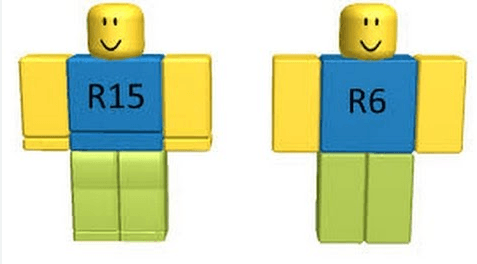
Technically, R6 only has six parts: the head, torso, and four limbs. R15, by tripling the number of parts in the limbs and splitting the torso in two, allows for "squash and stretch" style animations.
This allows developers to create much more immersive experiences, such as realistic sports games or high-fidelity combat simulators.
Furthermore, R15 supports body scaling, which lets you change your height and width, a feature that R6 simply cannot handle due to its rigid structure.
What are the main benefits of using R15?
The biggest benefit of using R15 is the access to a massive library of animations and the ability to use Layered Clothing.
Because the R15 rig has joints at the elbows and knees, it can perform complex movements like dancing, swimming, and climbing with much higher fidelity.
Many modern animation packages are built exclusively for R15, meaning if you stick with R6, you lose out on the latest emotes and movement styles.
Another major advantage is the Layered Clothing system. This technology allows 3D clothing items to wrap realistically around your character's body, regardless of their shape or size.
You can put a jacket over a hoodie, and the "outer cage" of the 3D model ensures that the items don't clip through each other.
This level of customization is only possible because the R15 rig provides the necessary data points for the clothing to "stick" to the body correctly.
How do you change your avatar to R15?
Changing your avatar type is a straightforward process that can be done through the website or the mobile app.
By default, most new accounts are set to R15, but if you find yourself stuck in the classic R6 mode, you can toggle it back easily.
Here is how you can switch on a computer:
- Log in to your account on the [link suspeito removido].
- Click on the Avatar tab in the left-hand navigation menu.
- On the Avatar Editor page, look for the Avatar Type section (usually at the bottom right or under the "Body" category).
- Select the R15 button.
- Wait a moment for the character preview to refresh and confirm the new joints are active.
On the mobile app, the steps are slightly different:
- Tap your Avatar icon at the bottom center of the screen.
- Select Customize.
- Navigate to the Head & Body section.
- Scroll to the far right of the sub-menu to find Style or Settings.
- Toggle the switch to R15.
How does layered clothing work with the R15 rig?
Layered clothing works by using a system called "caging," which defines how a 3D mesh should deform and stretch over the avatar.
When you equip a 3D shirt or pants, the engine checks the "inner cage" of the clothing against the "outer cage" of your avatar's body parts. It then shrinks or expands the clothing to fit perfectly.
This system is revolutionary because it eliminates the need for specific "sizes" for items. In the past, 2D clothing was just a texture painted onto the body. If your character was tall and thin, the texture might look stretched.
With R15 and layered clothing, the 3D model of the clothes actually exists as a separate layer that moves with your joints. If you bend your arm, the sleeve of your 3D jacket wrinkles and moves with the elbow joint.
What are the best R15 animation packages?
The "best" animation package depends entirely on the vibe you want for your character, but there are several iconic ones that highlight the capabilities of the R15 rig.
Animation packages change your idle stance, walk, run, jump, fall, and climb animations.
Some popular choices include:
- The Mage Animation Package: Gives your character a floating, mystical idle and a graceful walk that makes it look like you are barely touching the ground.
- The Ninja Animation Package: Perfect for players who want a fast, aggressive look. The run animation is a low-profile sprint that looks great in action games.
- The Old School Animation Package: This is a clever set that mimics the R6 movement style while using the R15 rig, giving you the best of both worlds.
- The Superhero Animation Package: Features a powerful, chest-out idle pose and a flight-like jump animation.
These packages are available in the Avatar Shop. Using these animations makes your character feel more alive and unique compared to the standard "Default" movement.
How do you adjust body scaling and proportions?
Adjusting your body scaling allows you to customize the physical height, width, and head size of your R15 character.
This is one of the coolest features of the system, as it lets you move away from the "one size fits all" approach of the classic Roblox look. You can make your character a towering giant or a tiny, nimble figure.
To adjust these settings:
- Go to the Avatar Editor.
- Select the Head & Body tab.
- Click on Scaling.
- Use the sliders to adjust Height, Width, Head, and Proportions.
The "Proportions" slider is particularly interesting: it determines how "human-like" your character's body shape is.
A 0% proportion keeps the blocky, classic look, while 100% gives you a more realistic, slender frame. It is important to note that some games might force a specific scale to ensure fair gameplay, but in most social experiences, you have full control.
Can you use R15 in games that only support R6?
You can technically play a game that is "R6 only" while having an R15 avatar, but the game will automatically "force" your character into an R6 rig for the duration of that session.
Roblox developers have the option to set their game to R6, R15, or Player Choice. If a developer has built their game's mechanics (like parkour or tools) around the specific hitboxes of R6, they will likely lock the game to that type.
However, Roblox recently introduced the "R6 to R15 Adapter." This is a backend tool for developers that allows R15 characters to function in R6 environments by emulating the old physics while keeping the new look. It essentially maps the fifteen parts of the modern rig to the six parts of the old one so that scripts don't break.
How do developers enable R15 in their games?
Developers have complete control over which avatar types are allowed in their experiences through the Roblox Studio settings.
If you are building a game and want to ensure everyone can use their modern 3D clothing and animations, you need to enable R15.
Steps to enable R15 in Roblox Studio:
- Open your place in Roblox Studio.
- Go to the Home tab and click on Game Settings.
- Navigate to the Avatar tab.
- Under Avatar Type, select R15.
- You can also set limits on scaling (Height and Width) to make sure players don't become so big or small that they break your maps.
- Click Save and publish your game.
By choosing "Player Choice," you allow users to bring whatever rig they prefer, but this can make balancing combat or obstacle courses much harder. Most modern developers choose "R15 Only" to take advantage of the better hitboxes and animation states.
What is the future of the Roblox R15 system?
The future of the R15 system lies in "Mesh Deformation" and "Adaptive Animation." Roblox is moving toward a world where characters don't just look like a collection of parts, but like a single, seamless mesh that bends naturally at the joints. This is often referred to as "S15" or "Skinned Meshes."
With the new HumanoidRigDescription and Adaptive Animation systems, the platform is becoming more flexible.
In the near future, we will see even more expressive faces (Dynamic Heads) and animations that automatically adjust to the terrain you are walking on. R15 was just the first step in making Roblox a truly modern engine for user-generated content.
Play Roblox without lag. Download NoPing now and start your free trial!