


Dota 2 server selection in the US picks the closest SDR PoP automatically, but ISP routing decides actual latency. NoPing rebuilds the path via 5 parallel AI routes plus up to 6 physical connections in parallel for up to 80 percent less ping.
Dota 2 in the US picks the closest Steam Datagram Relay PoP automatically based on your client's measured latency. The PoPs in 2026 are Chicago, Dallas, Seattle, Atlanta, and Virginia. The catch is that "closest" depends on how your ISP peers with the SDR network, not just on physical distance. Comcast in Atlanta might route to Virginia instead of Atlanta if peering is better.
Spectrum in California might end up on Seattle. T-Mobile 5G Home Internet often routes to Dallas regardless of metro. AT&T Fiber and Verizon Fios are usually cleaner. CenturyLink Quantum Fiber routes to Seattle on the West Coast. Cox in Phoenix routes to Dallas or Seattle.
Optimum on the East Coast routes to Virginia or Chicago. Sometimes you can manually pick a PoP for tournament practice. NoPing rebuilds the path so the auto-pick lands consistently on the cleanest PoP for your specific ISP path.
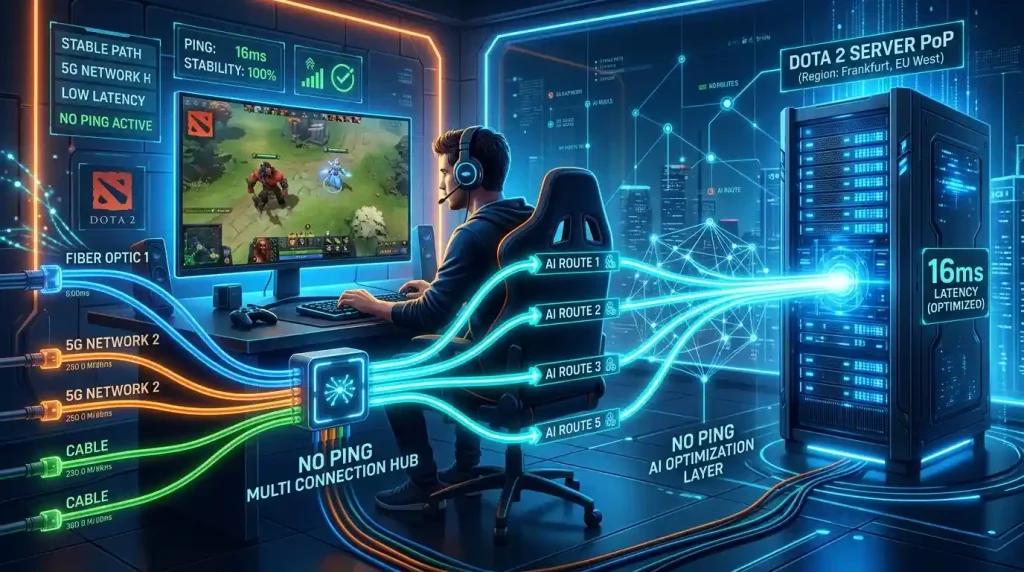
Multi Connection sends 5 parallel AI routes simultaneously. Multi Internet bonds up to 6 physical connections in parallel at the same time, not failover. Boost FPS keeps the renderer healthy. Plenty of US users report up to 80 percent less ping. 4.9 out of 5, more than 3,000 supported games, one-day free trial.
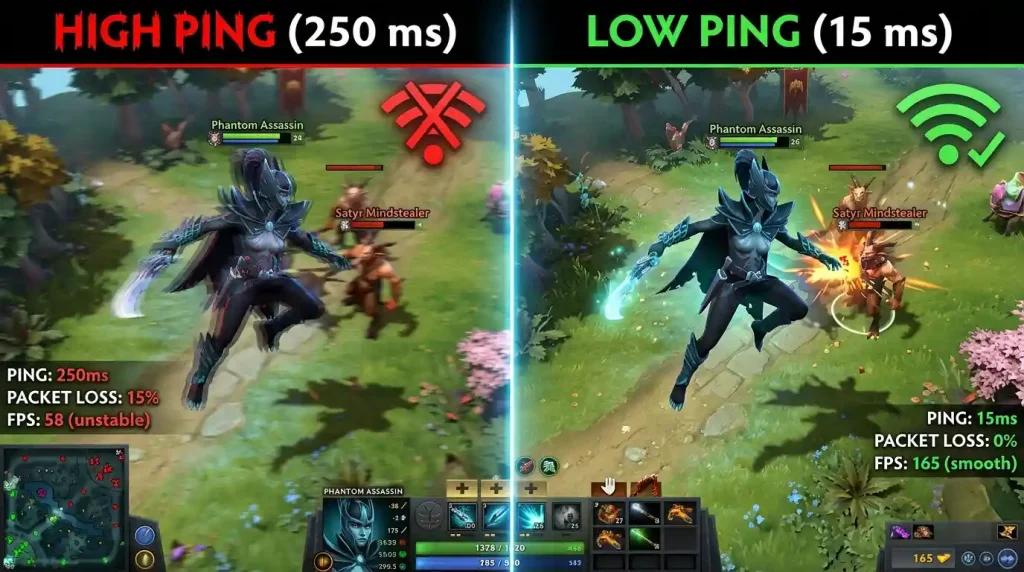
Why Auto Server Selection Is Not often Right
SDR's auto-pick uses ICMP-style probes to estimate latency, but bandwidth and jitter are not equally weighted. A PoP with low ping but high jitter (typical of CGNAT-heavy 5G) will get picked even when a slightly higher-ping but stable PoP would feel better. NoPing's Multi Connection rebuilds via 5 parallel AI routes simultaneously, so the actual measured latency of each parallel path determines which PoP wins.
Multi Internet Up To 6 Physical Connections in Parallel
Up to 6 physical connections active in parallel at the same time, not failover. Comcast cable plus Verizon Fios plus AT&T Fiber plus T-Mobile 5G plus Cox plus a phone hotspot can all carry Dota 2 traffic simultaneously, with each path measuring its own SDR PoP latency in real time.
Boost FPS for Source 2 in Dota 2
Boost FPS rewrites Windows priorities, kills overlay processes, suspends ISP companion app telemetry, and trims Windows 11 background services. Higher 1 percent lows during teamfights with summoned units.
Manual Override When You Need It
For competitive scrims or tournament practice, NoPing lets you manually pick a specific SDR PoP and lock the route through Multi Connection. This avoids unwanted PoP migrations between matches and gives consistent practice conditions.
Free one-day NoPing trial. Multi Connection. Multi Internet. Boost FPS. Dota 2 server selection finally lands where you expect.
FAQ:
Q1: Best SDR PoP for me?
A1: NoPing measures and picks per ISP path.
Q2: Manual override?
A2: Yes, available.
Q3: VAC?
A3: No trigger.
Q4: Backup?
A4: No, parallel.
Q5: 80%?
A5: Yes.
Q6: Boost FPS Source 2?
A6: Yes.
Q7: T-Mobile 5G?
A7: Yes.
Q8: Trial?
A8: One day.
Competitor comparison
NoPing and ExitLag Outside the Top 20 should be compared by measured route quality, packet loss stability, jitter and the server path for Dota 2. No. NoPing can help test alternative routes, but the result depends on ISP, location, server and time. Test the same queue before and after changing route, then compare ping, jitter and packet loss.
How to Check Your Current Dota 2 Server
Before you try to fix your server routing, verify which server you are actually playing on. Open the developer console in Dota 2 and type status. The output displays your current server region, IP address, and latency. You can also enable the network information display from the settings menu to see a real-time ping readout and region code during matches. If the server does not match your expected location—for example, a Seattle player landing on Chicago—your ISP is routing traffic indirectly. NoPing's Multi Connection measures the actual latency to each SDR PoP and rebuilds the path so you land on the correct server for your geography.
Dota 2 Server Selection vs. ExitLag, WTFast, and Other Tunneling Services
For US players searching for Dota 2 server tools, the main alternatives include ExitLag, WTFast, LagoFast, Mudfish, and GearUP Booster. All of these route game traffic through an intermediary server to reduce ping, but the approach differs. NoPing uses Multi Connection—5 parallel AI routes evaluated simultaneously—so the path is chosen based on live performance rather than a single pre-selected tunnel. Multi Internet adds up to 6 physical connections active in parallel, not as failover. Most single-tunnel services route through one optimized server at a time and cannot bond multiple ISP connections. For Dota 2 specifically, where server selection is automatic and ISP peering changes by the hour, parallel routing provides a more stable connection than a fixed tunnel.
FAQ
1. Dota 2 server depends only on internet speed?
No. Routing, jitter, packet loss, ISP peering and server region can matter as much as raw speed.
2. How should I test NoPing for Dota 2?
Test the same queue before and after changing route, then compare ping, jitter and packet loss.
3. Which local issue is common in the United States?
In the United States, bad routing between the ISP and game server region can matter more than raw speed.
4. Can NoPing guarantee lower ping?
No. NoPing can help test alternative routes, but the result depends on ISP, location, server and time.
5. Should I compare against ExitLag Outside the Top 20?
Compare measured stability, route, jitter and packet loss, not only the advertised ping number.
6. Does anti-cheat block route optimization?
Use supported tools and avoid packet manipulation. Route optimization should not change game files or bypass anti-cheat.
7. What metric should I watch besides ping?
Watch jitter, packet loss, route changes and spikes during competitive moments.
8. When should I change route again?
Change route after ISP instability, server maintenance, new patches, or when the selected path becomes unstable.
Technical note
Ping, packet loss, jitter and FPS are different problems. Route optimization can help network path issues, but it does not fix local CPU/GPU bottlenecks, overloaded Wi-Fi, or game server outages.