

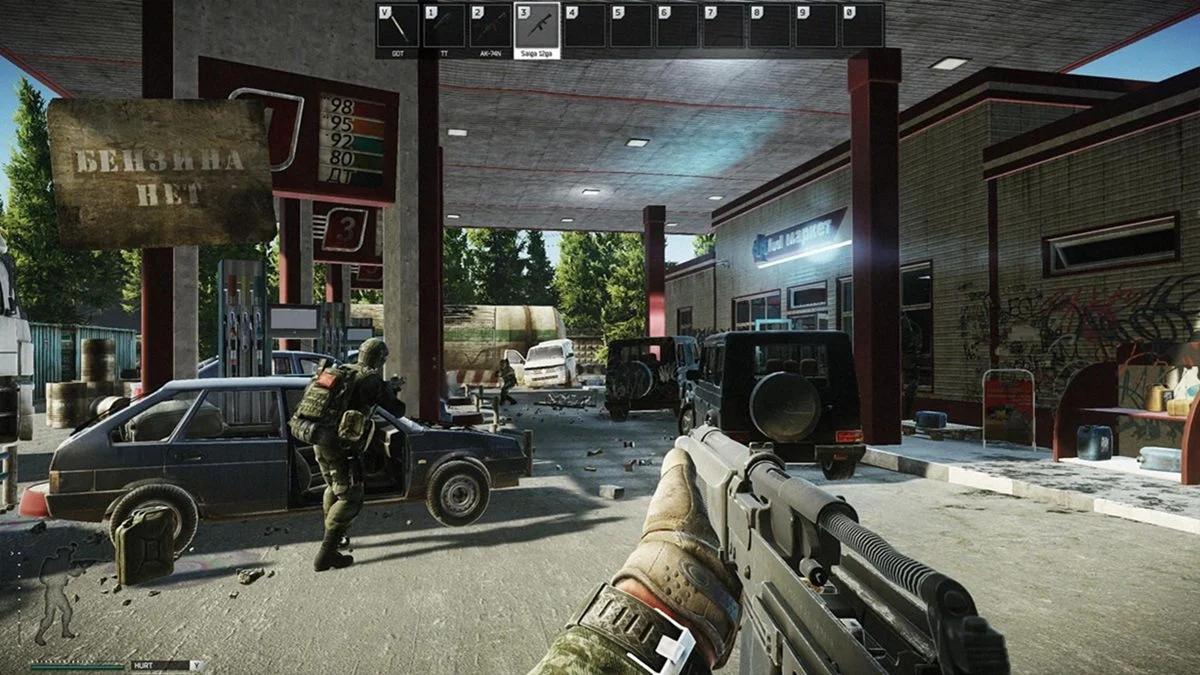
Escape from Tarkov players in the United States often deal with high ping, packet loss, and persistent desync issues. Server location, ISP routing, and network congestion can directly affect raid performance, especially during peak hours.
Why Tarkov Desync Has a Network Component in the US
Few multiplayer shooters are discussed as often for networking issues as Escape from Tarkov. Alongside its hardcore extraction mechanics, complex economy, and high-risk firefights, the game has become known for frequent Tarkov desync incidents.
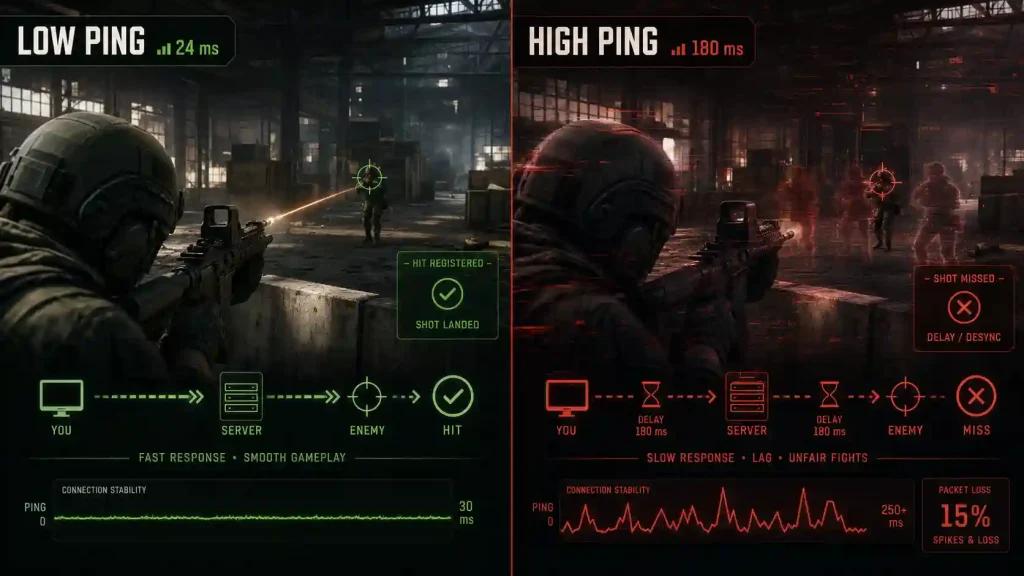
Many players experience situations where an enemy appears to die seconds after being shot, bullets seem to register late, or damage notifications arrive after a firefight has already ended. These issues are influenced by multiple factors, including the game's network architecture.
Battlestate Games operates dedicated servers across several regions, including us-east, us-west, and Chicago in the United States. Additional infrastructure is available in Europe, Asia, the Middle East, and Oceania. The game uses BattlEye anti-cheat protection and operates on an EFT 30 Hz server tickrate.
Because parts of Tarkov's networking model still rely on systems derived from peer-to-peer synchronization for certain raid mechanics, packet loss and unstable routes can amplify desync behavior. Consistent communication between the client and server becomes particularly important during gunfights and high-population raids.
Several major US internet providers present different network characteristics:
- Comcast users may encounter peering congestion during peak traffic periods.
- Spectrum customers can experience retransmission-related packet loss bursts.
- T-Mobile 5G Home Internet users often report jitter fluctuations.
- AT&T Fiber and Verizon Fios generally deliver more stable routing performance.
- CenturyLink Quantum Fiber, Cox, and Optimum can vary depending on region and local infrastructure.
For this reason, routing quality, jitter, and packet loss frequently have as much impact on gameplay as raw internet speed.
How Route Optimization Can Improve EFT Connectivity
Tools such as NoPing Tarkov focus on optimizing the path between a player's connection and the game server.
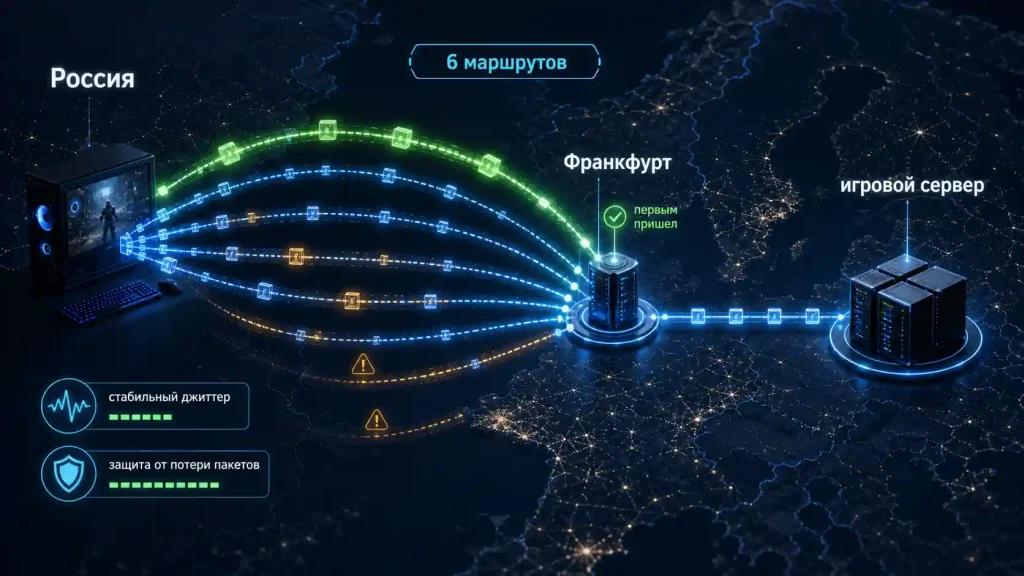
Instead of relying on a single route selected by the ISP, NoPing's Multi Connection technology sends traffic through five parallel AI-optimized routes simultaneously. The system continuously evaluates route quality and prioritizes the most stable data delivery path.
For players connecting to EFT us-east us-west Chicago servers, route optimization can reduce the effects of ISP congestion and unstable peering agreements.
It is important to note that route optimization does not modify game files, interfere with Tarkov BattlEye, or alter server-side mechanics. It focuses exclusively on network path selection.
Multi Internet: Up to Six Physical Connections at the Same Time
One of NoPing's additional features is Multi Internet, which allows up to six physical internet connections to work in parallel.
Unlike traditional failover systems that switch to a backup connection only after the primary line fails, Multi Internet keeps multiple connections active simultaneously.
For example, a player could combine:
- Comcast cable
- Verizon Fios
- AT&T Fiber
- T-Mobile 5G
- Cox broadband
- Mobile hotspot connectivity
By distributing traffic across multiple active links, packet loss can be significantly reduced and route stability can improve during raids.
For a game that is highly sensitive to packet consistency, reducing packet loss can help minimize network-driven desync events.
Boost FPS for Escape from Tarkov
Networking is only one part of overall game performance.
Many players searching for Tarkov Streets FPS improvements know that the Streets of Tarkov map can place substantial load on CPU resources.
NoPing's Boost FPS feature focuses on Windows optimization by:
- Adjusting process priorities.
- Closing unnecessary overlay applications.
- Suspending certain background telemetry services.
- Reducing non-essential Windows 11 background activity.
These optimizations can improve frame pacing and increase 1% low FPS values during demanding gameplay scenarios.
Players should remember that ping, packet loss, jitter, and FPS are separate performance metrics. Improvements in one area do not automatically solve issues in another.
How to Set Up NoPing for Escape from Tarkov
Players interested in testing route optimization can follow these steps:
- Install NoPing.
- Log in using the available trial period.
- Select Escape from Tarkov from the supported game list.
- Choose the closest server region, such as us-east, us-west, or Chicago.
- Enable Multi Connection.
- Enable Multi Internet if multiple internet connections are available.
- Activate Boost FPS.
- Enter a raid and compare performance metrics.
When evaluating results, players should monitor:
- Ping
- Packet loss
- Jitter
- Route stability during combat situations
Testing the same server region before and after route optimization provides the most reliable comparison.
NoPing vs ExitLag for Escape from Tarkov
Both NoPing and ExitLag provide route optimization for Escape from Tarkov.
When comparing services, players should focus on:
- Route quality
- Packet loss
- Jitter consistency
- Server path stability
Ping reduction alone does not provide a complete picture of connection quality. Since Tarkov desync is highly sensitive to packet loss and jitter, these metrics often offer a more accurate representation of real gameplay performance.
Results vary depending on ISP, location, server selection, and time of day. Running identical raid queues before and after changing routes remains the most effective testing method.
Conclusion
Escape from Tarkov's networking challenges stem from a combination of server architecture, routing conditions, packet loss, and ISP peering behavior. While no third-party solution can eliminate all desync caused by game-side limitations, route optimization tools can help reduce network-related issues.
Players experiencing instability on Comcast Tarkov, Spectrum Tarkov, or other US providers may benefit from testing alternative routes and monitoring packet loss, jitter, and server performance over multiple raids.
FAQ
Does Escape from Tarkov depend only on internet speed?
No. Routing quality, packet loss, jitter, ISP peering, and server location all influence gameplay performance.
Can NoPing fix all Tarkov desync?
No. Structural limitations in the game's netcode remain. Route optimization may reduce desync caused by network instability.
Is NoPing compatible with BattlEye?
Yes. Route optimization does not modify game files or bypass anti-cheat systems.
Can NoPing guarantee lower ping?
No. Results depend on ISP conditions, player location, server region, and current network congestion.
Which US server should I choose?
Players should generally select us-east, us-west, or Chicago based on their geographic location and measured latency.
Does Boost FPS help on Streets of Tarkov?
It can improve system responsiveness and frame consistency, particularly on CPU-intensive maps.
Can 5G internet be used with Multi Internet?
Yes. 5G connections can operate alongside other supported internet connections.
Is there a trial available?
Yes. A one-day trial period is available for testing.