


Valorant ping and jitter should be measured with the same server region, connection, time window, and gameplay scenario. Ping is round-trip time; jitter is the variation between samples. Check Riot status, use Ethernet, pause background traffic, and alternate baseline and changed-route runs. A single low reading is not enough to prove that any setting or service improved the connection.

Figure 1. Valorant latency graph prepared for a repeatable comparison
Define the Valorant ping and jitter baseline
Choose your actual region and record it. Use the game's network graphs where available. Note typical ping, peaks, loss, match type, time, and ISP. Keep FPS separate: a frame-time spike can resemble network lag.
Check Riot's regional status. If service is degraded, postpone. Use Ethernet, stop downloads and cloud sync, and avoid a saturated upload. Change only one variable per run.
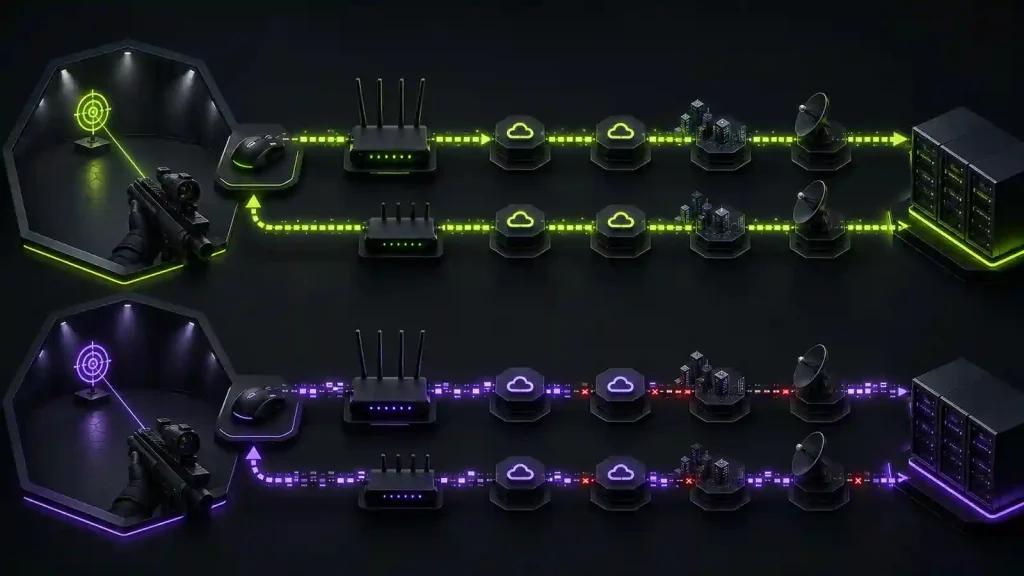
Figure 2. Test matrix controlling region Ethernet time and background traffic
Run an A/B/A/B route test
Use the normal route, then the alternative, and repeat both. Keep region and hour fixed. Four short matched runs beat one long session. Record negative results too.
If Ethernet is stable and Wi-Fi is not, fix Wi-Fi first. If all destinations fail, inspect the line or ISP. If one Riot destination varies after local causes are excluded, test the route. Software cannot remove physical distance.

Figure 3. Alternating baseline and optimized Valorant route test results
Reproducible checklist
- Verify Riot service status and lock the Valorant region.
- Use Ethernet and pause competing traffic.
- Record ping, jitter pattern, packet loss, FPS, time, and ISP.
- Alternate normal and changed routes in an A/B/A/B sequence.
- Reject results from different regions or outage windows.
- Use this owner instead of the older quick-steps guide, and record the comparison with connection monitoring.
How to judge the outcome
Prefer consistency over the single lowest number. An improvement should appear across matched runs without more loss, disconnects, or route changes. NoPing may help when the original ISP path is inefficient; it cannot fix Riot incidents, Wi-Fi contention, hardware frame drops, or the physical distance to a server. Document both positive and negative outcomes.
Frequently asked questions
What is a good Valorant ping?
There is no universal number independent of region and geography. Compare stable results to the closest supported destination and prioritize low variation and zero loss.
Is jitter more important than average ping?
Both matter. A moderate but stable round trip may feel more predictable than a lower average with frequent peaks. Evaluate the full pattern.
Can a route optimizer guarantee lower latency?
No. It can only test alternate paths that are available from your connection. The original route may already be best, or conditions may change.
Test NoPing with the same A/B/A/B method, keep it only if repeated evidence shows a meaningful and stable improvement, and rerun the baseline when the ISP, region, or network setup changes.