

To get verified on Roblox is a goal shared by many players and creators who want to increase their account security and unlock exclusive features.
Whether you are looking to access voice chat or hoping to see that blue checkmark next to your name, the verification process has evolved significantly over the last year.
In 2026, Roblox has doubled down on its safety measures, making the verification system more robust and integrated into the overall user experience.
What does it mean to be verified on Roblox?
Being verified means that Roblox has confirmed your identity or your status as a notable creator.
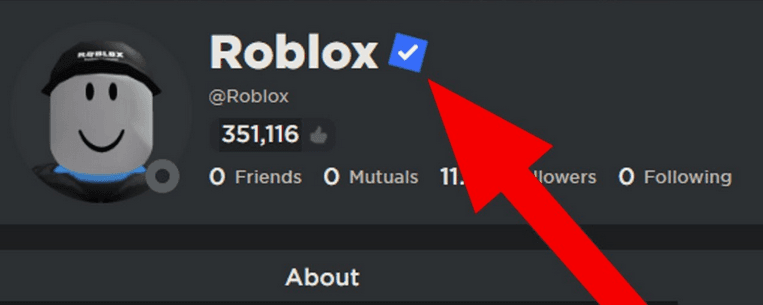
Depending on the type of verification you achieve, it can grant you access to restricted features like spatial voice (voice chat), give you a higher level of trust within the community, or display a blue badge on your profile that signals authenticity to other players.
There are currently two distinct paths for verification on the platform. The first is Identity Verification, which is available to anyone over the age of 13 with a valid ID.
The second is the Verified Badge, which is reserved for developers, creators, and brands that meet specific performance or social media milestones. Understanding which one you need is the first step in the process.
Also read: Complete Guide to Log Someone Out of Your Roblox Account
How do you complete ID verification for age-restricted features?
You complete ID verification by submitting a photo of a government-issued document and a selfie through the Roblox mobile app or a browser session.
This process is handled by a third-party service called Persona, which ensures that the person behind the screen matches the person on the identification card.
The ID verification is the most common form of verification and is essential for gamers who want the full Roblox experience.
In early 2026, Roblox implemented stricter rules regarding chat communication, making age verification nearly mandatory for users who wish to interact freely in social spaces.
Here is the step-by-step process:
- Open Settings: Log in to your account and navigate to the gear icon (Web) or the three dots (Mobile).
- Account Info: Select the Account Info tab.
- Verify My Age: Look for the section under your birthday and click on the "Verify My Age" or "Continue with ID" button.
- Prepare your ID: You will need a valid passport, driver’s license, or state ID. School IDs or work badges are typically not accepted.
- Scan and Selfie: Follow the prompts to take a clear photo of the front and back of your ID. Then, take a selfie as requested.
- Wait for Approval: Most verifications are processed within minutes, though it can take longer if the lighting in your photos was poor.
Once successful, you will see a "Verified" status next to your age in the settings menu.

What are the requirements for the Roblox Blue Verified Badge?
The requirements for the Blue Verified Badge include reaching high levels of engagement as a developer, significant sales as a UGC creator, or having a massive following on external social media platforms.
Unlike the standard ID verification, you cannot simply "apply" for the badge through a form; Roblox identifies eligible accounts automatically every month.
Roblox uses the Verified Badge to prevent impersonation of famous figures and successful developers. If you are aiming for this prestigious mark, you need to fall into one of these categories:
Experience Developers
If you own a game on Roblox, your experience must have exceeded 1 million hours of playtime within the last 90 days.
If you are a contributor to a successful game, you generally need to have at least 10,000 legitimate followers on the platform and be recognized as a key part of the development team.
Also read: Is Crimson Desert an MMO? Let’s Clear This Up
UGC and Avatar Item Creators
For those who design clothes or accessories in the Marketplace, the bar is set high to ensure only the most active creators are verified.
- Revenue: At least 2 million Robux earned in the last 90 days.
- Sales: At least 200,000 items sold in the same period.
Brands and Social Media Influencers
If you are a celebrity, a musician, or a brand, you must have at least 100,000 followers on a major platform like YouTube, X (Twitter), Instagram, or TikTok.
Alternatively, having 100,000 monthly listeners on Spotify or being part of the Roblox Video Stars program will qualify you for the badge.
Why is account security vital for verified users?
Account security is vital because verified accounts are primary targets for hackers and scammers who want to steal high-value items or take over popular experiences.
If you have gone through the trouble of getting verified, you have more to lose, which is why Roblox requires Two-Step Verification (2SV) to be active for any account seeking or holding a Verified Badge.
At NoPing, we often see players who invest thousands of hours into their accounts only to lose them due to poor security habits.
Verification adds a layer of trust, but it doesn't make you invincible. You should always:
- Use an Authenticator App rather than just email codes.
- Keep your recovery codes in a safe, physical location.
- Ensure your connected email is also secured with 2FA.
If your connection is unstable while you are managing your account or developing a game, it can lead to frustrating session timeouts.
Using a connection optimizer can help maintain a stable link to Roblox servers, ensuring your security settings are updated without interruption.
Here’s how to use NoPing to fix lag in Roblox:
- Sign-up through the website and download NoPing (you can try it for free)
- Open NoPing and search for Roblox inside the software
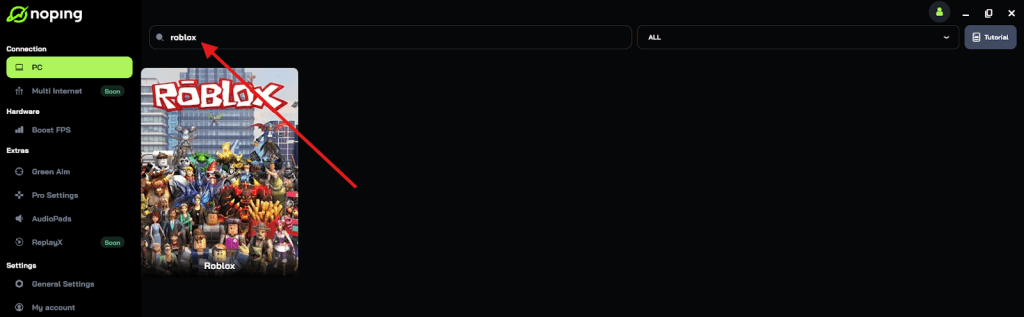
- Once you find Roblox, click on it and, on the next screen, select “Choose automatic” or “Choose manual” and click “Continue”. We recommend choosing automatic, as NoPing’s technology analyzes all routes on a global scale and automatically selects the best option for you.
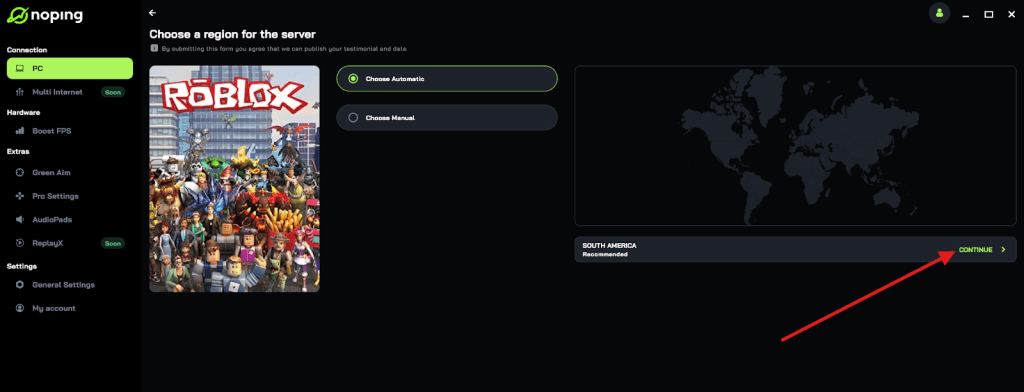
- On the next screen, click on “Optimize Game”.
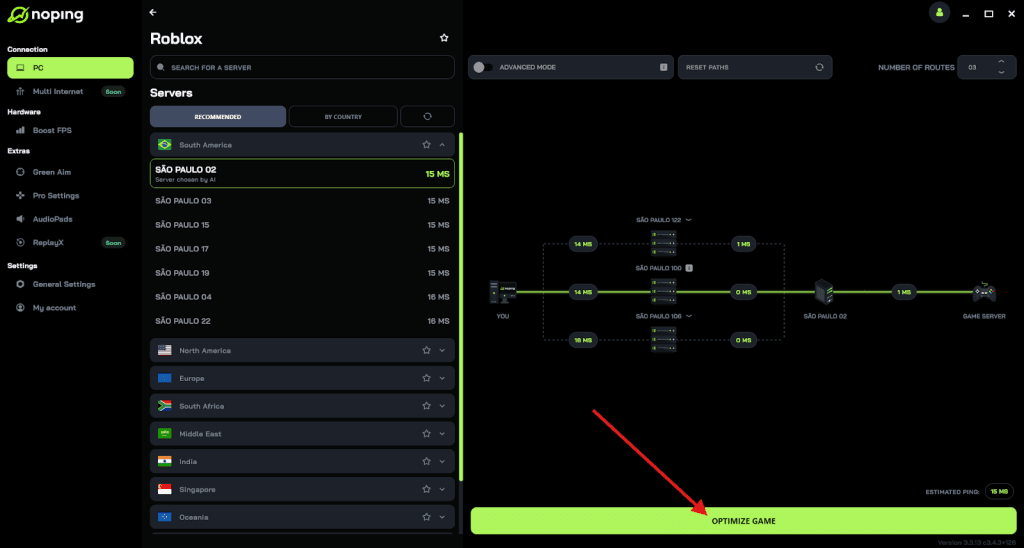
- And that’s it, you can start playing Roblox with optimized ping!
You can test different servers within NoPing to see which gives you the lowest latency.
Can you lose your verified status on Roblox?
Yes, you can lose your verified status if you violate the Roblox Terms of Use, change your account details in a way that breaks authenticity, or become inactive for more than 180 days.
Roblox periodically audits verified accounts to ensure they still meet the criteria and represent the person or brand they claim to be.
Specific actions that can trigger the removal of a badge include:
- Changing your username or display name (this often resets the verification check).
- Disabling Two-Step Verification via an Authenticator.
- Transferring ownership of a verified group to an unverified user.
- Engaging in "badge selling" or deceptive behavior.
If you lose your badge due to a username change, you can contact Roblox Support, but usually, the system will re-evaluate your account in the next monthly wave.
Is voice chat the only benefit of verifying your ID?
No, voice chat is not the only benefit; ID verification also unlocks higher maturity content and more relaxed communication filters for users over 17.
In the current 2026 landscape, Roblox has introduced "17+ Experiences" that require ID verification to enter.
These games often feature more complex themes and social interactions that are restricted to adult players.
Furthermore, being verified helps when you are trading rare items. Other players are more likely to trust a user who has a verified age or a badge, as it reduces the perceived risk of dealing with a burner or "alt" account used for scams.
Summary of Verification Benefits
| Feature | ID Verified (13+) | Verified Badge (Blue Check) |
| Voice Chat | Yes | Yes |
| 17+ Experiences | Yes (if age matches) | Yes |
| Profile Badge | No | Yes |
| Reduced Filters | Yes | Yes |
| Increased Trust | Moderate | Very High |
Play Roblox without lag! Download NoPing now and start your free trial!