

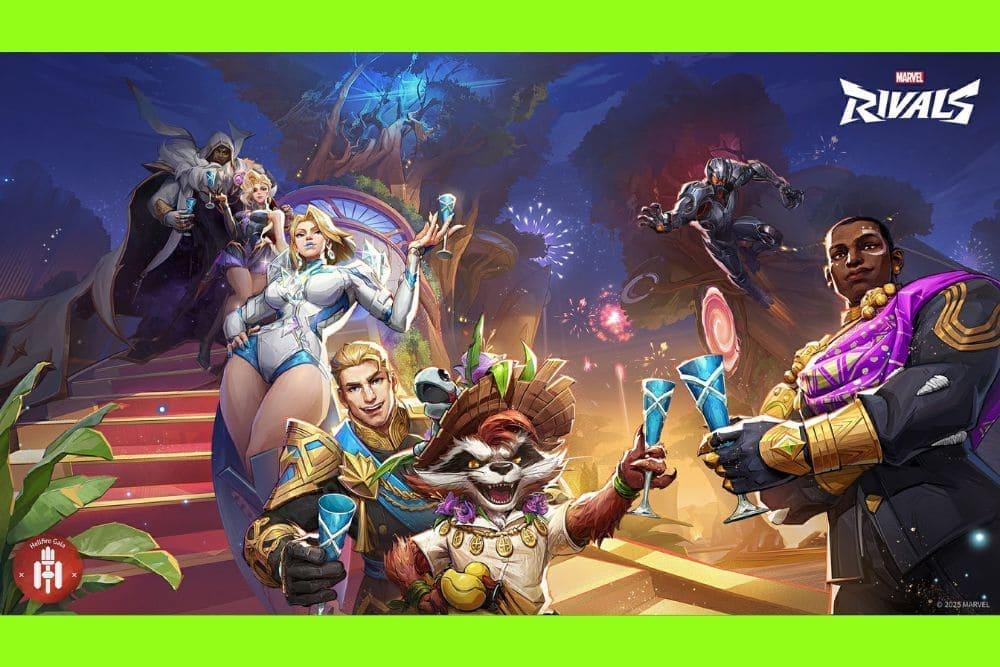
New to Marvel Rivals and trying to rack up wins fast? You’re in the right place. This beginner-friendly guide packs practical Marvel Rivals tips you can use in your next queue, without any fluff.
We’ll cover the fundamentals that actually swing matches: smart team play, beginner-friendly heroes, aim and movement habits that translate immediately, performance settings that boost FPS, and a quick way to improve your connection stability.
Let’s go!
Overall Tips to Win Every Match in Marvel Rivals
Before you worry about montage plays, get the essentials right. Marvel Rivals is a 6-on-6 hero shooter built around roles and synergy, so your decisions before and during fights matter more than raw mechanics.
1. Form a Balanced Team Composition
Games are won based on synergy, not just solo plays. Since Marvel Rivals emphasizes 6-on-6 matches with clearly defined Duelist (DPS), Vanguard (frontline), and Strategist (support/utility) roles, ensure your team isn’t all damage.
A Lone DPS-heavy lineup can struggle in objective fights. Offering to fill a frontliner or support role can dramatically boost your team's effectiveness.

Source: Reddit
2. Play the Objective, Not Just Kills
Every map features objectives,whether it's capturing zones, escorting payloads, or controlling areas. Prioritize rotating early, holding phases, and regrouping after failed attempts over chasing one-off eliminations. Strategic fights over meaningful map control win games.
3. Manage Ultimates and Coordinate Team-Ups
Ultimate abilities are powerful but limited. Coordinate with teammates to combo ultimates with Team-Ups. Stacking cooldowns effectively can swing team fights. Communicate timing and synergy, instead of using them all at once or too early.

Source: Reddit
4. Control High Ground and Angles
Positioning is everything. High ground grants better sightlines, safer reloads, and forces enemies into unfavorable angles. Duelists, in particular, benefit from elevated positions that give free value with minimal risk.
5. Flexible Hero Switching
If one hero isn’t serving the team or counters keep shutting you down, don’t hesitate to switch. Keeping a small, flexible hero pool across roles lets you adapt. Two to three comfort picks per role are ideal.
6. Play for Objectives, Not Stats
Especially in unranked or early ranked games, focusing on objective plays and assists matters more than kill counts. A timely peel, capture, or setup for a teammate can outweigh flashy but low-impact plays.
7. Be Aware of Matchmaking Dynamics
The developers have acknowledged questions around skill-based matchmaking (SBMM) or elo-based matchmaking (EOMM), suggesting there’s a complex system behind pairing players. Avoid tilt and reroll impulses. Match quality can vary, and preserving composure matters more than chasing perfect matchups.
Who Are the Best Characters for Beginners in Marvel Rivals?
You want heroes with simple inputs, clear jobs, and strong fight impact even with day-one mechanics. Here are beginner-friendly picks across roles, with why they work:
The Punisher (Duelist)

Often likened to Soldier-76 archetypes from other hero shooters, Punisher offers clean gunplay, a turret, and utility smoke. His kit rewards FPS fundamentals and lets you contribute without perfect ability timing. Great for learning off-angles and mid-range pressure.
Iron Man (Duelist)

Stable ranged damage, reliable mobility, and easy-to-understand pressure from elevated sightlines. If you’re learning positioning, Iron Man teaches you the value of high ground and safe poke while keeping mechanics approachable.
Rocket Raccoon (Strategist/DPS hybrid tools)

Rocket can dish damage and bring team utility with healing/damage boosting toggles. His flexible role lets you practice awareness and target focus while still supporting your frontline.
Captain America (Vanguard)

Classic frontline play: block damage with the shield, disrupt with throws, and lead engages. If you’ve never tanked in a hero shooter, Cap’s kit is readable and teaches space-making fundamentals and peel (protecting teammates).
Mantis or Luna Snow (Strategists)

Both offer accessible support fundamentals. Mantis leans into protection and control, while Luna Snow can flex between healing aura and damage aura, similar to a well-known support style that teaches tempo switching. If you gravitate toward enabling others, start here.
Groot (Control utility)

Hero images source: Marvel Rivals Wiki
Rooting enemies and walling space makes objective fights easier for everyone. Groot teaches area denial and defensive timing, decisive for early wins even with modest aim.
Tip: close-range assassins like Spider-Man, Psylocke, Black Panther, Wolverine, and Magik can hard-carry but punish mistakes. Save them for later once you’ve nailed positioning. Community advice frequently nudges true beginners away from pure melee assassins at first.
How to Improve Your Aim in Marvel Rivals?
Marvel Rivals uses a third-person camera, which can make your muscle-memory feel different than aim trainers or first-person shooters.
Sensitivity that’s perfect in an aim trainer may feel off here: that’s normal. Players commonly report the sense that turning one direction can feel different than the other because of the camera offset; don’t overthink it. Instead, calibrate inside the game.
Start with “one-pad 360” calibration
Do a comfortable 360-degree turn in-game and match that distance on your mouse pad. It’s a quick way to land in the right ballpark. Then fine-tune during bot practice or unranked.
Track first, flick second
Most fights involve sustained tracking around cover and vertical peeks. Practice keeping your crosshair at upper-torso height while you strafe, especially on mid-range heroes like Punisher and Iron Man, and only go for flicks when you’ve already built a rhythm.
ADS discipline
Don’t hard-scope angles you can’t hold; shoulder-peek and re-challenge with strafes. In third-person, your body still exposes even if your camera doesn’t feel like it: minimize time in the open.
Controller players
Learn how Aim Assist Strength, Window Size, and “Ease In” behave for hitscan versus projectile heroes. Community-tested settings exist, but treat them as starting points and adjust by hero archetype.
Finally, remember that positioning multiplies aim. If you own the angle (high ground, head-glitch cover, or crossfires), you’ll “aim better” without changing sensitivity. See the next section to make that your default.

How to Improve Your Movement and Positioning in Marvel Rivals?
Own elevation and off-angles
A lot of Duelists and supports get disproportionate value from high ground: you see more, you’re safer while reloading, and you force enemies to over-commit. Iron Man, Rocket, and Storm in particular love safe perches.
Use cover like a metronome
Shoulder-peek, fire two to four shots, break line of sight, repeat. In third-person, abuse corners to pre-aim where the enemy must reappear.
Frontline sets the line
If you’re a Vanguard, your body position draws the fight line. Don’t over-extend without resources; move with your Strategist’s cooldowns. As DPS, mirror your Vanguard’s pushes and avoid solo heroics that desync your supports.
Don’t trickle
After a lost fight, call a reset. Stagger deaths kill more games than bad aim. Quick regroup, then a decisive 6-man hit with ults up.
Rotate early
If a point is lost, pre-rotate to the next hold instead of taking low-percentage duels. Objective time beats chase kills.

How to Get Character Knowledge in Marvel Rivals?
Hero knowledge is free power. Build a simple learning loop:
Pick two mains plus one flex per role group
Example: Iron Man / Punisher for Duelist, Captain America for Vanguard, Luna Snow for Strategist. That’s enough to answer most comps while actually learning matchups deeply.
Use a live roster index
Sites that track heroes, roles, and patch changes are useful to confirm what each kit actually does today (roles, utility, and new additions). When balance shifts, your “go-to” counters might as well.
Study synergies and Team-Ups
The game literally bakes combo value into its design. Skim the official pages so you recognize interactions and don’t waste a teammate’s setup.
Follow ranked rules and seasonal notes
Rank gates, bans, and penalties change how lineups and queue habits evolve. For Season 3.5 for example, there are clearer penalties for leavers, a specific rank reset timetable for Season 4, and role-limited bans higher up, all of which affect who gets picked and when.

Best Performance Settings for Marvel Rivals
High, stable FPS makes aiming and peeking smoother. You don’t have to guess; multiple outlets have tested Marvel Rivals on PC with consistent recommendations.
Display & frame tech
Fullscreen, V-Sync Off, Nvidia Reflex On (if available). Reflex reduces input latency; turning off V-Sync avoids added input delay.
Resolution & upscaling
Play at native resolution if your GPU handles it. If you need frames, use DLSS/FSR/TSR Super Resolution set to Performance or Balanced (vendor-appropriate) and consider a sharpening value around ~80 as a baseline. Frame Generation: generally Off for competitive consistency.
Graphics presets
Treat Model Detail, Post-Processing, Shadows, Textures, Effects, and Foliage as Low/Medium knobs until you hit your desired FPS. Combine Screen-Space Reflections with otherwise modest settings for readability, and keep Lumen GI reasonable; some testing favors a hybrid (custom with low/medium core settings). Expect better input feel as you de-clutter the image.

Source: TheGamer
Extra headroom tricks (advanced users)
Some players still report gains from config tweaks (e.g., engine.ini), but results vary by patch, and it’s easy to break visuals. Only attempt after backing up configs and confirm that your changes still work on the current season.
Know your machine’s limits
Minimum PC specs (CPU like i5-6600K/Ryzen 5 1600X, 12 GB RAM, GTX 1060/RX 580, ~70 GB storage) tell you where to set expectations. If you’re near minimums, prioritize FPS over fidelity.
Console players
Use performance modes where offered and keep motion blur, film grain, and other post-effects minimized for clarity. Controller settings (sensitivity curves, deadzones, aim assist) deserve a dedicated session in the Practice Range; don’t tune them in ranked.
How to Improve Your Performance in Marvel Rivals?
A rock-solid connection is as important as aim.
NoPing helps by optimizing your route to the game servers, reducing latency, jitter, and packet loss, the trio that causes delayed peeks, rubber-banding, and “I swear I was behind cover” moments.
Here’s how to use NoPing to improve your performance in Marvel Rivals:
- Sign-up through the website and download NoPing (you can try it for free)
- Open NoPing and search for Marvel Rivals inside the software

- Once you find Marvel Rivals, click on it. Choose your server on the next screen and click on “Optimize Game”.

- And that’s it, you can start playing Marvel Rivals with optimized ping!
You’ll feel the difference most when holding tight angles, trading peeks on high ground, and comboing Team-Ups where timing windows are narrow.
FAQ - Marvel Rivals Tips
What platforms support Marvel Rivals, and is it free-to-play?
Marvel Rivals launched on December 6, 2024 as a free-to-play title on PC (Steam/Epic), PlayStation 5, and Xbox Series X|S.
Is there crossplay?
Yes, with caveats. Full crossplay between PC and consoles exists for non-competitive modes (Quick Match, Conquest, Customs, Practice vs. AI). Ranked crossplay is split: PC vs. PC/Mac, and PlayStation vs. Xbox. You can’t mix PC with console in competitive.
How does ranked progression work right now?
Ranks start at Bronze and climb through nine tiers up to Eternity, with One Above All reserved for the top players. Points are affected by wins and individual performance, there are protections like Chrono Shields against immediate demotion, and there’s a seasonal reset. Bans and stricter penalties apply at higher levels.
What’s the current meta for roles?
The roster has leaned DPS-heavy versus Vanguards/Strategists, something the devs have publicly acknowledged and are working on over future releases. That means your willingness to fill tank/support can be a direct path to more wins, especially in ranked where bans reduce role options.
Team size and queues: can I six-stack in ranked?
Team-size and party restrictions have shifted across seasons, with recent community discussions about limits at certain tiers. Always check the current season notes before forming large parties; expect the game to optimize for fair matches and queue health.
What game modes are in the mix?
Standard competitive play revolves around 6v6 objective modes (captures, escorts, multi-round fights), with rotating map pools per season. Customs and practice options exist for scrims and testing.
Are there controller aim-assist tips beyond “copy settings”?
Use community presets as a baseline, but tune Aim Assist Window Size and Strength per hero type (projectile vs. hitscan) and revisit after patches. Test in Practice Range and unranked first.
At its core, Marvel Rivals rewards players who combine awareness, adaptability, and teamwork. The tips in this guide give you a foundation to approach every match with a clear plan: from choosing the right heroes to managing ultimates, positioning smartly, and keeping your setup running smoothly.
To always play Marvel Rivals with improved FPS and reduced ping, use NoPing! Download now and start your free trial!