

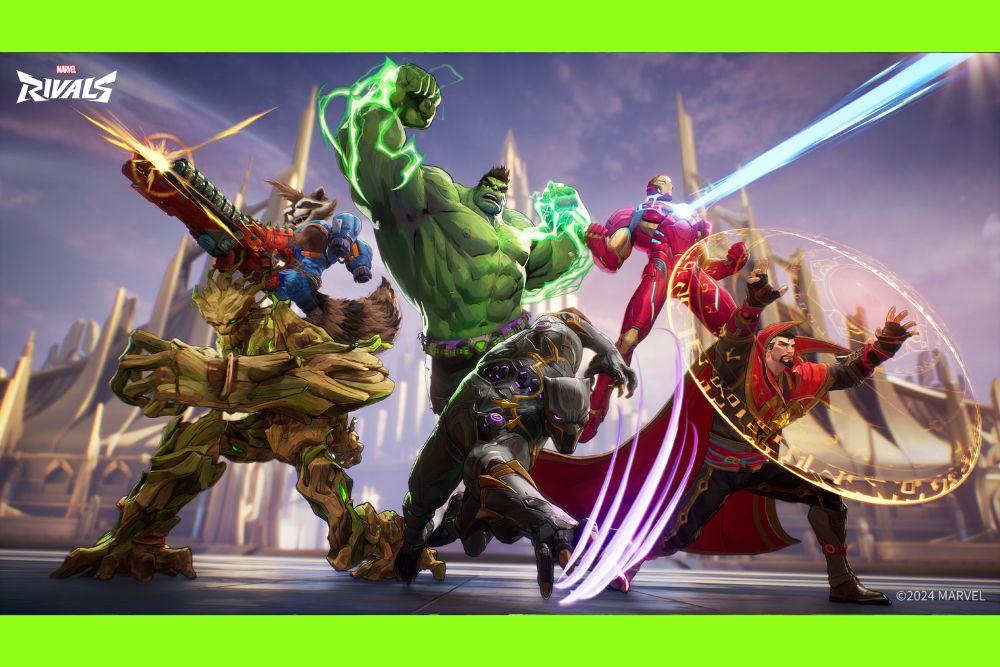
If you’re wondering how to play Marvel Rivals, this guide will help you get started with everything you need to know.
From launching the game to understanding hero roles, abilities, gameplay mechanics, and tips to improve, we’ll cover the essentials to set you up for success.
Whether you’re new to hero shooters or a Marvel fan eager to jump in, learning how to play Marvel Rivals means mastering your hero’s kit, working with your team, and adapting to dynamic matches.
Let’s get you ready to take on the battle!
How to Launch Marvel Rivals?
With Marvel Rivals officially released on December 6, 2024, launching the game is straightforward, regardless of whether you’re on PC or console. Here's how to get started:
On PC (Windows – Steam or Epic Games Store)
- Open either the Steam or Epic Games Launcher.
- Search for Marvel Rivals in the store.
- Click Install or Play, since the game is free-to-play
- Download the client (around 47 GB at launch), then install it. For best performance, an SSD and at least 70 GB of free space are recommended.
- Launch the game from your library and log in with your preferred account (Steam, Epic, or NetEase ID)
On Consoles (PS5 and Xbox Series X|S)
- Open your console’s store (PlayStation Store or Xbox Marketplace).
- Search for Marvel Rivals.
- Go to the game page and choose Install. It’s free-to-play, so there’s no purchase required.
- Once installed, launch the game directly from your dashboard or library.
Key Tips & Troubleshooting
- Minimum specs for PC: Windows 10 (64-bit), Intel i5‑6600K or Ryzen 5 1600X, 16 GB RAM, and a GTX 1060 or equivalent GPU. Recommended specs include a Ryzen 5 5600X / RTX 2060 or better with an SSD for smoother gameplay.
- Preloading: PC players could pre-download starting December 4, 2024, but servers opened officially at 00:00 UTC on December 6.
- Performance issues: If the game won’t launch or errors pop up, try updating your GPU drivers and verifying the integrity of game files via your launcher. These steps resolved issues for many users on Reddit.
- High Frame Rate mode: Consoles support 120 FPS mode, but you need HDMI 2.1 support and to enable it via the game’s graphics settings after updating system settings.

Source: Epic Games Store
How to Get Started in Marvel Rivals
When you first launch Marvel Rivals, you’ll go through a basic tutorial that introduces you to core mechanics: moving, aiming, using abilities, and working with teammates.
It’s straightforward but essential, especially if you’re not familiar with hero shooters.
Here’s what to focus on in your early hours:
Learn the UI and Controls
Each character has a unique kit, but basic movement and combat feel consistent across the roster. Familiarize yourself with your crosshair, cooldown timers, and the ultimate meter.
Play Casual Matches (and AI Matches)
Before diving into competitive (once it's available), stick to unranked matches or bot games. These give you a safe space to experiment with heroes and maps.
Experiment with Roles
Try out different heroes across the tank, support, and damage roles to find your comfort zone.
Complete Challenges
Daily and weekly challenges grant progression and unlockables like skins or credits, a good way to earn rewards while practicing.
Use the Training Range
This is a sandbox-style environment where you can test heroes, aim practice, and combo experimentation without pressure.
Your progression will be mostly cosmetic early on. There’s no pay-to-win gear or stat boosts. Progression is skill-based. As you level up, you may unlock profile items, sprays, or skins.

Understanding Hero Roles and Abilities in Marvel Rivals
To really get the hang of how to play Marvel Rivals, you need to understand the backbone of the game: hero roles and abilities.
Every character is more than just a familiar face from the Marvel Universe. They play a specific function on the battlefield, and your effectiveness depends on knowing your role, your tools, and how to use them in different situations.
In Marvel Rivals, heroes are divided into three main roles:
1. Vanguard
Vanguards are the front-line bruisers and protectors. They're built to take a beating, create space for the team, and lead the charge during pushes. This is the closest thing Marvel Rivals has to a “tank” role, but it’s more versatile than just soaking up damage.
Key Traits of Vanguards:
- High durability and defensive utility.
- Often come with mobility tools to engage quickly or control space.
- Useful for initiating fights and contesting objectives.
Examples:
- Hulk: Can leap into the middle of a fight, displace enemies with ground slams, and absorb heavy damage.
- The Thing: Another strong presence that can disrupt formations and make life miserable for squishy opponents.

How to Play a Vanguard
Your job is to be the anchor. Learn when to engage and when to back off. Use your bulk to shield supports, zone out duelists, or create openings for your team to follow through. Good Vanguards are disruptive and hard to ignore.
2. Duelist
Duelists are your high-damage, high-skill-cap heroes. They excel at picking off isolated targets, winning 1v1 skirmishes, and bursting down key enemies. Playing a Duelist well requires mechanical precision and strong awareness.
Key Traits of Duelists:
- High damage output and/or burst potential.
- Usually have decent mobility or evasive tools.
- Relatively low survivability, they rely on outplaying opponents.
Examples:
- Black Panther: Uses agility and close-range power to dash in, eliminate a target, and dash out again.

- Storm: Controls space with projectiles and weather effects while keeping enemies at a distance.
How to Play a Duelist
Positioning is everything. Stay away from the center of the fight until the time is right to strike. Target backliners, finish off low-health enemies, and never waste your cooldowns. Know your matchups: Duelists live or die by timing and precision.
3. Strategist
Strategists are the brains behind the brawn. They focus on supporting teammates, controlling the flow of battle, and tilting fights in your team’s favor through buffs, debuffs, or crowd control. This is where Marvel Rivals blends traditional support roles with tactical gameplay.
Key Traits of Strategists:
- Ability to heal, shield, or buff allies.
- Can provide vision, repositioning tools, or crowd control.
- Often squishy, requiring good positioning and game sense.
Examples:
- Invisible Woman: Specializes in shielding allies and controlling space with her force fields. She can cloak herself or teammates, reposition out of danger, and disrupt enemy sightlines, all while offering consistent ranged support.
- Luna Snow: Combines healing and crowd control with her ice-based abilities. She can freeze enemies to stall pushes or heal allies over time, making her a versatile support who thrives when positioned carefully behind the frontline.

Source hero images: Marvel Rivals Wiki
How to Play a Strategist
Don’t just focus on healing numbers. Great Strategists know when to engage and disengage, when to use an ult to save a teammate or to win a fight, and how to stay alive while doing it.
Keep your eyes on the whole battlefield and communicate with your team. You’re the one turning the tide, even if you’re not getting the final blows.
Ability Types and How They Work
Each hero in Marvel Rivals comes with a kit made to reflect their comic persona, and to work together as part of a team. The basic structure of every hero’s kit includes:
Primary Fire
This is your standard attack, typically hero‑specific (e.g. repulsor blasts, claws, punches). It’s your go‑to damage tool, though the damage output varies strongly between Duelists and other roles. Some duelists rely almost entirely on abilities rather than their primary fire for damage.
Secondary Ability
Often a utility or movement tool, like a dash, projectile, or crowd control skill. It provides flexibility: for example, Magneto’s secondary fire (Mag‑Cannon) stacks weapons and knocks enemies back when fully charged.
Active Abilities
Most heroes have two active abilities on cooldown, used for burst damage, shields, or healing. A Strategist might heal or buff, while a Vanguard might deploy a shield or wall.
Ultimate Ability
The most powerful ability, which charges as you deal damage, heal teammates, or participate in objectives. Timing and coordination make it a game-changer. Activating an ultimate in the wrong moment can waste its potential.
Team-Up Abilities
Marvel Rivals also includes unique Team‑Up abilities. When two specific heroes are on the same team, one hero gains an extra active or passive bonus. For instance, if Wolverine and Hulk are paired, Hulk gets access to the "Fastball Special", throwing Wolverine at enemies as a damaging combo move.. Team‑Up abilities expand synergy by rewarding thoughtful hero pairing.

Iron Man Ability Page. Source: ScreenRant
Putting It All Together
The layers of ability design in Marvel Rivals are meant to foster interaction and combo potential:
- Combo Potential: Control tools (like roots or crowd‑control from a Strategist) can set up high‑burst ultimates from Duelists. For example, one hero might freeze or slow opponents so teammates can land critical hits.
- Situational Usage: Simply spamming abilities isn't optimal. Holding cooldowns for key moments, like saving your ultimate until enemy ultimates are nearly charged or targeting high-value objectives, is key.
- Adaptive Kits: Some heroes can switch the effect of their abilities mid-match. For example, Luna Snow can toggle her healing aura into a damage buff for teammates, adjusting to the flow of battle.
- Non-locked Roles: Marvel Rivals doesn’t enforce a role queue. You can have weird comps, say multiple Strategists or Duelists, as long as no two players pick the same hero. Team‑Up abilities help rebalance unconventional setups.
Understanding the Gameplay of Marvel Rivals
Getting a firm grip on how the game works is the key to mastering Marvel Rivals. It’s about teamwork, objectives, and adapting to ever-changing battlefield conditions.
Core Game Modes & Objectives
Marvel Rivals offers three core competitive modes—Convoy, Domination, and Convergence—available in Quick Match and Ranked play.
- Convoy is essentially escort gameplay: one team escorts a payload (or cart) through checkpoints while the other defends. The convoy progresses faster when attackers are near it and pushes backward if defenders recapture it. In Ranked matches, roles switch after one side completes their escort run.
- Domination (King of the Hill-style) involves capturing and holding a central objective—capture progress ticks while a team holds it. Most matches are best two-out-of-three rounds on different map zones. Contested objectives pause progress until cleared.
- Convergence is a hybrid: attackers push through a series of checkpoints by holding capture zones sequentially (33%, 66%, 100%). Similar to payload but with distinct capture zones; each zone locks in as soon as captured and can’t regress.

Additional Arcade Modes are Conquest and Doom Match, free‑for‑all-style battles with alternate victory conditions. In Conquest, players collect dropped Chronovium from fallen foes; in Doom Match, kills score points and duplicate hero picks are allowed.
Maps & Rotation
As of Season 2, Marvel Rivals features 11 core maps tied to specific modes, each inspired by Marvel locales like Tokyo 2099, Wakanda, Krakoa, and more. Examples include Yggdrasill Path for Convoy and Royal Palace for Domination. New maps continue to roll out with each season.
These maps are interactive and destructible. Walls, cover, and even ground may be destroyed or altered mid-match, letting creative players open new paths or surprise flanks.
Match Flow & Team Dynamics
Each match starts with hero selection, where you pick your character and can later switch on respawn if that hero is still available.
There’s no enforced role queue, you can load into comp with an unusual mix like two Strategists or three Duelists, as long as there are no duplicate characters. That flexibility is enhanced by Team‑Up abilities, special synergies when specific heroes are paired on the same team.
Players need to fill roles organically: typically at least one Vanguard to hold the frontline, some Duelists for damage, and Strategists for support utility. But unconventional comps work too, especially if you maximize pairing synergies.
Game pacing tends to be fast and dynamic. Rounds commonly last around 8‑10 minutes depending on objective progress. There's also an overtime mechanic in mode shifts or contested objectives for clutch moments.
Practice & Casual Play
If you're starting out or testing new heroes, Marvel Rivals includes options like Quick Play and AI matches. Quick Play sometimes pairs you against bots who are objectively less skilled than even the “easy” AI in standalone modes. AI bots rarely follow objectives properly and often waste ultimates prematurely.
There are also Hero Trials (or Training Ranges) where you can practice combos, timings, and aim in isolation before diving into live matches.
How to Get Better at Marvel Rivals?
Getting better at Marvel Rivals involves map knowledge, team coordination, habit-building, mindset, and making small optimizations that add up.
Here are detailed ways to level up your game.
Master the basics, then build up
- Practice in training / practice range: Use the practice area to get comfortable with hero movement, their ability timing, and combos without pressure. It’s useful to test things like ability canceling or mobility combos.
- Pick a small pool of heroes: Instead of trying every hero, focus on 2-3 (one per role is ideal). This lets you learn positioning, matchups, cooldown timings, and when your hero is strong or weak.
- Get map knowledge: Learn where health packs / healing zones are, which flanking routes opponents use, where high ground is, destructible walls etc. Maps are not symmetrical at times, and knowing where you can hide or ambush matters.
Improve your decision making & game sense
- Play objectives, not just kills: Many new players chase kills and roam too much, but winning objective-based fights (holding zones, escorting payloads, defending) is more important. Even if your kills are fewer, good objective control will win more games.
- Ultimate timing & Team-Up synergy: Save and coordinate ultimates; don’t just use them when you feel like it. Pairing ultimates with Team-Up abilities is powerful. Also track enemy ultimate status and plan around them.
- Positioning & awareness: Staying near cover, using high ground, avoiding overextending or going alone, watching enemy flanks — all matter a lot. Good positioning can often save you from dying earlier or getting caught out.
Advanced mechanics & habits
- Ability canceling / animation cancel: Some heroes’ animations can be cancelled or interrupted to perform actions faster, or avoid getting locked in skill animations. This is an advanced technique, but paying attention in practice can give you an edge.
- Handle matchups and counters: Know which enemy heroes work against yours. If your matchups are unfavorable, adapt, either by positioning differently, asking teammates for help, or swapping hero.
- Mental game & consistency: Being consistent is huge. That means reviewing your own games (what you did well, what you could do better), staying calm under pressure, avoiding tilt, taking breaks, and steadily applying improvements.
Technical & performance optimizations
- Optimize settings & graphical options: Lowering shadows, effects quality, turning off motion blur, or other expensive visual features can improve frame rate significantly, which means smoother gameplay, especially in intense moments.
- System tweaks: Use high‐performance power profiles, keep your GPU drivers updated, close unnecessary background apps, ensure your hardware is not overheating. Little gains in hardware performance can improve input lag or stuttering.
- Adjust your sensitivity / input settings: Whether you play on mouse + keyboard or controller, having sensitivity settings suited to your style helps. Being able to aim precisely without overshooting or undershooting is crucial. While specific sensitivity numbers vary per player, switching off automation (like “easy swing” or “automatic swing” for characters who swing) can help improve precision.
Putting it all together, improving in Marvel Rivals means combining mechanical practice (aim, combos), game knowledge (maps, matchups, objectives), teamwork & communication, and technical polish. If you work on a few of these areas consistently, you'll notice gains over time.
And How to Get Better With a Specific Hero in Marvel Rivals?
Once you’ve picked a favorite hero, here’s how to improve with them specifically:
- Read Their Abilities Thoroughly: Know not just what they do, but how they interact with other abilities.
- Watch Replays or Streams: See how high-level players use the hero. You’ll pick up tricks like ability combos or positioning hacks.
- Practice Combos: Many heroes have optimal sequences. For example, using an immobilizing skill followed by a damage burst.
- Adapt Your Playstyle: A hero like Storm plays differently depending on whether you’re defending or attacking.
- Learn Counters: Know which enemy heroes are your worst matchups and how to survive or outplay them.
Some heroes have a steep learning curve. Don’t let that discourage you. You’ll start to feel the rhythm of their kit after a few hours of play.
Tips for Competitive Play
To climb the ranks in Marvel Rivals, you need strategy, awareness, and good decision-making. Here are proven tips drawn from community guides and competitive resources.
- Know the meta comps and be flexible
The current meta tends to favor balanced team compositions (for example, mixing Vanguards, Duelists, Strategists) so that objectives are easier to contest and team fights go smoothly. If your team is stacked or missing certain roles, be ready to pick a hero who fills the gap. - Watch and adapt: swap when needed
If your hero is constantly being countered, or if you’re having more deaths than kills, it may be time to switch. Good players recognize when their contribution is being minimized and make adjustments: sometimes swapping to a more counter-hero or different role helps. - Learn the maps deeply
Knowing the layout of each map,including high ground, flanking routes, health pack positions, destructible cover, gives a big advantage. It helps in anticipating enemy movement, planning ultimates, and choosing where to engage. - Communication and mindset
Keep communication with your team positive. Calling out flanks, ult readiness, or positioning helps. Avoid tilt: negative speech or blame tends to hurt more than it helps. Good teamwork often wins over mechanical skill in tight matches. - Understand bans and pick phase (where applicable)
At higher ranks, knowing which heroes to ban (if the mode allows) or counter-pick can swing the game. Also consider which heroes are strong on the map you're playing. Avoid blocking teammates’ preferred playstyles if their hero fits the map or team comp.
Graphics and Settings Optimization
Smooth frame rates and responsive controls can make a huge difference in competitive games like Marvel Rivals. Here’s how to get better performance, especially if your hardware isn’t top-tier.
- Use “Custom” graphics preset and dial down non-essential settings
Lower Global Illumination, Texture Detail, Effects Detail, Foliage Quality. Keep Shadows at Medium or Low. These tend to hit performance most. - Turn off or limit features like V-Sync, Frame Generation, and unnecessary post-processing
V-Sync can introduce input lag. Frame generation may look fancy, but if your system can’t keep up, it can cause stutter or inconsistent frame pacing. Disable them for smoother gameplay. - Resolution & Display Mode
Running at native resolution is ideal, but if performance suffers, try reducing resolution. Fullscreen mode usually gives lower input lag than borderless or windowed modes. - Enable system-level optimizations
Things like Hardware-Accelerated GPU Scheduling, Resizable BAR (ReBAR), Windows Game Mode can help relieve CPU/GPU load. - Use super resolution / upscaling carefully
If you have DLSS (Nvidia) or FSR (AMD), using them on “performance” or “balanced” mode can give you significantly more FPS without making visuals unusable. If you want visuals, you can push them higher, but expect performance trade-offs. - Monitor performance and adjust
Keep an eye on your frame rates (and 1% lows) to see how stable your game feels. Sometimes dropping a setting or two gives a much smoother experience than forcing ultra settings. Also watch temperatures: overheating can throttle hardware.
How to Play Marvel Rivals with Top Performance?
To get the best possible gameplay experience in Marvel Rivals, low ping and stable connection matter as much as mechanical skill or hero knowledge. Lag can ruin clutch plays, delay abilities, and even desync movement, especially in a fast-paced team shooter where timing and positioning are everything.
That’s where NoPing comes in.
NoPing is a network optimization software designed specifically for online games. It reduces latency (ping), stabilizes your connection, and helps prevent packet loss, all of which can dramatically improve your in-game performance in Marvel Rivals.
Here’s how to use NoPing to max your performance in Marvel Rivals:
- Sign-up through the website and download NoPing (you can try it for free)
- Open NoPing and search for Marvel Rivals inside the software

- Once you find Marvel Rivals, click on it. Choose your server on the next screen and click on “Optimize Game”.

- And that’s it, you can start playing Marvel Rivals with optimized ping!
You can test different servers within NoPing to see which gives you the lowest latency.
FAQ: How to Play Marvel Rivals
Does Marvel Rivals support crossplay?
Yes. Marvel Rivals supports crossplay across PC, PlayStation 5, and Xbox Series X|S, so players on different platforms can squad up or face off in the same matches.
Do I need a constant internet connection to play Marvel Rivals?
Yes. Since it's an online multiplayer game, Marvel Rivals requires a stable internet connection at all times, even for custom matches or practice.
Is there a ranked mode in Marvel Rivals?
Yes. Marvel Rivals includes a ranked competitive mode, though it’s unlocked after a few matches in casual play. The system places you into tiers based on your performance, similar to games like Overwatch or Apex Legends.
Are there controller support and aim assist on PC?
Yes. The game fully supports controllers on PC, including Xbox and PlayStation models. It also includes aim assist for controller players, though it may vary in strength depending on the mode and input balance settings.
Can I use custom keybindings?
Absolutely. Marvel Rivals has a robust keybinding system that lets you remap your controls however you like, for both mouse and keyboard or controller setups.
Does Marvel Rivals have voice chat?
Yes, there’s built-in voice chat with options to mute individual players or turn it off entirely. You can also communicate using a ping system for quick callouts.
Will Marvel Rivals get more heroes or maps?
Definitely. The developers have confirmed a live service model, with regular updates planned that include new heroes, maps, limited-time events, and cosmetic content. Some leaks and roadmaps suggest new characters every season.
Whether you’re diving in for the Marvel universe or the tight gameplay, Marvel Rivals is shaping up to be one of the more exciting competitive titles in the hero shooter space.
Now that you know how to play Marvel Rivals, it’s time to jump into the action and start climbing the leaderboard!
And to always play Marvel Rivals with top performance, use NoPing! Download now and start your free trial!