

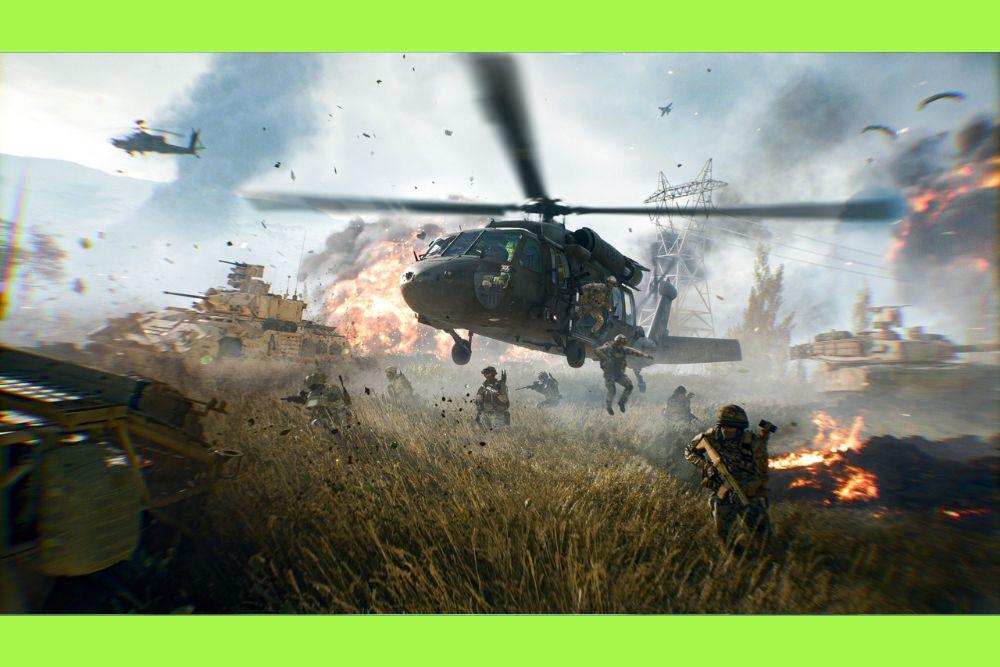
Battlefield 6 helicopter control is notoriously difficult for newcomers, but once you master the physics, you become the most dangerous asset on the map.
Flying in this installment feels heavier than previous titles, demanding more precision and better muscle memory.
If you are struggling to keep your bird in the air for more than thirty seconds, you are not alone.
Most players fail because the default settings are designed for accessibility rather than performance.
Why are the default Battlefield 6 helicopter controls so bad?
They prioritize automated stability over manual precision, which actually makes the helicopter harder to aim.
When you first jump into an AH-64E Apache, you will notice the "Helicopter Control Assist" is likely turned on.
This setting tries to auto-level your vehicle, which fights against your mouse inputs. Instead of a smooth banking turn, you end up fighting the game's AI for control.
To fix this, go into your settings and turn off Helicopter Control Assist. This allows you to tilt and roll without the game trying to "correct" you.
It feels more "raw," but it is the only way to perform advanced maneuvers like circle strafing or quick evasive dives.
Also read: How to Fix High TN (Time Nudge) on Battlefield 6
What are the best keybindings for a beginner?
The most effective layout separates your movement into two distinct zones: the keyboard for throttle and yaw, and the mouse for pitch and roll.
While everyone has personal preferences, the competitive community generally agrees on a "legacy-style" setup that offers the most control.
- W / S: Throttle Up / Throttle Down (Vertical movement).
- A / D: Yaw Left / Yaw Right (Horizontal rotation on the axis).
- Mouse Up / Down: Pitch Down / Pitch Up (Nose down to move forward, nose up to slow down/climb).
- Mouse Left / Right: Roll Left / Roll Right (Banking).
- Spacebar: Fire Weapons (Sometimes easier than left-click for steady aiming).
- X: Deploy Flares/Countermeasures.
- B or T: Exit Vehicle (Do not leave this on 'E' to avoid accidental bailing).
Using 'B' or 'T' to exit is a pro tip that prevents you from accidentally jumping out of your helicopter in the middle of a heated dogfight.
How do you take off and hover without crashing?
Gentle inputs are the secret to a stable takeoff in Battlefield 6.
Hold 'W' until you are clear of any buildings or trees, then immediately level your nose with the mouse.
If you hold 'W' too long while tilted, you will gain forward momentum and likely hit an obstacle before you have enough altitude.
Hovering requires a constant balance between throttle and pitch. If you want to stay in place, keep your helicopter parallel to the ground.
If you feel yourself drifting, a tiny tap of the opposite key is usually enough to stop the momentum.
The physics in BF6 are "floaty," meaning the helicopter has inertia; it won't stop the moment you let go of the keys.
How does the mouse sensitivity affect your flight?
High sensitivity is generally better for air combat, as it allows you to pull off sharp turns without dragging your mouse across the entire desk.
Most veteran pilots set their Vehicle Aim Sensitivity to at least 80% or higher.
However, if your sensitivity is too high, your crosshairs will jitter, making it impossible to hit infantry with your rocket pods.
A common trick is to use a mouse with a DPI switch. Use a lower DPI for steady aiming while hovering and a higher DPI when you need to pull an emergency 180-degree turn to dodge an incoming missile.
What are the best maneuvers to learn first?
The "Circle Strafe" is the most important maneuver to learn if you want to stay alive while attacking a capture point.
This involves tilting the helicopter sideways (Roll) while simultaneously using the opposite Yaw (A or D) and keeping the nose pointed at the target (Pitch).
- Approach the target: Fly toward the objective at a medium altitude.
- Initiate the roll: Bank left (Mouse left).
- Apply opposite Yaw: Hold 'D' to rotate the tail out while the nose stays locked on the target.
- Adjust Throttle: Use 'W' to maintain altitude during the turn.
This keeps you moving in a circle, making you a harder target for RPGs and tanks while allowing your gunner to have a constant line of sight on the enemies below.

How do you survive anti-air (AA) missiles?
Timing your flares is the only way to survive the constant lock-on warnings you will hear. Do not deploy flares the second you hear the "locking" beep.
Wait for the solid, fast-pitched tone that indicates the missile has actually been fired.
If you flare too early, the enemy can simply wait a few seconds and fire again while your countermeasures are on cooldown.
Once you flare, dive toward the ground or hide behind a large structure. Breaking the line of sight is your best secondary defense.
In Battlefield 6, the AH-64E Apache is particularly vulnerable to the new "Smart Rockets," so staying low to the ground (below the radar) is often safer than flying high in the open sky.
How should you use the different weapon systems?
The pilot has access to rocket pods and TOW missiles, while the gunner handles the 30mm cannon.
As a beginner, focus on the Rocket Pods first. Note that in BF6, the rocket pods are spaced quite far apart on the wings. This means if you are too close to a target, your rockets might hit to the left and right of your crosshair.
- Smart Rockets: These have a slight guidance system but lower damage. Good for beginners.
- Heavy Rockets: No guidance, but high splash damage. Best for taking out groups of infantry.
- TOW Missiles: These are wire-guided. You must keep your crosshair on the target until the missile hits. This is difficult while flying, so only use them if you have a stable hover or are chasing a slow-moving tank.
Detailed weapon stats and unlock paths can be found on the official Steam page updates: https://store.steampowered.com/app/2807960/Battlefield_6/
What is the best way to practice without getting shot down?
Join an empty server or a dedicated training range to get a feel for the weight of the vehicles without the pressure of 63 other players trying to kill you.
Practice flying under bridges and weaving between buildings in the urban maps.
The goal is to reach a point where you don't think about the keys you are pressing. Flying should become instinctive.
Once you can comfortably navigate the map at high speeds, you can start worrying about your aim and combat tactics.
Battlefield 6 helicopter control is a skill that takes hours to develop, but it provides the highest "skill ceiling" in the game.
Play Battlefield 6 without lag. Download NoPing now and start your free trial!