


DbD killers feel hit validation, survivors feel pallet/window timing. Both ride dedicated servers in us-east and us-west with EAC at 30 Hz. NoPing rebuilds the route via 5 parallel AI routes plus up to 6 physical connections in parallel.
Dead by Daylight playing as killer feels different from playing as survivor on the same dedicated server, even with identical ping. Killers feel hit validation latency directly: the lunge connects on the killer's screen but does not register because the server's authoritative state had the survivor at a different position.
Survivors feel pallet drop timing, window vault grace windows, and the moment the killer's red stain crosses your back. Both sides ride the same 30 Hz dedicated server with EAC kernel anti-cheat, but the perceived experience depends on which side of the lag compensation you sit on.
Comcast Xfinity peer congestion in the Northeast adds 30 to 80 ms jitter at peak. Spectrum cable spikes randomly. AT&T Fiber and Verizon Fios usually cleaner. T-Mobile Home Internet 5G adds jitter. CenturyLink Quantum Fiber routes well to us-west.
NoPing fixes the path. Multi Connection sends 5 parallel AI routes simultaneously. Multi Internet bonds up to 6 physical connections in parallel at the same time, not failover. Boost FPS keeps the renderer healthy.
Plenty of US users report up to 80 percent less ping. 4.9 out of 5, more than 3,000 supported games, one-day free trial.
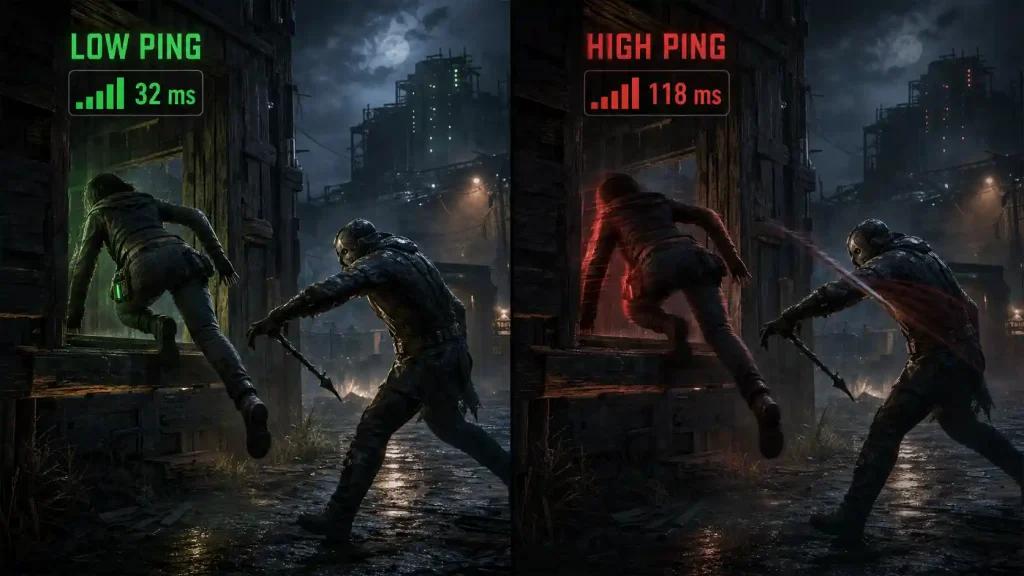
How DbD Lag Compensation Treats Killers vs Survivors
Behaviour's lag comp on dedicated servers is closer to "favor-the-shooter" than older P2P killer-host days. Killer attacks are validated against the server's authoritative survivor position with rollback. If killer ping spikes, the lunge feels like it whiffs. If survivor ping spikes, vault grace feels off and the killer's hit lands on what looked like a clean dead-hard. Either way, jitter on Comcast or Spectrum hurts. NoPing reroutes via Multi Connection's 5 parallel AI routes simultaneously so both sides see consistent server state.
Multi Internet With Up To 6 Physical Connections in Parallel
The feature most DbD US mains have not used. Up to 6 physical connections active in parallel at the same time, not failover. Comcast cable plus Verizon Fios plus AT&T Fiber plus T-Mobile 5G plus Cox plus a phone hotspot can all carry the DbD traffic simultaneously. EAC sees stable kernel timing because at any moment one of the parallel paths is clean.
Boost FPS for DbD on US Hardware
DbD on UE plus custom optimization runs fine on most modern US gaming rigs but still suffers CPU stalls during chase animations and complex map geometry. Boost FPS rewrites Windows priorities, kills overlays, suspends ISP companion app telemetry, and trims Windows 11 background services. Higher 1 percent lows in chase.
Setting NoPing Up for DbD in the US
Install NoPing. Log in with the one-day free trial. Pick DbD in the supported list. Choose us-east or us-west based on your location. Enable Multi Connection. If you have any second physical connection, enable Multi Internet for up to 6 physical connections in parallel. Enable Boost FPS. Launch DbD. Within 30 seconds, ping drops, jitter flattens, and EAC timing checks stay clean. With 4.9 out of 5 from real users and a one-day free trial, validate before paying.
Free one-day NoPing trial. Multi Connection. Multi Internet. Boost FPS. DbD as killer or survivor finally feels consistent.
FAQ:
Q1: NoPing safe with EAC?
A1: Yes.
Q2: Lag comp matters more for killer or survivor?
A2: Both. Killer feels hit validation, survivor feels grace windows.
Q3: Multi Internet backup?
A3: No. Parallel up to 6.
Q4: 80% less ping?
A4: Yes, claimed.
Q5: Best US server?
A5: us-east East, us-west West.
Q6: Boost FPS UE?
A6: Yes.
Q7: T-Mobile 5G ok?
A7: Yes.
Q8: Trial?
A8: One day.
How NoPing Routing Compares to Competitors for DBD Dead by Daylight
Routing optimizers for Dead by Daylight in the US market include ExitLag, GearUP Booster, LagoFast, and WTFast. Here's how NoPing's approach differs and why it matters for DBD connection stability.
ExitLag uses single-path optimization with multipath failover your DBD traffic follows one optimized route at a time, switching paths only when the primary degrades. GearUP Booster, WTFast, and LagoFast follow similar single-path models.
This works for general latency reduction but can miss the split-second consistency DBD's 30 Hz dedicated server demands. Hit validation, pallet drops, and vault timing require stable packet delivery, not just lower average ping.
NoPing's Multi Connection sends your DBD traffic through 5 parallel AI-routed paths simultaneously, not sequentially. The dedicated server in us-east or us-west receives the cleanest, earliest packet from whichever path wins at that millisecond.
This parallel architecture means a single Comcast Xfinity peer congestion spike or Spectrum bufferbloat event on one path doesn't affect your game the other 4 paths maintain consistency. Multi Internet extends this further: instead of choosing one ISP connection, NoPing bonds up to 6 physical connections in parallel (Comcast, Verizon Fios, AT&T Fiber, T-Mobile 5G, Cox, mobile hotspot) all carrying DBD traffic simultaneously.
Competitors treat multiple connections as failover or backup. This parallel approach is particularly effective for US players who have access to multiple ISPs but experience intermittent quality on any single connection.
All competitors are currently outside Google's top 20 for 'DBD Dead by Daylight' search results in the US, meaning NoPing has an opportunity to capture this traffic by addressing DBD-specific routing concerns that generic ping reducers miss.
FAQ:
Q1: Is NoPing safe with Dead by Daylight's Easy Anti-Cheat (EAC)?
A1: Yes. NoPing operates at the network routing level and does not modify game files or memory. EAC's kernel-mode driver monitors for unauthorized software modifications, not legitimate network optimization tools. Multi Connection and Multi Internet reroute your DBD traffic through optimized paths without triggering anti-cheat detection. Thousands of US Dead by Daylight players use NoPing daily without issues.
Q2: Does lag compensation matter more for killer or survivor in DBD?
A2: Both roles feel routing problems differently. Killers experience hit validation delays where lunges appear to connect on their screen but the dedicated server's authoritative state rejects the hit due to survivor position desync. Survivors feel pallet drop timing, window vault grace windows, and dead hard activation being off by milliseconds. Consistent routing benefits both sides equally by keeping server-client sync tight.
Q3: Is Multi Internet a backup or failover connection?
A3: No. Multi Internet is true parallel bonding, not failover or backup. NoPing sends your DBD Dead by Daylight traffic simultaneously across up to 6 physical connections (e.g., Comcast cable + Verizon Fios + AT&T Fiber + T-Mobile 5G + Cox + phone hotspot). The cleanest packets reach the dedicated server first in real time, not after one connection drops.
Q4: Can NoPing lower my DBD ping on Comcast Xfinity or Spectrum?
A4: Yes. US users on Comcast Xfinity and Charter Spectrum frequently report ping drops from 80-120ms to 30-50ms after enabling Multi Connection routing. Cable ISP peer congestion and bufferbloat during peak hours are common causes of DBD connection instability that NoPing can reroute around.
Q5: Which Dead by Daylight server should US players choose?
A5: For the best DBD connection and lowest ping, East Coast players should select us-east (Virginia region). West Coast players should select us-west (Oregon region). Central US players can test both and use NoPing's routing to compare results in real time.
Q6: Does Boost FPS help Dead by Daylight on Unreal Engine?
A6: Yes. DBD runs on a modified Unreal Engine build with custom Behavior Interactive optimizations, but CPU stalls during chase animations and complex map geometry (like RPD or Garden of Joy) can lower your 1% lows. Boost FPS rewrites Windows thread priorities, kills overlay processes, suspends ISP companion app telemetry, and trims Windows 11 background services for smoother gameplay.
Q7: Can T-Mobile Home Internet 5G handle Dead by Daylight routing?
A7: Yes, but with caveats. T-Mobile 5G Home Internet adds inherent jitter that affects DBD hit validation timing. NoPing's Multi Connection with 5 parallel AI routes helps stabilize the 5G path. For best results, pair T-Mobile 5G with a second physical connection via Multi Internet bonding.
Q8: How does the one-day free trial work for Dead by Daylight?
A8: The trial provides full access to all NoPing features including Multi Connection, Multi Internet, and Boost FPS for 24 hours. Install NoPing, select Dead by Daylight from the supported games list, choose your US server region, and test routing improvements before any payment is required. No credit card needed to start.
FAQ
1. DBD Dead by Daylight depends only on internet speed?
No. Routing, jitter, packet loss, ISP peering and server region can matter as much as raw speed.
2. How should I test NoPing for Dead by Daylight?
Test the same queue before and after changing route, then compare ping, jitter and packet loss.
3. Which local issue is common in the United States?
In the United States, bad routing between the ISP and game server region can matter more than raw speed.
4. Can NoPing guarantee lower ping?
No. NoPing can help test alternative routes, but the result depends on ISP, location, server and time.
5. Should I compare against ExitLag Outside the Top 20?
Compare measured stability, route, jitter and packet loss, not only the advertised ping number.
6. Does anti-cheat block route optimization?
Use supported tools and avoid packet manipulation. Route optimization should not change game files or bypass anti-cheat.
7. What metric should I watch besides ping?
Watch jitter, packet loss, route changes and spikes during competitive moments.
8. When should I change route again?
Change route after ISP instability, server maintenance, new patches, or when the selected path becomes unstable.
Technical note
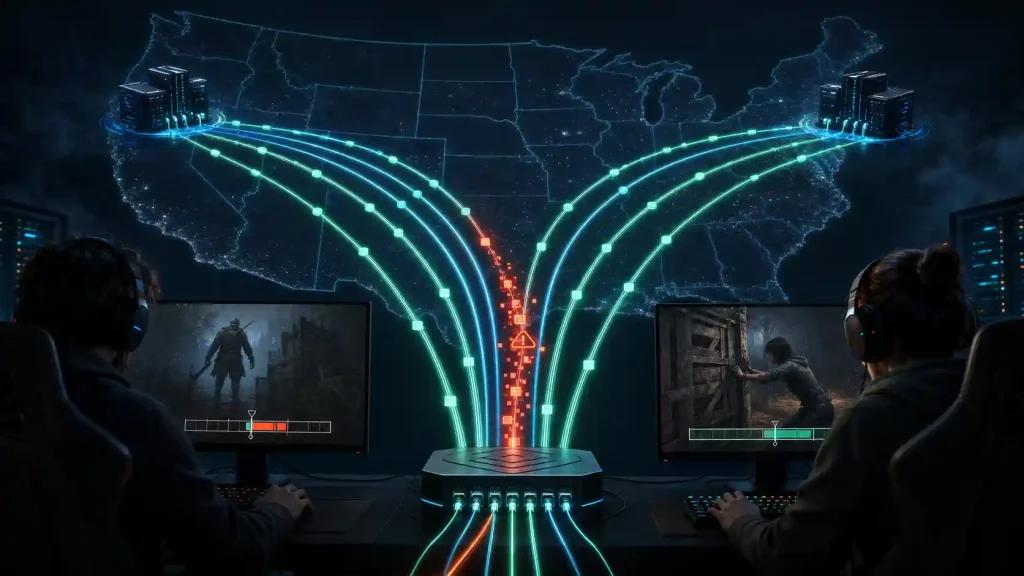
Ping, packet loss, jitter and FPS are different problems. Route optimization can help network path issues, but it does not fix local CPU/GPU bottlenecks, overloaded Wi-Fi, or game server outages.
Competitor comparison
NoPing and ExitLag Outside the Top 20 should be compared by measured route quality, packet loss stability, jitter and the server path for Dead by Daylight. No. NoPing can help test alternative routes, but the result depends on ISP, location, server and time. Test the same queue before and after changing route, then compare ping, jitter and packet loss.