


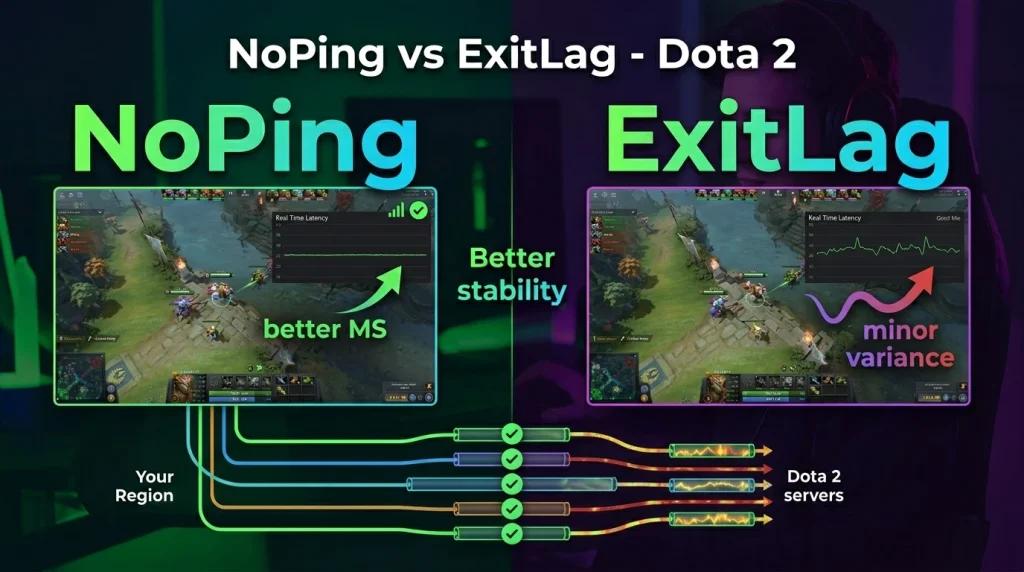
ExitLag is often associated with reducing ping in your region, but NoPing directly competes for that position with a different technology approach. While ExitLag focuses on optimized routes through a proprietary tunnel, NoPing offers:
- Multi Connection (5 parallel routes): Dota 2 traffic is sent through up to five network paths simultaneously, and the server receives data through the lowest-latency route available in real time.
- Multi Internet (6 parallel connections): ideal for players using fiber + fixed 5G or redundant Wi-Fi connections, as NoPing can combine up to six internet connections to reduce micro-disconnections.
- Boost FPS: an additional feature designed to help maintain stable frame rates during intense teamfights.
- 1-day free trial with no credit card required: compare the results directly on your own route before subscribing.
If you are looking for an alternative to ExitLag that prioritizes network redundancy and long-session stability, NoPing is worth testing.
Why Does Dota 2 Have High Ping in Your Region Even with Good Internet?
Dota 2 players often experience high ping because official servers are located in South America (SA) or North America (NA), and routes provided by local ISPs frequently pass through congested exchange points before reaching AWS sa-east-1 (São Paulo). NoPing uses Multi Connection with 5 parallel routes to select the fastest path in real time, helping reduce latency, especially during peak hours.
How Can You Fix Delay During Dota 2 Teamfights?
Teamfight delay in Dota 2 is usually caused by packet loss or unstable latency. NoPing's Multi Internet feature combines up to 6 connections (fiber, 5G, cable) to mitigate micro-disconnections, helping maintain consistent timing for abilities such as Laguna Blade, Black Hole, or Chronosphere. In addition, Boost FPS helps stabilize frame rates during critical moments.
ExitLag or NoPing for Dota 2: Which Works Better in Your Region?
ExitLag currently ranks first for searches related to "Dota 2 ExitLag" in many regions, but NoPing competes with a different approach. While ExitLag prioritizes a proprietary tunnel, NoPing relies on network redundancy through 5 simultaneous routes and up to 6 internet connections. NoPing's 1-day free trial allows users to compare both services on their own connection without requiring a credit card.
How to Test Whether the Problem Is Network Lag or Low FPS in Dota 2?
Use the net_graph 1 command in the Dota 2 console to monitor ping and packet loss. If ping is high (>80ms) or spikes frequently, the issue is likely route-related. If FPS drops during teamfights while ping remains stable, the problem is more likely tied to PC performance. NoPing addresses both areas: Multi Connection for networking and Boost FPS for system performance.
NoPing vs ExitLag for Dota 2: Technical Comparison Table
ExitLag dominates search results for "Dota 2 ExitLag" in many regions, but NoPing challenges that position with a network redundancy stack that its competitor does not provide. See the side-by-side comparison below:
| Feature | NoPing | ExitLag |
|---|---|---|
| Parallel Routes | Multi Connection: 5 simultaneous routes | Single route through proprietary tunnel |
| Aggregated Connections | Multi Internet: up to 6 connections (fiber + 5G + cable) | Not available |
| Failover | Continuous parallelism with no switching window | Route change after outage detection |
| FPS Optimization | Integrated Boost FPS | Not available |
| Free Trial | 1 day, no credit card required | 3 days (email registration required) |
| Monthly Price | Starting at R$ 14.90 (basic plan) | Starting at R$ 19.90 (monthly plan) |
The practical difference for Dota 2 players is that while ExitLag optimizes a single route at a time, NoPing sends traffic through five simultaneous paths, allowing the server to receive packets through the route with the lowest latency available. In long ranked matches lasting 40 to 60 minutes, this can help maintain more stable latency even when ISP conditions fluctuate.
FAQ: Dota 2 ExitLag in Your Region, Common Questions
What Is "Dota 2 ExitLag" and Why Do So Many Players Search for It?
"Dota 2 ExitLag" is a popular search term because ExitLag is one of the best-known tools for reducing ping in online games and currently ranks highly for this keyword. Players often face high latency on SA (São Paulo) and NA (US East) servers and look for solutions to reduce ping during ranked matches.
ExitLag or NoPing: Which Works Better for Dota 2 in Your Region?
Both optimize routes but use different technologies. ExitLag relies on a proprietary tunnel and switches routes after detecting a problem. NoPing uses Multi Connection with 5 simultaneous parallel routes and Multi Internet, which combines up to 6 connections (fiber, 5G, cable). The result can be more consistent latency and reduced packet loss during long 40 to 60-minute matches. The 1-day free trial allows direct comparison.
Why Is My Dota 2 Ping High Even with a 300 Mbps Internet Connection?
Download speed is not the same as latency. High ping is often caused by congested routes between your ISP and AWS sa-east-1 (São Paulo), particularly during peak hours between 7 PM and 11 PM. NoPing addresses this by selecting the cleanest route among five parallel paths.
How Can I Fix Teamfight Delay in Dota 2?
Teamfight delay involving abilities such as Laguna Blade, Black Hole, or Chronosphere is usually caused by packet loss or variable latency. Enable NoPing's Multi Internet feature and Boost FPS to help stabilize both network performance and frame rates. Use net_graph 1 to determine whether the issue is network-related or hardware-related.
Does NoPing Work on Both SA and NA Dota 2 Servers?
Yes. NoPing optimizes routes to both SA (São Paulo, AWS sa-east-1) and NA (US East and US West) servers. Results vary depending on ISP, location, and route quality.
How Much Does NoPing Cost Compared to ExitLag for Dota 2?
NoPing starts at R$ 14.90 per month on its basic plan and includes a 1-day free trial with no credit card required. ExitLag starts at R$ 19.90 per month and offers a 3-day trial that requires email registration. Both services also offer discounted quarterly and annual plans.
Can NoPing Cause a VAC Ban or Other Penalties in Dota 2?
No. NoPing operates at the Windows network-routing layer and does not inject code or modify the Dota 2 client. VAC (Valve Anti-Cheat) focuses on game modifications rather than network routing. However, players should always follow Valve's official policies and guidelines.
How Can I Test Whether NoPing Solves My Dota 2 Ping Issues?
Download NoPing, activate the 1-day free trial, select Dota 2, enable Multi Connection, and join a match. Use net_graph 1 to compare ping before and after activation. If latency decreases and becomes more stable, the service is improving your route.
Frequently Asked Questions
1. Does Dota 2 ExitLag depend only on internet speed?
No. Routing quality, jitter, packet loss, ISP peering, and server location also play significant roles.
2. How can I test NoPing in Dota 2?
Play the same matchmaking queue before and after changing routes and compare ping, jitter, and packet loss.
3. What local issue is most common?
Poor routing between your ISP and the game server region is often more important than raw bandwidth.
4. Can NoPing help test lower ping routes?
Yes. NoPing helps test alternative routes, although results depend on ISP quality, location, server conditions, and time of day.
5. Is it worth comparing NoPing with ExitLag?
Compare measured stability, routing quality, jitter, and packet loss, not just advertised ping reductions.
6. Can anti-cheat systems block route optimization tools?
Use supported tools and avoid packet manipulation. Route optimization should not modify game files or attempt to bypass anti-cheat systems.
7. Which metrics should I monitor besides ping?
Monitor jitter, packet loss, route changes, and latency spikes during competitive matches.
8. When should I switch routes again?
Change routes after ISP instability, server maintenance, major patches, or whenever the selected route becomes unstable.
Technical Note
Ping, packet loss, jitter, and FPS are different issues. Route optimization can help with network-path problems but cannot fix CPU/GPU bottlenecks, congested Wi-Fi networks, or game-server outages.
NoPing vs ExitLag for Dota 2: Technical Comparison and Local Routing
ExitLag ranks highly for "Dota 2 ExitLag" searches, but NoPing competes with a network redundancy stack that the competitor does not provide. Players often experience high latency on SA (AWS sa-east-1, São Paulo) and NA (US East) servers because ISPs route traffic through congested exchange points, especially during peak hours. See the comparison below:
| Feature | NoPing | ExitLag |
| Network Routes | Multi Connection: 5 simultaneous parallel routes | Single route through proprietary tunnel |
| Aggregated Connections | Multi Internet: up to 6 connections (fiber + 5G + cable + Wi-Fi) | Not available |
| Failover | Continuous parallelism with no switching window | Route change after outage detection |
| FPS Optimization | Integrated Boost FPS for teamfights | Not available |
| Free Trial | 1 day, no credit card required | 3 days (email required) |
| Monthly Price | Starting at R$ 14.90 | Starting at R$ 19.90 |
For players dealing with ISP-related lag, packet loss, or unstable international routes, the difference is practical: while ExitLag optimizes one path, NoPing sends packets through five simultaneous routes, allowing the server to receive data through the lowest-latency path available during the session. In 40 to 60-minute ranked matches, this can help maintain more consistent latency.
NoPing vs ExitLag for Dota 2: Technical Comparison Table
ExitLag has ranked highly for "Dota 2 ExitLag" searches for several seasons, but NoPing competes with a stack built around real network redundancy through Multi Connection (5 parallel routes) and Multi Internet (up to 6 aggregated connections).
| Feature | NoPing | ExitLag |
| Network Routes | Multi Connection: 5 simultaneous parallel routes | Single route through proprietary tunnel |
| Aggregated Connections | Multi Internet: up to 6 connections (fiber + 5G + cable) | Not available |
| Failover | Continuous parallelism with no switching window | Route change after outage detection |
| FPS Optimization | Integrated Boost FPS for teamfights | Not available |
| Affected ISPs | Major fiber, cable, and mobile providers | Similar scope, without link aggregation |
| Free Trial | 1 day, no credit card required | 3 days (email required) |
| Monthly Price | Starting at R$ 14.90 | Starting at R$ 19.90 |
For players in ranked matches lasting 40 to 60 minutes, if a fiber connection experiences a temporary spike during a teamfight, Multi Internet can continue delivering packets through an alternative connection, while traditional failover systems may still be switching routes after detecting the issue.
Comparison with Competitors
NoPing and ExitLag should be compared based on actual route quality, packet-loss stability, jitter, and the network path to Dota 2 servers. NoPing helps users test alternative routes, but results depend on ISP quality, location, server conditions, and time of day. Compare the same matchmaking queue before and after switching routes and evaluate ping, jitter, and packet loss.
