

The right combination of internet provider, server region, PC hardware, and network routing can significantly improve the EA Sports FC 26 online experience.
Why a Good FC 26 Setup Matters
For competitive players in EA Sports FC 26, performance depends on more than download speed or graphics settings. Online matches are influenced by ping, packet loss, jitter, server selection, hardware stability, and network routing quality.
A strong setup combines a reliable internet service provider, the correct EA server region, modern PC hardware, and tools that help maintain stable routes during online matches, especially in modes such as Ultimate Team Champions (FUT Champs) and Division Rivals.
Choosing the Right Internet Provider for FC 26
The quality of the connection between a player's ISP and EA's servers can directly affect responsiveness during matches.
Among major U.S. providers, AT&T Fiber and Verizon Fios frequently deliver consistent routing and lower latency thanks to their fiber infrastructure.
Other popular providers, including Comcast Xfinity, Spectrum, CenturyLink, Cox, and Optimum, can also provide a solid experience, although routing performance may vary depending on location and network congestion.
Players using T-Mobile 5G Home Internet often experience fluctuating latency because wireless connections are more sensitive to congestion and signal changes. In these situations, connection management tools can help reduce jitter and improve stability.
Speed Isn't the Only Metric
Many players focus exclusively on internet speed. However, routing quality, jitter, packet loss, and ISP peering agreements often have a greater impact on online gameplay than raw bandwidth.
A 1 Gbps connection can still perform poorly if traffic follows an inefficient route to the game server.
Selecting the Correct FC 26 Server Region
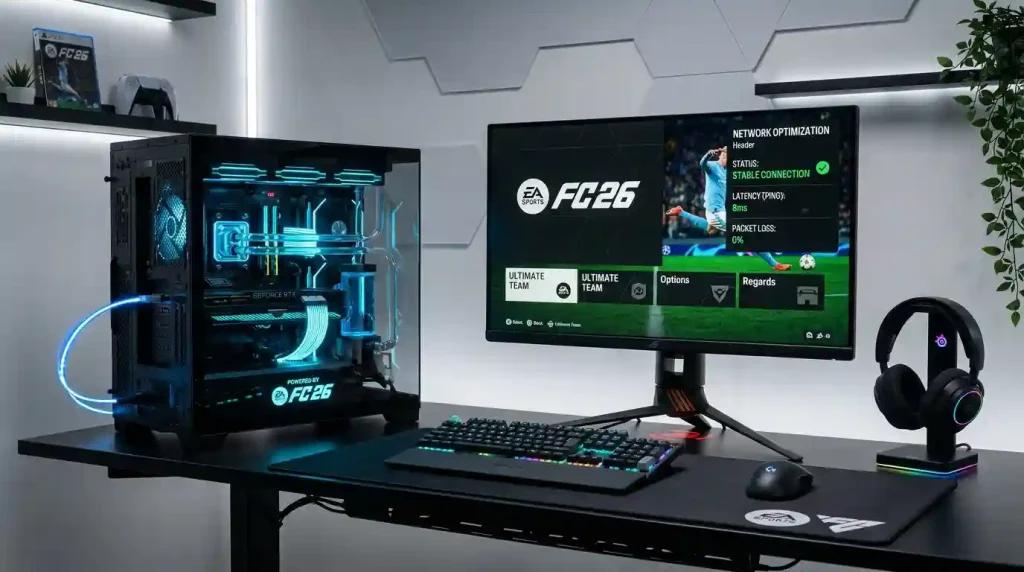
Choosing the nearest server region remains one of the simplest ways to improve online responsiveness.
NA-East Server
Players located on the East Coast generally achieve better results when connected to NA-East servers.
NA-West Server
Players on the West Coast typically benefit from NA-West servers, which reduce the physical distance data must travel.
Because network conditions change throughout the day, testing different routes during peak gaming hours can help identify the most stable option.
Recommended PC Hardware for EA Sports FC 26
Although EA Sports FC 26 is not among the most demanding PC games, hardware bottlenecks can affect gameplay consistency.
For competitive play, the following configuration is recommended:
Processor
- AMD Ryzen 5 or newer
- Intel Core i5 or newer
Memory
- 16 GB RAM minimum
- 32 GB RAM recommended for multitasking and streaming
Storage
- SSD required
- NVMe SSD preferred for faster loading and system responsiveness
Graphics Card
- NVIDIA GeForce RTX 3060 or equivalent
- AMD Radeon RX 6600 or equivalent
While FC 26 is generally not GPU-intensive, CPU-related frame pacing issues can affect animation timing, player responsiveness, and input consistency.
Network Optimization Tools for FC 26
Connection quality can fluctuate even with a strong ISP and capable hardware.
Several routing solutions allow players to test alternative paths between their network and EA servers.
NoPing Multi Connection
According to NoPing, Multi Connection simultaneously evaluates five parallel AI-powered routes, selecting the most efficient path based on current network conditions.
NoPing Multi Internet
The company's Multi Internet feature supports up to six physical internet connections operating in parallel.
This differs from traditional failover systems because traffic can be distributed simultaneously rather than switching only after a connection drops.
Boost FPS
NoPing also includes Boost FPS, a feature designed to reduce background processes that may interfere with game performance and frame consistency.
The company states that some users report latency reductions of up to 80%, although results depend on factors such as ISP, geographic location, server load, and time of day.
Real-World Latency Examples
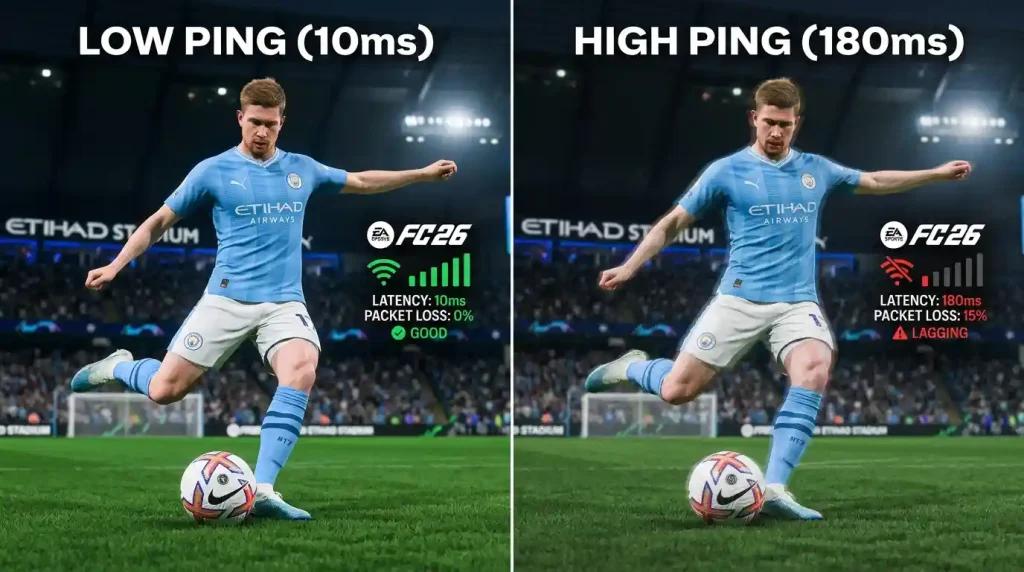
In one example shared by the company, a player using Comcast Xfinity in Chicago connected to an NA-East server experienced an average latency of approximately 78ms with 3ms to 5ms jitter.
After testing an optimized route through Multi Connection, latency reportedly decreased to around 22ms, while jitter remained below 1ms.
Another example involved a T-Mobile 5G Home Internet user in Dallas who experienced jitter spikes of approximately 38ms during peak FUT Champs periods. After combining the connection with a secondary mobile network through Multi Internet, jitter reportedly stabilized between 2ms and 4ms.
Individual results vary depending on network conditions and server congestion.
Comparing Route Optimization Services
When evaluating routing solutions such as NoPing and competitors, players should focus on measurable metrics:
- Average ping
- Jitter stability
- Packet loss
- Route consistency
- Latency spikes during gameplay
Testing the same FC 26 matchmaking queue before and after changing routes provides a more accurate comparison than relying solely on advertised latency reductions.
Frequently Asked Questions
What is the best ISP for FC 26 in the United States?
AT&T Fiber and Verizon Fios are commonly regarded as strong options due to their fiber networks and routing consistency.
Which FC 26 server should I choose?
Use NA-East if you are closer to the East Coast and NA-West if you are located on the West Coast.
What hardware is recommended for FC 26?
A Ryzen 5 or Intel Core i5, 16GB RAM, and an RTX 3060-class GPU provide a solid foundation for competitive play.
Does route optimization guarantee lower ping?
No. Results depend on ISP routing, location, server load, and current network conditions.
What metrics should I monitor besides ping?
Players should also track jitter, packet loss, route changes, and latency spikes during competitive matches.
Can route optimization tools work with anti-cheat systems?
Supported routing tools typically focus on network traffic paths and do not modify game files. Players should always use software that complies with the game's policies.
Conclusion
A strong EA Sports FC 26 setup for U.S. players combines a reliable ISP, the correct server region, modern PC hardware, and consistent network routing. Monitoring ping, jitter, packet loss, and route quality provides a more accurate picture of online performance than internet speed alone. Testing different routes and server configurations remains one of the most effective ways to identify the best connection for competitive play.
