

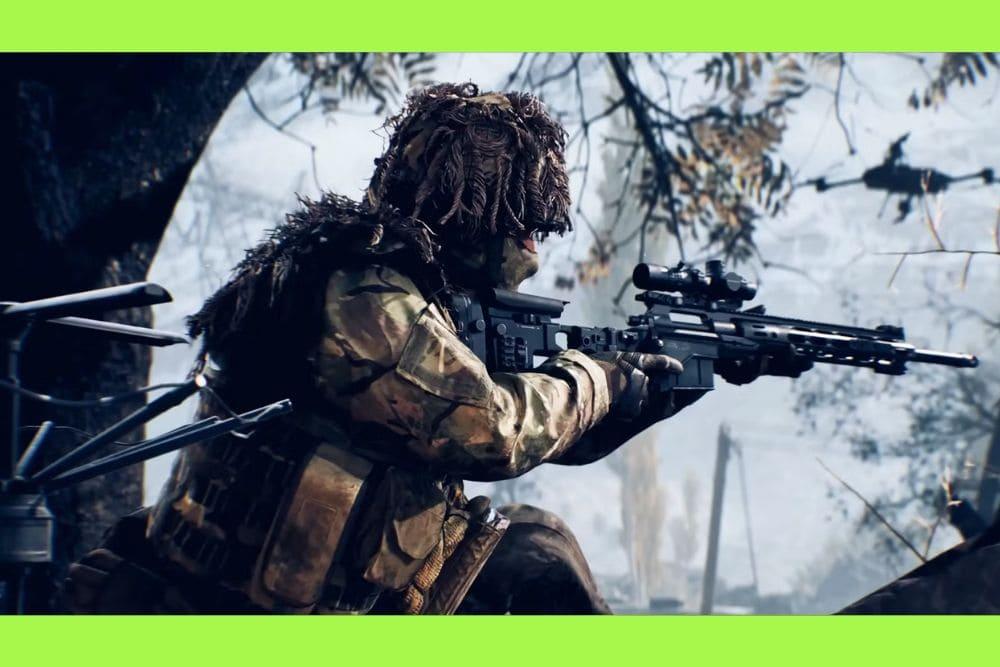
If you're looking to significantly boost your stability and accuracy, especially when laying down suppressive fire with an LMG or holding a crucial sightline with a Sniper Rifle, knowing how to deploy bipod in Battlefield 6 is absolutely essential.
The bipod is a tactical accessory that, when properly mounted on a surface, transforms your weapon into a laser beam, drastically reducing recoil and weapon sway.
This guide will walk you through the simple steps and the best strategies to master this often-underutilized mechanic.
What is a Bipod and Why Should I Use It?
What is the bipod in Battlefield 6?
The bipod is a weapon attachment, typically used on Light Machine Guns (LMGs) and certain Sniper Rifles, that allows a player to stabilize their weapon on a solid surface, such as the ground when prone, a window ledge, or a low wall.
Why should I prioritize using the bipod?
You should prioritize using the bipod because it provides an unparalleled boost to weapon stability, making your shots far more accurate and manageable.
For the Support class, who often wield LMGs, the bipod is a game-changer. LMGs are known for having high recoil and significant muzzle climb, which can make long bursts of fire challenging to control.
When the bipod is deployed, this recoil is dramatically reduced, allowing you to sustain fire on enemy positions with surgical precision.
This is critical for fulfilling the Support role: pinning down enemies and suppressing their movements to give your squad an advantage.
Similarly, for the Recon class using heavy Sniper Rifles, deploying the bipod eliminates weapon sway, turning your one-shot kill potential into a reliable certainty.
Holding a breath helps, but nothing beats the rock-solid stability of a deployed bipod for long-range engagements.
In the fast-paced, large-scale battles of Battlefield 6, where engagements can happen across vast distances, any edge in accuracy is a matter of life and death. The trade-off is reduced mobility while mounted, but for static defense or providing overwatch, this stability is priceless.
Also read: How to Solve PC Crashing When Starting Battlefield 6
How Do I Deploy the Bipod in Battlefield 6?
What are the basic controls for deploying the bipod?
To deploy the bipod in Battlefield 6, you typically need to aim down sights (ADS) near a suitable surface and then press the dedicated 'Mount' or 'Deploy Bipod' key.
What are the default button mappings for bipod deployment on PC and Console?
The default controls for bipod deployment vary slightly between platforms:
- On PC: You first Aim Down Sights (Right Mouse Button) and then press the F key when you see the prompt appear on the screen.
- On Console (PlayStation 5 and Xbox Series X/S): You first Aim Down Sights (Left Trigger/L2) and then press the Right Stick Button (R3/RS).
The bipod feature in Battlefield 6 has been streamlined compared to some previous titles, but it still requires an active step.
Unlike games where simply going prone might automatically deploy it, Battlefield 6 generally prompts you to manually mount your weapon after aiming at an appropriate surface or while prone.
This approach gives you more control, preventing the bipod from deploying accidentally when you want to remain mobile.
Always check your in-game settings under the "Infantry/Passenger Control Mapping" to confirm the current keybind for "Deploy Bipod/Mount," as custom settings can change the default.

What are the Ideal Situations and Surfaces for Deployment?
When is the best time to deploy the bipod?
The best time to deploy the bipod is anytime you are planning to hold a position for an extended period, such as defending a capture point, locking down a hallway, or engaging snipers at long range.
What surfaces allow for bipod deployment?
The bipod can be deployed on virtually any flat, solid object that is low enough to rest the weapon on, or on the ground while you are prone.
The game is generally good at giving you a prompt, but here are the prime locations:
- When Prone: Lying flat on the ground is the most basic and reliable way to use the bipod. You simply aim down sights and hit the deployment key, giving you a very low profile and maximum stability.
- Windows and Ledges: Setting up on a window sill or the ledge of a building provides an excellent vantage point for overwatch while offering substantial cover.
- Low Walls and Barricades: Any low structure, such as concrete barriers, sandbags, or waist-high wooden fences, are perfect bipod spots. They provide a stable rest and often shield your body from incoming fire.
- Vehicles and Rocks: In a pinch, you can often deploy your bipod on the hood of a destroyed vehicle, or a large, strategically placed rock.
What should I look for before deploying?
Before deploying, you must ensure you have a clear line of sight to your target area and that you are not overly exposed.
A deployed bipod makes you less mobile, effectively turning you into a static target. It is always best to deploy behind cover so that only your head and the top of your weapon are visible.
A great rule of thumb is to look for the on-screen prompt—if the game tells you that you can mount the weapon, you are in a good position to deploy the bipod.
Does Bipod Deployment Work on All Weapons?
Can I use the bipod on every gun in Battlefield 6?
No, you cannot use the bipod on every weapon, as it is an attachment that must be specifically equipped to compatible weapons.
Which weapon types in Battlefield 6 benefit most from a bipod?
The bipod is primarily used by the Support class on their Light Machine Guns (LMGs) and by the Recon class on certain Sniper Rifles and DMRs (Designated Marksman Rifles).
You will need to check the customization options for your chosen weapon to see if the bipod is available for that specific model.
In Battlefield 6, the attachment system allows for a great deal of personalization, so always review your weapon loadout before entering a match.
For LMGs, the bipod is non-negotiable for maximizing their potential. It turns a chaotic, high-fire-rate weapon into a controllable, sustained-fire tool.
For Snipers, it’s a tool for guaranteed accuracy, ensuring that those crucial long-range headshots land perfectly without the slight wobble that can come from free-hand aiming.
Also read: How to Fix Battlefield 6 Error Code 1:85008S
How Can I Master Bipod Usage for a Competitive Edge?
What is the biggest mistake players make when using the bipod?
The biggest mistake players make is becoming too reliant on the bipod in dynamic situations, or not being able to quickly disengage when flanked.
How can I use the bipod to gain a competitive advantage?
To gain a competitive advantage, you must combine the bipod's stability with smart positioning and good connection quality.
1. Strategic Positioning and Overlap of Fire:
Do not deploy in the open. Find a spot that allows you to see the main objective or a major choke point, but keeps you protected from multiple angles.
Coordinate with your squad to create "lanes of fire" where your deployed LMG can overlap with another player's, effectively making it impossible for the enemy team to advance.
2. Learn to Disengage Quickly:
Remember, you are an easy target when deployed. As soon as you suspect an enemy is flanking or you are being spotted by a sniper, be ready to disengage.
Simply move away from the mounted surface or stand up/crouch to pull the bipod back in. This requires a strong awareness of the minimap and your surroundings.
3. Optimize Your Connection:
Even the most stable shot is useless if you are battling connection issues. In a high-stakes, competitive shooter like Battlefield 6, network lag or packet loss can cause your shot to register late or not at all, negating the bipod's stability benefits.
Using a connection optimization service like NoPing can help ensure your inputs are transmitted instantly and reliably to the game server.
Here’s how to use NoPing to fix network issues in Battlefield 6:
- Sign-up through the website and download NoPing (you can try it for free)
- Open NoPing and search for Battlefield 6 inside the software
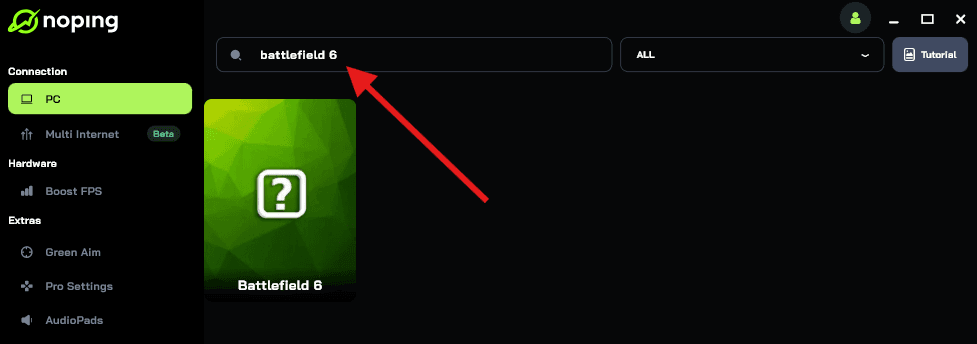
- Once you find Battlefield 6, click on it. Choose your server on the next screen and click on “Optimize Game”.
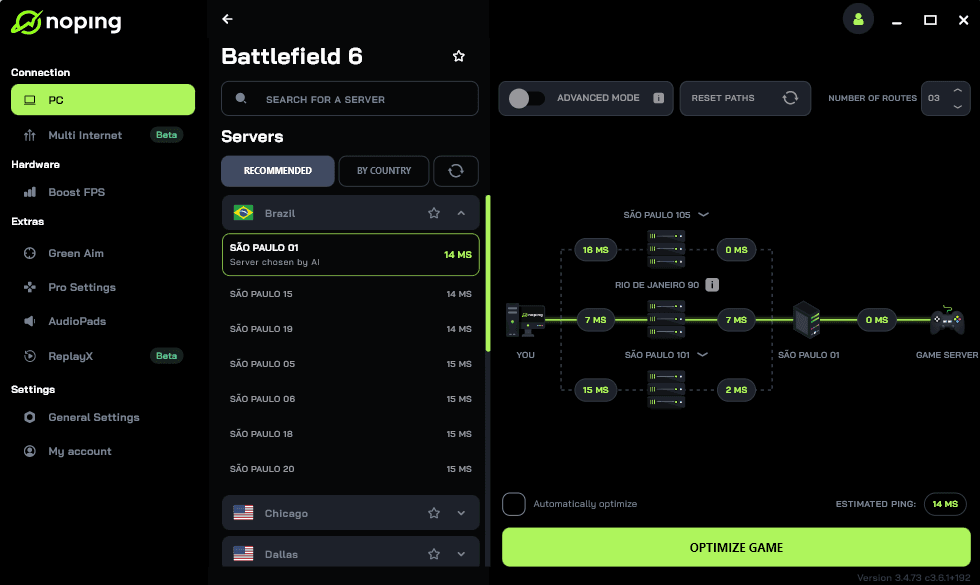
- And that’s it, you can start playing Battlefield 6 with optimized ping!
You can test different servers within NoPing to see which gives you the lowest latency.
Mastering the bipod is a key step toward becoming a better Support or Recon player in Battlefield 6. It's a simple mechanic with a huge impact on your effectiveness.
Now, get out there, find your perfect spot, deploy that bipod, and lock down the map!
Play Battlefield 6 with top performance. Download NoPing now and start your free trial!