

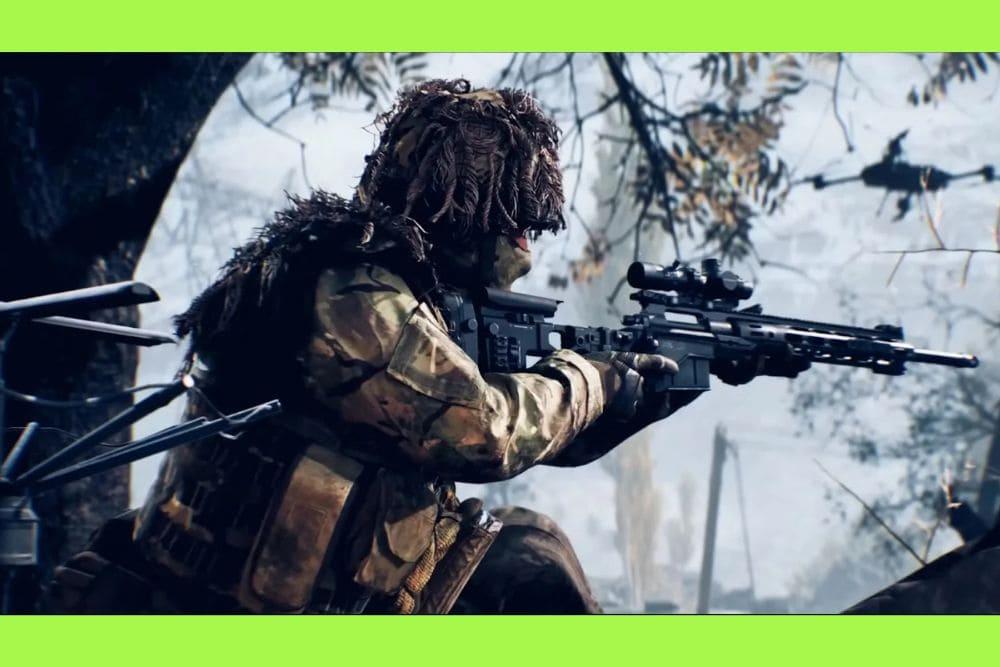
Accuracy is the name of the game, especially when you're lurking, waiting for the perfect shot. The introduction of the rangefinder in Battlefield 6 brought a significant change for snipers and DMR players, greatly simplifying the complicated equation of bullet drop over long distances.
This attachment, a true game changer, automates distance calculation and scope zeroing, allowing you to focus on the most important thing: hitting the target.
But what exactly is this attachment, and more crucially, how can you use it to turn every shot into a bullseye?
For the gamer seeking consistent headshots, understanding the Rangefinder's mechanics is not optional, it's essential.
First, How to Use the Rangefinder in Battlefield 6? (activation command)
The standard command to activate the Rangefinder is holding the B key on PC or holding down the D-Pad on consoles (PlayStation/Xbox), while aiming with a compatible scope.
Automatic zeroing is not done simply by aiming. You need to press or hold the "Rangefinder Zeroing" command while aiming down sights (ADS) at the target.
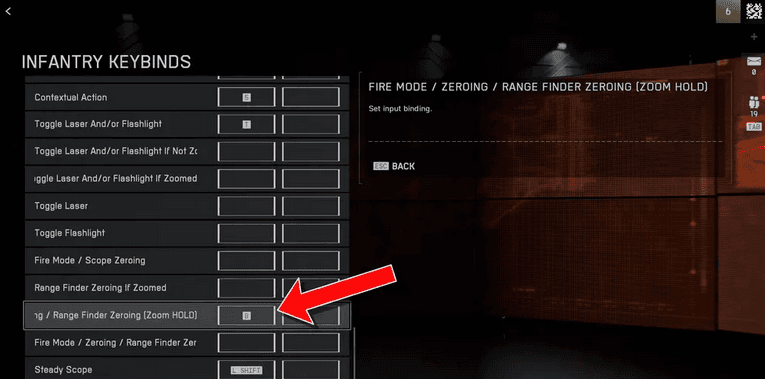
- On PC: Hold the B key (or the key configured for "Zeroing / Adjust Zero Distance").
- On Console: Hold the D-Pad down.
By doing this, the system will measure the distance to the point where your crosshair is focused, and you will see the updated zeroing value (e.g., "453m") in the bottom right of your screen, usually above your ammo counter.
The zeroing is then adjusted for that distance, and your next shot with the Rangefinder active should hit the center of your scope at that range. Snipers, however, cannot zero for distances below 100 meters.
What is the Rangefinder in Battlefield 6?
The Rangefinder is a weapon attachment that calculates the distance to the point where your scope is aimed and automatically adjusts your scope's zeroing.
In simple terms, in the Battlefield 6 universe, all bullets are subject to gravity and lose altitude the farther they travel.
This is the famous bullet drop. Under normal conditions, the player needs to estimate the distance to the target (e.g., 300 meters) and manually adjust the scope's zeroing to that value.
Adjusting the zeroing to 300m means that the center point of your crosshair will shoot straight up to that distance, disregarding bullet drop until then. Manual zeroing is a trial and error process, especially under pressure.
The Rangefinder eliminates this guesswork. When activated, it measures the exact distance, millimeter by millimeter, and calibrates the scope so that the shot hits precisely the center of your reticle at that range.
In essence, it virtually "removes" the bullet drop for that specific distance at the moment of firing.

How Does the Rangefinder Transform the Sniping Experience?
The transformation is drastic:
- Instant and Precise Zeroing: Instead of manual zeroing in 100-meter increments, the Rangefinder makes the exact adjustment, such as 453m, which exponentially increases the chance of hitting targets at extreme ranges.
- Reduced Learning Curve: The main barrier for sniping newcomers is compensating for bullet drop. The attachment allows new players to focus on tracking and lead (predicting the moving target's trajectory), instead of worrying about ballistics.
- Speed Against Multiple Targets: In situations where you need to quickly switch between targets at 200m and 500m, the Rangefinder allows for an immediate and precise transition, something nearly impossible with manual zeroing.
How Do I Unlock and Equip the Rangefinder?
You unlock the Rangefinder by leveling up the Mastery Rank of certain weapons, such as Sniper Rifles and DMRs.
The Rangefinder is not a universally available attachment. It is designed specifically for the weapon classes that need long-range precision, such as Sniper Rifles (e.g., the M2010 ESR) and Designated Marksman Rifles (DMRs, like the M39 EMR).
- Unlocking: The attachment is usually unlocked by reaching Mastery Level 4 with a compatible weapon. Actively playing with the weapon, accumulating kills, and completing specific weapon challenges is the way to unlock it.
- Equipment Slot: Once unlocked, you find it in the attachment slot, specifically in the Right Accessory slot of your weapon.
- Compatibility: It is important to note that the Rangefinder only works with magnified scopes. Iron sights or 1x optics do not display range values and are not affected by zeroing. It also typically consumes a certain number of Attachment Points in the weapon customization system.
Also read: How to Turn Off Adaptive Triggers in Battlefield 6?
Is There a Way to Optimize Rangefinder Usage?
Yes, experienced players have found a way to reconfigure the keybind so that zeroing is instantaneous whenever you aim or shoot.
Keybind reconfiguration is the most efficient way to use the Rangefinder in Battlefield 6, to the point where some in the community consider the Rangefinder, when optimized, as an attachment that removes almost all the challenge of long-range sniping.
The Elite Setup: Zeroing on ADS
The most popular optimization is to link the Rangefinder command (Zeroing / Adjust Zero Distance) to a very frequently used key:
- Access Settings: Go to Settings > Controls > Key Bindings.
- Find the Command: Look for "Zeroing / Adjust Zero Distance" or, more specifically, "Range Finder zeroing (if zoomed)".
- Link to ADS: On PC, add the right-mouse button (RMB) key to the Rangefinder's keybind. On consoles, this can be more complex due to button limitations, but some players try to link the Rangefinder to an aim button (Aim Down Sights - L2/LT) or a fire button (R2/RT), although the latter can be a bit risky.
The Result: When aiming at the target (ADS), the zeroing is triggered automatically and instantly, adjusting the scope to the exact distance. This means you only need to aim and shoot, with bullet drop compensated for with every new target.
Why Do Some Players Criticize This Optimization?
The criticism is based on the reduction of the required skill:
- Removal of Skill: Traditional sniping in Battlefield required the player to know the weapon's ballistics, estimate the range, and manually adjust the scope or use reticle markings (holdovers). The automatic Rangefinder removes the need for estimation and manual zeroing.
- Disproportionate Advantage: Instant zeroing gives snipers a massive advantage in long-range engagements, turning the shot into something close to hitscan (instant hit) compared to other shooters who need to compensate manually.
Despite the controversy, this reconfiguration is an accepted technique in the game, and mastering it means maximizing the effectiveness of your Rangefinder.
Also read: Is Battlefield 6 Cross Platform? Let’s Find Out
Do you want to take your precision and reaction to the maximum?
With the Rangefinder, you've eliminated in-game ballistics error, but your connection can still be the weak point.
Your long-range shots need minimal latency and maximum stability to ensure that what you see is what happens on the server.
NoPing is a service designed to optimize your route to Battlefield 6’s servers. Sometimes, the normal path your internet provider uses isn’t the fastest. NoPing reroutes your data through a better, more direct path.
Here’s how to use NoPing to fix network issues in Battlefield 6:
- Sign-up through the website and download NoPing (you can try it for free)
- Open NoPing and search for Battlefield 6 inside the software
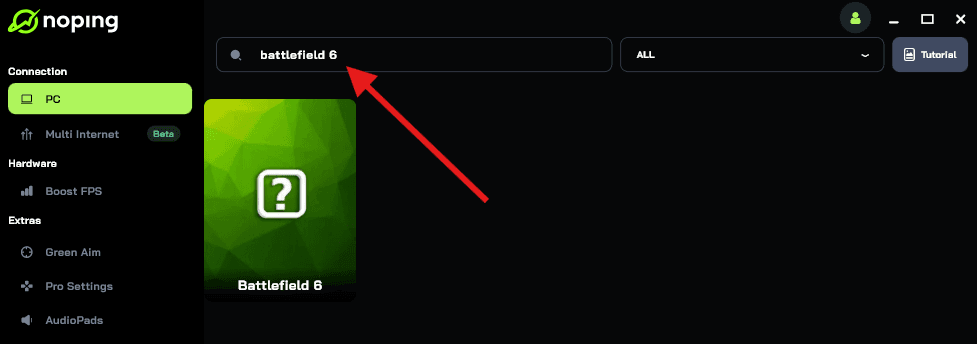
- Once you find Battlefield 6, click on it. Choose your server on the next screen and click on “Optimize Game”.
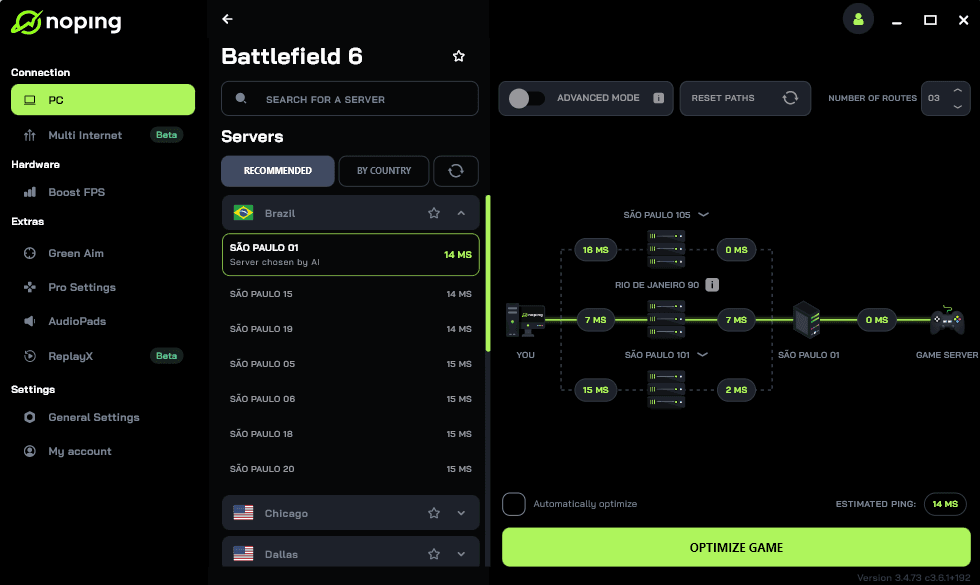
- And that’s it, you can start playing Battlefield 6 with optimized ping!
You can test different servers within NoPing to see which gives you the lowest latency.