


AION 2, the highly anticipated successor to the classic NCSOFT MMORPG, has launched exclusively on select Asian servers, including Taiwan.
If you're eager to join the action now and dive into the new era of aerial combat and expansive PvP, this guide will walk you through the necessary steps.
Although the game does not yet have a global release, you can access the Taiwan server. The following steps detail how to set up your account, download the game via the required platform, and optimize your connection for the best experience.
1. Purple Platform Account Setup
Purple is the proprietary platform used by NCSOFT to distribute and launch AION 2 in Taiwan. You must have an account to proceed.
- Step 1: Navigate to Purple
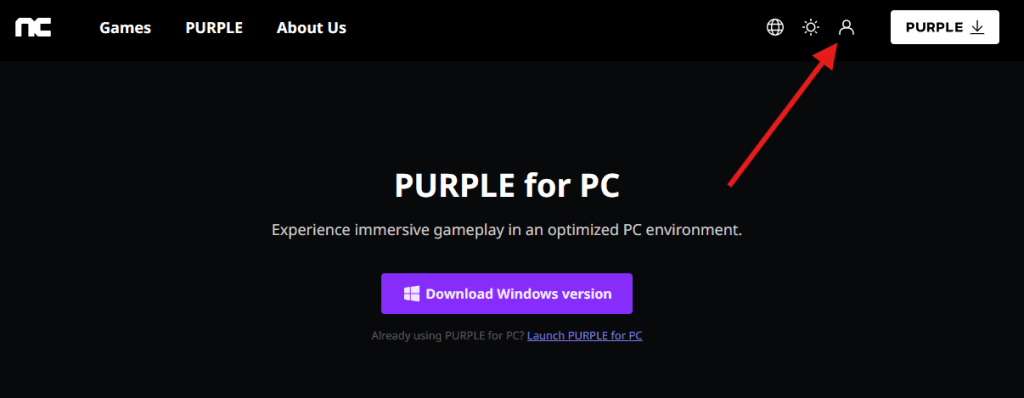
Visit the official Purple website. - Step 2: Initiate Registration
Look for the profile or person icon (located in the upper right-hand corner) and click it to reach the account creation page.
- Step 3: Create Your Account
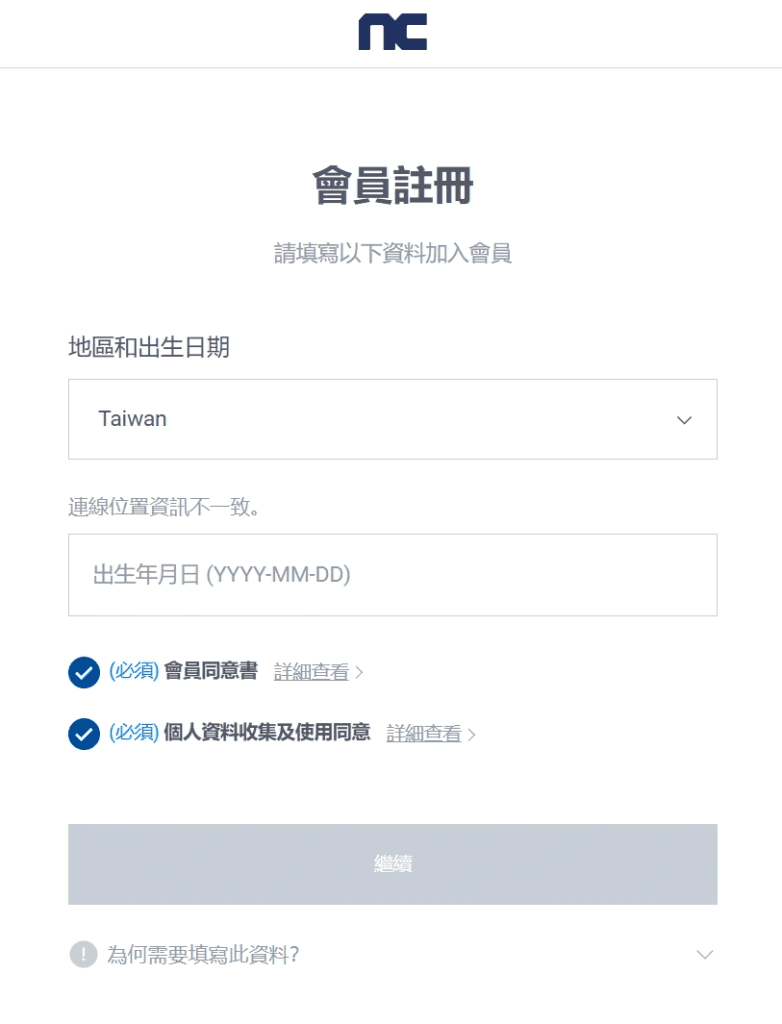
You can register using various options, such as email, a Google account, or an Apple ID.
IMPORTANT: During the setup process, when prompted to select a service region, ensure you choose Taiwan.
2. SMS Verification Workaround (If Needed)
Players often encounter issues receiving the SMS verification code due to their international phone number's country code. If this happens, a temporary number service can provide a solution.
- Temporary Number Solution:
Consider using a service like SMS24.me to obtain a temporary foreign phone number. Use this temporary number to receive the verification code needed to finalize your Purple account registration.
3. Downloading and Installing AION 2
Once your Purple account is verified and set up for the Taiwan region, you can download the launcher and the game itself.
- Step 1: Download the Purple Launcher
Return to the official Purple website and find the download button to install the Purple launcher application on your PC.

- Step 2: Install AION 2
Log into the newly installed launcher. Within the Purple interface, search for AION 2 and begin the download and installation process for the game.
4. Connection Optimization for Low Latency
Since the AION 2 servers are based in Taiwan, players accessing the game from North America, Europe, or other distant regions will likely experience high latency (ping). NoPing is the most effective way to address this.
NoPing is a platform designed to reroute your connection through optimized servers, aiming to provide the lowest possible latency and maximum connection stability for a lag-free experience.
Here’s how to use NoPing to fix high ping in AION 2:
- Sign-up through the website, clicking on “Login” in the top right

- Download NoPing (you can try it for free)
- Open NoPing and search for AION 2 inside the software
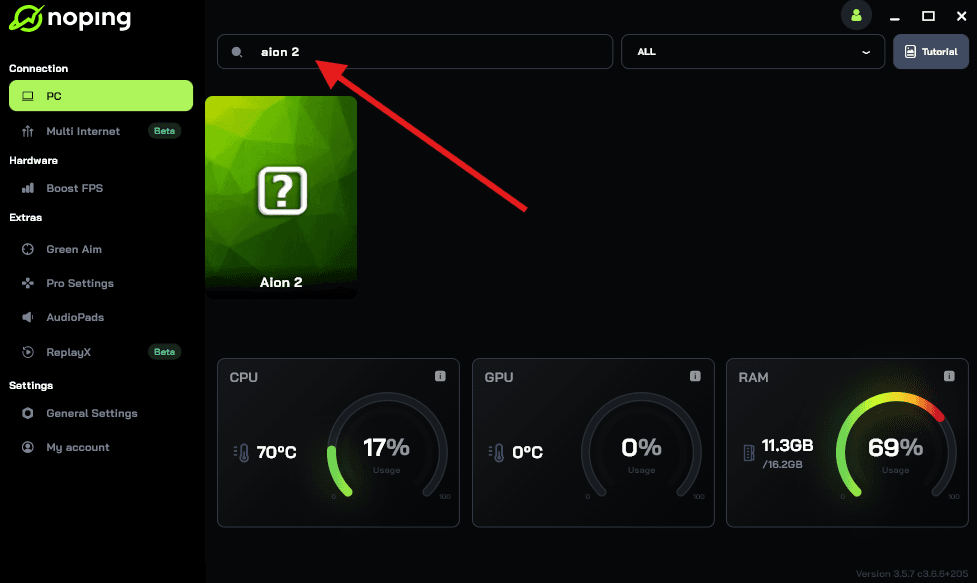
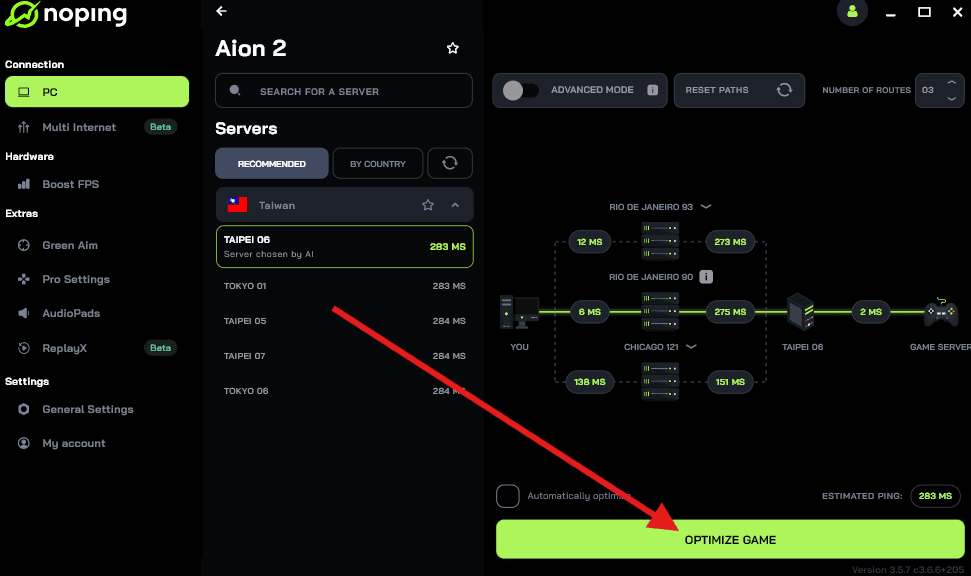
- Once you find AION 2, click on it. Choose your server on the next screen and click on “Optimize Game”.
- And that’s it, you can start playing AION 2 with optimized ping!
You can test different servers within NoPing to see which gives you the lowest latency.
Also read: AION 2 Gameplay: Combat, Exploration, Classes and More [Videos]
Minimum PC System Requirements
Before you start the substantial game download, ensure your computer meets the technical specifications to run AION 2 smoothly, as the game utilizes Unreal Engine 5. Performance is crucial, especially for large-scale PvP combat.
| Component | Minimum Requirements | Recommended Requirements |
| OS | 64-bit Windows 10/11 | 64-bit Windows 10/11 |
| CPU | Intel Core i5-10400F / AMD Ryzen 3 3300X | Intel Core i5-12400F / AMD Ryzen 5 5600X |
| GPU | NVIDIA GTX 1660 (6GB) / FHD | NVIDIA RTX 3060 Ti / QHD |
| Memory | 16 GB RAM | 32 GB RAM |
| Storage | SSD recommended | NVMe SSD recommended |
Pro Tip: Using the connection optimization tool (like NoPing) can sometimes also offer an FPS Boost feature, which helps stabilize overall system performance alongside fixing high latency.
Language Support and Community
The primary interface and in-game text for the Taiwan server are in Traditional Chinese.
While playing in a non-native language can be challenging, here’s what you need to know about the community and language solutions:
- Official Language: Traditional Chinese (UI and Text).
- Community Language: The server hosts a large population of Traditional Chinese speakers, but many international guilds and players communicate in English. Look for global/international guilds in the general chat or on community forums.
- Translation Tools: If you struggle with the game text, external tools are available. Some game optimization services (like the one mentioned earlier) or third-party overlay programs offer real-time text translation to convert Chinese UI, quest dialogue, and skill names into English or other preferred languages.
Choosing the Taiwan server generally offers a calmer, more beginner-friendly environment compared to the highly competitive Korean server.
Also read: The Best AION 2 Builds (All Classes)
Why Choose the Taiwan Server?
For a player outside of Asia, the Taiwan server is often the preferred choice over the Korean server for a few key reasons:
| Feature | Taiwan (TW) Server | Korean (KR) Server |
| Account Creation | Simple: Easy signup, typically email-based, no local phone number or ID verification required. | Complex: Requires a local Korean mobile number and strict real-name/identity verification. |
| Geo-Restrictions | Less strict IP restrictions. | Highly restricted, often requiring a strong VPN/booster from the start. |
| Ping for Global Players | Generally more stable latency for players in Southeast Asia, Oceania, and often a better or more stable route for Western players compared to KR. | High latency for players outside of Asia. |
| Community | Balanced population, often considered more beginner-friendly. | Highly competitive, fast-paced progression, and large core gamer base. |
By selecting the Taiwan region during your Purple account setup, you ensure the most straightforward registration process for non-Asian players.
Start playing the anticipated AION 2 on the Taiwan server today with reduced latency! Download NoPing and enjoy the free trial!